

Google Play Reviews Scraper
Pricing
$0.10 / 1,000 saved reviews
Google Play Reviews Scraper
Export written Google Play app reviews with scores, dates, versions and developer replies. Choose language, sort and limits. Stable review IDs and a clear run report.
Pricing
$0.10 / 1,000 saved reviews
Rating
0.0
(0)
Developer

Cliqto Media
Maintained by CommunityActor stats
1
Bookmarked
2
Total users
1
Monthly active users
11 days ago
Last modified
Categories
Share
Get public written reviews from Google Play. Add an app link or Android package ID. Then choose the review language, Google Play country, sort order, and number of reviews you want.
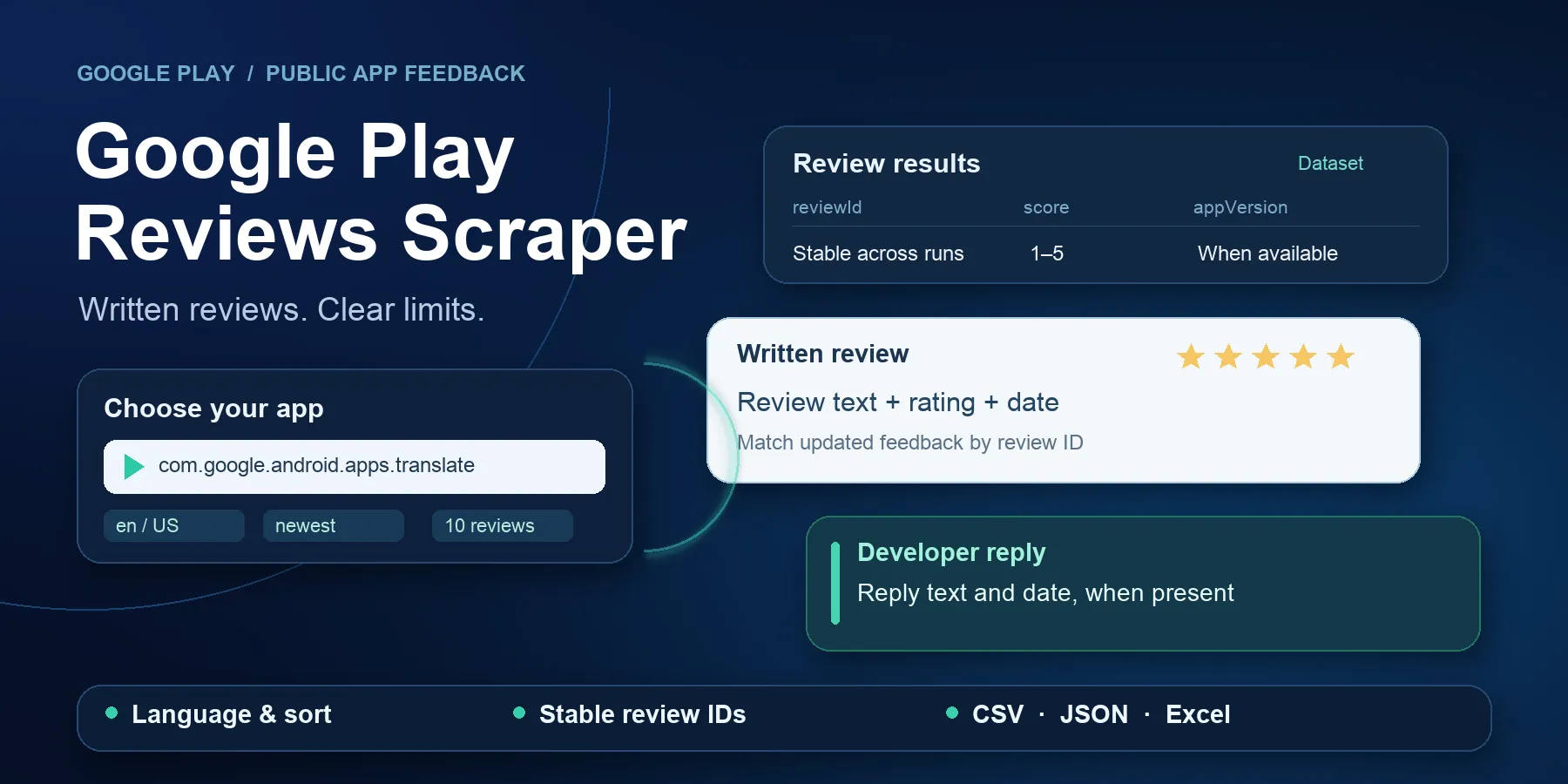
Run the Actor and open the Dataset. This is your results table. You can download it as JSON, CSV, or Excel. Each row contains one review. It can also include the score, app version, helpful vote count, and a developer reply when Google Play provides one.
This Actor is an independent tool. It is not an official Google product and is not linked to, approved by, or supported by Google.
The Actor gets the reviews Google Play shows for the language and sort order you choose. It gets the current available set. It does not promise every review ever posted. Google Play can change, reorder, limit, or block the available results at any time.
Contents
- Quick start
- Good fit and use cases
- Input reference
- Output reference
- Pricing
- Empty and incomplete results
- Limits
- API and export
- FAQ
- Support
Quick start
- Add a Google Play app link or package ID to Apps.
- Choose the review language and sort order.
- Set how many reviews you want.
- Click Start.
- Open Your review results in the Output tab.
- Click Export results to download JSON, CSV, or Excel.
The form starts with this small example:
The unedited form returned 10 useful reviews in the Cloud check on October 10,
2026. Google Play can change. Check the run report when an app returns no rows.
The required appIds field has a UI prefill, but no API default. An API request
with {} is invalid; it never starts a hidden demo.
What you get
Your review results are saved in the Apify Dataset. One saved row is one unique written review. Common fields include:
- review text and score;
- last update time and app version;
- helpful vote count;
- developer reply and reply time, when available;
- the language, Google Play country, and sort order you chose;
- stable review IDs that help you match the same review in later runs.
Developer replies and some other fields can be empty because Google Play does not provide them for every review. Reviewer name and profile image are left out by default.
Open Run report for a short report about the run (RUN_SUMMARY). It tells
you how many reviews were saved and why collection stopped for each app. Check
this report when the results table is empty or has fewer rows than expected.
Good fit and use cases
Use this Actor to export written Android app feedback, compare review scores
by app version, or check whether a developer has answered a review. Use text
for your own topic or sentiment analysis. This Actor does not score sentiment.
- Product teams: compare
score,textandappVersionafter a release. - Support teams: check
developerReplyand its update time. - Analysts: group exported reviews by app and requested language.
- Data teams: update records by
itemIdwhen review content changes.
It is not a fit for Google Maps business reviews, app discovery, a worldwide review count, country-based reviewer targeting, or an authenticated developer account. It does not provide monitor/diff state, keyword/date/star filters, translation, review images or media, or custom mapping code.
Input reference
All seven fields are listed below. No nested input objects are supported.
Unknown fields fail with INPUT_INVALID before source requests.
| Field | Type and allowed values | Required | Runtime default | New form prefill |
|---|---|---|---|---|
appIds | Array of 1–20 package IDs or canonical HTTPS Google Play app links. Each string: 3–2,048 characters; package ID: at most 255. | Yes | None | ["com.google.android.apps.translate"] |
language | String: 2–3 letter base code, optionally a two-letter region, such as en, de, pt-BR. all is invalid. | No | en | Uses schema default |
country | String: two letters, such as US or DE. | No | US | Uses schema default |
sort | String: newest, rating, relevance. | No | newest | Uses schema default |
maxReviewsPerApp | Integer: 1–5,000. Counts saved unique reviews per app. | No | 100 | 10 |
maxTotalReviews | Integer: 1–20,000. Counts saved unique reviews in the run. | No | 1000 | 10 |
includeReviewerProfile | Boolean. true requires publisher permission; otherwise input fails. | No | false | Uses schema default |
Package IDs are case-preserving. Repeated apps and equivalent links are skipped
in first-occurrence order. Apps are processed one at a time. The first reached
per-app, global or platform charge limit stops the affected work. Duplicate
reviews do not use the result limit. A smaller global limit can leave later apps
UNPROCESSED.
Links must use https://play.google.com/store/apps/details with one id query
parameter. Login details, fragments, other hosts and extra surrounding spaces
are rejected. The package ID must contain dot-separated segments, each starting
with a letter. Country is normalized to uppercase. Language base is lowercase,
with an uppercase region. Codes request a store context; accepted syntax does
not prove that Google supports every code or that the returned text matches it.
rating requests highest scores first. relevance uses Google's changing
ranking. There is no date-order promise for those modes. country does not mean
the reviewer's country. Reviewer details stay null in the standard configuration;
there is no input for credentials, cookies, proxy settings or page tokens.
Output reference
One Dataset item is one saved unique written review. All keys below are present;
unavailable optional data uses null, not a missing key. An empty list is [].
The contract remains schema version 1.0.
| Field | Type | Meaning and empty behavior |
|---|---|---|
schemaVersion | String | Always 1.0. |
itemId | String | Stable packageId:reviewId. Match updates by this key. |
reviewId | String | Source review ID; opaque, not required to be a UUID. |
packageId | String | Exact normalized app package ID. |
appUrl | String, HTTPS URL | App details URL with id and reviewId. |
requestedLanguage | String | Requested language code; not detected text language. |
requestedCountry | String | Requested store country; not reviewer location. |
sortMode | String | newest, rating or relevance. |
score | Integer | Review score from 1 to 5. |
text | String or null | Written text. Missing/empty source text becomes null. No HTML execution or sentiment label. |
lastModifiedAt | String, UTC ISO timestamp | Source review update time, at millisecond precision. It is not guaranteed to be the first publication date. |
thumbsUpCount | Integer or null | Helpful vote count, nonnegative when supplied. |
appVersion | String or null | App version attached to the review, when supplied. |
criteria | Array of objects | Source feature ratings; [] when none. |
criteria[].name | String | Feature name. |
criteria[].rating | Number or null | Source feature rating. No invented score or fixed range. |
developerReply | Object or null | Reply only when both text and time are valid. No separate reply row or fee. |
developerReply.text | String | Developer's reply text. |
developerReply.lastModifiedAt | String, UTC ISO timestamp | Reply update time, at millisecond precision. |
reviewer | Object or null | Null by default. Requires both input opt-in and publisher permission. |
reviewer.name | String or null | Public source name when permitted and present. |
reviewer.imageUrl | String, HTTPS URL, or null | Public profile image link when permitted; the Actor does not download it. |
observedAt | String, UTC ISO timestamp | Time this run began observing the source; not the review date. |
Text preserves Unicode, tabs and newlines. Unsafe control characters are removed. Empty optional strings become null. Text is not translated or silently shortened. Malformed required fields, invalid reply pairs or oversized text fail visibly.
The default Dataset contains no status or error rows. The default key-value store
has INPUT (platform input) and RUN_SUMMARY (run report). The Output tab links
to these stores; there is no separate OUTPUT record or hidden monitor state.
RUN_SUMMARY records schemaVersion, runStatus, UTC startedAt/finishedAt,
durationMs, transport, normalized input, counters, partial,
chargeLimitReached, stopReason, apps and safe errors. transport records
direct HTTP, proxy use (false), client version and HTTP status buckets. input
records received/valid/unique/duplicate apps, requested language/country/sort,
result limits and profile inclusion. counters records app outcomes, pages,
requests, retries, rate-limit responses, received/stored reviews, duplicate
skips/conflicts, saved replies, unprocessed apps and response bytes.
Each apps[] entry records packageId, status, completeness, pagesFetched,
reviewsReceived, reviewsStored, duplicatesSkipped,
hasUnconsumedContinuation and error (null or safe code/message/context).
Each errors[] entry has code, retryable, message and optional safe
appIndex/packageId. It never includes raw reviews or continuation tokens.
A real output example
Selected fields from the October 10, 2026 Cloud run with the quick-start input. The full row has every field listed above. This short public text contains no reviewer name or profile. Live reviews can change.
Pricing
Price: USD 0.10 for 1,000 saved unique reviews.
You pay once for each unique review that is saved to the Dataset
(apify-default-dataset-item). There is no start fee under the price active on October 10, 2026.
Platform usage is included.
Examples:
- 10 saved reviews cost USD 0.001;
- 100 saved reviews cost USD 0.01;
- 1,000 saved reviews cost USD 0.10.
Repeated reviews are skipped and are not charged again. An empty result has no review charge. If a technical error happens after some reviews were saved, you pay only for those saved reviews. The error itself is not charged.
Scheduled price change
Apify has scheduled a standard apify-actor-start fee of USD 0.0035 for
October 24, 2026 at 00:57 UTC. The fee per saved review stays USD 0.0001.
This future rate is not the active price on October 10. Check the Store Pricing
tab for the rate applied to your run.
At the supported 256 or 512 MB memory settings, Apify charges one start event. Under that scheduled rate, 0 saved reviews cost USD 0.0035, 1 costs USD 0.0036, 10 cost USD 0.0045, 100 cost USD 0.0135, and 1,000 cost USD 0.1035. Replies and skipped duplicates have no separate event fee. A failed run can still have a start fee and fees for reviews already saved. These rates keep platform usage included; they do not add a separate usage bill.
maxTotalChargeUsd is the platform limit for the total Actor charge, including
any applied start event. A review-count estimate alone excludes the start fee.
An insufficient cap can stop output. The Actor does not manually charge the
standard start event. Fully filtered and unchanged-monitor scenarios are not
supported because this Actor has no filters or monitor mode.
Empty and incomplete results
Fewer rows do not always mean that the run failed. Open Run report to see the reason.
- No reviews found (
EMPTY): the app page was available, but Google Play returned no written reviews for your choices. Try another language or sort order if that matches your goal. - App not found or not available (
NOT_FOUND_OR_UNAVAILABLE): check the package ID, app link, and Google Play country. - Stopped at your review limit (
TRUNCATED): the Actor saved the number you asked for. Increase the limit if you need more. - Stopped at your spending limit (
TRUNCATED_CHARGE_LIMIT): check the run's maximum charge before you try again. - Stopped by a technical problem (
PARTIAL_TECHNICALorFAILED): Google Play may have blocked the request, changed its response, or had a network problem. Reviews saved before the error stay in the Dataset, but the result is incomplete.
A technical problem is never reported as a normal empty result.
Limits
Maximum scope is 20 apps, 5,000 reviews per app and 20,000 per run. The source returns pages of up to 150 reviews. The Actor uses one request stream, at most two request starts per second, up to three attempts per request, and at most 2 MiB per reviews response. An attempt timeout covers headers and body. Source work ends within 10 minutes even if the platform timeout is larger. A shorter platform timeout reserves 30 seconds for the run report. The standard 300-second demo keeps source work within the remaining 270 seconds.
Supported memory is 256 or 512 MB. Invalid run resources produce
RESOURCE_INVALID, separately from INPUT_INVALID. Source failures can leave
useful partial rows; check the run status and report before treating them as
complete. Requests use a changing public endpoint; future blocks or response
changes may require maintenance.
This Actor collects written public reviews only. It does not collect rating-only feedback that has no review text.
The review language selects the set Google Play returns. The country selects a Google Play store view. It is not the author's country, location, or nationality.
The Actor does not promise:
- every review from the full history of an app;
- reviews from every language or country setting;
- a stable relevance order between runs;
- that Google Play will always keep the same data source available;
- that the app's public review count will match the number of written reviews this Actor can get.
Reviews and developer replies can change while keeping the same itemId. If
you need the latest version of each review, update your records by itemId.
API and export
Use the Actor's API button in Apify Console to generate a request for your
language. Use this Actor ID: Yy2R2nwjWwDLnzs4f. Send the quick-start JSON as
input, set timeoutSecs to 300 for the small demo, and keep memory at 256 MB.
Store your Apify token securely; never place it in public examples or Issues.
Wait for the run to finish, then read its defaultDatasetId and the
RUN_SUMMARY record in its defaultKeyValueStoreId.
Use Apify's Dataset export for JSON, CSV or Excel. Native Apify tasks and schedules can repeat a saved input. Every run is a fresh snapshot; schedule repetition does not add diff or only-new behavior. The Actor does not create schedules or send data to external services itself.
For iOS feedback, use our published Apple App Store Reviews Scraper. It is a separate product with its own input and output contract.
FAQ
Can I download the results as CSV or Excel?
Yes. Open the Dataset, click Export results, and choose JSON, CSV, Excel, or another format supported by Apify.
Can I get reviews from a specific reviewer country?
No. Google Play country changes the store view used for the request. It does not tell you where a reviewer lives.
Why is a developer reply missing?
Google Play does not show a developer reply for every review. When no reply is
available, developerReply is null.
Does the Actor get all old reviews?
No. It gets the current set that Google Play returns for your language and sort order. Google Play does not provide a public total that proves full history.
Where can I see why the Actor stopped?
Open Run report in the Output tab. The exact record name is RUN_SUMMARY.
Support
If a run looks wrong, first check your input, the Dataset, and Run report. Then open the Actor's Issues tab on Apify.
Include the run ID, UTC time, build number, language, country, sort order, review limits, final status, safe error code, and expected row count. Do not post API tokens, cookies, authorization headers, full private inputs, raw response data, or private reviewer data.
Support is provided through the Cliqto Media (CliqtoMedia) Apify profile and
the Actor's Issues tab. There is no promised response time.
Privacy and unofficial status
This Actor gets public written reviews. Reviewer details are off by default. The Actor does not keep another copy outside the Dataset and key-value store in your Apify run. You control retention and downloads in your Apify account.
Review text and developer replies are content from other people. Treat them as untrusted text. Escape values before using them in HTML, spreadsheets, SQL, logs, or AI prompts. You are responsible for a lawful purpose, data limits, storage time, deletion, and safe use.
Google Play Reviews Scraper is an unofficial independent tool. It is not affiliated with, sponsored by, endorsed by, or authorized by Google. It does not use the official Android Publisher API. Google can change or block the data source without notice.
Technical contract
Match records by itemId, inspect RUN_SUMMARY, and handle failed partial
runs explicitly. Retries are bounded for network, timeout, 429 and server
errors. Blocks, unsafe redirects, parser changes, repeated tokens and conflicting
duplicate IDs are not valid empty results. Exported text is untrusted input.


