

mobile.de Car Listings Scraper - Prices & Specs, No login
Pricing
from $1.19 / 1,000 saved listings
mobile.de Car Listings Scraper - Prices & Specs, No login
mobile.de scraper for car listings in Germany. Search by make, model, price, year and mileage or paste a search link. Each row has price, mileage, year, fuel, gearbox, power, photos and seller type. No mobile.de login needed. Only-new mode for schedules.
Pricing
from $1.19 / 1,000 saved listings
Rating
0.0
(0)
Developer

Cliqto Media
Maintained by CommunityActor stats
0
Bookmarked
2
Total users
1
Monthly active users
2 days ago
Last modified
Categories
Share
Scrape car listings from mobile.de, Germany's biggest car market. Search by make, model, price, first registration year and mileage, or paste mobile.de search links. Each car becomes one row with price, mileage, fuel, gearbox, power, location, dealer and photos.
It is for car dealers, importers, analysts and anyone who watches car prices. The smallest run is make BMW, model 3er and 10 listings. It takes a few seconds and needs no login or API key.
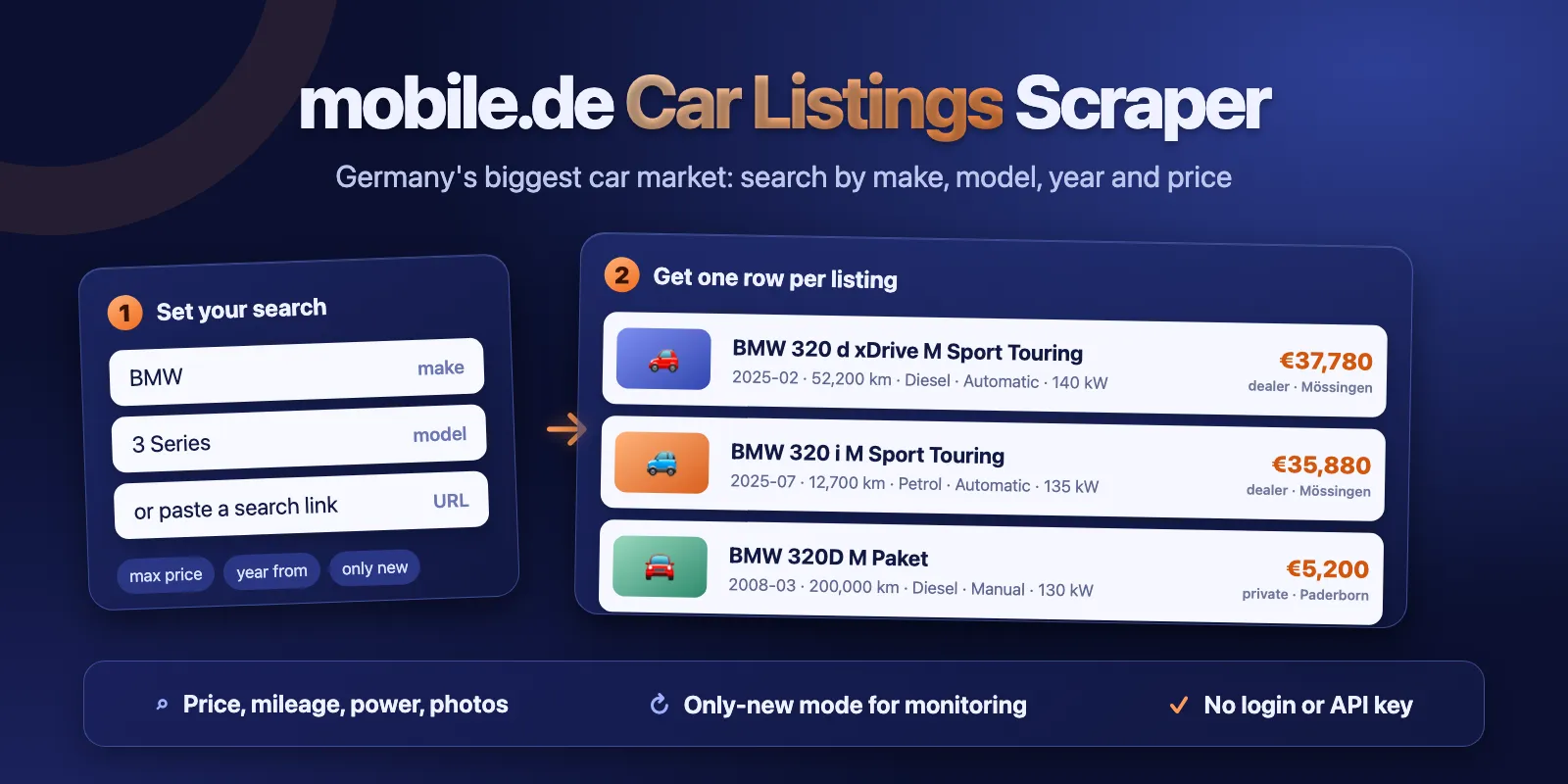
Table of contents
- What it does
- What data you get
- Quick start
- Input
- Output fields
- Pricing
- Use cases
- Scheduling and monitoring
- API, export and integrations
- Limits and partial results
- Troubleshooting
- FAQ
- Support
What it does
The Actor reads mobile.de car search results, the same results you see on suchen.mobile.de. It saves one Dataset row per listing. You can search with simple filters (make, model, price, year, mileage, condition, seller) or paste up to 20 search links from your browser. Then you can use every filter that mobile.de has.
mobile.de shows at most 2,000 results for one search. When a search has more, the Actor splits it into price ranges and reads each range. So one run can return up to 10,000 listings.
With Only new listings, the Actor remembers which listings it already saved. The next run of the same search returns only the listings it did not see before. Use this with a schedule to watch the market.
Good fit
- Track prices of one model, for example all BMW 3 Series cars under €30,000.
- Collect dealer stock with mileage, power and photos for a price study.
- Get new listings for a search every hour or every day.
Not a fit / limits
- Cars only. Motorbikes, vans and trucks are not supported.
- No seller phone numbers or emails. Private sellers' names are never collected. Phone numbers and emails typed into descriptions and titles are removed (common German and international formats).
- At most 10,000 listings per run. Listings without a price are skipped when a big search is split into price ranges.
- Data is what mobile.de shows at the time of the run. Prices and stock change often.
What data you get
- Listing:
listingId,url,title,make,model, body type,onlineSince. - Price:
priceandcurrency, net price, negotiable flag, mobile.de price rating. - Car:
firstRegistration,year,mileageKm,fuel,gearbox,powerKw/powerHp, engine size, colour, doors, seats, KBA codes. - Seller:
sellerType, dealer name, ID and rating,location(country, zip, city). - Photos:
images(1024 px links) andimageCount. - With
includeDetails: all photos, the seller description, the equipment list and all technical data.
Quick start
- Open the Input tab.
- Keep the prefill: Make
BMW, Model3er, Maximum listings10. - Click Start.
- Open the Output tab and look at the Car listings table.
Expected result: 10 rows of BMW 3 Series cars, newest listings first, with price, mileageKm, firstRegistration and a link to each listing.
Input
Input fields
| Field | Plain name | Type | Required | Default / prefill | Allowed values | Effect | Example |
|---|---|---|---|---|---|---|---|
make | Make | string | no | prefill BMW | mobile.de make name; VW, Mercedes also work | limits to one brand; empty = all makes | Volkswagen |
model | Model | string | no | prefill 3er | model or series of that make | 3er / 3 Series = all 316, 318, 320 …; 320 = one model | Golf |
priceMin | Price from (EUR) | integer | no | none | 0–10,000,000 | minimum asking price | 5000 |
priceMax | Price to (EUR) | integer | no | none | 0–10,000,000 | maximum asking price, inclusive | 30000 |
yearFrom | First registration from | integer | no | none | 1900–2100 | earliest year of first registration | 2019 |
yearTo | First registration to | integer | no | none | 1900–2100 | latest year of first registration | 2023 |
mileageMax | Maximum mileage (km) | integer | no | none | 0–2,000,000 | only cars with at most this many km | 100000 |
condition | Condition | string | no | any | any, used, new | new, used or both | used |
sellerType | Seller | string | no | any | any, dealer, private | dealers, private sellers or both | dealer |
searchUrls | Search links | array of strings | no | empty | up to 20 suchen.mobile.de links | uses the link filters instead of the fields above | see example |
sort | Sort order | string | no | auto: newest first for filters, links keep their own order | auto, newest, price_asc, price_desc, mileage_asc, year_desc, relevance | order of results | price_asc |
maxItems | Maximum listings | integer | no | default 100, prefill 10 | 1–10,000 | stops after this many listings in total | 500 |
includeDetails | Include listing details | boolean | no | false | true / false | opens each listing page: all photos, description, equipment, all technical data | true |
onlyNew | Only new listings | boolean | no | false | true / false | returns only listings not saved by earlier runs of the same search | true |
stateKey | Monitoring name | string | no | empty | letters, digits, -, _; up to 60 | name of the Only new listings history | bmw-3er-watch |
Empty input {} returns the 100 newest car listings of all makes. A model needs a make. An unknown make or model stops the run with an error and close names to try. It does not return an empty list.
Interacting settings
| When | Input A | Input B | Effective behavior | Cost/result effect |
|---|---|---|---|---|
| You give search links | searchUrls | make, model, price, year, mileage, condition, seller | links win; the filter fields are ignored | none |
| Several links | searchUrls | maxItems | links share maxItems evenly; what a small search does not use goes to the next link; the same link twice is read once | duplicate listings are saved and charged once |
| Links and sort | searchUrls | sort | auto (default) keeps each link's own sort; any other value replaces it for all links | none |
| Big search | more than 2,000 results | maxItems above 2,000 | search is split into price ranges; rows come in price-range order | listings without a price are skipped |
| Monitoring | onlyNew | sort | with newest first, reading stops at the first page with no new listings; other orders stop after 5 such pages in a row | newest first reads the fewest pages |
| Monitoring | onlyNew | stateKey | empty = one history per search (changes when you change filters); set a name to keep the history when you tweak filters | none |
| Details | includeDetails | maxItems | one extra page per listing | slower (about 3.5 s per 40 listings); same price per listing |
Input examples
Model search with filters
Expected behavior: reads dealer BMW 3 Series cars from 2019 or newer, up to €30,000 and 100,000 km, newest first.
Expected output: up to 200 rows with price, year, mileageKm, dealerName, url.
Daily watch with search links
Expected behavior: the first run saves the newest 500 listings and remembers them. Later runs save only listings that appeared since then.
Expected output: new rows only; an unchanged market gives 0 rows and status NO_RESULTS.
Cost note: you pay the run start and the new listings only.
Output example
This is one trimmed row from the prefill run (BMW, 3er, 10 listings). Some fields are left out to keep it short.
Output fields
Results go to the default Dataset (Car listings table). A run summary goes to the key-value store record RUN_SUMMARY.
| Field | Meaning | Type | Can be empty? | Example |
|---|---|---|---|---|
listingId | mobile.de listing ID | string | no | 452795179 |
url | link to the listing | string | no | https://suchen.mobile.de/auto-inserat/…/452795179.html |
title | listing title | string | no | BMW 320d Limousine M Sport … |
make, model | make and model as on mobile.de | string | yes | BMW, 320 |
subTitle | short text under the title | string | yes | d Limousine M Sport … |
category | body type | string | yes | Saloon, Estate Car |
price | asking price, gross | number | yes (no price shown) | 38474 |
currency | price currency | string | yes, when price is null | EUR |
priceNet | price without VAT (dealers with VAT) | number | yes | 32331.09 |
priceNegotiable | price is negotiable | boolean | yes | true |
priceRating | mobile.de price rating | string | yes | VERY_GOOD_PRICE, GOOD_PRICE, REASONABLE_PRICE, INCREASED_PRICE, HIGH_PRICE |
firstRegistration | first registration, YYYY-MM | string | yes (new cars) | 2025-06 |
year | year of first registration | integer | yes | 2025 |
mileageKm | mileage in km | integer | yes | 10635 |
fuel | fuel type | string | yes | Diesel |
gearbox | gearbox | string | yes | Automatic |
powerKw, powerHp | engine power | integer | yes | 140, 190 |
engineCc | engine size in ccm | integer | yes | 1995 |
color | exterior colour | string | yes | White |
doors, seats | doors and seats | string, integer | yes | 4/5, 5 |
sellerType | dealer or private | string | yes | dealer |
sellerId, dealerName | dealer ID and name (dealers only) | string | yes (private sellers) | 454462, Autohaus … |
dealerRating, dealerReviewCount | dealer rating on mobile.de | number | yes | 4.6, 7 |
location | countryCode, zip, city; street for dealers with details | object | parts can be null | {"countryCode":"DE","zip":"91301","city":"Forchheim","street":null} |
kbaHsn, kbaTsn | German type approval codes | string | yes | 0005, CTX |
onlineSince | when the listing went online (German time) | string | yes | 2026-04-11T06:04 |
images | photo links, 1024 px; one photo, or all with details | array | can be [] | ["https://img.classistatic.de/…?rule=mo-1024"] |
imageCount | number of photos in the listing | integer | yes | 34 |
vehicleCondition | used or new (details only) | string | yes | used |
description | seller text without phones and emails (details only) | string | yes | — |
features | equipment list (details only) | array | yes | list of equipment names |
attributes | all technical data as text (details only) | object | yes | {"Fuel": "Petrol, E10-enabled"} |
searchUrl | the search this row came from | string | no | https://suchen.mobile.de/fahrzeuge/search.html?… |
source | always mobile.de | string | no | mobile.de |
fetchedAt | when the row was read (UTC) | string | no | 2026-10-15T10:26:57.791Z |
null means mobile.de does not show this value for the listing. It never means zero. For example, new cars have no firstRegistration and no mileageKm. Fields marked "details only" are null unless includeDetails is on.
Output entities and surfaces
| Situation | Where | Result shape | What to do |
|---|---|---|---|
| Normal run | Dataset + RUN_SUMMARY | one row per listing; status COMPLETE | open, export or use the fields |
| No matching cars | RUN_SUMMARY, empty Dataset | status NO_RESULTS, run succeeds | check filters; with onlyNew it means nothing new |
| Stopped early | Dataset + RUN_SUMMARY | saved rows; status PARTIAL with reason CHARGE_LIMIT or TIME_LIMIT | raise the cost limit or timeout, or lower maxItems |
| Source error | RUN_SUMMARY | status ERROR (or PARTIAL with saved rows); run fails with the reason | run again later |
| Wrong input | RUN_SUMMARY | status INVALID_INPUT; run fails with suggestions | fix make, model or link |
RUN_SUMMARY also shows each search with totalAvailable (how many cars mobile.de has for it), pages read, rows saved, skipped repeats and warnings.
Pricing
Pricing unit
You pay per saved listing, plus a small fee when a run starts:
| Event | When | Price |
|---|---|---|
| Actor start | once per run (one per GB of memory; default 256 MB = one) | $0.005 |
| Saved listing | one row in the Dataset | Free plan $1.40, Bronze $1.33, Silver $1.26, Gold and higher $1.19 per 1,000 |
includeDetails costs the same per listing. Listings skipped by onlyNew and duplicate listings are not charged. A run with no matching cars, or a monitoring run with nothing new, costs only the $0.005 start. Platform usage is included in these prices.
If you set a maximum cost per run, the Actor stops before it goes over it. The rows saved until then stay, and the summary says PARTIAL / CHARGE_LIMIT.
Cost examples
Prices on the Free plan:
| Scenario | Input scope | Listings | Charge | Stop behavior |
|---|---|---|---|---|
| Prefill | BMW 3er, 10 | 10 | $0.019 | stops at maxItems |
| Small study | one model, 100 | 100 | $0.145 | stops at maxItems |
| Big study | one make, 1,000 | 1,000 | $1.405 | stops at maxItems |
| Maximum | all Audi, 10,000 (split by price) | 10,000 | $14.005 | about 3 minutes |
| No matches | BMW 3er under €100 | 0 | $0.005 | NO_RESULTS |
| Watch, nothing new | onlyNew rerun, newest first | 0 | $0.005 | stops at the first page with nothing new |
Use cases
| Buyer job | Input path | Output entity | Key fields | Next integration |
|---|---|---|---|---|
| Price study for a model | make, model, yearFrom, mileageMax | car listing | price, year, mileageKm, powerKw | export CSV / Excel |
| Watch new cars for a search | searchUrls or filters + onlyNew, schedule | new car listing | listingId, url, price, onlineSince | webhook, Make, Zapier |
| Dealer stock list | sellerType dealer, make | car listing | dealerName, sellerId, location, images | Google Sheets, API |
| Full car details | any search + includeDetails | car listing with details | description, features, attributes, images | database, AI agent |
Scheduling and monitoring
- Set your search with the filters or a search link.
- Turn on Only new listings (
onlyNew). Keep Sort order on newest first. - Optional: set Monitoring name (
stateKey), so the history stays when you change filters later. - Create an Apify schedule, for example every hour.
The first run saves the newest listings up to maxItems and remembers them. Each next run saves only listings that the history does not have yet. The history keeps the last 20,000 listing IDs per search. A run with nothing new ends with status NO_RESULTS and costs only the $0.005 start.
A bumped listing (the seller moved an old listing to the top) counts as new if this history never saw it.
API, export and integrations
- API: start the Actor with the Apify API and the input JSON above; read rows from the default Dataset.
- Export: CSV, Excel, JSON, XML or HTML from the Dataset.
- Scheduling: create a schedule with
onlyNewon to get new cars every hour or every day. - Webhooks / no-code: send rows to Make, Zapier, n8n or Google Sheets when a run finishes.
Use with AI agents (MCP)
- Apify MCP server URL with only this Actor:
https://mcp.apify.com?tools=cliqtomedia/mobile-de-scraper. - Smallest useful input:
{"make": "BMW", "model": "3er", "maxItems": 10}. - Key fields:
price(EUR, gross),mileageKm,firstRegistration(YYYY-MM),powerKw,url(listing page). - A 10-listing run takes about 5 seconds and costs $0.019 on the Free plan. Up to 10,000 listings per run.
Limits and partial results
- Cars only. Motorbikes, vans and trucks are not supported.
- Up to 10,000 listings and 20 search links per run.
- A run reads at most 40 result pages that save nothing (plus one more page for every two saved listings), or 10 after a switch to the backup connection. This keeps monitoring runs with no news short.
- 10,000 listings took 176 seconds in our test. The default 300-second timeout is enough for most runs. With
includeDetails, raise the timeout for big runs. - mobile.de shows at most 2,000 results per search. Bigger searches are split into price ranges; listings without a price are skipped then.
- If you set a maximum cost per run, the run stops before it, keeps the saved rows and ends with
PARTIAL/CHARGE_LIMIT. - If the run reaches its timeout, saved rows stay and the summary says
PARTIAL/TIME_LIMIT. - If mobile.de fails after some rows, the rows stay, the summary says
PARTIALand the run is marked failed, so you can see it.
Troubleshooting
The run fails with "Unknown model"
Symptom: the run fails right away.
Likely reason: mobile.de uses a different model name.
Check: the error message lists close names.
Action: use one of them, for example 3er or 3 Series for all BMW 3 Series cars, or 320 for one model.
I get many more cars than expected from a link
Symptom: the summary has a warning "mobile.de ignored part of search link". Likely reason: a filter in the link is broken, so mobile.de dropped it. Action: set the filters again on suchen.mobile.de and copy the new link.
Only new listings returns an old car
Likely reason: the seller bumped the listing, so it moved to the top. The Actor did not save it before, so it counts as new.
The run fails with a source error
Likely reason: mobile.de did not answer or refused requests. The Actor switches to another connection once by itself. Action: run again later. Rows saved before the error stay in the Dataset.
FAQ
Do I need a mobile.de account or API key?
No. The Actor reads public search results. No login, cookies or API key.
Why do I get 0 rows?
mobile.de has no cars for your filters, or, with onlyNew, nothing new appeared. The summary says which. The run still succeeds. A source error is never shown as 0 rows; it fails the run.
Can I get the seller's phone number?
No. The Actor does not collect phone numbers or emails, and it removes phone numbers and emails typed into descriptions (common German and international formats; unusual spellings such as numbers written in words may stay). For private sellers it saves only the city and zip code shown in the listing.
How fresh is the data?
Each row is read live at the time shown in fetchedAt.
Can I move from another mobile.de scraper?
Yes, but field names differ. This Actor gives flat numbers: price, mileageKm, powerKw, and firstRegistration as YYYY-MM. Map your fields once.
Support
For a bug, question or feature request, open an issue on the Actor's Issues tab. Include the run ID, your input (without private data) and the summary message. Never send tokens or passwords.


