

YouTube Search Results Scraper — No Login
Pricing
from $0.19 / 1,000 search results
YouTube Search Results Scraper — No Login
Search YouTube videos, channels and Shorts without login or an API key. Send up to 5 queries and get ranked search cards with visible titles, channel details, view labels, duration and fetch times. Export results and check each query in the run summary.
Pricing
from $0.19 / 1,000 search results
Rating
0.0
(0)
Developer

Cliqto Media
Maintained by CommunityActor stats
0
Bookmarked
2
Total users
1
Monthly active users
8 days ago
Last modified
Share
Search public YouTube videos, channels and Shorts by keyword. Get a row for each result, with its query, rank, title and visible metadata. No login or YouTube API key is needed.
Use it for keyword research, content planning and channel discovery. Start with apify tutorial and 20 results.
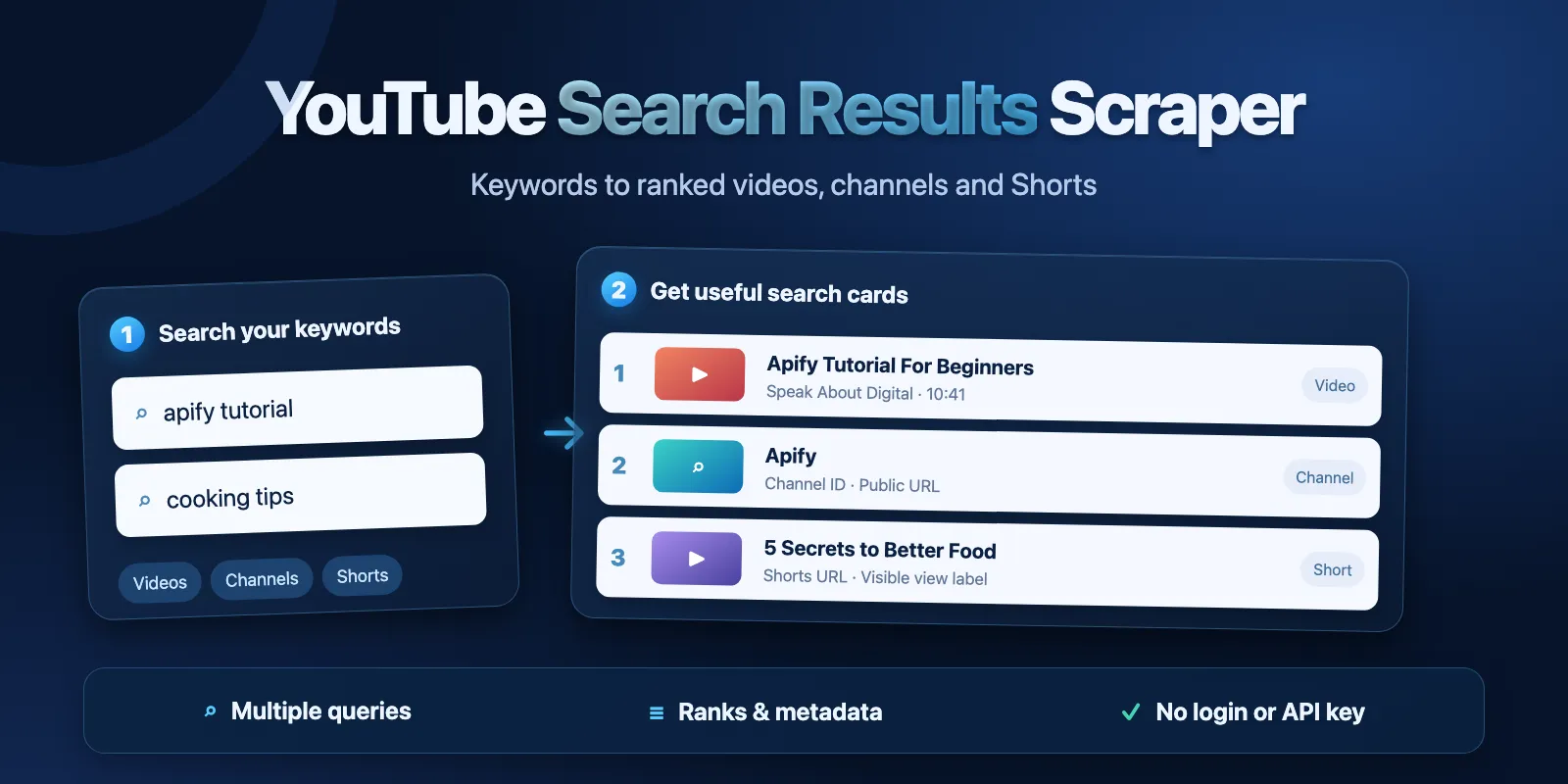
Table of contents
- What it does
- Quick start
- Input
- Output
- Pricing and limits
- Use cases
- Scheduling and monitoring
- API, export and integrations
- Limitations and partial results
- Troubleshooting
- FAQ
- Related Actors
- Support
What it does
Send up to 5 keyword queries in one run. Choose videos, channels, Shorts, or all supported search cards. The Actor reads public search responses and follows their next pages until it reaches your limit or the source ends.
Data you get
- The query and a rank for each delivered result.
- Video or channel ID, title and public URL.
- Visible channel name, view label, duration and publish label when available.
- A thumbnail, description excerpt and fetch time when available.
It does not download videos. It does not read private videos, playlists, comments or transcripts. Search ranks refer to supported cards in this run. They do not include ads, playlists or repeated IDs.
Quick start
- Open Input.
- Keep
queriesas["apify tutorial"]andmaxResultsPerQueryas20. - Keep the default video search.
- Click Start.
- Open Search results to see the rows. Open Run summary to check each query.
The example returns public video cards. Results can change over time.
Input
Only queries is required. API input without queries (for example {}) is rejected by Apify input validation before a run starts, so nothing is charged; other fields use the defaults below. The new form prefills queries and maxResultsPerQuery. Restore example input provides the same small example. The default build is latest.
| Field | Type | Default / prefill | Allowed values | What it changes / advice |
|---|---|---|---|---|
queries | array of strings | required / ["apify tutorial"] | 1–5 queries; 1–200 characters each | Keywords for each search. Leading/trailing spaces are removed. Exact duplicates are merged. Keep distinct queries when comparing topics. |
type | string | video | video, channel, short, all | video includes video cards for Shorts. short uses the Shorts search. all collects supported video, channel and Shorts cards; playlists are skipped. |
uploadDate | string | all | all, today, week, month, year | YouTube upload-date filter. Use only with video or all. |
duration | string | all | all, under3min, 3to20min, over20min | YouTube duration filter. Use only with video or all. |
sortBy | string | relevance | relevance, popularity | YouTube ordering. Shorts only accept relevance. |
maxResultsPerQuery | integer | 20 / same | 1–100 | Maximum delivered rows per query. The source can return fewer. Up to 500 rows across 5 queries. |
country | string | US | uppercase two-letter country context, e.g. JP | Search context. It does not filter channel location. Start with the market you study. |
language | string | en | YouTube language code, e.g. en, de, ja | Interface language, not a video-language filter. Localized count labels may leave views null. |
Interacting settings
Channel and Shorts searches require uploadDate: "all" and duration: "all". Shorts also require sortBy: "relevance". Other combinations fail validation before source requests. Video/all filters are sent to YouTube; they are not a later full-dataset filter.
Unknown input keys, an empty query list, blank queries or values outside these ranges fail validation.
Input examples
Video search:
Returns up to 20 video cards with videoId, title, channel and duration.
Channel search:
Returns channel cards. videoId, views, duration and publishedText are null for channels.
Shorts search:
Returns Shorts URLs and visible titles and view labels. Channel, date and duration are often unavailable.
A recent short-duration video search:
Returns the source's filtered video results, or a successful empty result when none match.
Output
Output example
The following is one complete row from the video example above:
Output fields
| Field | Type | Null? | Meaning / example |
|---|---|---|---|
query | string | no | Normalized query, e.g. apify tutorial. |
rank | integer | no | Starts at 1 for each query. Counts delivered unique supported cards. |
type | string | no | video, channel or short. |
videoId | string | yes | YouTube video ID; null for channel cards. |
url | string | no | Public watch, Shorts or channel URL. |
title | string | no | Search-card title or channel name. |
channel.id | string | yes | Channel ID, e.g. UCTgwcoeGGKmZ3zzCXN2qo_A. Shorts often omit it. |
channel.name | string | yes | Visible channel name, e.g. Apify. |
channel.url | string | yes | Canonical channel URL when its ID is shown. |
views | integer | yes | Exact English visible view count. Rounded (11M views), localized and missing values are null. Zero is a real visible zero. |
viewsText | string | yes | Original view label, e.g. 43,453 views or 11M views. |
publishedText | string | yes | Source label, e.g. 3 years ago. This is not an exact publish date. |
duration | string | yes | Visible MM:SS or HH:MM:SS, e.g. 10:41. |
isShort | boolean | no | Whether the card identifies a Short. |
isLive | boolean | yes | True for a live-now video badge; null for channel and Shorts cards. |
thumbnail | string | yes | Public thumbnail URL from the card. |
descriptionSnippet | string | yes | Visible excerpt, not the full description. |
source | string | no | YouTube. |
fetchedAt | string | no | UTC fetch time in ISO format. |
Output surfaces
Search results is the default Dataset view. It shows query, rank, type, title, URL, channel name, views, viewsText, duration, publishedText, isShort and isLive. JSON export contains all row fields.
Run summary is the RUN_SUMMARY record in the default key-value store. It contains status, reason, rows, per-query queries, requests, responseBytes, retries, elapsedMs, provider, source, fetchedAt and limits.
| Situation | Dataset | Run summary / action |
|---|---|---|
| Results found | Delivered cards | complete; query reason RESULT_LIMIT or SOURCE_EXHAUSTED. |
| No matches | No rows for that query | Query not_found, run complete. Change keywords or filters. |
| Buyer charge limit | Saved cards only | Run succeeds with partial / CHARGE_LIMIT. Raise your budget for more rows. |
| Source error, deadline or cancellation | Previously saved cards stay | Run fails with partial or error. Check reason; do not treat this as no matches. |
| Invalid input | Empty | Run fails before source work. Fix the input. |
Pricing and limits
Pay per event: a standard start fee plus each saved search result. Platform compute, traffic and storage are covered by this tariff; no proxy setting is needed.
| Plan | Start fee per run (256 MB) | Per result | Per 1,000 results, excluding start |
|---|---|---|---|
| Free | $0.002 | $0.00022 | $0.22 |
| Bronze | $0.002 | $0.00021 | $0.21 |
| Silver | $0.002 | $0.00020 | $0.20 |
| Gold / Platinum / Diamond | $0.002 | $0.00019 | $0.19 |
The start event is automatic. It applies to empty results and runs rejected by runtime validation. No result event is charged for an empty query. Partial and failed runs charge only the start and saved result rows. A rejected API request that never starts a run has no run events.
| Delivered rows | Runs | Free-plan total | Gold-plan total |
|---|---|---|---|
| 0 | 1 | $0.002 | $0.002 |
| 1 | 1 | $0.00222 | $0.00219 |
| 10 | 1 | $0.00420 | $0.00390 |
| 20 | 1 | $0.00640 | $0.00580 |
| 100 | 1 | $0.02400 | $0.02100 |
| 500 | 1 | $0.11200 | $0.09700 |
| 1,000 | at least 2 | $0.22400 | $0.19400 |
These are price calculations for delivered rows, not guaranteed result counts. This Actor supports up to 100 rows per query and 500 rows per run. A 1,000-row collection needs at least two runs. Put a limit on Maximum cost per run to control the spend. A cap can stop the run before it reaches your requested result count.
Use cases
| Task | Input | Useful fields | Next step |
|---|---|---|---|
| Plan content around keywords | Several queries, type: "video" | query, rank, title, viewsText | Compare rows in a spreadsheet. |
| Find public channels | type: "channel" | channel.id, channel.name, url | Review the channel pages. |
| Study short-form topics | type: "short" | title, url, viewsText | Group titles by topic. |
Scheduling and monitoring
You can create an Apify saved task and schedule it to repeat the same queries. Each run is a fresh search and is charged normally. There is no stored baseline or only-new mode. Compare exported rows by query and url in your own system. The Actor does not create schedules for you.
API, export and integrations
Start it with the Apify API. Use the same JSON input. After completion, read the run's default Dataset and RUN_SUMMARY record. Export results as JSON, CSV, Excel or XML using Apify Dataset export. For CSV, flatten channel to keep its nested fields.
Apify tasks, webhooks and automation tools can start a run and pass its Dataset ID to the next step. Use url or videoId as the item key, and keep query when the same video appears for several searches.
Use with AI agents (MCP)
Use https://mcp.apify.com?tools=cliqtomedia/youtube-search-scraper after the Actor is available in Store. Small input:
Read query (keywords), rank (delivered position), title (visible title), url (public result) and viewsText (source count label). The measured small search returned 20 rows in about 2–8 seconds of run time. Its event price is $0.00640 on the base plan. Keep the 5-query, 100-result-per-query limits and check the run summary before treating a partial run as complete.
Limitations and partial results
- Search results vary by time, region, interface language and anonymous session. They may differ from a signed-in browser.
- The source can change or stop search pages. The Actor is limited to 10 pages per query, 60 requests including retries, 32 MiB of response data and 150 seconds of source work. Reaching an internal page/request/byte limit is a failed partial run, not a promise of full coverage.
- Rank excludes unsupported cards, ads, playlists and duplicate IDs. It is not a universal YouTube SEO rank.
- Shorts cards may omit channel, publish date and duration. These values stay null. No watch-page enrichment is performed.
- Text labels and snippets are capped at 1,024 UTF-8 bytes. Thumbnail URLs longer than 2,048 bytes are omitted.
- Visible counts may be rounded or localized.
viewsTextpreserves them. Relative dates remain relative labels. - The Actor uses public search metadata. It is not affiliated with or endorsed by YouTube. Use the data in line with YouTube terms and the rights of content owners.
Troubleshooting
| Symptom | Possible reason | Check | Action |
|---|---|---|---|
| Empty Dataset with successful run | No matching cards | Query status in Run summary | Try a broader query or remove filters. |
INVALID_INPUT or INVALID_FILTER_COMBINATION | Invalid field or unsupported combination | Query list, ranges, type and filters | Use an example above and change one field at a time. |
CHARGE_LIMIT | Maximum run charge reached | Summary rows and your budget | Increase the cap if you need more results. |
SOURCE_ERROR / SOURCE_SCHEMA_CHANGED | Source unavailable or its card format changed | Run reason and saved rows | Retry a small example later; report the run if it repeats. |
SOURCE_DEADLINE / PAGE_LIMIT / BYTE_LIMIT | Source work exceeded a bound | Requests and responseBytes | Reduce queries or results per query. |
| Null numeric views | Rounded/localized/missing count | viewsText | Use the original label; do not replace null with zero. |
FAQ
Do I need to sign in or provide a YouTube API key?
No. The Actor reads public anonymous search responses.
Does video search exclude Shorts?
No. Video search follows YouTube's video filter, which can include Shorts. Use type: "short" for the dedicated Shorts search.
Are channels and exact publish dates available for every Short?
No. Missing search metadata stays null. Exact dates are not inferred from relative labels.
Can I get every matching video?
No. The source controls its pages. The Actor delivers up to your selected limit within the bounds above. It does not promise full search coverage.
Will the same input return the same order later?
It may change. Search is dynamic and session-dependent. Keep the fetch time with your results.
Do empty searches cost money?
The start fee applies. No result fee is charged when no rows are saved.
Related Actors
- YouTube Comments Scraper — read public comments for a video URL.
- YouTube Transcript Scraper — get available transcripts for selected videos.
Support
Use the Actor's Issues tab for questions or bugs. Include the run ID, result type and a non-sensitive error code. Do not send API tokens, cookies or private account data.


