
Google Maps Business Change Monitor
Pricing
from $1.50 / 1,000 business place checks
Google Maps Business Change Monitor
Monitor Google Maps businesses over time and get only meaningful listing changes: closures, reopenings, opening-hours changes, rating and review-count movement, phone, website, address and category updates. Works from Maps URLs, Place IDs, CIDs or business names, with state kept between runs.
Pricing
from $1.50 / 1,000 business place checks
Rating
0.0
(0)
Developer

Delowar Munna
Maintained by CommunityActor stats
0
Bookmarked
2
Total users
1
Monthly active users
a day ago
Last modified
Categories
Share
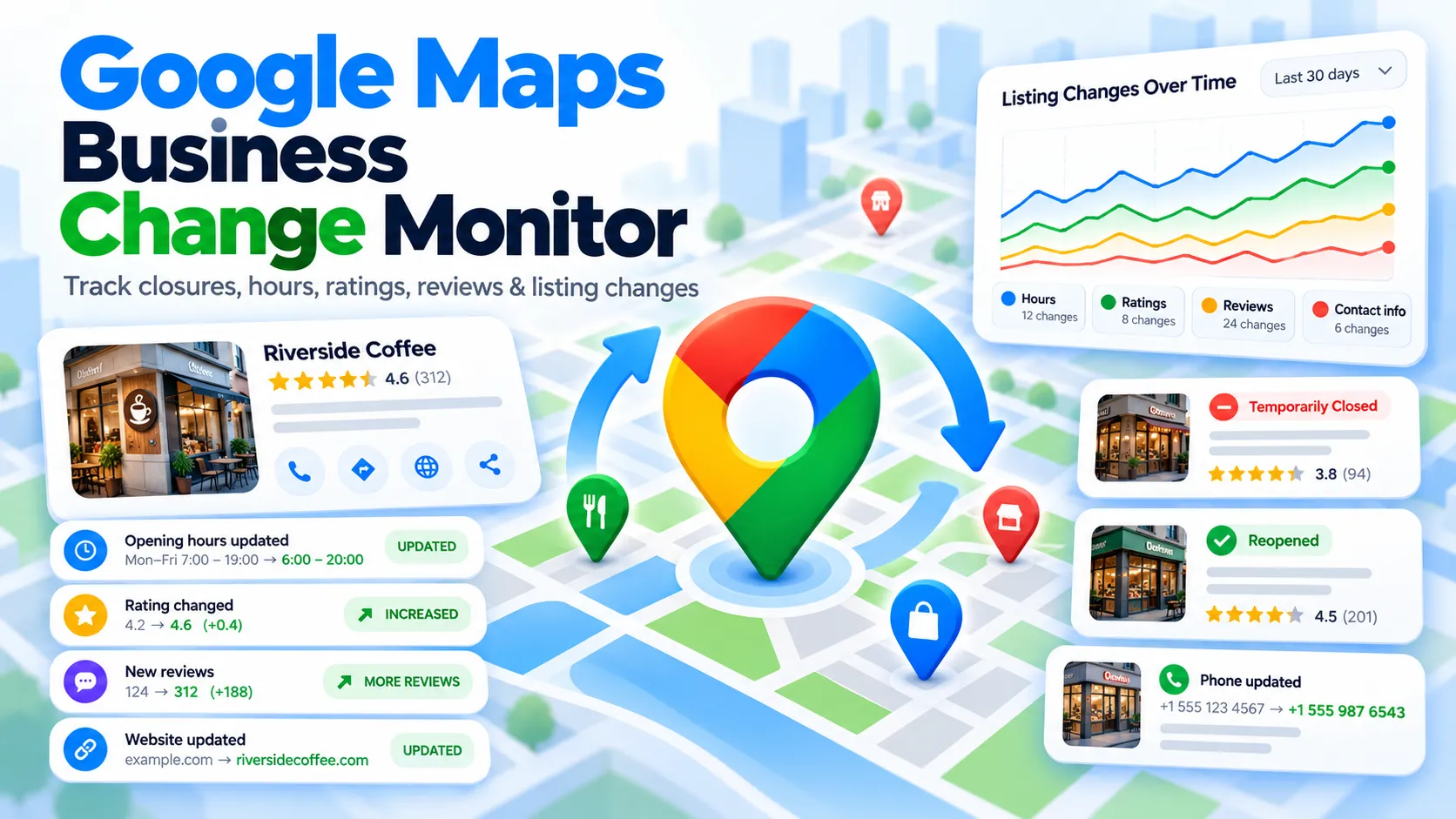
Track Google Maps business listings over time and get only the changes that matter — closures and reopenings, opening-hours changes, rating and review-count movement, phone, website, address and category updates, attributes, claim status and (optionally) Popular Times.
Give it Google Maps URLs, Place IDs, CIDs or business names. It fetches each place live, compares it with the state it stored on the previous run, and returns one row per detected change. Schedule it daily or weekly and connect a webhook — you get alerts, not spreadsheets to diff.
✨ What it does
- Live place retrieval built in — no need to run a scraper first and pass two datasets.
- Persistent state — the Actor remembers every business between runs (per monitor key).
- Only new changes — a business that didn't change produces no change rows.
- First run = baseline — the first check of a place stores its state; it never floods you with "field added" events.
- Field-level events with
severity,confidence, previous and current values, and structured details (e.g. which day's closing time moved). - Safe by design — a field missing from one read is never reported as removed (see Missing data).
- History — period comparisons (7 / 30 / 90 days …) and an append-only history dataset.
- Alerts-ready — every row carries
alertTriggeredandalertReasonsfor Slack, email, Make, Zapier, n8n or your CRM.
🆚 How is this different?
| Google Maps place scrapers | Google Maps Reviews Scraper | Business Change Monitor | |
|---|---|---|---|
| Question it answers | What does this business look like now? | What reviews does it have? | What changed since the last check? |
| Output | One row per place | One row per review | One row per change |
| Remembers previous runs | No | No | Yes |
Compared with dataset-comparison tools (including another Store Actor with a similar name): those compare two datasets you supply and return a report. This Actor retrieves the places itself, keeps the history for you, and returns only what is new since the last run — you just schedule it.
🚀 Quick start
- Run 1 creates the baseline: one summary row per business with
status: "BASELINE_CREATED". - Schedule it (daily is a good default). Each later run returns a change row for everything that changed, plus a free summary row per business (
NO_CHANGESorSUCCESS).
Sydney landmarks (the input behind the sample output below)
Daily competitor monitor
Local SEO clients (NAP + categories + hours)
Franchise locations from an existing dataset, compared with 30 and 90 days ago
Popular Times watch
📥 Input
| Field | Default | What it does |
|---|---|---|
places | sample place | Maps URLs, share links, Place IDs (ChIJ…), CIDs (cid:123… or digits), feature IDs (0x…:0x…) or "Business name, City" |
datasetId | — | Optional existing dataset; each row's placeId / cid / featureId / Maps URL is monitored |
maxPlaces | 1000 | Upper bound per run |
monitorKey | default | Name of the monitor — keeps independent state per project |
mode | MONITOR | MONITOR (only new changes), BASELINE (store state, no changes), COMPARE (against past periods) |
comparisonPeriods | PREVIOUS, 7_DAYS, 30_DAYS | COMPARE: one set of events per period. MONITOR: added as period summaries |
trackFields | all core fields | Which fields produce events (main photo is opt-in) |
includePopularTimes | false | Also monitor Popular Times + typical visit duration (slower, add-on event) |
includeAttributes | true | Track public attributes (e.g. wheelchair access) |
includeProfileSummary | true | One free summary row per business |
emitBaseline | false | Add one BASELINE_CREATED row on a place's first check |
minimumRatingChange | 0.1 | Smallest rating move that counts |
minimumReviewCountChange | 1 | Smallest review-count move that counts |
minimumPopularTimesChange | 10 | Percentage points per hourly slot |
minimumLocationShiftMeters | 50 | Smaller pin moves are ignored |
saveHistory | true | Keep snapshots for period comparisons + history dataset |
maxHistoryDays | 365 | How far back snapshots are kept |
stateStoreName | google-maps-business-monitor-state | Named store holding the state |
language | en | Google Maps language — keep it constant across runs |
📤 Output
The default dataset has two views: Changes (one row per change event) and Businesses (one free summary row per business).
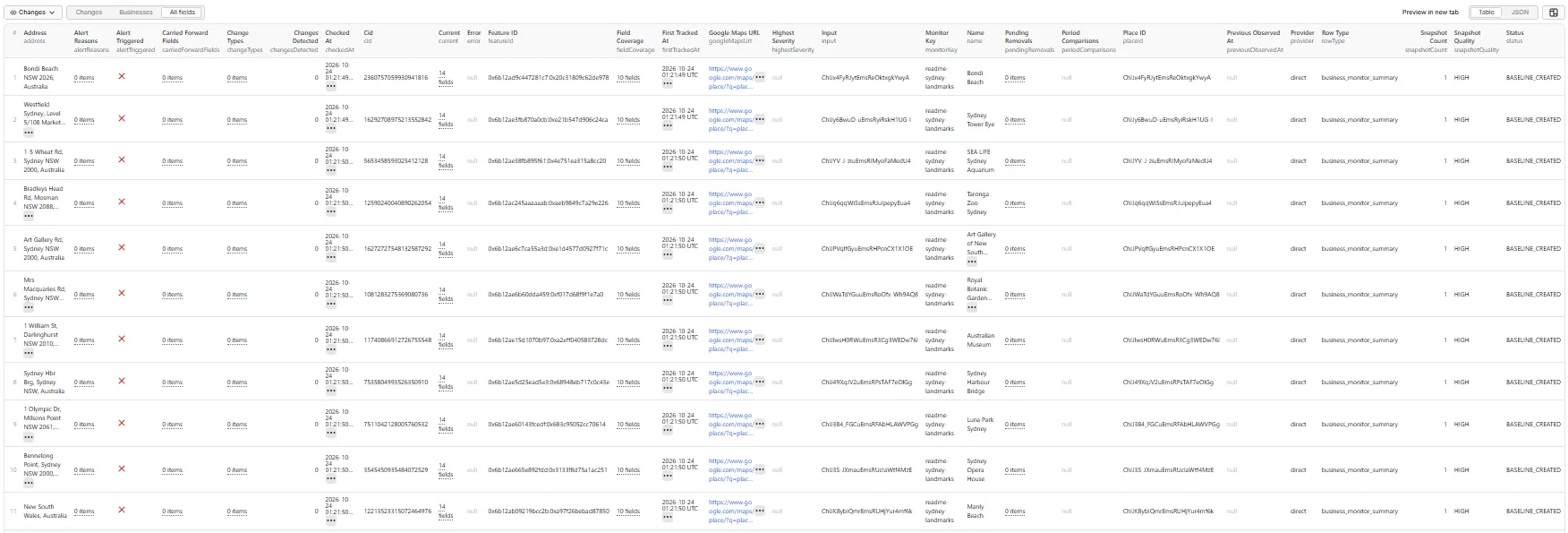
First run of the Sydney landmarks input above: one BASELINE_CREATED summary row per business, all HIGH snapshot quality. Change rows appear from the second run on.
Change row (rowType: "business_change")
A real change from a scheduled re-check of Sydney Opera House — four new reviews since the previous run:
Other event types use the same row shape. An opening-hours change lists every changed day in change.details (shape shown with illustrative values):
A rating change carries the numbers directly (illustrative values):
Event types
| Field | Events | Severity |
|---|---|---|
| Status | BUSINESS_PERMANENTLY_CLOSED | CRITICAL |
BUSINESS_TEMPORARILY_CLOSED, BUSINESS_REOPENED | HIGH | |
| Name | NAME_CHANGED | MEDIUM |
| Categories | PRIMARY_CATEGORY_CHANGED · CATEGORY_ADDED / CATEGORY_REMOVED | MEDIUM · LOW |
| Address | ADDRESS_CHANGED, BUSINESS_RELOCATED (address changed and pin moved) | HIGH |
| Map pin | LOCATION_PIN_CHANGED (pin moved, address unchanged) | LOW |
| Phone | PHONE_CHANGED · PHONE_ADDED · PHONE_REMOVED | MEDIUM · LOW · HIGH |
| Website | WEBSITE_CHANGED · WEBSITE_ADDED · WEBSITE_REMOVED | MEDIUM · LOW · HIGH |
| Opening hours | OPENING_HOURS_CHANGED (details: DAY_BECAME_CLOSED, DAY_BECAME_OPEN, OPEN_TIME_CHANGED, CLOSE_TIME_CHANGED, INTERVALS_CHANGED) · OPENING_HOURS_ADDED · OPENING_HOURS_REMOVED · SPECIAL_HOURS_CHANGED | MEDIUM · LOW · HIGH · LOW |
| Rating | RATING_CHANGED (signals RATING_DECLINING / RATING_IMPROVING) | MEDIUM down · LOW up |
| Review count | REVIEW_COUNT_CHANGED (signals NEW_REVIEWS_ADDED, REVIEW_COUNT_DROPPED, REVIEW_VELOCITY_SPIKE) | INFO up · MEDIUM down |
| Price level | PRICE_LEVEL_CHANGED | LOW |
| Claim status | BUSINESS_CLAIMED · BUSINESS_UNCLAIMED | LOW · MEDIUM |
| Attributes | ATTRIBUTE_ADDED · ATTRIBUTE_REMOVED | INFO · LOW |
| Popular Times | POPULAR_TIMES_CHANGED (slot details + busiest day/hour + average delta) | LOW |
| Visit duration | TYPICAL_VISIT_DURATION_CHANGED | INFO |
| Main photo (opt-in) | MAIN_PHOTO_CHANGED | INFO |
alertTriggered is true for every CRITICAL/HIGH event and for hours changes, rating drops, name changes and unclaimed listings. alertReasons uses BUSINESS_CLOSED, BUSINESS_REOPENED, PHONE_REMOVED, WEBSITE_REMOVED, RATING_DROP, HOURS_CHANGED, HOURS_REMOVED, ADDRESS_CHANGED, NAME_CHANGED, BUSINESS_UNCLAIMED.
Business summary row (rowType: "business_monitor_summary")
A real summary row from the first run of the Sydney landmarks input:
Fields: status (BASELINE_CREATED, NO_CHANGES, SUCCESS or a failure status), snapshotQuality, fieldCoverage, changesDetected, highestSeverity, changeTypes, alertTriggered, firstTrackedAt, previousObservedAt, snapshotCount, periodComparisons (rating delta, review delta and new reviews per day vs. 7/30/… days ago), pendingRemovals, carriedForwardFields and the current values (status, category, address, phone, website, rating, review count, hours, …).
Failure statuses (always free, always get a summary row): PLACE_NOT_FOUND, PLACE_ID_CHANGED, PARTIAL_PLACE, RATE_LIMITED, BLOCKED, PROVIDER_ERROR, STATE_READ_ERROR, STATE_WRITE_ERROR. Retryable places are saved to the run's key-value store as RETRY_INPUT, ready to run again.
❓ FAQ
What happens on the first run?
Each place's current state is stored as its baseline (status: "BASELINE_CREATED"). No change rows are produced unless you turn on emitBaseline, which adds one BASELINE_CREATED row with the stored snapshot. A place that is new to a monitor is never reported as a "new business" — use Google Maps New Business Finder to discover newly opened places.
Which fields are monitored?
Open status, name, categories, address, map pin, phone, website, opening hours (plus special/holiday hours), rating, review count, price level, claim status, attributes, and — with includePopularTimes — Popular Times and typical visit duration. The main photo is opt-in (PHOTO in trackFields). Price level is only compared when Google shows it, which is rare for signed-out visitors.
How are closures and reopenings detected?
From Google's own listing status, normalized to OPEN, TEMPORARILY_CLOSED, PERMANENTLY_CLOSED or UNKNOWN. Moving from open to closed emits BUSINESS_TEMPORARILY_CLOSED or BUSINESS_PERMANENTLY_CLOSED; closed back to open emits BUSINESS_REOPENED. A reversal of a permanent closure is reported with confidence: "MEDIUM", because Google occasionally corrects these. An UNKNOWN read never produces a status event.
How are opening-hours changes compared?
Hours are normalized to a structured week ("Monday": ["07:00-15:30"], [] = closed, "00:00-24:00" = open 24 hours), so "9 am" vs "09:00" is never a change. One OPENING_HOURS_CHANGED row per business lists every changed day in change.details. Holiday / special hours are kept separately and never overwrite the weekly baseline. Hours are only compared when all seven days were read.
What counts as a rating change?
|current − previous| ≥ minimumRatingChange (default 0.1 stars). Drops are MEDIUM and raise a RATING_DROP alert; increases are LOW.
Does it monitor review bodies?
No — it tracks the rating and review count (with new reviews per day and velocity spikes). For the reviews themselves, chain Google Maps Reviews Scraper, e.g. when REVIEW_COUNT_CHANGED fires. The Actor never infers review fraud from a count drop.
How are missing fields handled?
A field missing from one read is never treated as removed. Google sometimes returns partial details. When a field disappears:
- in a read that isn't complete (
snapshotQualitybelowHIGH), the previous value is kept (carriedForwardFields); - in a complete read, it becomes a pending removal (
pendingRemovals) and is reported asPHONE_REMOVED/WEBSITE_REMOVED/OPENING_HOURS_REMOVEDonly if it is still missing on the next complete check.
A failed fetch never overwrites stored state.
What is snapshot quality?
Each read is scored HIGH (identity, name, address, coordinates, categories and a consistent rating/review count), PARTIAL (enough to compare the basics; events get at most MEDIUM confidence and nothing is removed) or LOW (not used: the place gets PARTIAL_PLACE, its state is kept, and it isn't charged). fieldCoverage shows which fields were present.
Does it track Popular Times?
Yes, with includePopularTimes: true. Hour-by-hour values are compared per slot against minimumPopularTimesChange and summarized (busiest day/hour change, average activity delta). Popular Times are Google's relative activity index — not visitor counts. This option loads one Google Search page per place in a browser, so it is slower and billed as a separate add-on event.
Can I monitor Place IDs, CIDs or URLs directly?
Yes — and it's the fastest way. Place IDs, CIDs, feature IDs and Maps URLs are checked without a browser. Business names ("Name, City") are looked up on Google Maps first; if a name matches several places, that entry returns PLACE_NOT_FOUND with the candidates rather than guessing.
Can I use an existing Apify dataset?
Yes — pick it in Existing Google Maps dataset. Each row's placeId, cid, featureId or Google Maps URL is used (also inside nested place / business objects). You can combine it with places.
How is history stored?
- State lives in a named key-value store (
stateStoreName, defaultgoogle-maps-business-monitor-state) in your account, one record per monitor key + place, so it survives between runs. - Snapshots for comparisons are kept inside that record, thinned to one a day for a month, one a week to six months, then one a month, up to
maxHistoryDays. - Every check is appended to the dataset
<stateStoreName>-history(withsaveHistoryon). - Different
monitorKeyvalues never share state. Use the same key on every scheduled run.
Does it require a Google account or API key?
No. It uses publicly visible Google Maps data — no login, no Google Places API key.
How often should it be scheduled?
- Daily — competitors, restaurants, retail chains, local SEO clients.
- Weekly — large lead databases and slower-moving businesses.
- Every few hours — only for exceptional operational needs.
Changes are detected between discrete checks, so detectedAt is when the Actor noticed a change — not when the business made it. Two runs of the same monitor key never overlap: a second run started while the first is still running stops immediately without checking or charging anything.
Can it trigger webhooks?
Yes. Add an Apify webhook on Run succeeded and read the dataset filtered by alertTriggered, or use the Apify integrations for Slack, email, Google Sheets, Make, Zapier or n8n. Example dataset URL for alert rows only:
then keep rows where alertTriggered is true.
Can I call it through the API or MCP?
Yes — like any Apify Actor:
It is also available to AI agents through the Apify MCP server (apify/actors-mcp-server) as coregent/google-maps-business-change-monitor.
💰 How does pricing work?
Pay per event — you pay for successful place checks, not for the number of changes:
- Place check — once per successfully checked business (baseline created, no changes, or changes found), however many change rows it produces. Change detection is included.
- Popular Times check (add-on) — only when
includePopularTimesis on, once per business whose Popular Times lookup succeeded.
Failed, partial, duplicate and unresolved places and all summary rows are free. Monitoring costs the same whether 1 or 100 things changed, so the bill is predictable. This README deliberately doesn't quote figures — see the Pricing tab for current rates. The Actor respects your Maximum cost per run: once reached, it stops checking and lists the remaining places in RETRY_INPUT.
🚦 Proxy policy
Place checks by URL or ID go straight to Google Maps and need no proxy. The proxy setting applies to the browser steps — business-name lookups and Popular Times. Use Apify Datacenter proxy (default) or no proxy.
Apify Residential proxy is not supported. The Actor fails at startup if apifyProxyGroups includes RESIDENTIAL. Reason: in pay-per-event Actors, residential bandwidth is billed to the developer, not the run user, so a bandwidth-heavy run could exceed the per-check revenue.
If you genuinely need residential routing, supply your own provider via the proxy editor's Custom proxy URLs field — that traffic goes through your provider, not Apify:
🔗 Related Coregent Google Maps Actors
- Google Maps Reviews Scraper — full review text, reviewers and owner replies.
- Google Maps Popular Times Scraper — deep Popular Times extraction.
- Google Maps Photos Scraper — place photos.
- Google Maps New Business Finder — discover newly opened businesses.
- Google Maps Email & Social Enricher — website emails and social links.
⚖️ Good to know
- Unofficial product; not affiliated with or endorsed by Google.
- Business data can change between observations; changes are detected from discrete snapshots, and history starts at the first baseline.
- Google may temporarily return partial details — missing data is never automatically treated as a removal.
- Popular Times are relative activity indicators, not visitor counts.
- Severity, confidence, signals and alerts are Coregent-derived classifications.
- The Actor does not claim official Google Business Profile audit history, the exact time a business changed a field, actual foot traffic, or confirmed ownership changes, sales or reasons for closure.


