

Google Scholar Research & Citation Intelligence
Pricing
from $0.40 / 1,000 qualified papers
Google Scholar Research & Citation Intelligence
Watch research topics on Google Scholar: one deduplicated row per paper with every matching query, displayed citation counts, papers first observed in your watch and citation-count changes between runs.
Pricing
from $0.40 / 1,000 qualified papers
Rating
0.0
(0)
Developer

Delowar Munna
Maintained by CommunityActor stats
0
Bookmarked
2
Total users
1
Monthly active users
a day ago
Last modified
Categories
Features
Share

Watch research topics on Google Scholar. Give a few topics, each with a handful of Google Scholar queries, and get one row per paper, deduplicated across every query and page, with the queries that found it, its rank, the displayed cited-by count, publication info, year, snippet and links. Run it again on the same watch and it tells you which papers are new to your watch and whose displayed citation count changed, and only charges for those.
Built for R&D analysts, research assistants, librarians and research-workflow developers who re-run the same Scholar searches and want an auditable, source-linked shortlist instead of a pile of exports.
Independent Coregent product. Not associated with Google, Google Scholar or Serper.
What you get
- One row per paper, not per keyword hit. A paper found by five queries is one row with five query matches (topic, query, page and rank for each).
- Watches that remember.
baselinestores what this watch has seen;monitorcompares the next run with it. - Honest change events. "First observed in this watch" (which may be a paper from 2011, not a new one) and "displayed citation count changed from N to M between two dates", including decreases.
- No invented values. A missing cited-by count is
null, never 0. Publication info is kept as the raw string shown in Scholar; authors and venue aren't guessed. - Coverage you can trust. If a page fails or a cap stops the run, rows are marked
partialand the Actor never claims a paper "disappeared". - Hard spending limits. Caps on pages, unique papers, search credits and your spend per run, plus your Apify spending limit.
- Optional topic report. Per-topic paper counts, cross-topic overlap, citation-count distribution and data-quality notes.
How to use it
- Enter your Topics and queries. The default is one topic with one query, which returns about 10 papers.
- Pick a Mode:
- Discovery: a one-off search. Nothing is stored.
- Baseline: the same results, and starts a watch under your Watch ID.
- Monitor: returns only papers first observed in the watch or with a changed displayed citation count. If the watch doesn't exist yet, this run becomes its baseline.
- Delete: removes a stored watch. No search, no charge.
- Set Pages per query (about 10 results per page) and your limits, then start the run.
Watches are stored in a key-value store in your own Apify account (google-scholar-research-watches), so nobody else can read them. A watch is deleted after the retention period you set (default 30 days) if it isn't updated. Monitor only compares with a watch created with the same queries, country, language and pages per query; renaming topics or reordering queries is fine.
Example input: start a watch on two related topics
This is the input behind the screenshots and sample output below: 2 queries × 1 page gave 19 unique papers, one of them found by both queries.
Example input: one-off discovery across two topics
Example input: weekly monitor with a report
Run the first monitor (or a baseline) once, then schedule the same input weekly.
Output
The dataset has one paper row per delivered paper, shown in four views.
Papers
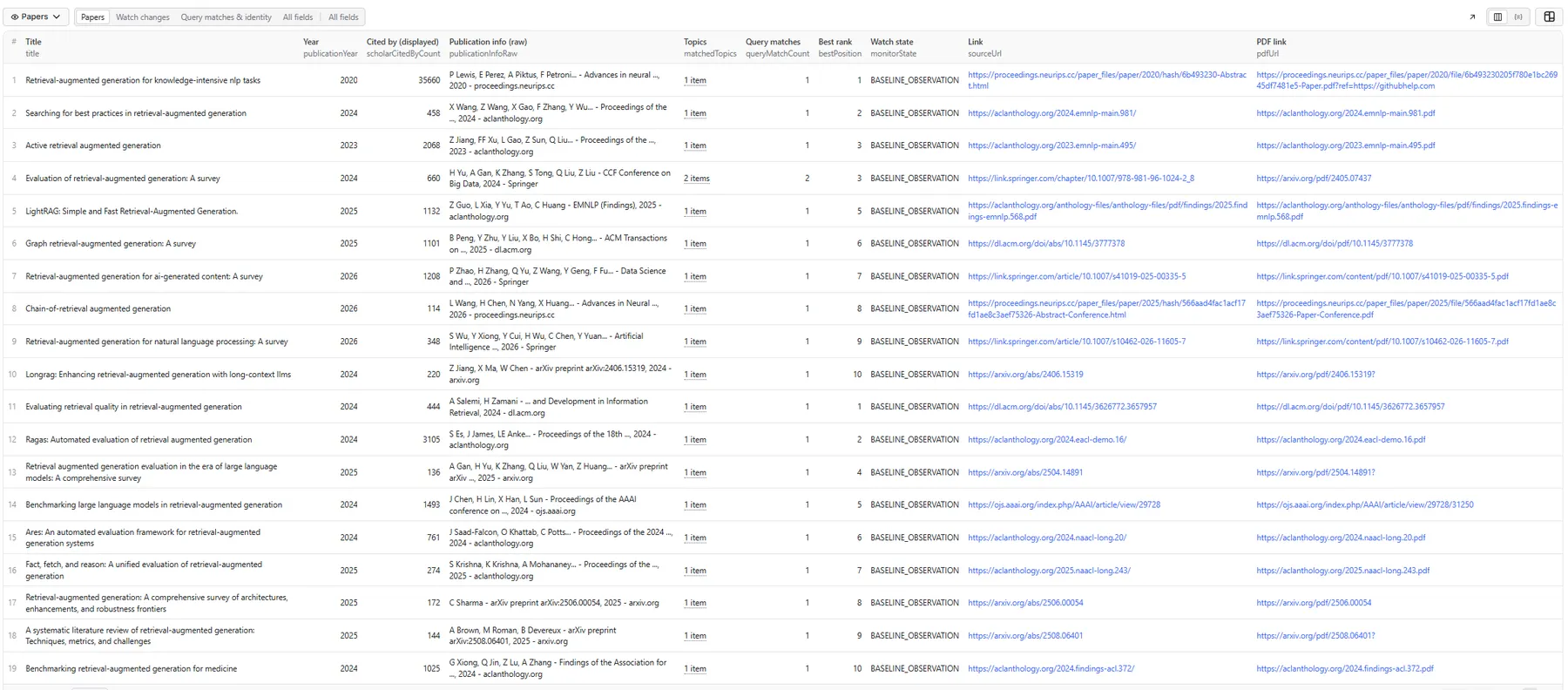
Watch changes
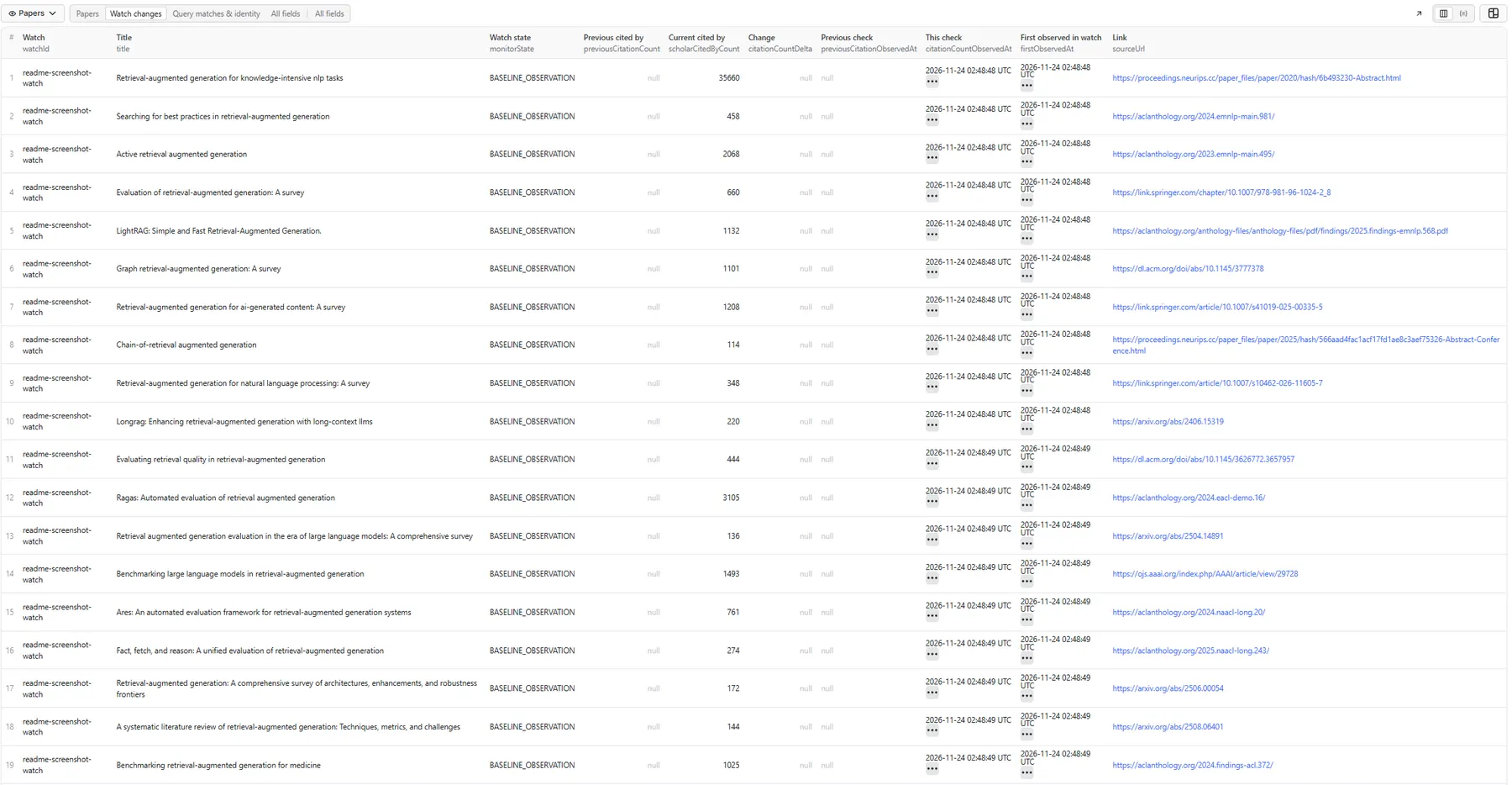
This screenshot is from a baseline run, so the previous count and change columns are empty. In monitor runs this view lists the first-observed papers and the citation changes, with both counts and both check dates.
Query matches & identity
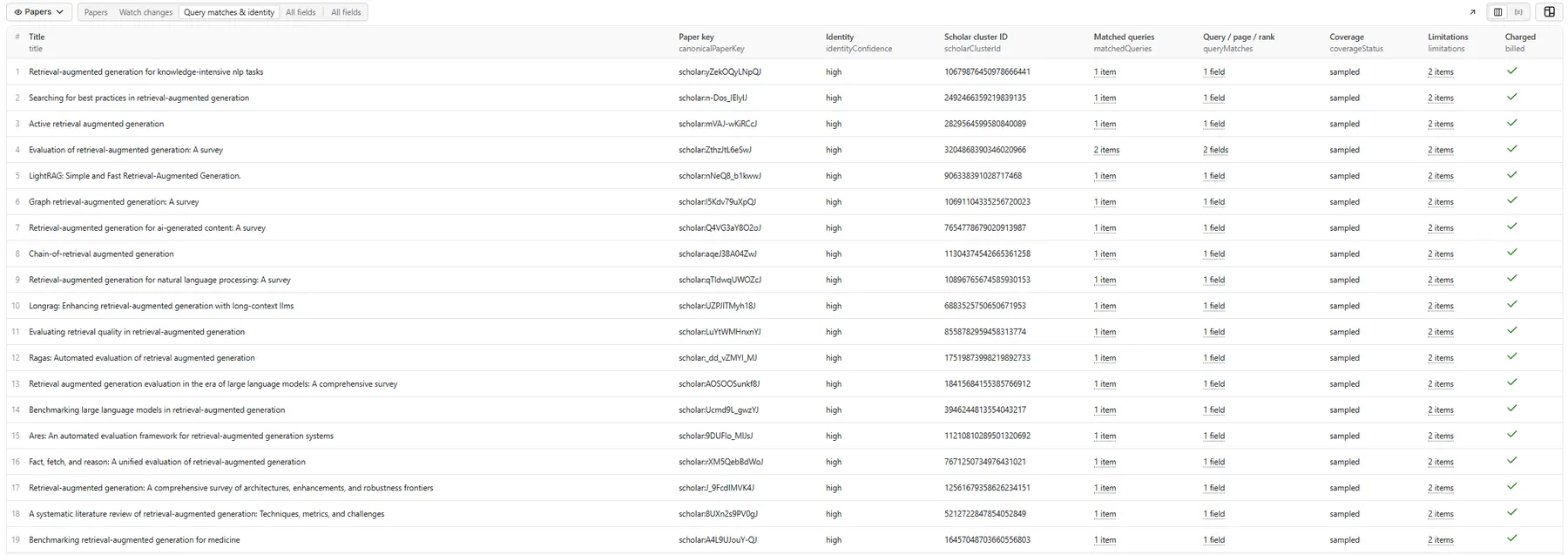
All paper fields
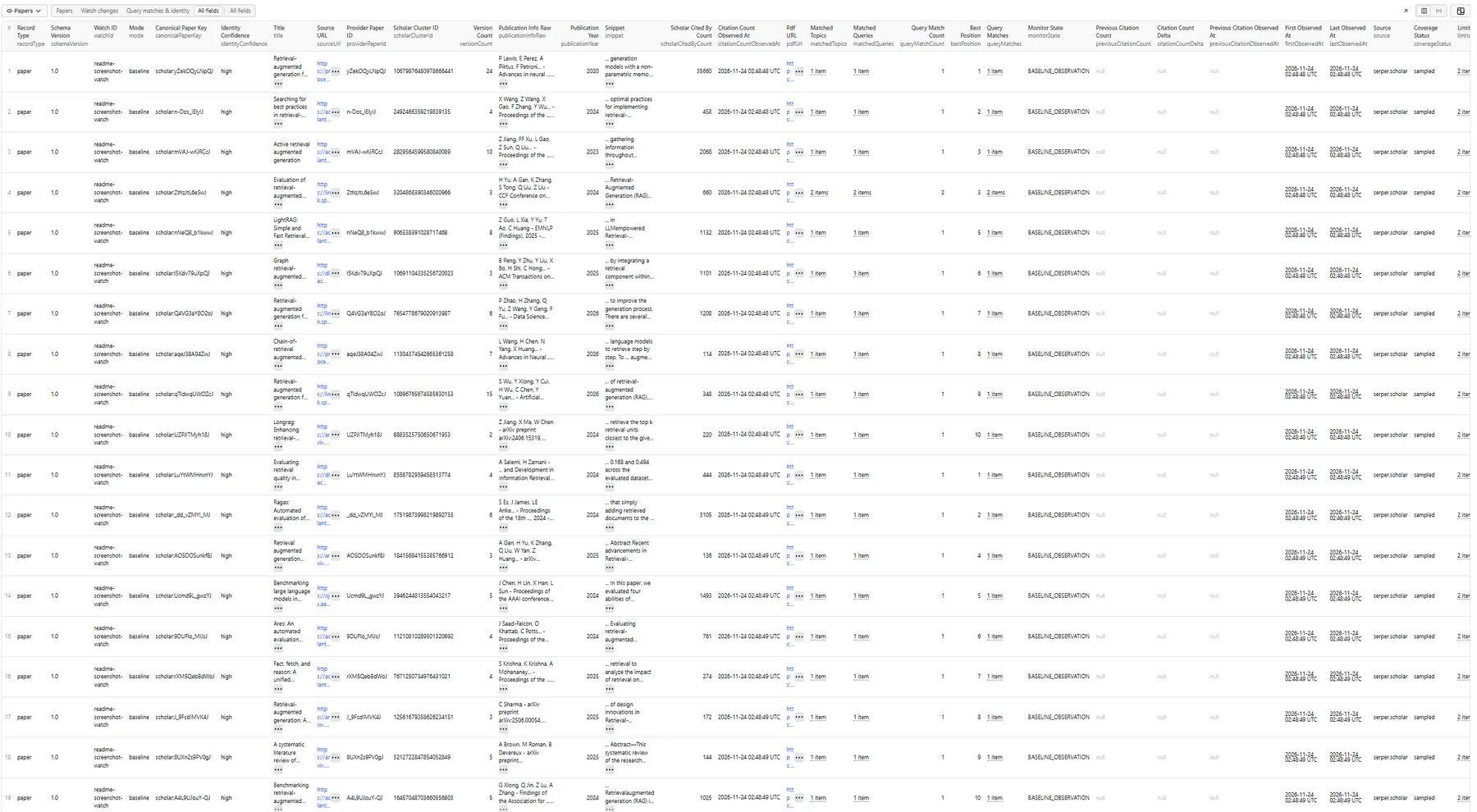
Sample record
A real row from the run above (snippet shortened). The paper was found by both queries, so it is one row with two query matches:
In a monitor run, a paper whose displayed count moved carries "monitorState": "CITATION_COUNT_CHANGED" with previousCitationCount, citationCountDelta and previousCitationObservedAt filled in.
Watch states: BASELINE_OBSERVATION, FIRST_OBSERVED_IN_WATCH, CITATION_COUNT_CHANGED, UNCHANGED (only with Include unchanged papers), UNRESOLVED_IDENTITY (ambiguous match, shown for review, never charged). In discovery runs monitorState is empty.
The run's key-value store also holds:
RUN_SUMMARY: pages attempted, succeeded and charged, unique papers, changes, stop reasons, warnings and errors.CHANGES(baseline and monitor): the change events, plus papers not reobserved when the sample was complete. Not reobserved never means withdrawn or retracted.REPORT(when Topic report is on): per-topic counts, cross-topic overlap, top source links, data quality and caveats.
Pricing
Pay per event, with no start fee:
- Search page: each valid Google Scholar results page (about 10 results). A valid page is charged even if it has no qualifying paper. Failed, malformed or retried requests are not charged.
- Qualified paper: each unique paper delivered. In monitor runs, only papers first observed in the watch or with a changed displayed citation count. Unchanged papers, duplicates and unresolved identities are never charged.
- Topic report: once per completed report, only when you turn it on.
The run log shows an upper-bound estimate before the first request, and the run stops before going over your Max spend for this run. See the Pricing tab for current rates; this README deliberately doesn't quote figures.
Limitations
- Results are an observed sample of Google Scholar search results, not a complete publication list, a systematic review or bulk Scholar access.
- Cited-by counts are the figures Scholar displayed at the time; they move as Scholar's index changes. A change is not a list of new citing papers, and the Actor doesn't fetch citing papers.
- No author profiles, h-index, DOI or ORCID lookups, abstracts, full text or PDF downloads. PDF links are passed through, never fetched.
- Scholar operators in queries (
author:,source:,intitle:) are passed through as typed; how Scholar applies them isn't guaranteed. - Country and language codes are passed to the search; their effect on Scholar results may be small.
FAQ
Why was I charged for a page with no results? Each results page is a real search request. The Actor stops a query at the first empty page, so you pay for at most one empty page per query.
Why does a 2011 paper show as "first observed"? Because it's the first time this watch saw it. Scholar rankings shift, so older papers enter the sample over time.
Can someone else read my watch? No. Watches are stored in your own Apify account.
How do I delete my stored data? Run the Actor with mode Delete and your Watch ID, or let it expire after the retention period.


