

Clutch Reviews Scraper - Extract Company Reviews & Client Data
Pricing
Pay per usage
Clutch Reviews Scraper - Extract Company Reviews & Client Data
Extract reviewer names, positions, current companies, cities, and review dates from Clutch.co. Use this information to find prospects’ LinkedIn profile URLs, identify potential business connections, and streamline B2B lead generation and prospecting.
Pricing
Pay per usage
Rating
0.0
(0)
Developer

Harsh Vardhan
Maintained by CommunityActor stats
0
Bookmarked
4
Total users
2
Monthly active users
a month ago
Last modified
Categories
Features
Share
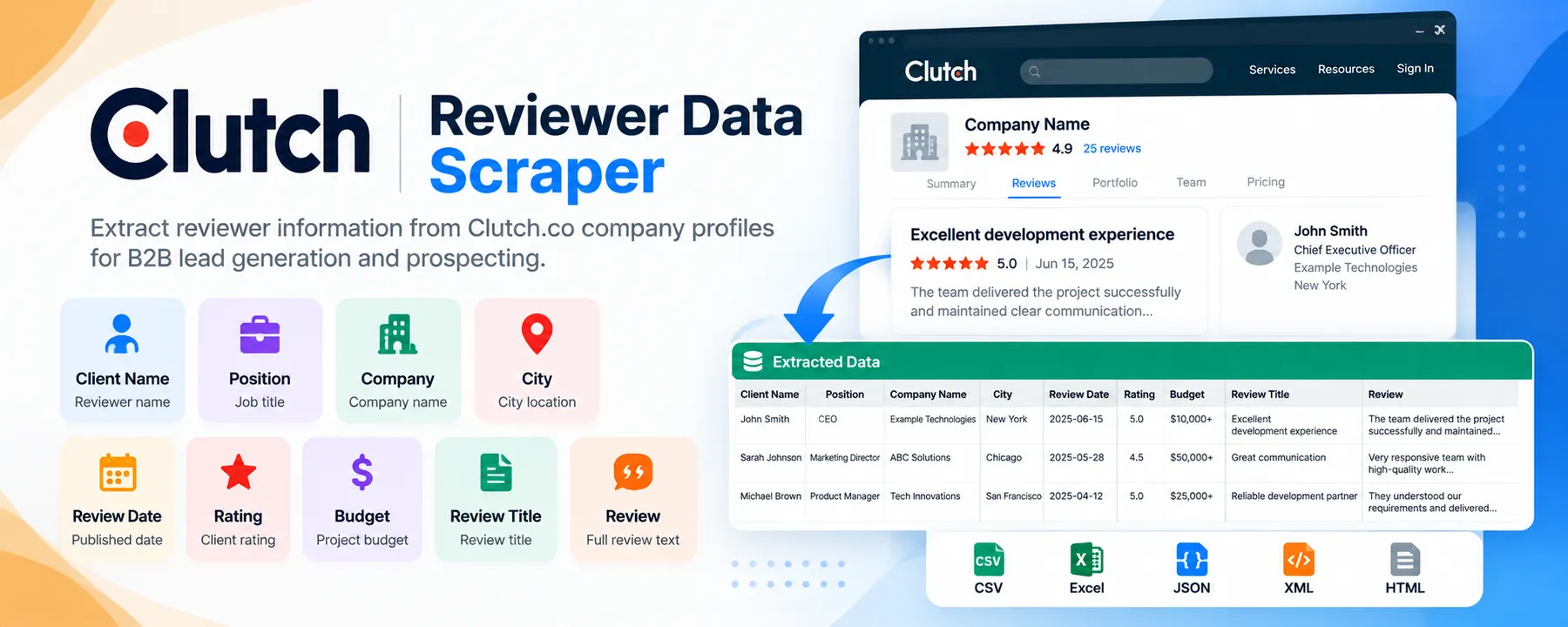
Clutch Reviewer Data Scraper
Extract reviewer information from Clutch.co company profiles. This Actor collects publicly available reviewer names, job titles, companies, locations, review dates, review links, review titles, review text and project focus areas to help you identify potential business prospects and streamline B2B lead generation.
Simply enter a Clutch company profile URL, and the Actor automatically extracts the available information into a structured dataset.
What Data Does This Actor Extract?
The Actor collects the following information from Clutch.co reviews, one row per review, in this column order:
| Column | Description |
|---|---|
| date | Date the Actor ran (same value on every row), e.g. 24-Sep-2026 |
| orgName | Name of the reviewed company (from the Clutch profile) |
| company | Company associated with the reviewer |
| focusAreas | Focus areas of the project, separated by commas |
| location | Location of the reviewer, as displayed on Clutch |
| reviewDate | Date the review was published, as displayed on Clutch |
| review | Review text (summary and client feedback) |
| reviewTitle | Title of the review |
| reviewUrl | Direct Clutch link to the review |
| reviewer | Name of the person who submitted the review |
| title | Professional position or job title of the reviewer |
Note: The availability of individual fields depends on the information publicly displayed on the Clutch profile. Reviews submitted anonymously (no reviewer name) are skipped by default; turn on Include anonymous reviews to keep them.
Why Use This Actor?
Clutch reviews provide valuable information about people and organizations that have previously worked with service providers. By extracting reviewer details, you can identify potential prospects and conduct further research using professional networking platforms such as LinkedIn.
Whether you are building a prospect list, researching potential clients, or identifying business connections, this Actor simplifies the initial data collection process.
Key Benefits
- Automated extraction: Collect reviewer information without manually browsing Clutch profiles.
- Structured data: Receive organized records that are easy to review and process.
- Prospect identification: Use reviewer names, titles, and company information to find potential business contacts.
- LinkedIn research: Use extracted details to search for matching LinkedIn profile URLs.
- Time savings: Reduce repetitive manual research and data entry.
- Easy to use: No technical knowledge or complicated configuration required.
How to Use
Using the Actor is straightforward.
- Open the Actor on Apify.
- Enter the Clutch company profile URL.
- Click Start to begin extraction.
- Wait for the Actor to complete the run.
- View or export the extracted information from the dataset.
Input
| Option | Description |
|---|---|
| Clutch company profile URLs | One or more Clutch profile URLs. Query strings and #anchors are ignored. |
| Include anonymous reviews | Off by default. Turn on to keep reviews without a reviewer name. |
| Max reviews per company | 0 = no limit. |
Example profile URL:
Replace your-company with the actual company profile you want to process.
Multiple companies: companies are processed one after another, in the order you enter them. The output lists all reviews of the first company, then all reviews of the second company, and so on, so rows from different companies are never mixed. The Org Name column shows which company each row belongs to.
Output Example
The Actor returns structured records containing the extracted reviewer information.


