

Clutch to LinkedIn Profile Finder
Pricing
Pay per usage
Clutch to LinkedIn Profile Finder
Find LinkedIn profiles of Clutch reviewers using names, companies, job titles, and locations. Enrich your contact lists with profile URLs, confidence scores, and matching evidence.
Pricing
Pay per usage
Rating
0.0
(0)
Developer

Harsh Vardhan
Maintained by CommunityActor stats
0
Bookmarked
1
Total users
0
Monthly active users
2 days ago
Last modified
Categories
Share
Clutch to LinkedIn Profile Finder
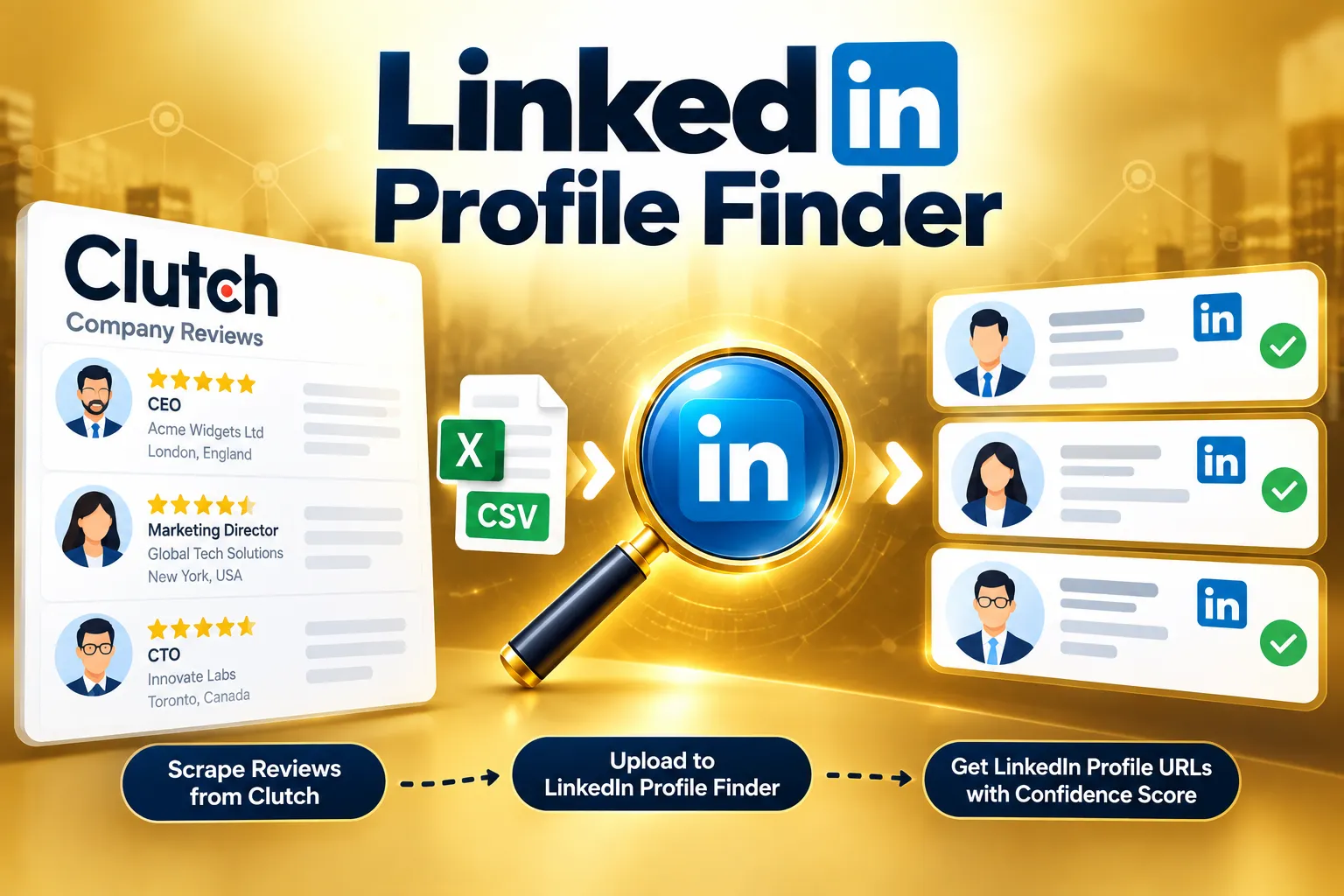
Clutch to LinkedIn Profile Finder takes a spreadsheet of people (name, company, job title and location) and finds each person's LinkedIn profile URL by searching Google's public results. For every person it returns the best matching linkedin.com/in/ profile, a confidence score and label, the profile's headline, and the evidence behind the match, so you can trust the strong matches and check only the uncertain ones. It never logs in to LinkedIn and never scrapes LinkedIn pages: it reads public search results only.
It is built to pair with the Clutch Reviews Scraper: scrape reviewer names, positions and companies from Clutch.co, then upload that list here to get their LinkedIn profiles.
Use cases
- B2B lead generation: turn reviewer or contact lists (name, company, title) into LinkedIn profile URLs ready for outreach
- LinkedIn prospecting: find decision makers at companies that appear in your CRM, review sites or event lists
- Lead enrichment: add a LinkedIn URL and current headline to existing prospect spreadsheets
- Recruiting and sourcing: locate candidate profiles from names and employers
- Data cleaning: confirm which contacts still match their listed company and role, using the
role_may_be_outdatedflag - Market research: build structured contact lists for the people behind the companies you study
How it works
- Upload an Excel (
.xlsx) or CSV file with one person per row. - For each person the Actor runs a Google search limited to LinkedIn profiles:
site:linkedin.com/in Name,Title,Company,Location
If that finds no profile with the person's name (for example because their profile no longer mentions the old title or company), it runs one more search:site:linkedin.com/in "Name" Company. - It keeps only
linkedin.com/in/profiles whose title or URL shows the person's name. Nicknames (Debs / Deborah), accents (Loïc, Hægeland) and Cyrillic spellings are tolerated. - It scores each profile from what the search result shows and returns the best one.
- Optionally, an AI model (OpenAI GPT-4o mini or Anthropic Claude Haiku) reviews cases with two or more candidate profiles. It never changes the result: if it disagrees with the evidence, the row is only flagged for review.
At most two searches are made per person, so a file of 100 people uses between 100 and 200 searches.
Input
| Field | Required | Description |
|---|---|---|
| People file | Yes | An .xlsx or .csv file. The first sheet is used and row 1 must contain the headers. |
| Use an LLM to disambiguate matches | No | On by default. When a person has two or more candidate profiles, an AI model checks the choice and flags disagreements. |
| LLM provider | No | OpenAI (GPT-4o mini, default) or Anthropic (Claude Haiku). |
Download the sample file from the link at the top of the input form and replace its rows with your own.
File columns
| Column | Required | Example |
|---|---|---|
| Name | Yes | Jane Example |
| Company | Yes | Acme Widgets Ltd |
| Title | No | CEO |
| Location | No | London, England |
Column names are matched flexibly (for example "Reviewer Name", "Job Title" or "Company Name" also work). Rows without a name or company are skipped, and the log reports how many. More detail in the file (title and location) improves the match.
Output
The Actor creates one result row per person, in the same order as the rows in your uploaded file, so you can paste the results next to your original list. You can download the dataset as Excel, CSV, JSON or HTML from the Output tab.
| Field | Description |
|---|---|
name, title, company, location | The details from your file |
linkedin_url | The best matching LinkedIn profile, or null if none was found |
confidence_score | 0 to 100 |
confidence_label | High, Medium (check) or Low (manual review) |
needs_review | true for anything that is not High, for outdated roles, and for flagged rows |
query_used | main or fallback: which search found the profile |
google_rank | The profile's position in that search's Google results (1 is the top) |
current_role_hint | The headline shown for the profile, which can reveal a newer role |
role_may_be_outdated | true when the profile headline no longer shows the company from your file |
evidence_sources | The result URL(s) behind the match |
note | Extra information, for example "No LinkedIn profile matching the name was found in the search results." |
Example output
How to read the confidence
| Signal in the search result | Points |
|---|---|
| The company appears in the result | +40 |
| The profile is the top Google result (top 3) | +15 (+8) |
| The location matches | +15 |
| The job title matches (CEO, Founder and Managing Director count as the same) | +10 |
| The result names a different country | −30 (−10 if the company still matches) |
- High (80 or more): company, location, title and rank all agree. Safe to use.
- Medium (60 to 79): very likely right; a quick check is recommended.
- Low (below 60): the name matches, but the company or role was not confirmed. This is common for people who changed jobs. The URL is still returned so you can check it, and
needs_reviewistrue.
The Actor prefers an honest "needs review" over a confident wrong answer.
Tips and limits
- Not everyone has a public profile. If a person has no LinkedIn profile that Google has indexed, the row is returned with
linkedin_urlset tonull. In a test on 36 real Clutch reviewers, 31 (about 86%) returned a profile URL. - Common names need more detail. Add the title and location to your file, and always check
Lowrows before using them. - Single-word names and handles (for example a username instead of a real name) usually cannot be matched.
- People who changed jobs are found by the fallback search, but they get a lower confidence label because their profile no longer shows the old company. Check
current_role_hintandrole_may_be_outdated. - Search results vary slightly from one run to the next, because Google's results change. Scores can move a few points.
- Use the Output tab filters to review
needs_review = truerows first.
Is it legal and ethical to use?
The Actor only reads publicly visible Google search results and does not access LinkedIn directly or bypass any login. The data it returns can include personal data (names, job titles and profile links). Use it only for a legitimate purpose, such as B2B outreach with a lawful basis, and follow the data protection laws that apply to you (for example GDPR) and LinkedIn's terms of service. If you are unsure, consult a legal professional.
Support
Found a person who should have matched but did not? Open an issue on the Actor page and include the row from your file, the result you expected and the run ID.


