HTTP Request: Bulk API Calls, curl Import, JSON & Markdown
Pricing
from $0.35 / 1,000 http responses
HTTP Request: Bulk API Calls, curl Import, JSON & Markdown
Send one or thousands of HTTP requests (GET, POST, PUT, PATCH, DELETE, HEAD) from a list, pasted curl commands, or a URL template with rows. Get status, timing, JSON fields as columns, or clean Markdown. Failed requests are free.
Pricing
from $0.35 / 1,000 http responses
Rating
0.0
(0)
Developer

Ctrio Lab
Maintained by CommunityActor stats
0
Bookmarked
2
Total users
1
Monthly active users
8 days ago
Last modified
Categories
Security
Limited permissionsShare
Send HTTP requests from Apify, one or thousands at a time, and get one clean result row per request.
- Three ways to give requests: a JSON list (
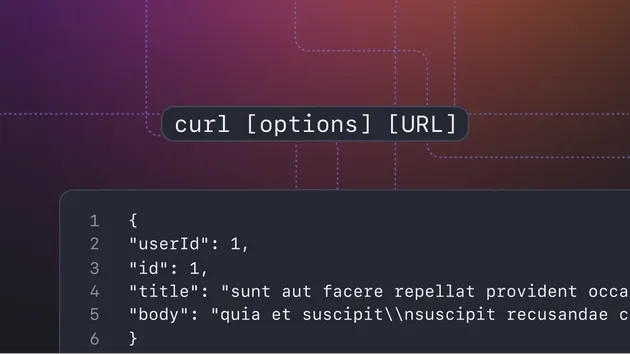
url,method,headers,query,body), pasted curl commands ("Copy as cURL" from browser tools or API docs), or a URL template with rows (https://api.example.com/users/{{id}}+[{"id": 1}, {"id": 2}]). - Every method: GET, POST, PUT, PATCH, DELETE, HEAD. JSON, form, text or raw bodies.
- Useful output: status, ok, final URL after redirects, response time, content type, size, and the body as JSON, text, or clean Markdown for HTML pages. Or pick JSON fields by dot path (
data.items.0.name) and get them as columns. - Reliable: retries on 429, 5xx and network errors with back-off, respects
Retry-After, timeouts, parallel requests, body size limit. - Safe: private, loopback, link-local and cloud metadata addresses (for example
127.0.0.1,10.0.0.0/8,169.254.169.254,::1) are always blocked, checked again after DNS and on every redirect. - Pay only for answers: $0.50 per 1,000 responses. DNS failures, timeouts, blocked addresses, invalid input and unchanged responses are free.
How to use it
- Put requests in Requests, curl commands, or URL template + Template rows (you can mix them). Leave everything empty to try a small public sample API.
- Optional: headers for all requests, retries, timeout, requests at a time, response format, JSON fields to extract.
- Run. Each request becomes one row in the Responses table. The Run summary has counts by status and the list of invalid input.
Input examples
A list of requests:
One request per row, with fields as columns:
A pasted curl command:
A web page as Markdown (for LLMs and AI agents):
Output
Requests without a response (DNS failure, timeout, blocked address, invalid input) also get a row, with error set and charged: false. index is the position in your input, so you can sort results back into order. userData carries your template row (or the request's userData) so you can join results to your table.
Use it from Clay, n8n, Make, Zapier or an AI agent
- n8n, Make, Zapier: call the Apify "Run Actor synchronously and get dataset items" endpoint:
POST https://api.apify.com/v2/acts/ctriolab~http-request/run-sync-get-dataset-items?token=YOUR_TOKENwith the input JSON as the body. The response is the list of result rows. Or use the official Apify app in n8n, Make or Zapier and choose this Actor. - Clay: use the Apify integration (or an HTTP API column with the URL above) and map your table columns into
templateRowsor arequestsitem;userDatacomes back with each row. - Webhooks: set Callback URL and every result is also POSTed to it as soon as it is ready.
- AI agents (MCP): the Actor is available through the Apify MCP server (
https://mcp.apify.com) asctriolab/http-request. UseresponseFormat: "markdown"to give a model readable pages andextractFieldsto keep answers small.
Only changed responses (monitoring)
Turn on Only changed responses and schedule the run. A response is saved, and charged, only when its status or body is different from the last run with the same Monitor name. The first run saves everything (changeStatus: "new"), later runs save only what changed (changeStatus: "changed").
Pricing
Pay per event:
| Event | Free plan | Bronze | Silver | Gold and up |
|---|---|---|---|---|
| HTTP response (any status, 4xx and 5xx included) | $0.0005 | $0.00045 | $0.0004 | $0.00035 |
| Actor start | $0.00005 | $0.00005 | $0.00005 | $0.00005 |
That is $0.50 per 1,000 responses on the Free plan. Retries and redirects of one request count as one response. Not charged: DNS failures, timeouts, blocked addresses, invalid input, unchanged responses in monitoring mode, and anything after your run's maximum charge. Apify platform usage (compute, proxy) is billed separately by Apify; a 256 MB run with a few requests uses a fraction of a cent. Set a maximum cost per run in the run options to cap spending.
Safety and limits
- Addresses that are never called: private networks (10/8, 172.16/12, 192.168/16, 100.64/10, fc00::/7), loopback (127/8, ::1), link-local and cloud metadata (169.254/16, fe80::/10), and other reserved ranges, including IPv4-mapped IPv6 and NAT64 forms. Host names are checked after DNS, and every redirect is checked again.
- Only
httpandhttps. No file uploads (-F), no@filebodies. - Bodies are cut at Max body size (default 1 MB, up to 8 MB); JSON fields can only be read from a body that fits.
- The Actor does not log in, solve CAPTCHAs, or bypass blocking. It sends exactly the requests you give it.
FAQ
Are failed requests charged? No. Only requests that got an HTTP response are charged, and 4xx or 5xx responses count as responses (you asked for them and got an answer). DNS errors, timeouts and blocked addresses are free.
Can I send API keys? Yes, in headers (for example Authorization). They are sent only to the URL you give; when a redirect goes to another host, Authorization and Cookie are dropped. Keep keys in your own integration and avoid putting them in shared or public task inputs.
How fast is it? Requests run in parallel (default 5, up to 50). Thousands of requests usually finish in a few minutes, depending on the API.
What about rate limits? On 429 the Actor waits (using Retry-After when the API sends it) and pauses all requests to that host, then retries up to Max retries times. Lower Requests at a time for strict APIs.
Can I call internal or localhost services? No. Private and local addresses are always blocked for security, also behind redirects.
Is the response saved if it is HTML? Yes, as text, or as Markdown if you choose Markdown. The title column holds the page title.
Your responsibility
You choose the URLs and send the requests. Use them in line with the target service's terms and rate limits, and only with credentials you are allowed to use.
Questions or a missing feature: open an issue on the Actor page or write to help@ctriolab.com.