

Wan 2.2 Image to Video Generator (Lightning)
Under maintenancePricing
from $20.00 / 1,000 per second of 480p videos
Wan 2.2 Image to Video Generator (Lightning)
Under maintenanceTurn any image into a smooth AI-generated video with Wan 2.2 A14B Lightning at speed. Results in just 1 minute; no GPU or subscription needed. Pay per video.
Pricing
from $20.00 / 1,000 per second of 480p videos
Rating
0.0
(0)
Developer

daniel tr
Maintained by CommunityActor stats
3
Bookmarked
491
Total users
61
Monthly active users
13 days ago
Last modified
Categories
Share
Wan 2.2 Image to Video Generator (Lightning) ⚡
Image-to-video AI generator — turn any photo into a smooth, high-quality AI video in 15–60 seconds, powered by Wan 2.2 A14B Lightning, one of the best open image-to-video models available. No GPU, no subscription, no monthly fees: you pay a small fixed price per video. A fast, affordable alternative to Runway, Google Veo, and Kling.
Perfect for TikTok / Reels / YouTube Shorts automation, faceless video channels, product ads, talking-photo (photo-to-video) content, n8n / Make / Zapier workflows, and AI agents.
Demo
| Source image | Generated video |
|---|---|
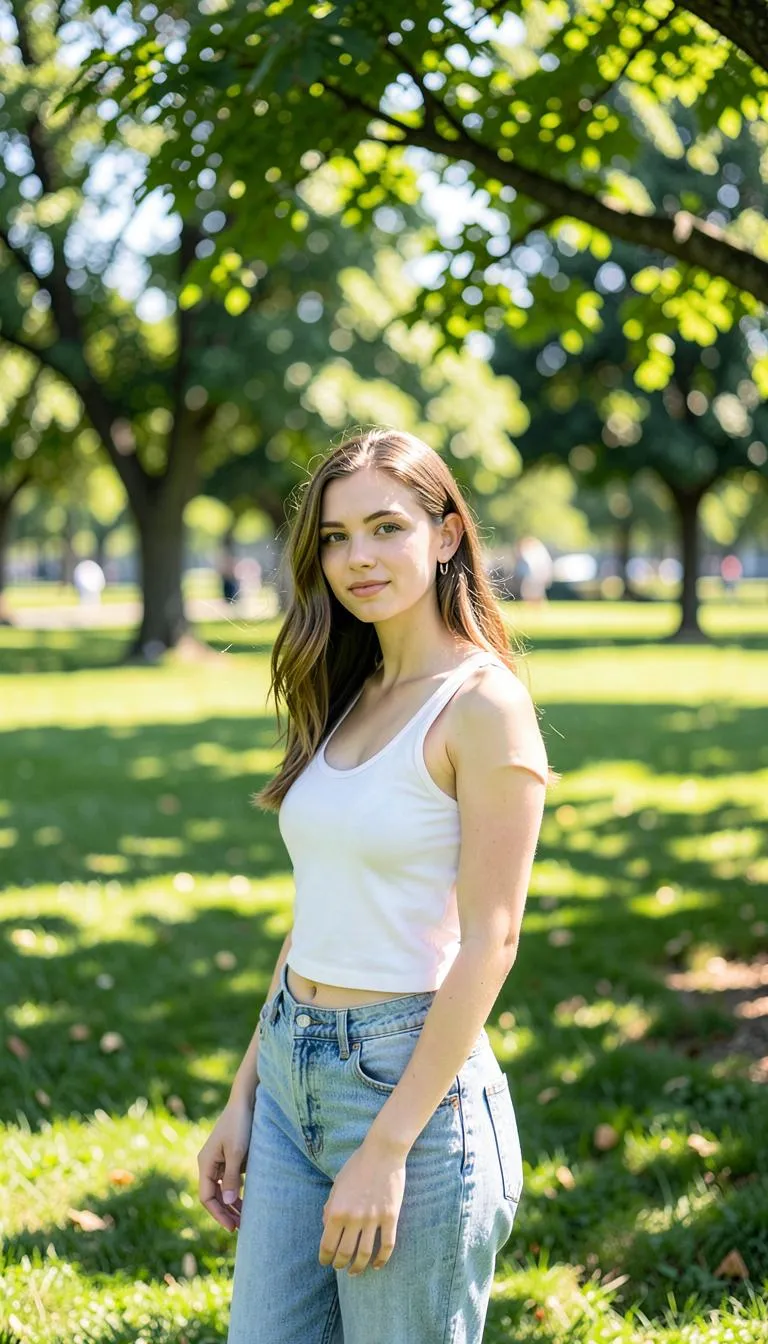 |  |
Prompt: "The cute girl is dancing with her GLC 300" — 480p, 1:1, 5 seconds, generated in under a minute.
Why this Actor?
- ⚡ Fast — Lightning-distilled Wan 2.2 on dedicated GPUs generates a video in 15–60 seconds on average (most hosted endpoints take minutes).
- 💸 Cheap — a fraction of the price of Veo, Runway, or Kling. Pay only for successful videos; failed runs are never charged.
- 🎬 Quality — Wan 2.2 A14B is a 14-billion-parameter video model with excellent motion coherence and prompt following.
- 🔌 Automation-ready — call it from the Apify API, n8n, Make, Zapier, LangChain, or any AI agent via MCP.
- 📐 Social formats built in — 16:9 (YouTube), 9:16 (TikTok, Reels, Shorts), 1:1 (square), 4:3 and 3:4.
- ⏱️ Flexible length — any duration from 2 to 10 seconds, priced per second.
How it compares
| This Actor (Wan 2.2 Lightning) | Runway / Veo / Kling | |
|---|---|---|
| Pricing model | Pay per video (per second) | Monthly subscription / credits |
| Commitment | None — pay only for what you run | Recurring plan, credits expire |
| Failed runs | Never charged | Often consume credits |
| Speed | 15–60 seconds | Seconds to several minutes |
| API & automation | Native Apify API, n8n, Make, Zapier, MCP | Varies / limited |
| Social formats | 16:9, 9:16, 1:1, 4:3, 3:4 built in | Varies |
| Watermark | None | Often on lower tiers |
Great when you want image-to-video on demand without a subscription — ideal for occasional use, automated pipelines, and pay-as-you-go scaling.
How it works
- Provide an image URL (the first frame) and a prompt describing the motion you want.
- The Actor generates the video and stores it in the run's dataset and key-value store.
- Download the MP4 from the output, or pipe the URL into the next step of your workflow.
Input example
Output example
Pricing
You are charged per second of successful video, based on resolution — a 5-second 480p clip costs just $0.10:
| Resolution | Price per second | 5s video | 10s video |
|---|---|---|---|
| 480p | $0.02 | $0.10 | $0.20 |
| 580p | $0.025 | $0.125 | $0.25 |
| 720p | $0.035 | $0.175 | $0.35 |
Choose any duration from 2 to 10 seconds. Failed generations are never charged.
Tips for great results
- Describe motion, not appearance — the image already defines how things look. Good: "she turns her head and smiles, wind in her hair, slow zoom in". Weak: "a beautiful woman".
- Add simple camera directions: "slow zoom in", "camera pans left", "static camera".
- Use the negative prompt to suppress artifacts: "blur, distortion, low quality, warped face".
- For seamless loops or transitions, set an end image URL — the video will morph from the start frame to the end frame.
Use it from the API
Works the same from the Apify n8n node, Make, Zapier, LangChain, or the Apify MCP server for AI agents.
For the full request/response shape (run-sync, async, polling, downloading the MP4), see the OpenAPI spec at ./openapi.yaml — import it into Postman, Insomnia, or any OpenAPI client.
Templates & integrations
Drop this Actor into a no-code workflow to automate video generation end to end. In each tool, search for the Apify connector, authenticate with your Apify API token, and select danitn11/wan22-lightning-image-to-video with the action Run Actor (or Run Actor and get dataset items to receive the video URL back).
- n8n — add the Apify node → Run Actor, map
imageUrlandpromptfrom a previous step (e.g. a new file in Google Drive or an RSS item), then push the resultingvideoUrlto your publishing node. - Make.com — use the Apify › Run an Actor module, then a Watch / Get dataset items module to read back
videoUrl. Chain into Buffer, Google Drive, or a social uploader. - Zapier — trigger (new row, form submission, etc.) → Apify: Run Actor → action (post to TikTok/YouTube, save to Drive, send a Slack message).
Common pattern — automated faceless video pipeline:
Use with AI agents (MCP server)
This Actor works as a tool for any MCP-compatible AI agent (Claude, Cursor, VS Code Copilot, custom agents) through Apify's hosted MCP server. Your agent can generate videos as part of a larger task — "make a product video and post it" — with billing through your Apify account.
Server URL (with this Actor preselected as a tool):
Authenticate with OAuth (you'll be redirected on first connect) or an Authorization: Bearer <APIFY_TOKEN> header.
Claude Code
Claude Desktop / claude.ai — add a custom connector with the server URL above (OAuth flow handles auth).
Cursor / VS Code — add to .cursor/mcp.json (or "MCP: Open User Configuration" in VS Code):
Local stdio (npx)
Then just ask your agent: "Generate a 5-second 9:16 video from https://example.com/photo.jpg — slow zoom in, cinematic." The agent calls the Actor, waits for the result, and gets back the video URL from the output schema.
FAQ
How long does it take to generate a video from an image? Typically 15–60 seconds per video on our dedicated GPUs.
What image formats are supported? JPG, PNG, and WebP via a publicly accessible URL.
Is there a watermark? No. The output MP4 is clean and ready to publish.
What model is used? Wan 2.2 A14B (image-to-video) with Lightning distillation for fast inference.


