
Hunyuan Image 3 — AI Text to Image Generator
Pricing
from $25.00 / 1,000 generated images
Hunyuan Image 3 — AI Text to Image Generator
Turn any text prompt into a stunning image with Hunyuan Image 3, Tencent's flagship 80B image model. Photorealistic quality and strong prompt following at $0.03/image. No GPU or subscription — a pay-as-you-go Midjourney & DALL·E alternative.
Pricing
from $25.00 / 1,000 generated images
Rating
0.0
(0)
Developer
daniel tr
Maintained by CommunityActor stats
0
Bookmarked
56
Total users
24
Monthly active users
20 days ago
Last modified
Categories
Share
Hunyuan Image 3 — AI Text to Image Generator 🎨
AI image generator powered by Hunyuan Image 3, Tencent's flagship open-source image model (80B parameters) — create stunning, photorealistic images from a text prompt. No GPU, no subscription, no monthly fees: you pay a small fixed price per image. A pay-as-you-go alternative to Midjourney, DALL·E 3, and Adobe Firefly.
Perfect for social media content, product shots, blog and ad creatives, thumbnails, app assets, faceless content pipelines, and n8n / Make / Zapier workflows and AI agents.
Need to edit an existing photo instead? Use the companion Actor: Hunyuan Image 3 — Image to Image Editor.
Showcase — what this model can do
Every image below was generated by this Actor from a single prompt. Hunyuan Image 3 handles long, complex prompts — don't hold back on detail.
📷 Photorealistic portraits — faces & hands
"Editorial close-up portrait of an elderly Norwegian fisherman, deeply weathered skin with visible pores and wrinkles, piercing ice-blue eyes in tack-sharp focus, salt-and-pepper beard with droplets of sea spray, yellow raincoat with hood up, both hands gripping a frayed mooring rope, anatomically perfect fingers, shot on 85mm f/1.4, photorealistic"
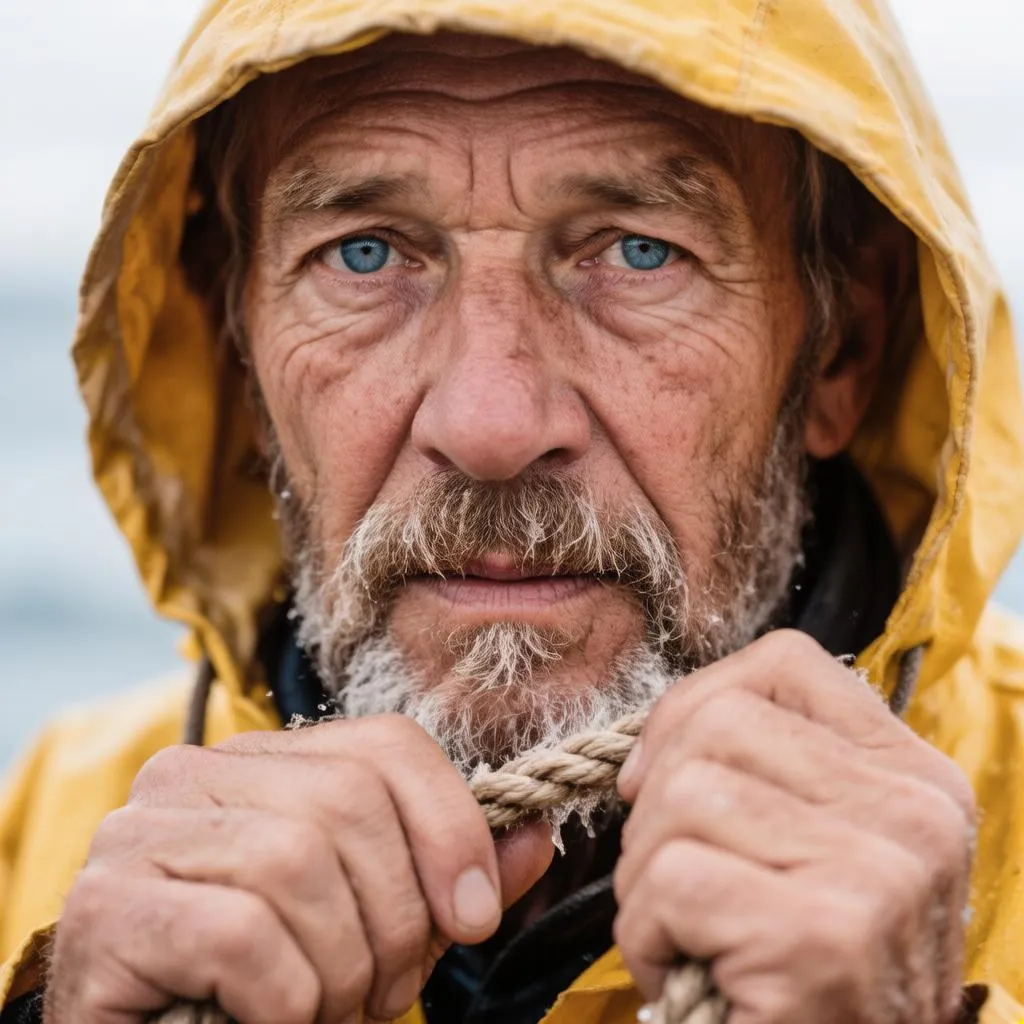
Skin texture, sharp eyes, and — the classic AI stumbling block — both hands with correct fingers.
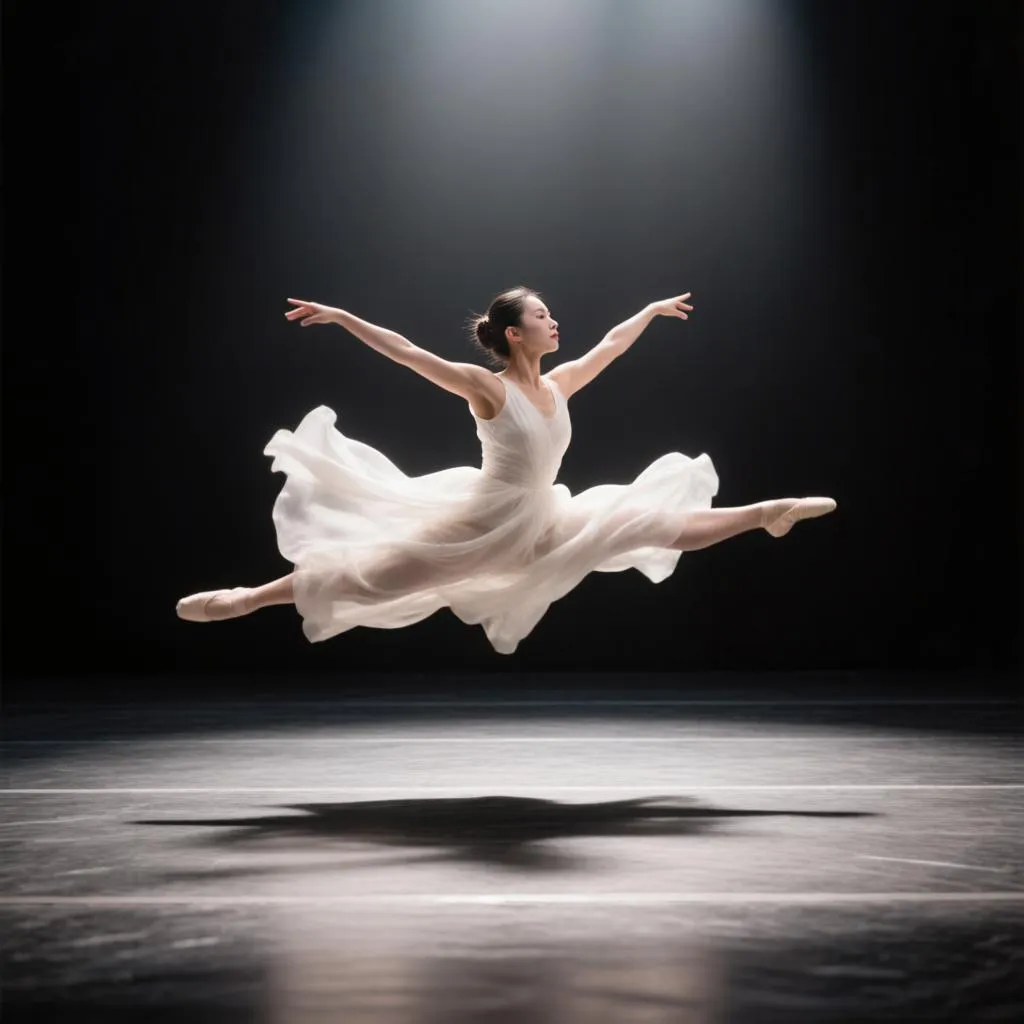
🩰 Human anatomy in motion
"Full-body photograph of a ballerina captured mid grand jeté leap across an empty dark stage, single dramatic spotlight, flowing white silk dress frozen in motion, arms and legs fully extended with anatomically correct form, pointed feet, high-speed photography"
🔤 Text & typography that actually reads correctly
"Retro-futuristic travel poster with large bold art-deco typography reading "VISIT MARS" at the top and a subtitle "THE RED FRONTIER AWAITS" at the bottom, an astronaut on a red dune overlooking a glass-domed colony, 1950s space-age poster style"
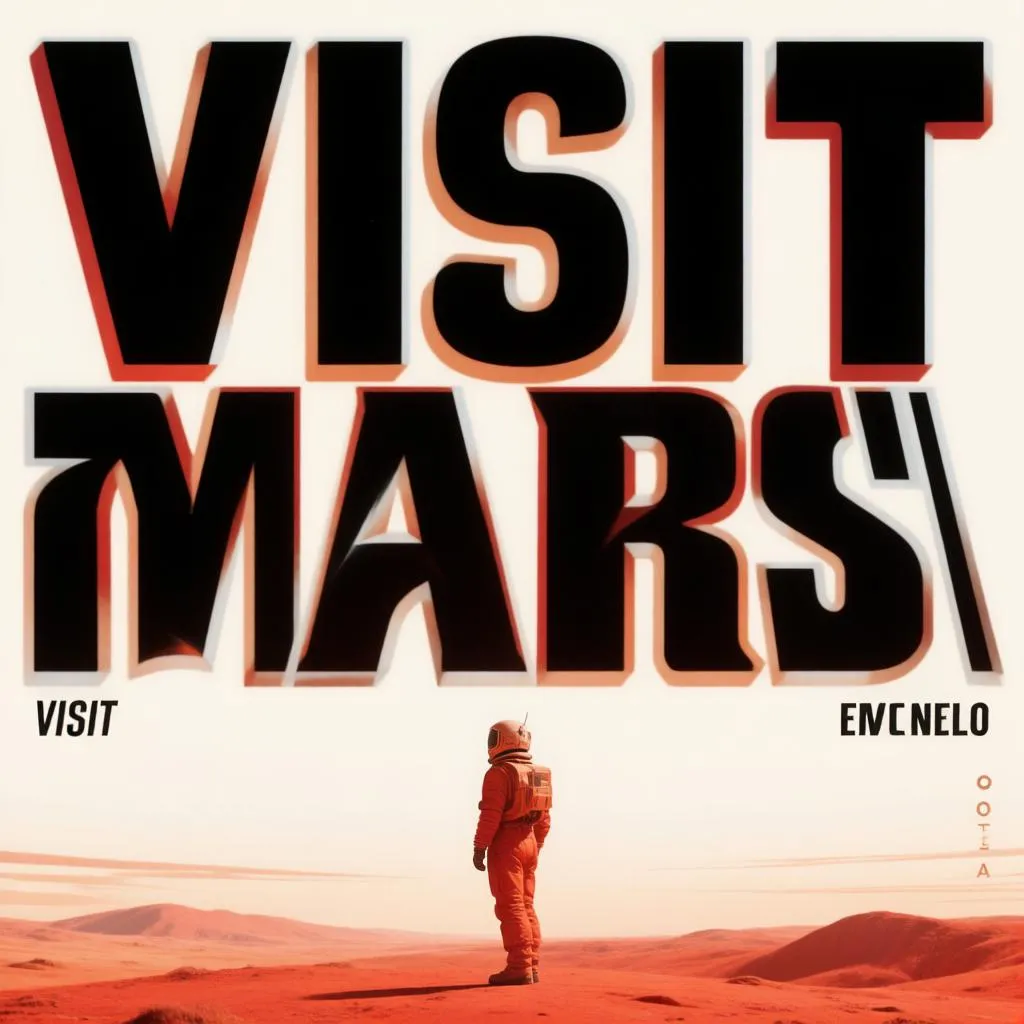
Both text lines render letter-perfect — great for posters, thumbnails, and ad creatives.
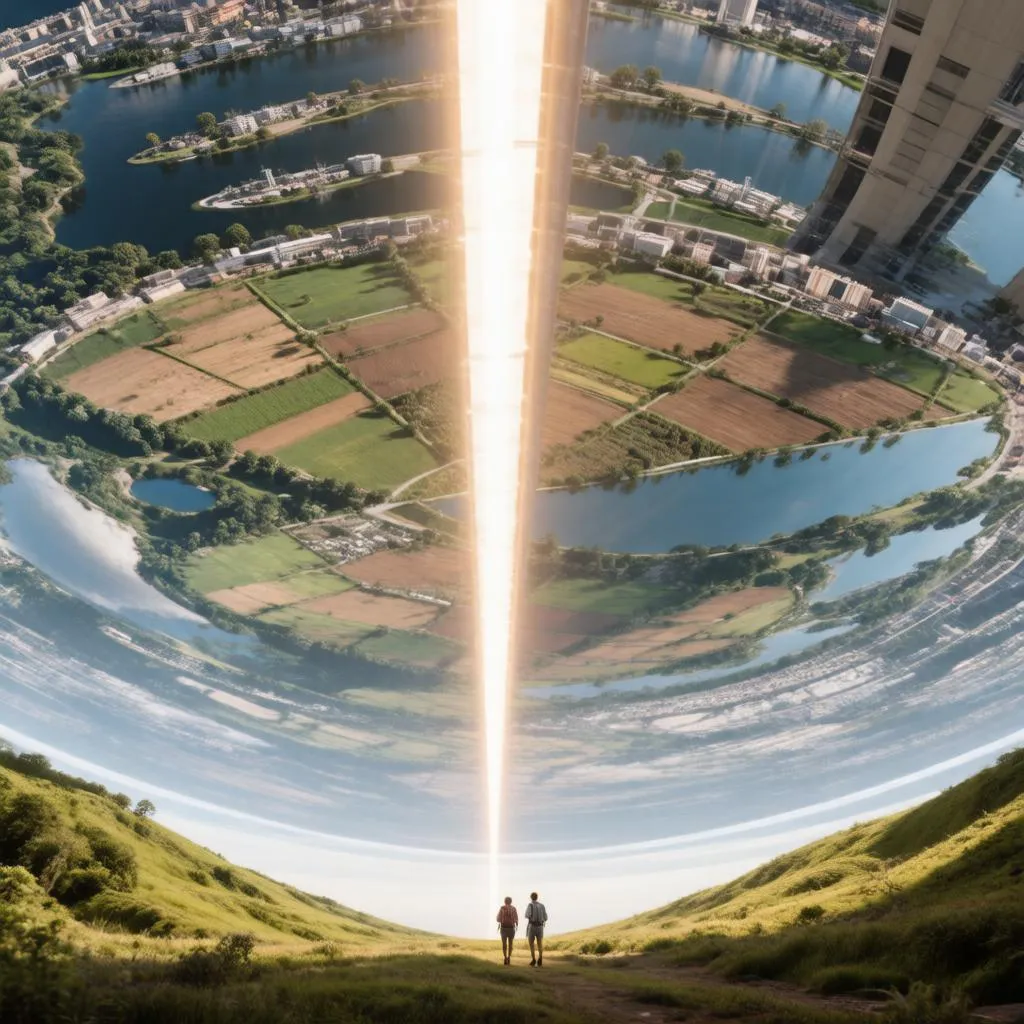
🚀 Science fiction worlds
"Epic photorealistic view from inside an O'Neill cylinder space habitat: a green park curving upward on both sides, farmland, lakes and cities wrapping around the entire sky overhead, a brilliant line of artificial sunlight along the central axis, two hikers for scale"
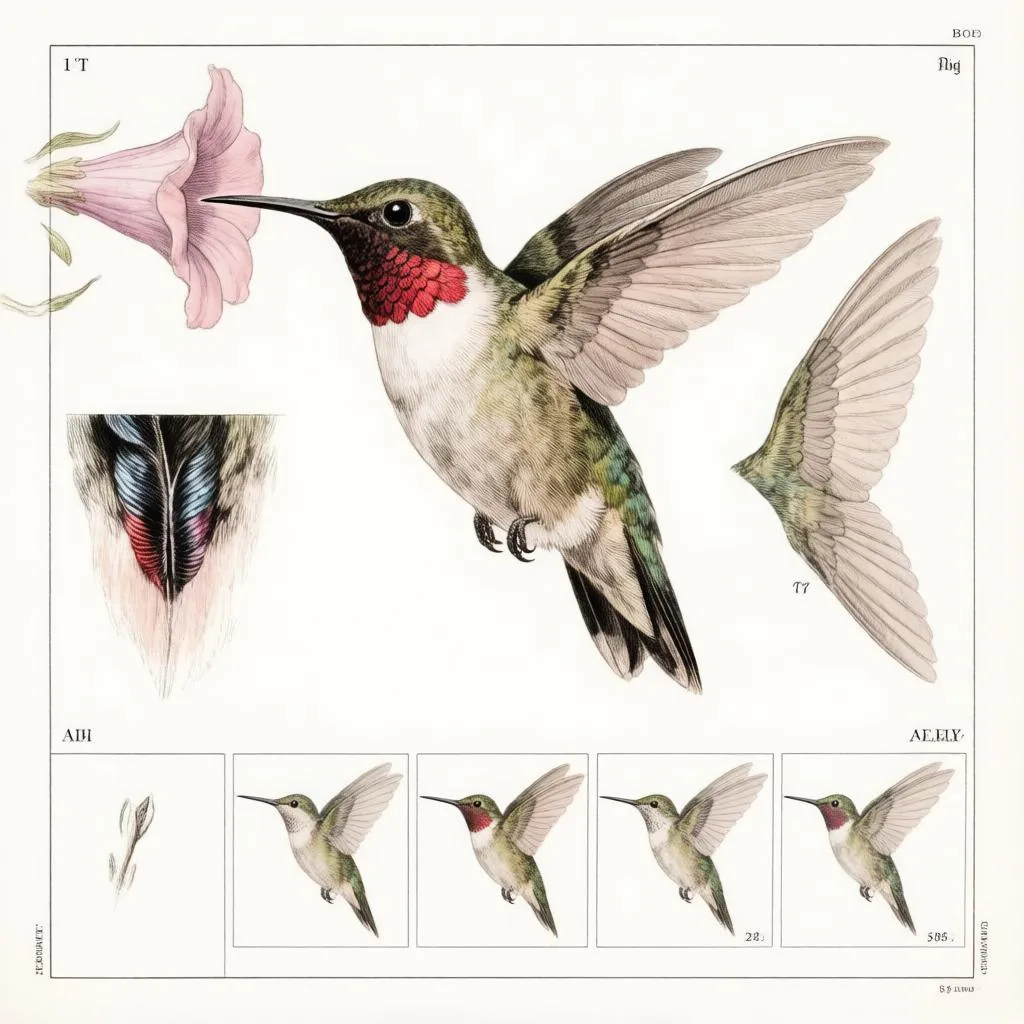
🔬 Scientific illustration
"Vintage scientific illustration plate of a ruby-throated hummingbird: a central study hovering at a trumpet flower, side studies of the gorget feathers and extended wing, a five-frame wing-beat motion sequence, fine ink linework with watercolor tinting, 19th-century natural history atlas style"
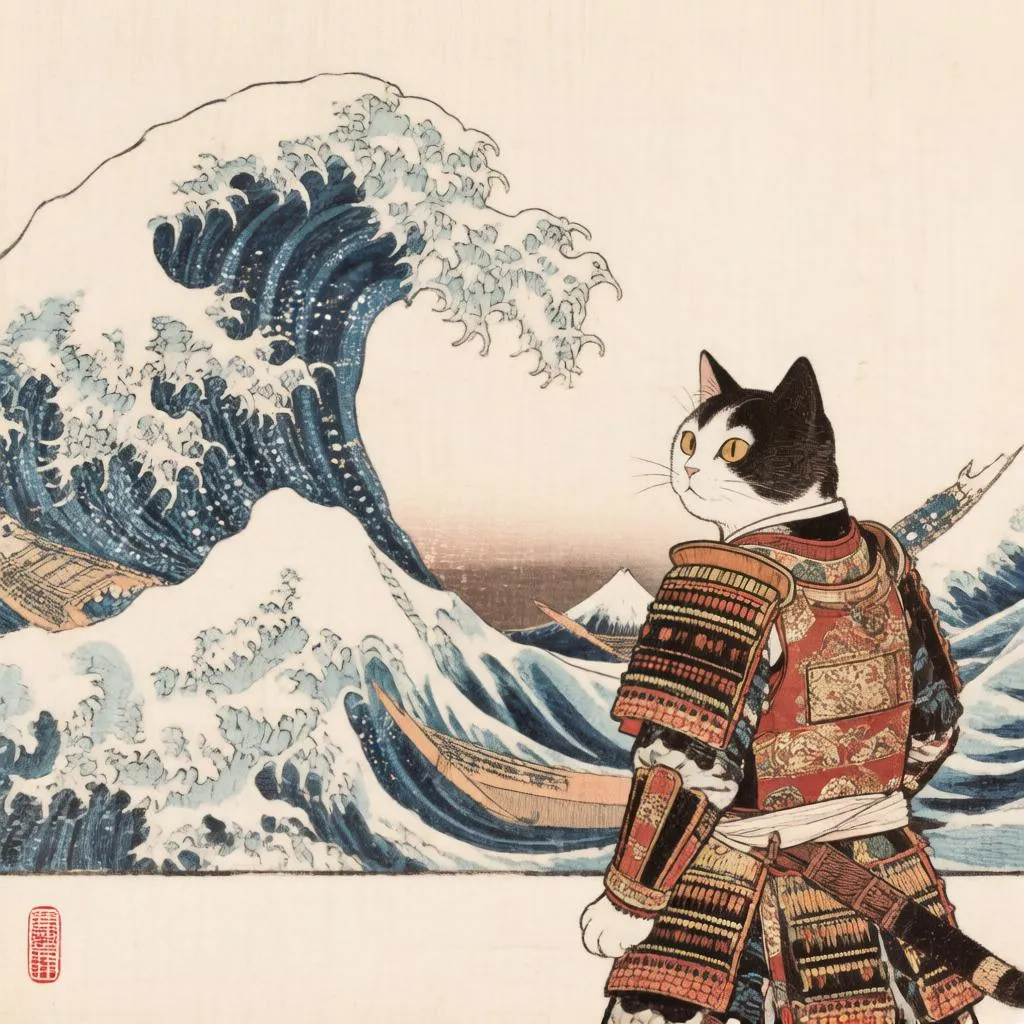
🎨 Traditional & stylized art
"Ukiyo-e woodblock print of a samurai cat in ornate armor watching a great Hokusai-style wave, Mount Fuji on the horizon, flat traditional palette, visible woodgrain, red hanko seal"
🎭 Two styles fused in one image
"A single symmetrical portrait split down the vertical center: the left half a classical Renaissance oil painting with candlelight and craquelure; the right half a glowing cyan cyberpunk hologram of the same face in neon wireframe; the halves blend seamlessly"
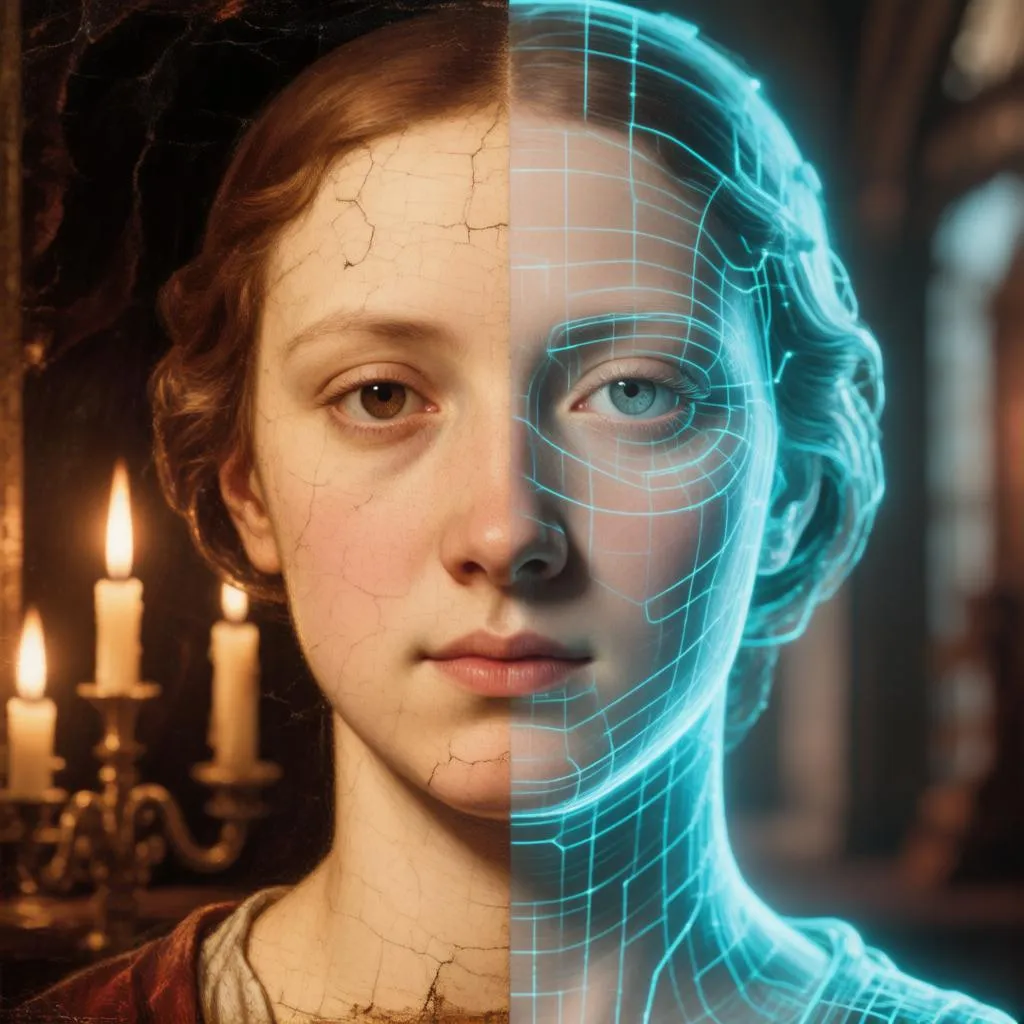
🌃 Photorealism + text in the wild
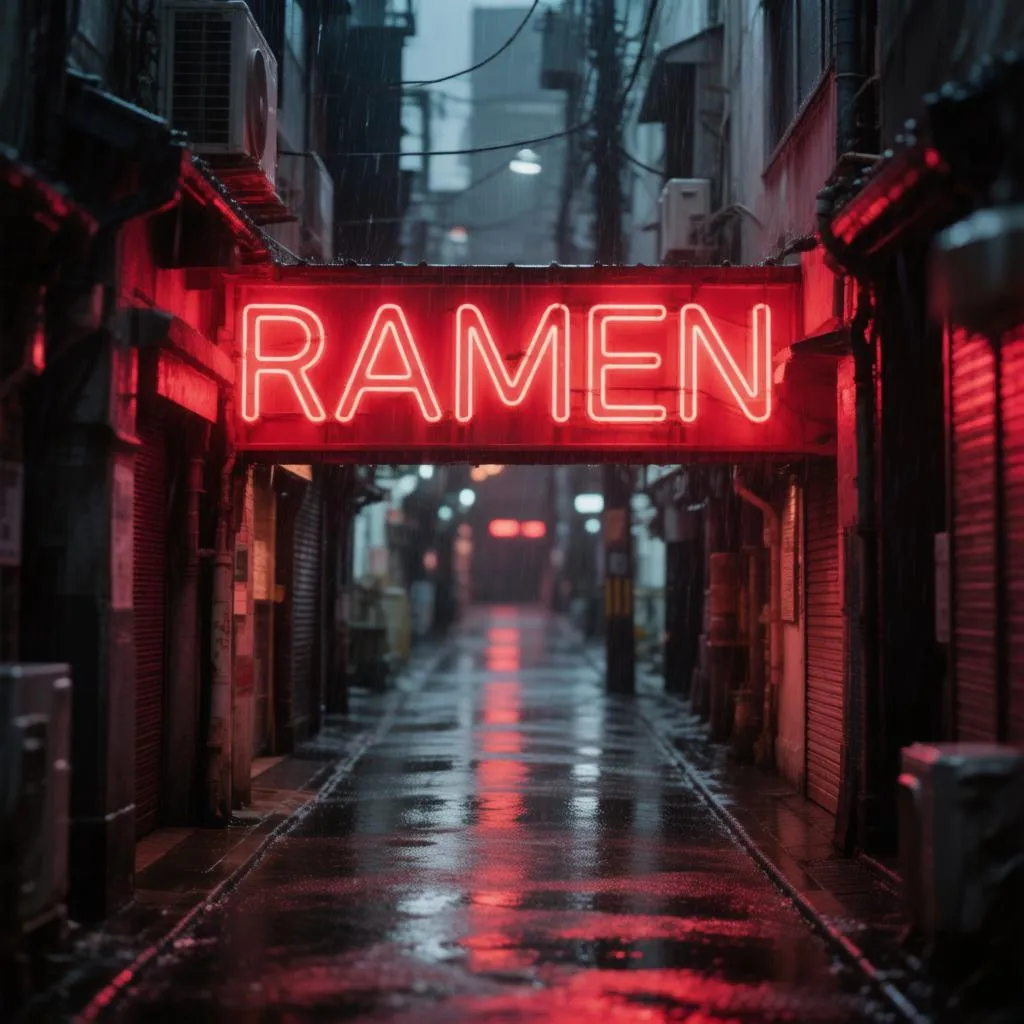
"Rainy narrow Tokyo alley at night, a single large glowing red neon sign reading "RAMEN" above a tiny steamy noodle stall, a cook behind the counter, neon reflections on wet asphalt, cinematic 35mm night photography"
Why this Actor?
- 🏆 Flagship quality — Hunyuan Image 3 is one of the largest open-source image models available (80B parameters, MoE architecture), with photorealistic detail and strong prompt following.
- 💸 Pay per image — from $0.04 per image, down to $0.025 on higher Apify plans (see Pricing). Pay only for successful images; failed runs are never charged.
- 🔌 Automation-ready — call it from the Apify API, n8n, Make, Zapier, LangChain, or any AI agent via MCP.
- 📐 Flexible formats — square, portrait, and landscape sizes; JPEG, PNG, or WebP output.
- 🔁 Reproducible — set a seed to get the same image again or iterate on a result you like.
How it works
- Write a prompt describing the image you want.
- Pick an image size (square, portrait, landscape).
- The Actor generates your image and stores it in the run's dataset and key-value store.
- Download the file from the output, or pipe the URL into the next step of your workflow.
Input example
Output sizes
imageSize | Output (px) | Best for |
|---|---|---|
square_hd | 1024 × 1024 | avatars, icons, square posts |
square | 1024 × 1024 | square posts |
landscape_4_3 | 1152 × 896 | classic landscape |
landscape_16_9 | 1344 × 768 | YouTube thumbnails, banners, wallpapers |
portrait_4_3 | 896 × 1152 | classic portrait |
portrait_16_9 | 768 × 1344 | phone wallpapers, Reels/Shorts covers |
auto | model decides | let the model choose |
Output example
Pricing
Pay per image — and the bigger your Apify plan, the less each image costs:
| Your Apify plan | Price per image | Per 1,000 images |
|---|---|---|
| Free | $0.040 | $40 |
| Starter | $0.035 | $35 |
| Scale | $0.030 | $30 |
| Business | $0.025 | $25 |
Failed generations are never charged — you only pay for images you actually receive. (Apify also applies its standard tiny platform fees for the Actor start and each dataset record.)
Editing photos too? The companion Hunyuan Image 3 — Image to Image Editor follows the same plan-tiered pricing, from $0.050 down to $0.040 per edited image.
Prompting tips
- Be specific — describe subject, style, lighting, and mood: "a red fox in a snowy forest at golden hour, cinematic, shallow depth of field".
- Hunyuan Image 3 handles long, detailed prompts well — don't be afraid to describe the whole scene.
- Set a seed to reproduce or iterate on a result you like.
No negative prompt? Say it in the prompt
There is deliberately no separate negative-prompt field — Hunyuan Image 3 understands natural language well enough that you simply tell it what to avoid inside the prompt itself:
- State exclusions directly: "...cinematic night photography, no text, no watermark, no people". The RAMEN-alley and hummingbird examples above were prompted exactly this way ("no other signs or text anywhere", "no labels, no lettering").
- Even better, describe the positive alternative — image models latch onto nouns, so instead of "no clouds" write "a clear deep-blue sky"; instead of "not blurry" write "tack-sharp focus"; instead of "no modern buildings" write "a purely medieval skyline".
- Replace, don't just remove: empty space gets filled with something, so say what should be there — "an empty street, wet asphalt reflecting the shop lights" beats "no cars".
✏️ Edit your images — Hunyuan Image 3 Image to Image
Generated an image you want to tweak? Our companion Actor, Hunyuan Image 3 — Image to Image Editor, restyles or transforms any image with a prompt — watercolor, night scenes, style transfer, and more (from $0.04/image on higher plans).
🧰 Build pipelines with our other Actors
Every Actor below takes an image URL as input — pipe this Actor's imageUrl output straight into the next step from the API, n8n, Make, or an AI agent:
- ✏️ Hunyuan Image 3 — Image to Image Editor — restyle or transform the generated image with a prompt.
- 🎬 Wan 2.2 Image to Video Generator (Lightning) — animate the image into a smooth MP4 for TikTok, Reels, and Shorts.
- ✂️ BiRefNet Background Remover — cut the subject out to a transparent PNG, ready for stickers, thumbnails, and store listings.
- 🧊 Image to 3D Model Generator — lift a generated object into a textured 3D model for games, AR, and 3D printing.
Popular combos:
Tip for the 3D combo: prompt for "a single object, centered, on a plain neutral background, soft even lighting" — clean single-subject images convert to 3D best (add the background-removal step in between for an even cleaner result).
Use it from the API
Works the same from the Apify n8n node, Make, Zapier, LangChain, or the Apify MCP server for AI agents.
For the full request/response shape (run-sync, async, polling, downloading the image), see the OpenAPI spec at ./openapi.yaml — import it into Postman, Insomnia, or any OpenAPI client.
Use with AI agents (MCP server)
This Actor works as a tool for any MCP-compatible AI agent (Claude, Cursor, VS Code Copilot, custom agents) through Apify's hosted MCP server. Your agent can generate images as part of a larger task with billing through your Apify account.
Server URL (with this Actor preselected as a tool):
Authenticate with OAuth (you'll be redirected on first connect) or an Authorization: Bearer <APIFY_TOKEN> header.
Claude Code
Cursor / VS Code — add to .cursor/mcp.json (or "MCP: Open User Configuration" in VS Code):
FAQ
How long does it take to generate an image? Usually seconds to about a minute, depending on load — Hunyuan Image 3 is a large flagship model running on dedicated GPUs.
What model is used? Hunyuan Image 3 (HunyuanImage-3.0) — Tencent's open-source 80B-parameter text-to-image model.
Can I edit an existing image? Yes — use the companion Hunyuan Image 3 — Image to Image Editor Actor.
Is there a watermark? No. The output images are clean and ready to publish.
How many images do I get per run? One image per run, so runs stay cheap and predictable. To generate more, start multiple runs — they execute in parallel.


