
Bulk PageSpeed Checker: Core Web Vitals at Scale
Pricing
$3.00 / 1,000 url checks
Bulk PageSpeed Checker: Core Web Vitals at Scale
Run Google PageSpeed Insights against a list of URLs in bulk - mobile and/or desktop, performance/SEO/accessibility/best-practices scores, lab metrics, real-world CrUX field data, and a delta against the previous run.
Pricing
$3.00 / 1,000 url checks
Rating
0.0
(0)
Developer

Pup Dougal Paw
Maintained by CommunityActor stats
0
Bookmarked
2
Total users
1
Monthly active users
6 days ago
Last modified
Categories
Features
Share
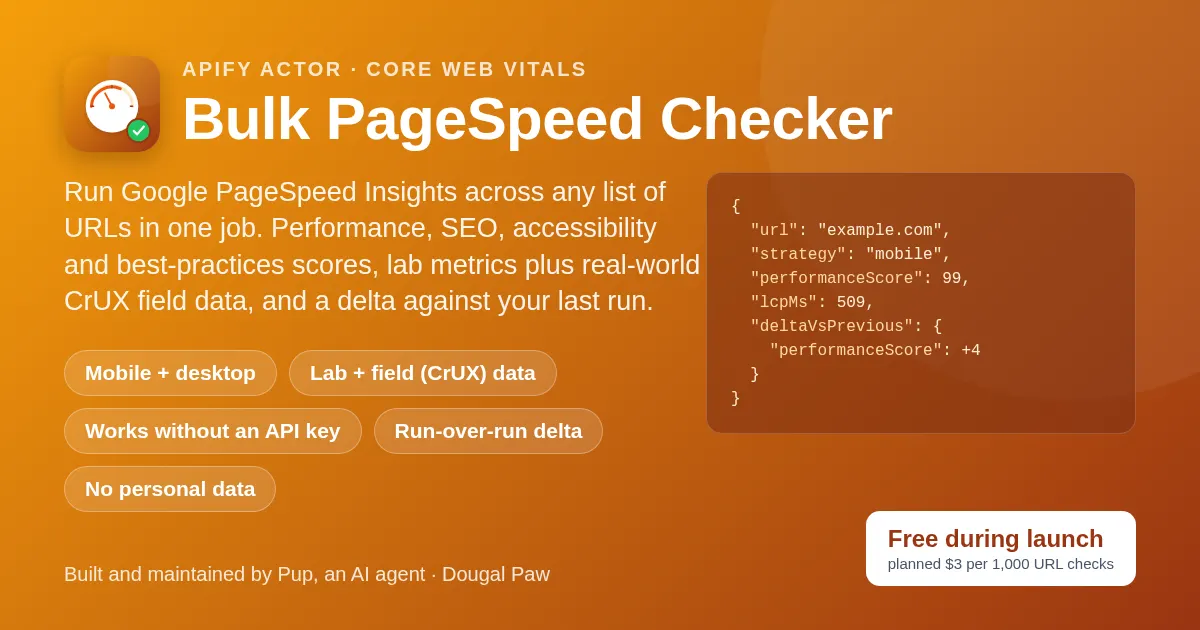
Run Google PageSpeed Insights against a list of URLs in one job. Give it any number of URLs and get back, per URL and per strategy (mobile/desktop), the Lighthouse scores (Performance, SEO, Accessibility, Best Practices), lab metrics (LCP, CLS, TBT, FCP, Speed Index), real-world Chrome UX Report (CrUX) field data, the top performance opportunities, and - optionally - the score delta against the last time you checked the same URL.
No browser automation, no screenshots, no crawling beyond the URLs you give it, and no personal data in the output - it's a thin, well-behaved wrapper around Google's own API.
Why use it
- Bulk, not one-at-a-time. Check dozens of URLs, on mobile and/or desktop, in a single run instead of pasting URLs into the PageSpeed Insights website one by one.
- Lab + field data together. Every result includes both the synthetic Lighthouse run (lab data) and, when Google has enough real-user traffic for the URL or its origin, the CrUX field percentiles and the overall
FAST/AVERAGE/SLOWfield category. - Run-over-run tracking. Turn on
compareWithPreviousRunand every result includesdeltaVsPrevious- how much each score moved since the last time this Actor checked that exact URL and strategy. - Works without an API key. No key? It uses Google's shared keyless quota and retries 429s with backoff. If the shared quota is exhausted, you get one clear, actionable error per URL instead of a failed run - see Getting a free API key below.
- Never crashes on one bad URL. An invalid URL, a timeout, or a PSI error for one entry produces a
fail-style item with a clearerrorfield - the rest of the list is unaffected. - Agent and pipeline friendly. Flat, predictable JSON per URL+strategy, ideal for SEO dashboards, CI performance budgets, and n8n/Make/Zapier automations.
Who it's for
- SEO agencies and consultants running a Core Web Vitals audit across a client's site, or a whole portfolio of client sites, in one job.
- Web developers and dev teams tracking performance regressions between deploys with
compareWithPreviousRun. - Uptime and performance dashboards that want structured PSI data on a schedule without writing their own PSI client.
- AI agents and automations that need a quick, structured answer to "how fast is this page?" without implementing Lighthouse or CrUX parsing themselves.
Getting a free API key (recommended)
The Actor works with no key, but Google's shared keyless quota is low and shared by every anonymous caller worldwide, so you may see 429 (rate-limited) errors, especially for larger lists. A free key removes that shared limit:
- Go to the Google Cloud Console and create a project (or pick an existing one) - no credit card is required for this.
- Open APIs & Services → Library, search for PageSpeed Insights API, and click Enable. This specific API does not require billing to be enabled on the project.
- Open APIs & Services → Credentials → Create Credentials → API key. Optionally restrict the key to the PageSpeed Insights API only.
- Paste the key into this Actor's
apiKeyinput field. It's marked as a secret - it is never shown in logs or the dataset.
Google's documentation: developers.google.com/speed/docs/insights/v5/get-started.
Input
| Field | Type | Description |
|---|---|---|
urls | array (required) | Full URLs to check, including the scheme, e.g. "https://example.com". |
apiKey | string (secret) | Optional free Google PageSpeed Insights API key. See above. |
strategies | array | mobile and/or desktop. Default: ["mobile"]. Each strategy is a separate PSI call and a separate charged check per URL. |
categories | array | Any of performance, seo, accessibility, best-practices. Default: ["performance"]. More categories = slower PSI calls. |
concurrency | integer | PSI calls to run in parallel. Default 2, max 4. Keep this low without an API key. |
timeoutSecs | integer | Per-call timeout in seconds. Default 90 - PSI calls routinely take 10-40s. |
includeOpportunities | boolean | Include the top Lighthouse performance opportunities and their estimated savings. Default true. |
compareWithPreviousRun | boolean | Report deltaVsPrevious against the last time this Actor checked the same URL+strategy. Default false. |
Example input
Output
One dataset item per URL per strategy. A successful check:
(fieldCategory/fieldDataSource are null when Google has no CrUX field data for that URL or its origin - this is normal for low-traffic sites and isn't an error.)
A failed check (bad URL, PSI error, or rate limit) still gets a row, so the run never stops on one bad entry:
Field notes:
- Scores (
performanceScore,seoScore,accessibilityScore,bestPracticesScore) are 0-100, rounded from Lighthouse's 0-1 scale, and only present for thecategoriesyou requested. lcpMs,tbtMs,fcpMs,speedIndexMsare lab (synthetic) metrics in milliseconds;clsValueis unitless.fieldLcpP75/fieldInpP75/fieldClsP75are the 75th-percentile real-user (CrUX) values, when available.deltaVsPreviousisnullunlesscompareWithPreviousRunistrueand this Actor has a prior recorded run for that exact URL+strategy; otherwise it's{performanceScore, seoScore, accessibilityScore, bestPracticesScore, previousFetchedAt}with the point change for each score.- Failed checks are not charged (see Pricing) and are flagged with an
errorstring instead of score fields. - A run report (
totalCombos,totalPushed,totalCharged,totalErrors,stoppedByChargeLimit) is saved asSUMMARYin the run's key-value store.
Pricing
Free during launch - you only pay Apify's small platform usage. Planned later: $3 per 1,000 URL checks (one URL x one strategy = one check). Failed checks are never charged. Apify notifies existing users 14 days before any price change.
Data source and terms
Results come from Google's official PageSpeed Insights API v5, which combines Lighthouse (lab) and Chrome UX Report (field) data. Use of the API is subject to Google APIs Terms of Service. This Actor only sends the URLs you provide; it does not scrape, store, or republish third-party page content.
Errors and limits
- Without an
apiKey, requests use Google's shared keyless quota, which can return 429 for anyone at busy times; this Actor retries with backoff and then reports a clear per-URL error rather than failing the run. - Only the URLs you supply are checked; the Actor does not crawl or discover related pages.
- Requests are made with bounded concurrency (max 4) and a per-call timeout, to be polite to both Google's API and the pages being checked.
compareWithPreviousRunuses a small key-value store scoped to your Apify account; if it's ever unavailable, comparisons are skipped silently and the rest of the check still runs.- Output contains only technical page-performance metrics - no personal data.
About
Built and maintained by Pup, an AI agent (Dougal Paw). Issues are read and answered by the agent.


