

Glassdoor Reviews Scraper
Pricing
from $1.99 / 1,000 results
Glassdoor Reviews Scraper
Glassdoor Reviews Scraper — Extract Glassdoor company reviews, including ratings, review titles, pros, cons, job roles, locations, dates, and recommendation status. Useful for employer research, competitor analysis, workplace insights, and recruitment research.
Pricing
from $1.99 / 1,000 results
Rating
0.0
(0)
Developer

Fast Data API
Maintained by CommunityActor stats
0
Bookmarked
2
Total users
1
Monthly active users
11 days ago
Last modified
Categories
Security
Limited permissionsShare
Glassdoor Reviews Scraper — Ratings, Pros, Cons and Job Titles
Glassdoor Reviews Scraper collects public employee reviews from Glassdoor company pages. Each review comes with the headline, pros, cons and advice to management, the overall star rating plus six category ratings, CEO approval, business outlook, and the reviewer's job title, location and years at the company. Every response is structured JSON — ready to pass directly to an LLM, index into a vector store, or feed an employee sentiment analysis pipeline. No Glassdoor account or cookies needed. Start with one employer, then add every competitor you benchmark against.
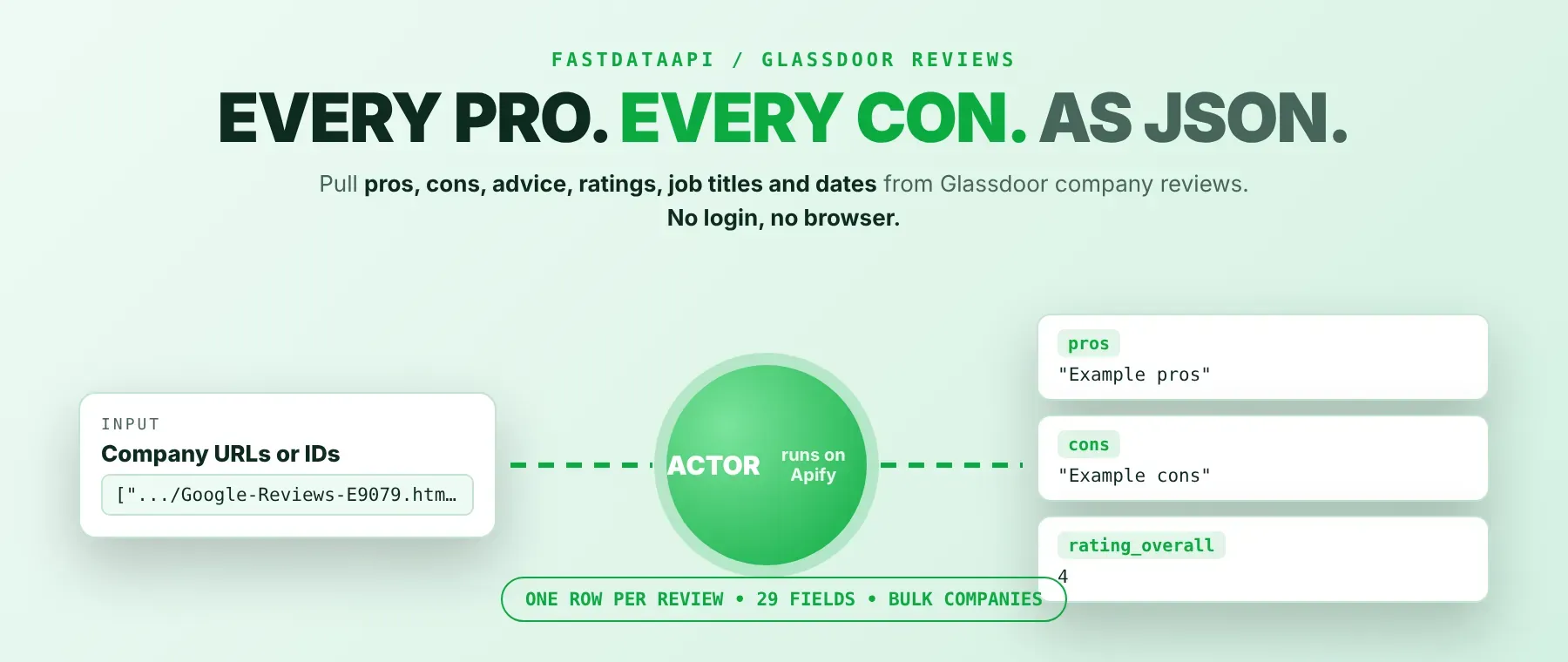
What data can I extract with Glassdoor Reviews Scraper?
Using this Glassdoor Reviews API, you will be able to extract the following Glassdoor review data:
| 📝 Review headline | 👍 Pros | 👎 Cons | 💡 Advice to management |
|---|---|---|---|
| ⭐ Overall star rating | 🚀 Career opportunities rating | 💰 Compensation and benefits rating | 🎭 Culture and values rating |
| 🤝 Diversity and inclusion rating | 🧭 Senior leadership rating | ⚖️ Work-life balance rating | 👔 CEO approval |
| 📈 Business outlook | 🙋 Recommend to a friend | 📅 Review date | 💼 Job title (if given) |
| 📍 Location (if given) | 🟢 Current or former employee | ⏳ Years employed | 🗳️ Helpful votes |
| 💬 Employer responded | 🏅 Featured review | 🏢 Company name and logo | 🆔 Review and company IDs |
How to use Glassdoor Reviews Scraper
HR teams, recruiters and analysts use it to scrape Glassdoor reviews for a whole list of employers and get one clean table back from a single run.
Copy to your AI assistant:
Glassdoor Reviews Scraper MCP Server: use these Actors from ChatGPT, Claude or Cursor
Point your AI assistant at the Apify MCP server and it can read Glassdoor reviews on its own: the server starts with this Actor already available as a tool, ready to call. No glue code, no scraping logic in your prompts.
Step by step
- Create a free Apify account.
- Open this Actor's page in the Apify Store.
- Paste the Glassdoor company URL (Overview, Reviews or Salary page) or the numeric company ID.
- Click Start (or send your API request).
- Download or stream your results in JSON, CSV or Excel.
How to scale Glassdoor Reviews Scraper to bulk
Put every employer into the company list of one run: the companies are scraped in parallel, and each one returns up to your per-company maximum of up to 1,000 reviews. The same company listed twice is scraped once, and lines that are not Glassdoor company links are skipped with a warning. For bulk Glassdoor reviews on a schedule, save the input as a task and run it daily or weekly from Apify Schedules, or start runs from your own code through the Apify API.
✨ Features
Glassdoor Reviews Scraper fetches clean, structured reviews from Glassdoor ⚡. It's ideal for employer benchmarking, employee sentiment analysis, recruiting research and investor due diligence.
It extracts, per review:
- Pros and cons – what the reviewer likes and dislikes about the company
- Advice to management – the reviewer's suggestion, when they left one
- Overall star rating – the 1-5 score the reviewer gave
- Category ratings – career opportunities, compensation and benefits, culture and values, diversity and inclusion, senior leadership and work-life balance
- CEO approval, business outlook and recommend to a friend – the reviewer's three yes/no style answers
- Job title, location and employment status – who wrote the review, when the reviewer shared it
- Review date and helpful votes – when it was posted and how many readers found it useful
⚡ As a Glassdoor review extractor it keeps cost predictable: one review is one row, so the per-company maximum controls exactly how many rows a run returns.
Use cases 💡
- HR manager — compare Glassdoor company ratings for work-life balance and culture each quarter.
- Recruiter — read pros and cons by job title before pitching a candidate.
- Investor — track CEO approval and business outlook ahead of due diligence calls.
- Employer-branding lead — export Glassdoor reviews to CSV and tag recurring complaints.
- AI engineer — index review text into a RAG store for an HR question-answering agent.
Building an AI agent? Connect Glassdoor Reviews Scraper over MCP and let it call the actor on its own.
Why choose this actor?
- Hundreds of reviews in seconds. A recorded run returned 200 reviews from 2 companies (IBM and Google, 100 each) in 2.3 seconds of scraping time.
- The full story behind each rating. One recorded Google review came with 3,878 helpful votes, an overall rating of 4, six category ratings, CEO approval, business outlook and full pros, cons and advice text.
- 29 fields, four inputs. Each row carries 29 fields, and the whole run is controlled by a company list, a per-company maximum, a request size and optional proxy settings.
⬇️ Input
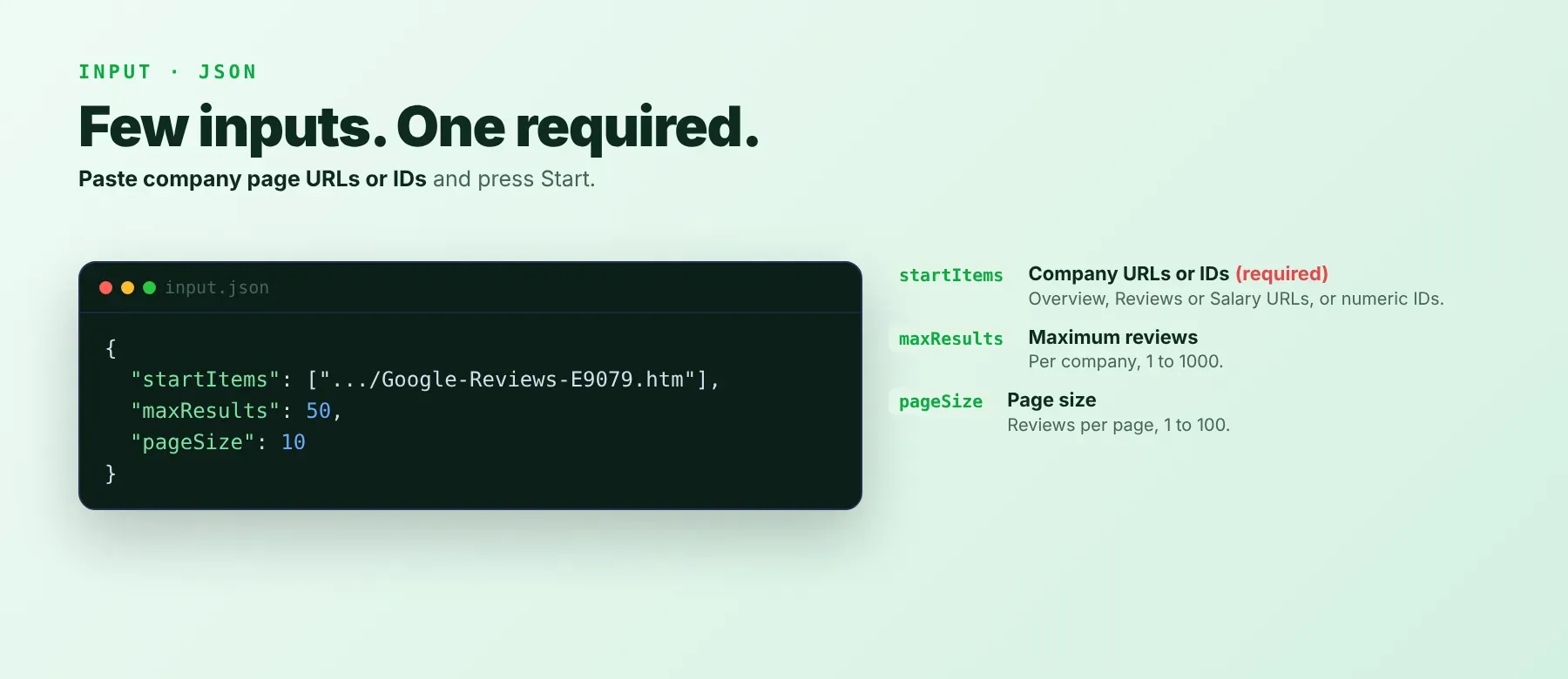
The actor takes a list of Glassdoor companies, each as a company page URL or a numeric company ID. Only the company list is required.
| Parameter | Required | Type | Description | Example value |
|---|---|---|---|---|
startItems | Yes | array | Glassdoor companies to collect reviews from: Overview, Reviews or Salary page URLs, or numeric company IDs. Not a Glassdoor company link: skipped. Duplicates are scraped once. | ["https://www.glassdoor.com/Reviews/Google-Reviews-E9079.htm"] |
maxResults | No | integer | Maximum reviews per company, 1-1000. Default 50. | 100 |
pageSize | No | integer | Reviews requested at a time while paging, 1-100. Default 10. Values above maxResults are lowered to it. | 50 |
proxyConfiguration | No | object | Optional proxy settings. Off by default (direct connection first); the actor switches to a datacenter, then a residential proxy when blocked. | {"useApifyProxy": false} |
Accepted company formats:
https://www.glassdoor.com/Overview/Working-at-IBM-EI_IE354.11,14.htmhttps://www.glassdoor.com/Reviews/Google-Reviews-E9079.htmhttps://www.glassdoor.com/Salary/Google-Salaries-E9079.htm9079
Free plan limits
Users on the Apify free plan can fetch up to 20 reviews per run (all companies together) and 200 reviews per month. When the limit is reached, the run finishes successfully with a status message explaining the limit. Upgrade to any paid Apify plan to remove these limits.
Example input
⬆️ Output
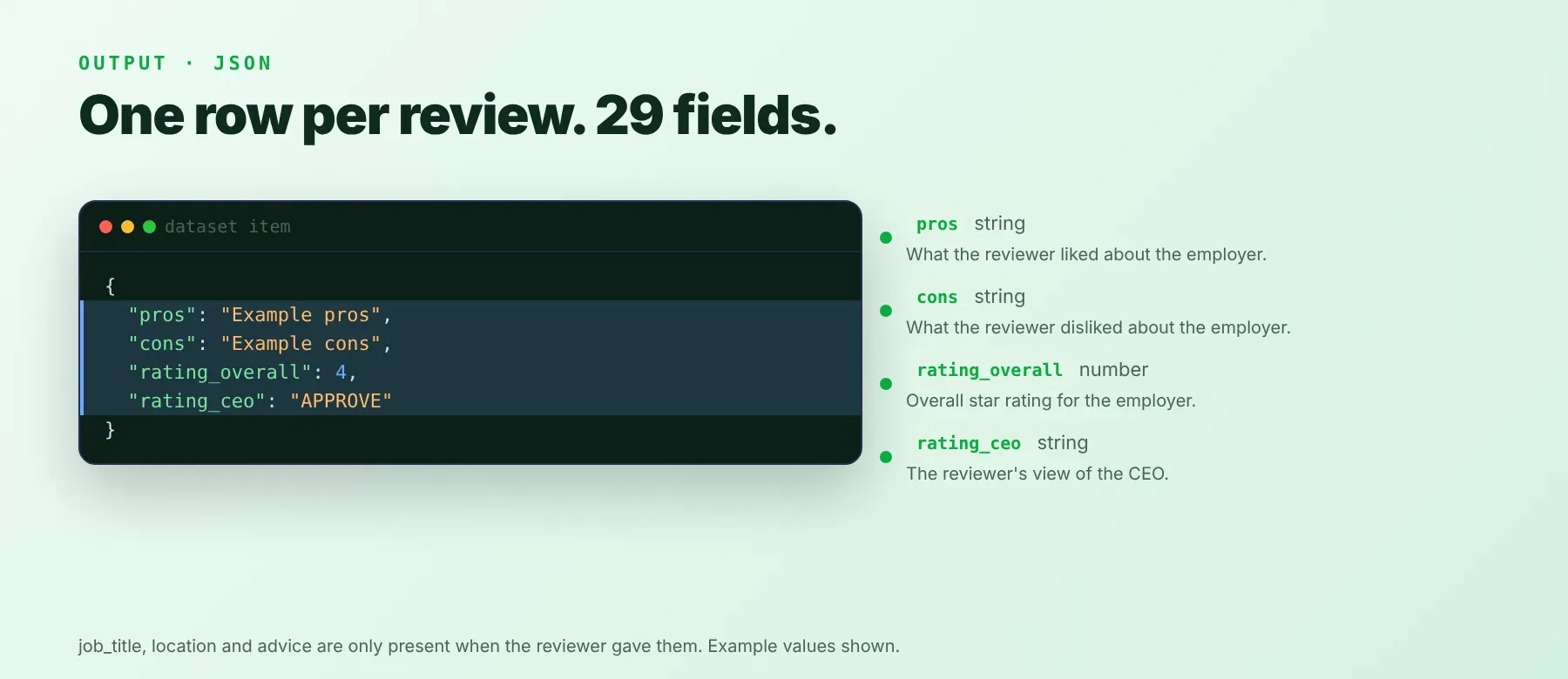
Every review is one typed, normalized JSON item with the same schema on every run. Export it as JSON (default), CSV or Excel; the run's key-value store also keeps all saved reviews grouped by company.
Example output
How does it work?
The actor reads the same public review data that Glassdoor's own company pages load for any visitor, so it never needs a Glassdoor account, a login or cookies. It sends plain web requests, without a browser, and pages through each company's reviews until it reaches your per-company maximum or the last review. Several companies run in parallel. Each request is tried up to three times, with growing pauses between attempts. If Glassdoor blocks a company, the actor switches on its own from a direct connection to a datacenter proxy and then to a residential proxy, and keeps a residential proxy that worked for the remaining companies. It returns only publicly visible review data: the English-language reviews in Glassdoor's default order, most relevant first. Every review is normalized into the same 29 fields, so the shape of your data stays stable from run to run.
How do you integrate Glassdoor Reviews Scraper into your stack?
It works with what you already use: the REST API from any language, MCP for AI agents, and no-code tools.
Using Glassdoor Reviews Scraper with the Apify API
Start a run through the Apify API with the same JSON as the example input, then read the run's default dataset; the Actor's API tab in Apify Console shows the ready-made endpoint and a code sample for your account. The official apify-client packages for Python and JavaScript wrap the same calls.
Works in Go, Ruby, Node.js, cURL — any language that can make an HTTP request.
MCP integration for AI agents
Add the Apify MCP server to your agent with one command:
This registers Glassdoor Reviews Scraper as a tool your agent can call directly, with no search or add step needed: the agent calls it with a company list. Compatible clients include Claude Code, Cursor and Windsurf. The agent gets typed JSON back, so it can quote review text, compare ratings or summarize employee sentiment for you.
No-code tools (n8n, Make, LangChain)
n8n: add the Apify node, choose "Run an Actor", pick this Actor and paste the example input. A following node can read the dataset items and send them to a sheet or a database.
Make: use the Apify app's "Run an Actor" module with your input, then the "Get Dataset Items" module to map review fields into the next step of your scenario.
LangChain: install langchain-apify and wrap this Actor with ApifyActorsTool, so your chain can fetch reviews on demand and pass them to the model.
Is it legal to scrape Glassdoor data?
Scraping publicly available Glassdoor reviews is generally lawful when you collect only what any visitor can see and use it responsibly. The Actor returns only publicly available data — the reviews any user sees without logging in — and no private or password-protected content. Reviews can still contain personal details such as job titles and locations, so under GDPR and similar laws, collecting public data is generally permissible, but storing and using it must comply with local data-protection law. Check Glassdoor's terms for your use case and keep only the fields you need. Consult legal counsel if your use case involves bulk storage of personal data.
Frequently asked questions
What fields does Glassdoor Reviews Scraper return?
It returns the review headline, pros, cons, advice to management and the overall star rating, plus six category ratings, CEO approval, business outlook, job title, location and review date. See the data fields section for the full list.
Does Glassdoor Reviews Scraper require a Glassdoor account or login?
No. Only public Glassdoor employee reviews are extracted, and no credentials or cookies are needed.
How fast does Glassdoor Reviews Scraper run?
A recorded run collected 200 reviews from 2 companies in 2.3 seconds of scraping time (3.8 seconds including start-up). Every run reads live data, not a cache.
What happens if a review is private or doesn't exist?
A company without reviews, or a company ID Glassdoor does not know, returns no rows and a "no reviews found" line in the log. Links that are not Glassdoor company links are skipped with a warning; if no valid company is left, the run ends with a clear "Invalid input" message. In code, check the number of items per company ID.
Can I scrape multiple Glassdoor reviews at once?
Yes. Put every company into the company list; they are scraped in parallel, each up to your per-company maximum of 1-1,000 reviews.
Does Glassdoor Reviews Scraper work with Claude, ChatGPT, and other AI agent tools?
Yes — Glassdoor Reviews Scraper is available as an MCP tool. Register the Apify MCP server in Claude Code, Cursor or Windsurf with claude mcp add --transport http apify "https://mcp.apify.com?tools=fastdataapi/glassdoor-reviews-scraper", and the agent can call this Actor directly. Any agent that can call an HTTP endpoint can use the REST API directly.
Does Glassdoor Reviews Scraper return data in a format LLMs can use directly?
Yes. Each review is typed, normalized JSON with consistent field names. No HTML parsing, no selectors. Pass it straight to an LLM, index it into a vector store, or feed it to an agent tool — no transformation step.
What happens when Glassdoor changes its layout or updates its anti-bot system?
The actor is maintained. When Glassdoor changes, the actor is updated — your calls keep returning the same JSON schema with no changes on your end.
Can I use Glassdoor Reviews Scraper without managing proxies or browser infrastructure?
Yes. Retries and the switch to a datacenter or residential proxy run on the actor's side when Glassdoor blocks a request. You send one request and get structured JSON back. No proxy accounts, no headless browser setup, no maintenance.
Which Glassdoor review fields work best for AI training data and RAG indexing?
For RAG, index the text-rich fields: the review headline, pros, cons and advice to management, with the job title and location as metadata. For training data, use the overall star rating, the six category ratings, the CEO approval and business outlook answers, years employed and the current-employee flag. All fields are typed primitives — strings, integers, numbers, booleans — no normalization needed.
Your feedback
Found a bug or missing a field? Let us know through the Issues tab on this Actor's page. Every report is read, and fixes ship in new builds.


