

Google Shopping Product Reviews
Pricing
from $0.67 / 1,000 results
Google Shopping Product Reviews
Google Shopping Product Reviews gets the reviews Google Shopping aggregates for a product across retailers: rating, title, full text, author, date and incentivized marker, plus optional sentiment and issue labels. Export JSON, CSV or Excel, or use the API.
Pricing
from $0.67 / 1,000 results
Rating
0.0
(0)
Developer

Fast Data API
Maintained by CommunityActor stats
0
Bookmarked
2
Total users
1
Monthly active users
8 days ago
Last modified
Categories
Features
Share
Google Shopping Product Reviews — Rating, Text, Author, Date and Labels
Google Shopping Product Reviews pulls the reviews Google Shopping aggregates for one product across every retailer that sells it (Walmart, Target, Argos, iStore and more). Each row returns the rating, full review text, author name and avatar, published date, retailer source and Google's own "incentivized" marker, plus optional sentiment and issue-type labels computed for free on every row. Every response is structured JSON, ready to pass directly to an LLM, index into a vector store, or feed a review-monitoring pipeline. No Google account, login or cookies needed. Start with one product gid, then add as many as you track.
What data can I extract with Google Shopping Product Reviews?
Using this Google Shopping Reviews API, you will be able to extract the following review data:
| ⭐ Star rating | 📝 Review text + title | 👤 Author name + avatar | 📅 Published date (exact + relative) |
|---|---|---|---|
| 🏬 Retailer source | 🎁 Incentivized flag | 😀 Sentiment label (free) | ⚠️ Issue-type label (free) |
| 📊 Product rating + histogram | 🔢 Total review count | 🌍 Language | 🔗 Report link |
How to use Google Shopping Product Reviews
-
For anyone tracking what shoppers say about a product on Google Shopping - give it a product gid or URL and get every review back as clean JSON.
-
Copy to your AI assistant:
-
Google Shopping Product Reviews MCP Server: use these Actors from ChatGPT, Claude or Cursor
Point your AI assistant at fastdataapi and it can read Google Shopping reviews on its own: product reviews, ratings, sentiment and issue labels. No glue code, no scraping logic in your prompts.
$claude mcp add --transport http apify "https://mcp.apify.com/?tools=fastdataapi/google-shopping-product-reviews-scraper" -
Step by step
- Create a free Apify account.
- Open Google Shopping Product Reviews in the Apify Store.
- Enter the Google Shopping product gid or product URL.
- Click Start.
- Download or stream your results in JSON, CSV or Excel.
-
How to scale Google Shopping Product Reviews to bulk
Add as many gids or URLs as you like to the "Product gid(s)" / "Product URL(s)" list in one run - each gets its own
maxItemsreviews (3 products xmaxItems500 = up to 1,500 rows, never one product eating another's share). For a very large tracking list, split it across a few runs or use the Apify API/Python client in a loop and merge the datasets.
✨ Features
Google Shopping Product Reviews fetches clean, structured reviews from Google Shopping's own review feed ⚡ at low cost 💸. It's ideal for review-monitoring dashboards, competitor review analysis, sentiment tracking and feeding review text to an AI agent or RAG pipeline.
It extracts, per review:
- Rating – the star rating the reviewer gave (1-5)
- Review text + title – the full review, not a truncated snippet
- Author – reviewer name and avatar image
- Published date – both the exact timestamp and Google's own relative text ("4 months ago")
- Retailer source – which retailer (Walmart, Target, ...) the review was posted on
- Incentivized flag – Google's own marker for reviews given in exchange for a discount or free product
- Sentiment + issue labels – free, computed on every row (positive/negative + what kind of complaint)
⚡ Reads Google's own review feed directly (no browser), so it returns up to 100 reviews per request in under a second.
Use cases 💡
- Brand manager — track sentiment and incentivized-review share across every retailer selling a product.
- Competitor analyst — pull a competitor's reviews to see recurring complaints by issue type.
- E-commerce seller — monitor new reviews on your own listing without checking Google manually.
- Market researcher — build a sentiment trend over time using the published date on every review.
- AI agent builder — feed review text straight into an LLM for summarization or a RAG pipeline; connect it over MCP and let it call the actor on its own.
Why choose this actor?
- No browser needed, so it's fast. Reads Google's own review feed directly over HTTPS - 150 reviews came back in 798 ms across 2 paginated calls in a local test run, with no JavaScript rendering step.
- Labels come built in. Every review can carry a free sentiment and issue-type label (and, on request, incentivized/injection checks with the quoted evidence) - most review scrapers return raw text only.
- Two ways in, one row shape. Give it a product gid or a Google Shopping URL (address-bar, immersive page, or a share.google link) and get the same review rows either way.
⬇️ Input
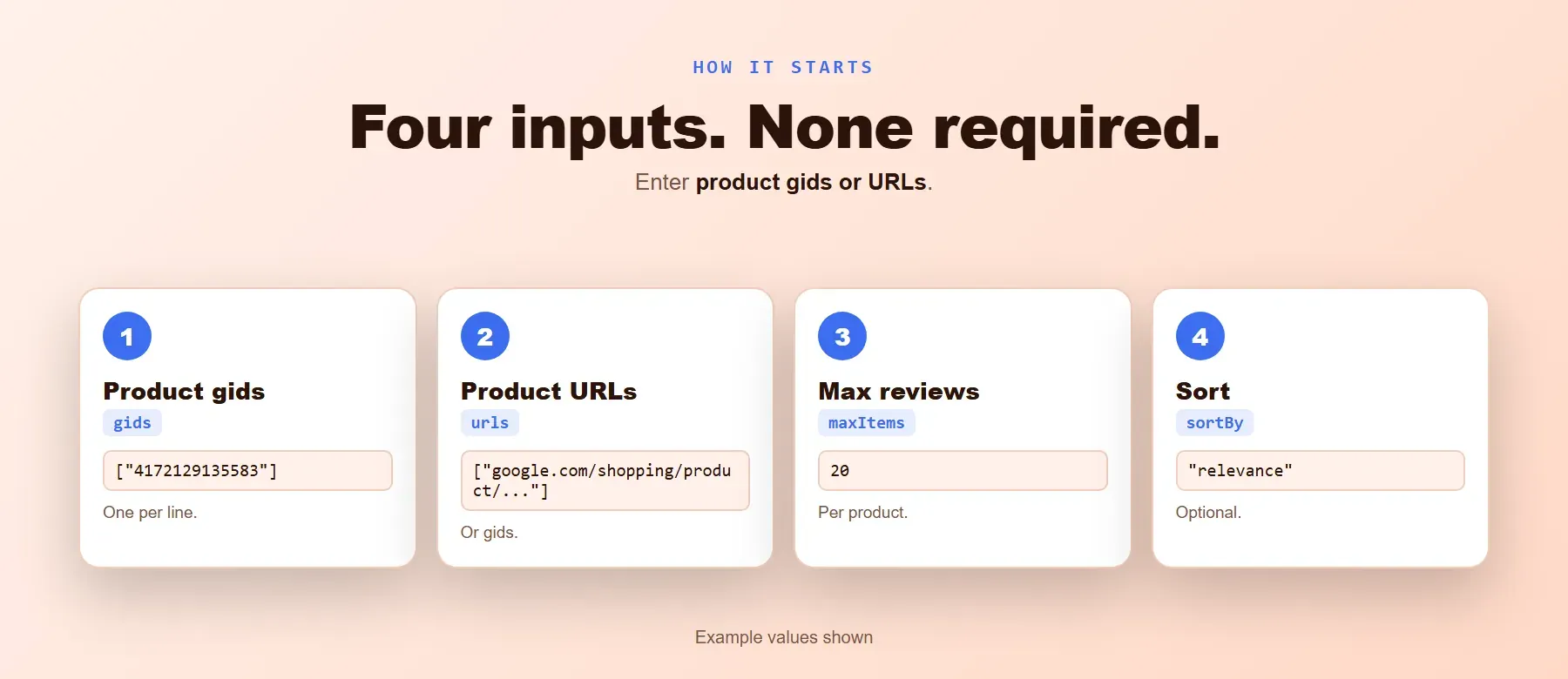
Give it one or more Google Shopping product gids or product URLs (at least one of the two is required). Everything else is optional.
| Parameter | Required | Type | Description | Example value |
|---|---|---|---|---|
| gids | one of gids/urls | array | Google Shopping product gid(s) | ["9146411353573113826"] |
| urls | one of gids/urls | array | Google Shopping product page URL(s) | ["https://www.google.com/search?ibp=oshop&..."] |
| maxItems | no | integer | Max reviews PER product (default 20, 1-8000) | 50 |
| productId / dataDocid | no | string | Optional catalog/offer ids for accuracy | "" |
| country | no | string (enum) | Country dropdown. Auto ("", default) uses the URL's country, else US. | "US" |
| language | no | string (enum) | Language dropdown, including regional variants. Auto ("", default) uses the URL's language, else English. | "en" |
| sortBy | no | enum | "relevance" (default) or "recency" | "recency" |
| starRating | no | enum | "all" (default) or "1"-"5" | "5" |
| excludeIncentivized | no | boolean | Drop Google's "incentivized" reviews (default false) | true |
| labels | no | array | "sentiment"|"issue"|"reports"|"incentivized"|"injection"|"none" | ["sentiment","issue"] |
| judgments | no | boolean | Compute free sentiment+issue by default (default true) | true |
| reportsQuery | no | string | What to look for; required with labels=reports | "battery complaints" |
| labelEvidence | no | boolean | Return the quote each label was based on | false |
| fitToGoal / goal / fitTokens | no | boolean/string/integer | Trim rows to a stated goal | false |
| dryRun | no | boolean | 0-cost cost preview, no fetch | false |
| useCache / cursor / recallId | no | boolean/string/string | Continuation controls | - |
| proxyConfiguration | no | object | Optional starting proxy | {"useApifyProxy": false} |
Example input
Free plan limits
Free plan: up to 20 reviews per run (all products together) and 200 per month; paid plans have no limit.
⬆️ Output
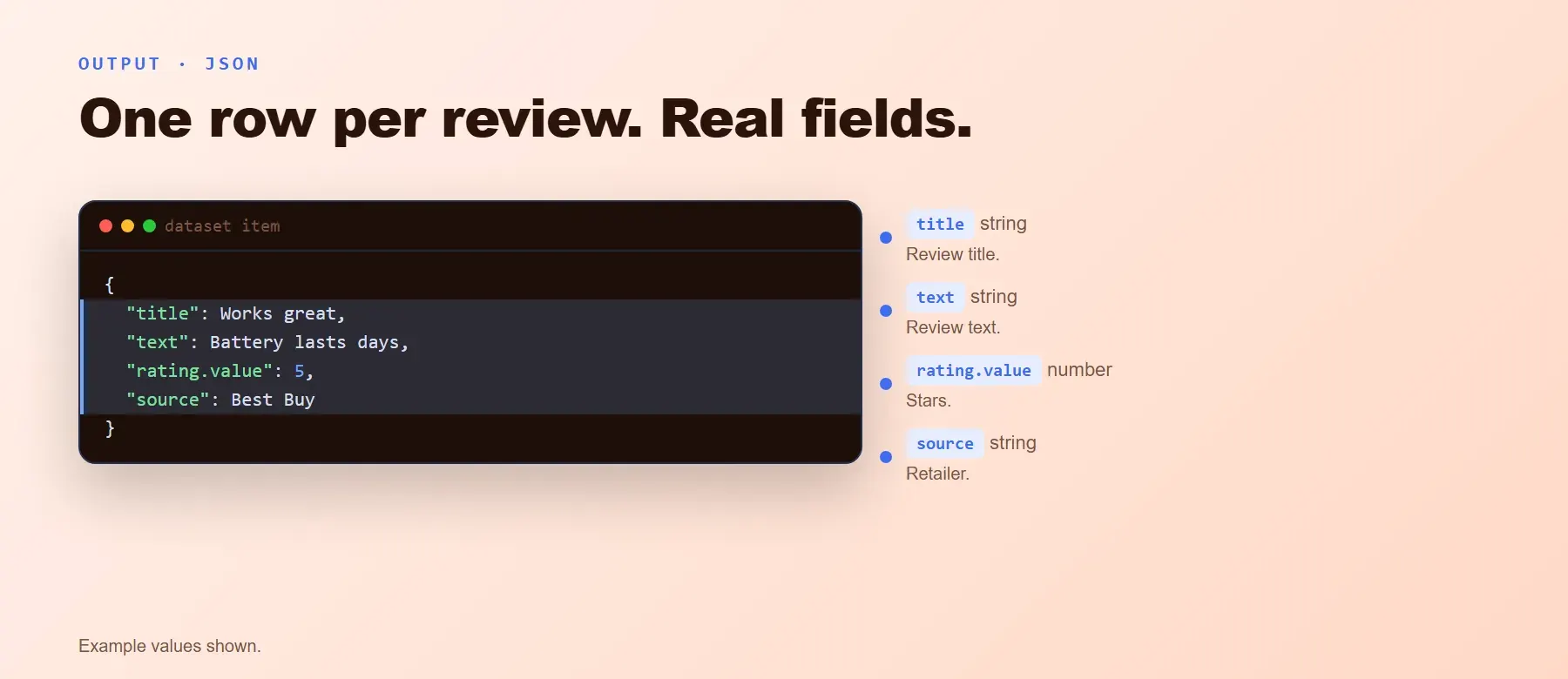
Every review is one typed, normalized JSON item - the same schema on every run, with the product's own rating/review-count summary denormalized onto each row. Export as JSON, CSV or Excel.
Example output
How does it work?
Google Shopping Product Reviews reads the same public review feed Google Shopping's own immersive product page loads when a shopper opens "More reviews" - a plain HTTPS request, no login or account needed. It returns only publicly visible data: whatever any visitor sees without signing in. When a product URL has no readable id (a share link), the actor opens it once in a browser to read the id off the page, then goes back to the plain HTTPS feed for the actual reviews. Requests switch to a proxy automatically if the connection is ever blocked. The output schema stays stable even as Google changes its page layout underneath.
How do you integrate Google Shopping Product Reviews into your stack?
Works with what you already use: a REST API from any language, MCP for AI agents, or a no-code tool.
Using Google Shopping Product Reviews with the Apify API
Works in Go, Ruby, Node.js, cURL - any language that can make an HTTP request.
MCP integration for AI agents
This registers Google Shopping Product Reviews as a tool your agent can call directly. Works in Claude Code, Cursor and Windsurf.
No-code tools (n8n, Make, LangChain)
In n8n, use the Apify node's "Run an Actor" operation, or the HTTP Request node pointed at the run-sync endpoint with your token. In Make, use the Apify app's "Run an Actor" module, then "Get Dataset Items". In LangChain, install langchain-apify and call ApifyActorsTool("fastdataapi/google-shopping-product-reviews-scraper").
Is it legal to scrape Google Shopping review data?
Scraping publicly available data, like reviews anyone can read on Google Shopping without logging in, is generally considered legal. Google Shopping Product Reviews returns only publicly available data - the same reviews any visitor sees without signing in. Under GDPR, scraping public data is generally permissible, but storing and using it must comply with local data-protection law. Consult legal counsel if your use case involves bulk storage of personal data.
Frequently asked questions
What fields does Google Shopping Product Reviews return?
Star rating, review title and text, author name and avatar, published date and retailer source, plus a free sentiment and issue-type label. See the data fields section.
Does Google Shopping Product Reviews require a Google account or login?
No. Only public review data is extracted - no credentials needed.
What happens if a product has no reviews or the gid is wrong?
The run returns a clean error for that product (no reviews found, or an invalid gid) and keeps going on every other product in the same run - no crash.
Can I scrape multiple Google Shopping products at once?
Yes - add as many gids or URLs as you like to the input list; each product gets its own maxItems reviews in the same run.
Does Google Shopping Product Reviews work with Claude, ChatGPT, and other AI agent tools?
Yes - it's available as an MCP tool. Use the command above to register it in Claude Code, Cursor or Windsurf. Any agent that can call an HTTP endpoint can use the REST API directly.
Does Google Shopping Product Reviews return data in a format LLMs can use directly?
Yes. Typed, normalized JSON with consistent field names - no HTML parsing, no selectors. Pass it straight to an LLM, index it into a vector store, or feed it to an agent tool.
What happens when Google changes its page layout or review feed?
fastdataapi maintains the actor. When Google changes its feed, fastdataapi updates the actor - your calls keep returning the same JSON schema with no changes on your end.
Can I use Google Shopping Product Reviews without managing proxies or browser infrastructure?
Yes. Proxy rotation runs on the actor's side when a connection is blocked. You send one request and get structured JSON back - no proxy accounts, no headless browser setup.
Which fields work best for AI training data and RAG indexing?
For RAG: the review title and text (the content itself). For training data or filtering: star rating, the sentiment/issue labels and the incentivized flag - all typed primitives, no normalization needed.
Your feedback
Found a bug or missing a field? Let us know through the Issues tab on this actor's Apify Store page. The fastdataapi team reads every report and ships fixes.


