

Steam Email Scraper
Pricing
from $1.99 / 1,000 results
Steam Email Scraper
Steam Email Scraper finds public Steam pages with contact emails from your keywords: page title, snippet, link and email, one row per match. Filter by location and email domain. No Steam account or login. Export as JSON, CSV or Excel, or use the API.
Pricing
from $1.99 / 1,000 results
Rating
0.0
(0)
Developer

Fast Data API
Maintained by CommunityActor stats
0
Bookmarked
2
Total users
1
Monthly active users
a day ago
Last modified
Categories
Share
Steam Email Scraper — Public Developer Page Emails
Steam Email Scraper is a steam game developer email scraper that searches Google for public Steam pages showing a contact email that matches your keyword, then returns the page title, snippet, link and email address as one row per match. No Steam account, login or cookies are required - the actor never visits Steam's own search. Every result is structured JSON, ready to pass directly to a CRM, a cold-outreach pipeline or an AI lead-scoring agent. Start with one keyword, then add more to build a full list of developer and publisher contacts.
What data can I extract with Steam Email Scraper?
Using this Steam page email API, you will be able to extract the following Steam page data:
| 🌐 Network | 🔑 Keyword | 📝 Title | 📄 Description |
|---|---|---|---|
| 🔗 Page URL | 📧 Email address |
How to use Steam Email Scraper
The actor works as a steampowered.com email finder by keyword, built for publishing managers, QA recruiters and outreach teams who want a list of real developer and publisher contact emails from Steam developer pages in one run.
Copy to your AI assistant:
Step by step
- Create a free Apify account.
- Open Steam Email Scraper in the Apify Store.
- Enter one or more Steam-related keywords.
- Click Start.
- Download or stream your results in JSON, CSV or Excel.
How to scale Steam Email Scraper to bulk
Add as many keywords as you like in one run - each one runs its own Google search series, and up to three keywords are searched at the same time, so a 30-keyword batch still finishes well under running them one by one. Raise maxEmails per keyword to pull more per search, up to 100,000. For very large keyword lists, split them across a few runs, or schedule repeat runs through the Apify API.
✨ Features
Steam Email Scraper fetches clean, structured developer and publisher leads from Steam ⚡ at low cost 💸. Built to scrape steam developer emails from public developer pages, it's ideal for cold-outreach lead generation, publishing and porting prospecting, QA recruiting and market research on a niche of studios.
It extracts, per result:
- Source network – which platform the result came from (steampowered.com or steamcommunity.com)
- Keyword – the search term that found this result
- Title – the public page's title
- Description – the page's visible text snippet
- Page URL – direct link to the Steam page
- Email – the email address shown publicly on that page
⚡ Widens the search automatically across developer pages, recency filters and common contact terms when a keyword hasn't hit its limit yet.
Use cases 💡
- Publishing manager — use this steam lead generation tool to shortlist studios by genre and keyword.
- QA recruiter — scrape steam developer emails to build an outreach pipeline for testing contracts.
- Partnership manager — find steam publisher email addresses to shortlist potential co-publishing deals.
- Market researcher — see which public Steam developer pages in a niche share contact details.
- AI agent builder — pipe the JSON results into a lead-scoring or outreach pipeline automatically.
Why choose this actor?
- Up to 100,000 emails per keyword. Each keyword acts as a steam contact email extractor against public Steam pages, returning from 1 up to 100,000 matching emails, with as many keywords as you like in one run.
- Widens the search automatically. When the first pass hasn't reached your limit, up to 15 further search variants - developer pages, a one-year and one-month recency filter, and common contact terms - run next, each de-duplicated against the ones before it.
- Three keywords at a time. Up to 3 keywords run concurrently in one job, each paginated up to 30 Google result pages per search pass, across both steampowered.com and steamcommunity.com.
⬇️ Input
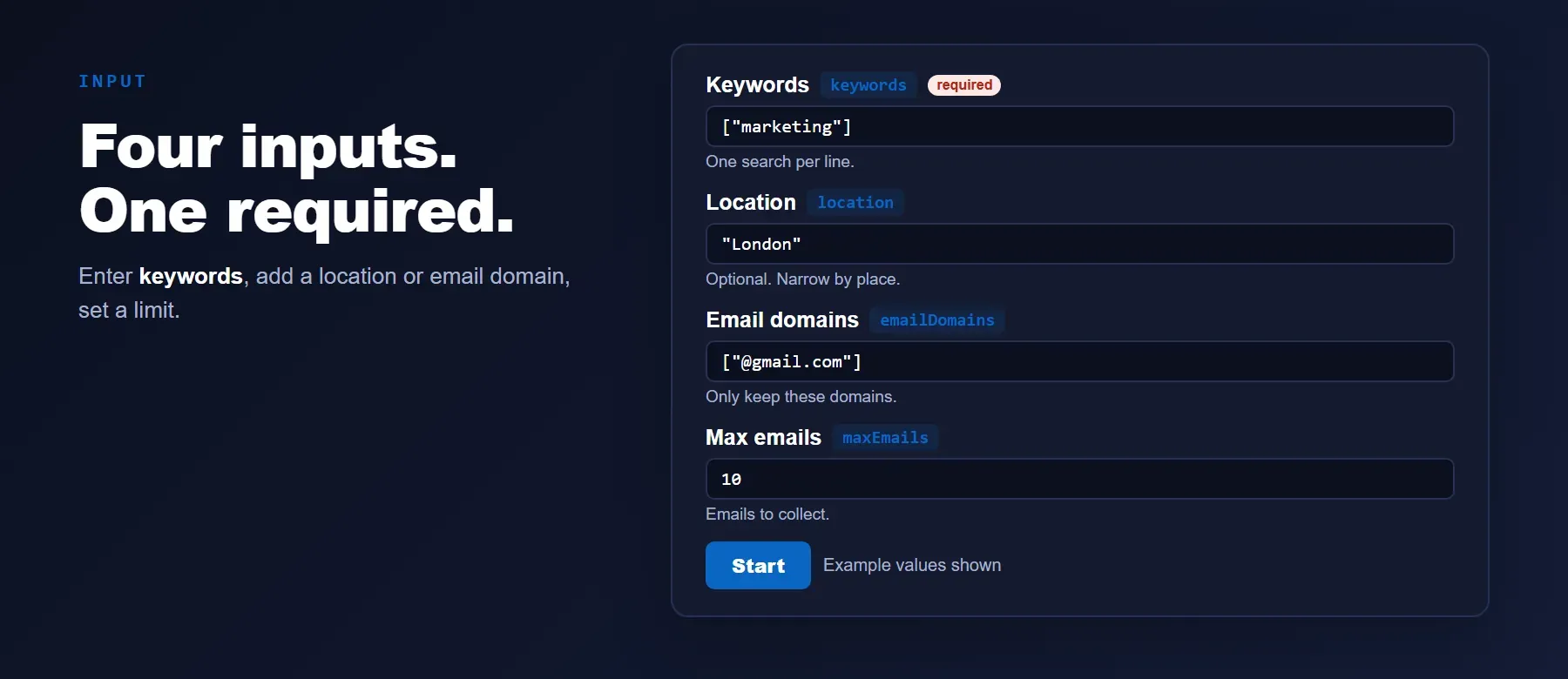
The actor takes one or more keywords - the only required field - plus optional location and email-domain filters to narrow the search.
| Parameter | Required | Type | Description | Example value |
|---|---|---|---|---|
| keywords | ✅ Yes | array | One or more search keywords; each is searched separately on public Steam pages. | ["indie developer", "game publisher"] |
| location | No | string | Optional city or region. Only pages mentioning this place are kept. Default: worldwide. | "Vietnam" |
| emailDomains | No | array | Keep only emails of these domains (the @ is optional). Default: any domain. | ["@gmail.com"] |
| maxEmails | No | integer | Maximum emails to collect per keyword, 1-100,000. Default: 10. Free-plan users are capped at 20/keyword/run and 200/month. | 50 |
| engine | No | string | Processing engine; only "legacy" is available. Default: "legacy". | "legacy" |
| proxyConfiguration | No | object | Connection settings; leave default for automatic proxy selection. | {"useApifyProxy": true} |
Free plan limits
Users on the Apify free plan can fetch up to 20 items per run (all keywords together) and 200 items per month. When the limit is reached, the run finishes successfully with a status message explaining the limit. Upgrade to any paid Apify plan to remove these limits.
Example input
⬆️ Output
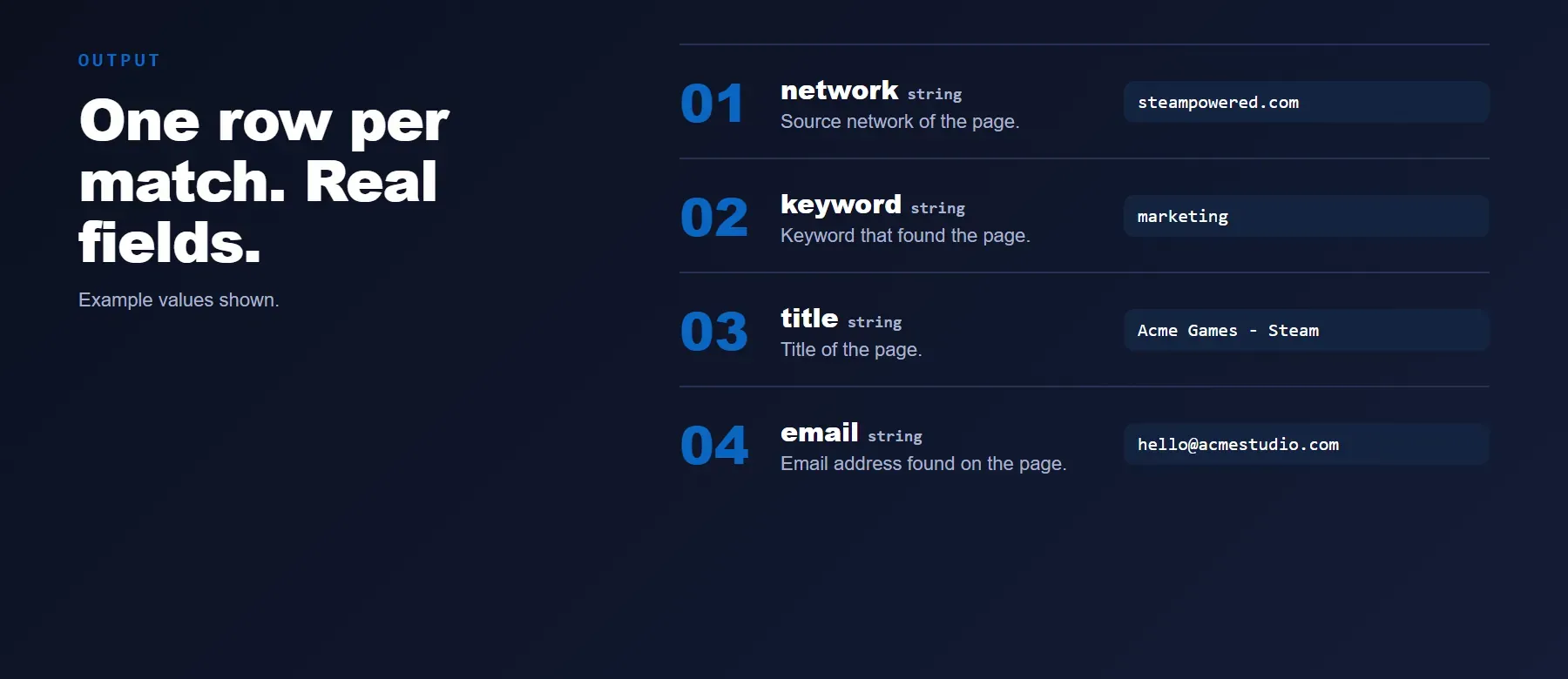
Every result is one typed, normalized JSON item with the same six fields on every run - network, keyword, title, description, url and email. Download as JSON, CSV or Excel, or find steam publisher email addresses directly through the Apify API.
Example output
How does it work?
This steam email address scraper never visits Steam's own search. Instead, for each keyword it searches Google for public Steam pages that mention your keyword and show a contact email, using rotating proxies and automatic retries so a single blocked page never stops the run. When Google hides a result's real destination behind a redirect link, the actor resolves it before deciding whether the page is really on Steam. It then reads the title, snippet and any visible email straight from the search result, carefully reconciling addresses that got split or truncated by Google's own formatting instead of returning a half-correct guess. The output schema stays the same no matter how Google's result page layout changes.
How do you integrate Steam Email Scraper into your stack?
It works with the automation tools you already use - no-code platforms can call it directly once it is running as an Apify Actor.
No-code tools (n8n, Make, LangChain)
In n8n, use the Apify node's "Run an Actor" action, or the HTTP Request node pointed at the actor's run-sync endpoint with your Apify token. In Make, use the Apify app's "Run an Actor" module followed by "Get Dataset Items" to pull the results into your scenario. In LangChain, install langchain-apify and wrap the actor with ApifyActorsTool() to let an agent call it as a tool.
Is it legal to scrape Steam data?
Scraping publicly available web data, including public search-engine results, is generally permitted in most jurisdictions when no login or access restriction is bypassed. Steam Email Scraper only returns information a public Google search already shows - the page title, a text snippet and any email address visible in that snippet. It never logs into Steam or accesses private data. Email addresses come from publicly listed text; using them is subject to anti-spam law such as CAN-SPAM and data-protection law such as GDPR, so storing and emailing these addresses must comply with the rules that apply to you. Consult legal counsel if your use case involves bulk storage of personal data.
Frequently asked questions
What fields does Steam Email Scraper return?
It returns the source network, the keyword that found the result, the page title, a text snippet, the page URL and the email address - see the data fields section for the full list.
Does Steam Email Scraper require a Steam account or login?
No. As a steamcommunity.com email finder, the actor only reads public Google search results and never logs in to Steam or uses cookies.
What happens if a keyword has no public results with an email?
The actor returns zero rows for that keyword and moves on to the next one - no error is raised. Try a broader keyword, remove the location filter, or add more email domains.
Can I search multiple keywords at once?
Yes. Pass multiple strings in the keywords array; each one runs as its own search, with up to 3 keywords processed at the same time.
Does Steam Email Scraper return data in a format LLMs can use directly?
Yes. Every row is typed, normalized JSON with consistent field names - no HTML parsing or selectors needed. Pass it straight to an LLM, index it into a vector store, or feed it to an agent tool.
What happens when Google changes its result page layout?
The actor's output schema stays the same. The search-result parsing is kept up to date so your calls keep returning the same six fields with no changes on your end.
Can I use Steam Email Scraper without managing proxies myself?
Yes. Proxy rotation and retrying blocked pages happen automatically on the actor's side, including a fresh connection after a captcha or block. You send one request and get structured JSON back - no proxy accounts or browser setup needed.
Which fields work best for AI training data and partnership-prospecting pipelines?
For outreach text, use the title and description fields, which carry the page's visible wording. For structured scoring or deduplication, use the keyword, url and email fields - all are plain strings, no normalization needed.
Your feedback
Found a bug or missing a field? Open a ticket in the actor's Issues tab on Apify. We read every report and ship fixes, so the actor keeps working as Google and Steam change.


