
Airbnb Scraper | Listing Prices by Destination & Dates
Pricing
from $2.10 / 1,000 listings
Airbnb Scraper | Listing Prices by Destination & Dates
Get Airbnb listings with total stay price, price per night, price before discount, rating, reviews and coordinates for any destination and dates. Many destinations per run, guest, room and price filters, 20 currencies, no login.
Pricing
from $2.10 / 1,000 listings
Rating
0.0
(0)
Developer

Flowo
Maintained by CommunityActor stats
0
Bookmarked
2
Total users
1
Monthly active users
5 days ago
Last modified
Categories
Features
Share
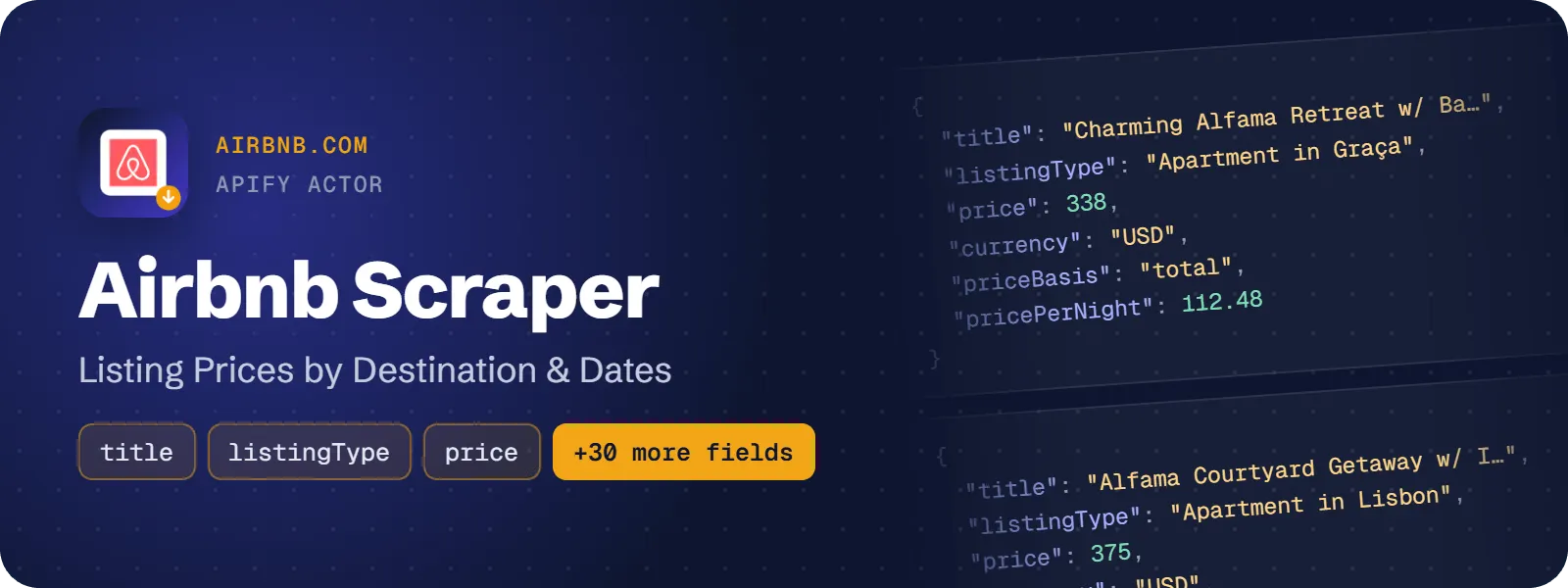
Get Airbnb stays for any destination and dates, with the total price for the stay, the price per night, the price before discount, guest rating, number of reviews, map coordinates, beds and badges for every listing. Many destinations per run, filters for guests, price and room type, prices in 20 currencies, no login.
What does Airbnb Scraper do?
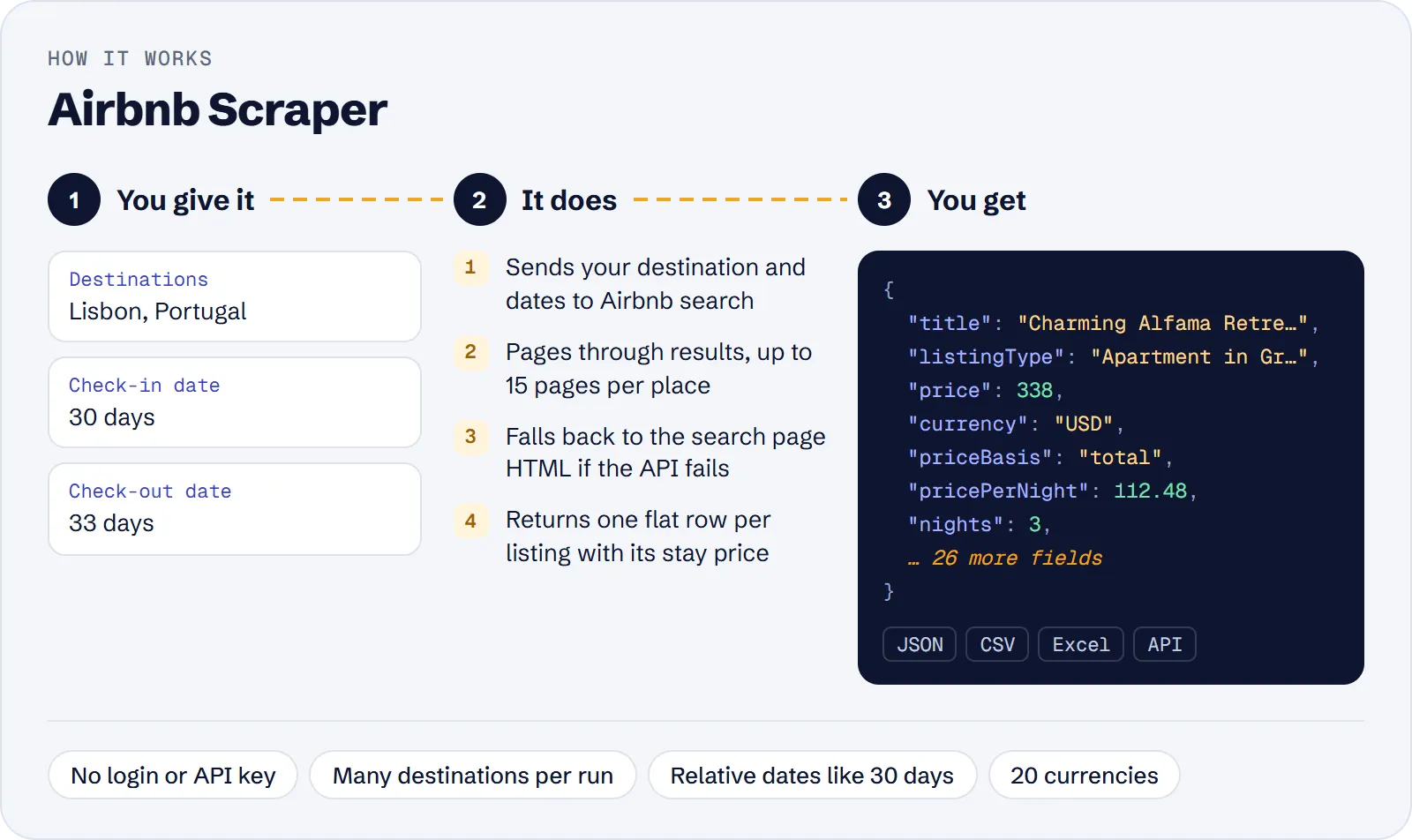
You enter one or more destinations (for example "Lisbon, Portugal"), a check-in and check-out date and the number of guests. The actor runs the search on airbnb.com and returns one flat row per listing: title, price, pricePerNight, originalPrice, nights, rating, reviewsCount, latitude, longitude, bedrooms, beds and more.
It is built for travel price comparison, market research for hosts and property managers, and scheduled price monitoring (check-in dates can be relative, such as "30 days"). It does not return host profiles, amenities lists or guest reviews.
How to scrape Airbnb listings and prices
Price per event by Apify plan:
| Event | Free | Bronze | Silver | Gold and above |
|---|---|---|---|---|
| Listing | $3.00 per 1,000 | $2.70 per 1,000 | $2.40 per 1,000 | $2.10 per 1,000 |
| Actor start | $0.00005 | $0.00005 | $0.00005 | $0.00005 |
A test run with the API example input below returned 40 rows in 15 s.
- Open the actor in Apify Console and click Try for free.
- Add destinations, one per line, as you would type them on Airbnb.
- Set Check-in and Check-out (YYYY-MM-DD, or relative like "30 days"), guests and currency.
- Optionally set a price range, type of place, minimum bedrooms, beds or bathrooms, and limits on listings.
- Click Start, then download the dataset as JSON, CSV or Excel, or read it through the API.
How much does it cost to scrape Airbnb?
Pay per event:
- Listing: $0.003 per listing, which is $3.00 per 1,000 listings on the Free plan. Duplicates across pages and unrecognized destinations are free.
- Actor start: $0.00005 per run start (per GB of memory).
Cost scenarios on the Free plan, start fee included:
| Scenario | Listings | Cost |
|---|---|---|
| One city, 100 listings | 100 | about $0.30 |
| Three cities, 50 listings each | 150 | about $0.45 |
| One city, all ~200 listings Airbnb serves | 200 | about $0.60 |
| Five cities, 100 listings each | 500 | about $1.50 |
Input
| Field | Meaning |
|---|---|
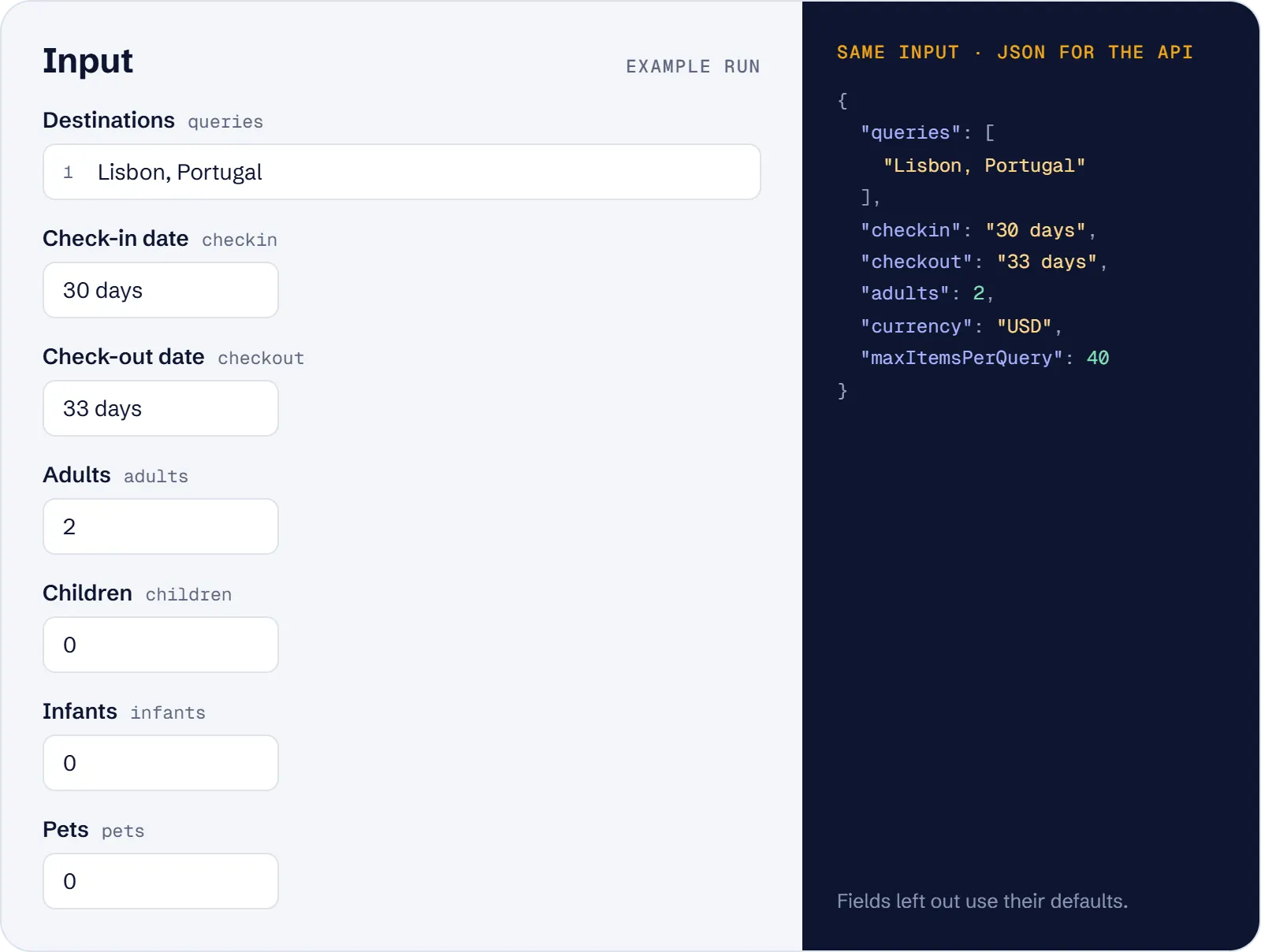
queries | Destinations, one per line (required) |
checkin, checkout | Dates, absolute or relative ("30 days") |
adults, children, infants, pets | Guests; pets above 0 keeps only pet-friendly places |
currency | One of 20 currencies, default USD |
maxItemsPerQuery | Listings per destination, 1–300, default 100 |
maxItems | Optional cap for the whole run |
priceMin, priceMax | Price per night range, fees included |
roomType | any, entireHome or privateRoom |
minBedrooms, minBeds, minBathrooms | Minimum counts |
proxyConfiguration | Default Apify datacenter proxy works |
Example input:
What data can you extract from Airbnb?
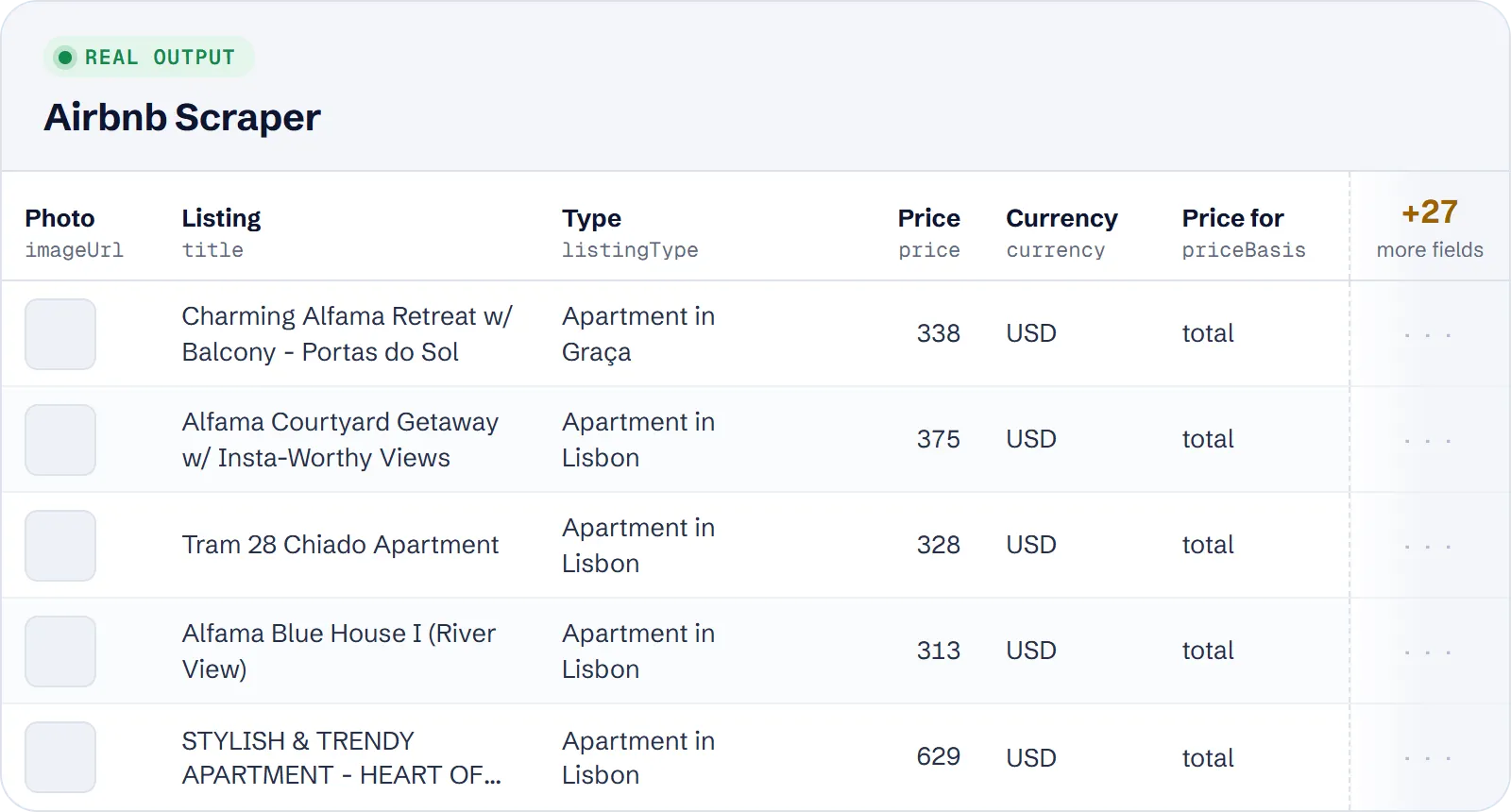
Main fields:
| Field | Description |
|---|---|
id, url | Listing id and page link with your dates and guests |
title, listingType, propertyType, location | Name, card heading, type and area |
latitude, longitude | Pin position (approximate on Airbnb) |
price, priceBasis | Total for the stay incl. fees; monthly for stays of 28+ nights |
originalPrice, pricePerNight, nights, currency | Price before discount, average nightly price, stay length, currency |
rating, reviewsCount, isNew, badges | Guest rating and badges such as "Guest favorite" |
bedrooms, beds, bathrooms, freeCancellation | Capacity and cancellation flag |
checkin, checkout, datesChosenByAirbnb | Dates of the price |
query, position, scrapedAt | Your destination, rank in the search, scrape time |
Example item (shortened):
Use cases
- Compare total stay prices across several cities for the same dates.
- Monitor prices on a schedule with relative dates and track discounts via
originalPrice. - Map listings by coordinates and price for market research or investment analysis.
- Benchmark nightly rates and ratings of competing rentals by bedrooms or room type.
Limitations
- Airbnb serves at most 15 pages per search, about 200 unique listings per destination. Narrow the price range to see different listings.
- Without dates Airbnb picks its own dates per listing (
datesChosenByAirbnb), so set check-in and check-out. - Stays of 28 nights or more return Airbnb's monthly price, and
pricePerNightis null. - "Entire place" can still include some hotel rooms;
propertyTypeis null for hotels shown by name. - Ranking and order vary by run, because Airbnb personalizes results.
- No host details, amenities or reviews.
Tips and troubleshooting
- Always set Check-in and Check-out. Without dates Airbnb picks its own dates per listing and the prices are not comparable.
- To get more than about 200 listings for one city, run several price ranges with
priceMinandpriceMaxand merge the results. - A destination Airbnb does not recognize returns no billable rows; check the spelling, for example "City, Country".
- Use
maxItemsPerQueryper destination andmaxItemsas a cap for the whole run to control cost. - For monitoring, schedule the run with relative dates such as "30 days" so each run prices the same stay length ahead.
- The default Apify datacenter proxy is enough; no login or cookies are needed.
API, MCP and integrations
Run the actor from your code with the same JSON input as in Console. Your API token is in Console → Settings → API & Integrations.
Python (pip install apify-client):
Node.js (npm install apify-client):
HTTP — one request runs the actor and returns the results (runs up to 5 minutes; longer ones: run asynchronously):
AI agents (MCP). Add the actor as a tool of the Apify MCP server. Claude Code:
Claude Desktop, Cursor or VS Code: {"mcpServers": {"apify": {"url": "https://mcp.apify.com?tools=genial_candlestand/airbnb-listings-prices-scraper"}}}. Then ask, for example:
- "Get 100 Airbnb stays in Lisbon, Portugal for 3 nights starting in 30 days"
- "Compare Airbnb prices in Paris, Rome and Barcelona in EUR for 2 adults"
- "Find private rooms in New York for 3 nights starting in 21 days, 50 listings"
Integrations. Run it on a schedule with Apify Schedules and send the results to Google Sheets, Slack, Zapier, Make, n8n or your webhook — see Apify integrations.
FAQ
Is it legal to scrape Airbnb?
The actor reads publicly visible search results without login and collects no host profile data. You are responsible for using the data in line with Airbnb's terms and the laws that apply to you.
Do I need a login or API key?
No.
How is it different from other Airbnb actors?
It returns search data only — no host, amenities or description — at $3.00 per 1,000 listings, against $4 per 1,000 for the leading actor, which also returns listing details. It adds position (Airbnb rank per destination) and accepts relative dates for scheduled runs.
Can I get more than 200 listings for one city?
Run several price ranges with priceMin and priceMax and merge the results.
Why does a price differ from the Airbnb site?
Prices depend on dates, guests, currency and Airbnb's current offers. The priceLabel field holds the text as Airbnb showed it.
Also useful
- Google Hotels Scraper — compare hotel and rental prices for the same destination and dates
- Yelp Business Scraper — add restaurants and local businesses with ratings near your stays
- Google Trends Scraper — check search interest by country and city for travel demand


