
Flashscore Scraper | Match Results, Fixtures & Stats
Pricing
from $0.63 / 1,000 matches
Flashscore Scraper | Match Results, Fixtures & Stats
Get Flashscore matches for 20 sports: teams, start time, status, final score, period scores and winner, plus ATP/WTA ranks for tennis singles. Daily lists or whole league seasons, optional statistics and incidents. No login.
Pricing
from $0.63 / 1,000 matches
Rating
0.0
(0)
Developer

Flowo
Maintained by CommunityActor stats
0
Bookmarked
2
Total users
1
Monthly active users
5 days ago
Last modified
Categories
Features
Share
Flashscore Scraper — Match Results, Fixtures and Stats
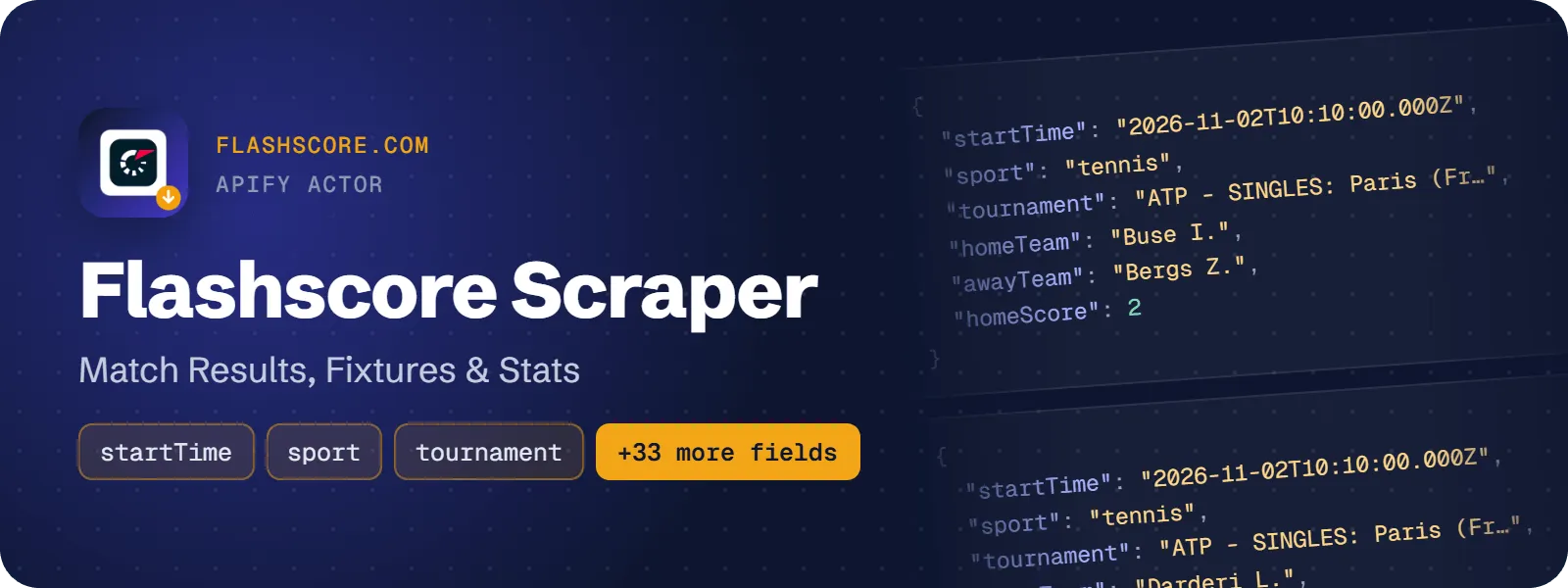
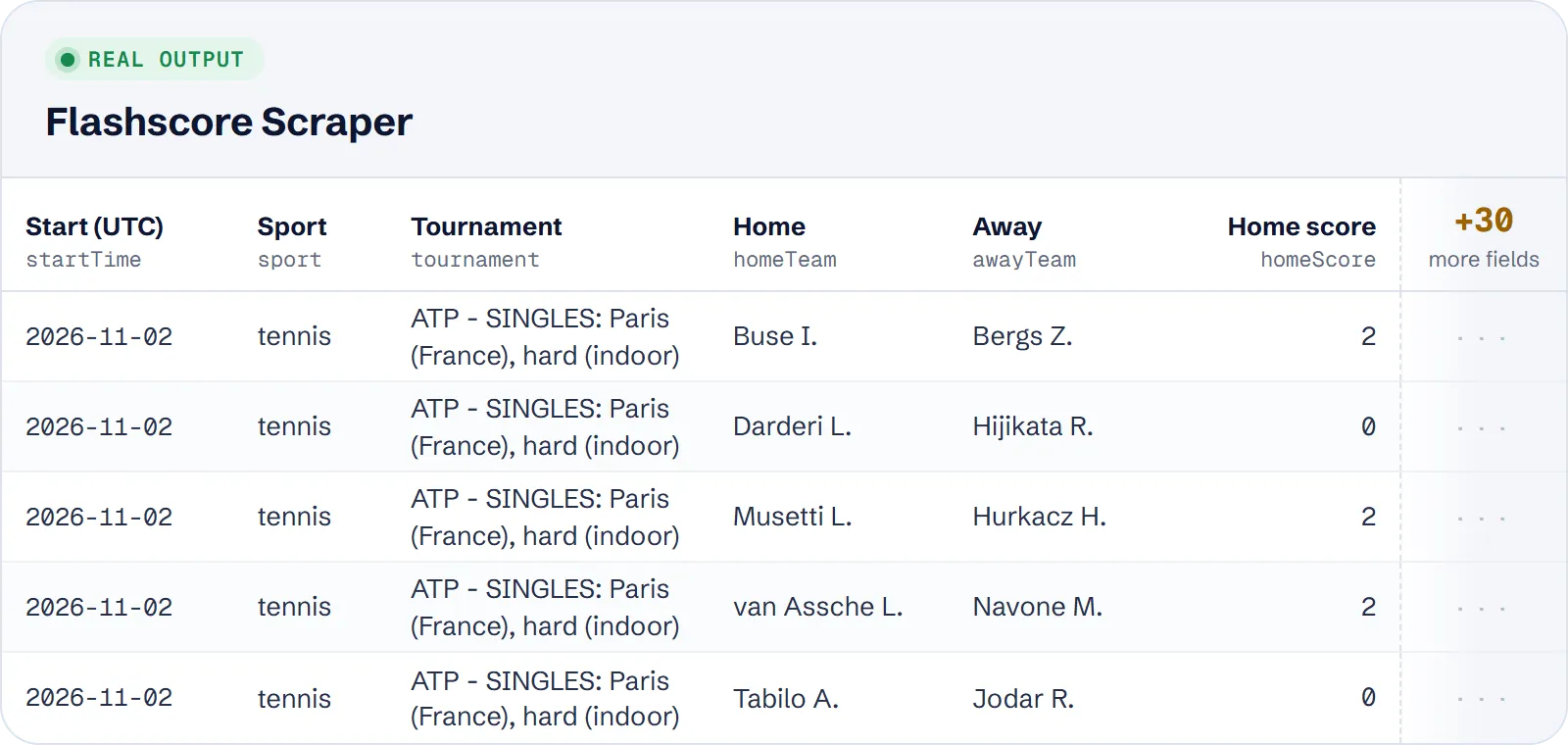
Get Flashscore matches for 20 sports: home and away team, start time, status, final score, set or period scores and the winner. Tennis singles rows also carry both players' current ATP/WTA rank and country. Pull a whole day of matches or an entire league season, past seasons included, with optional match statistics and incidents.
What does Flashscore Scraper do?
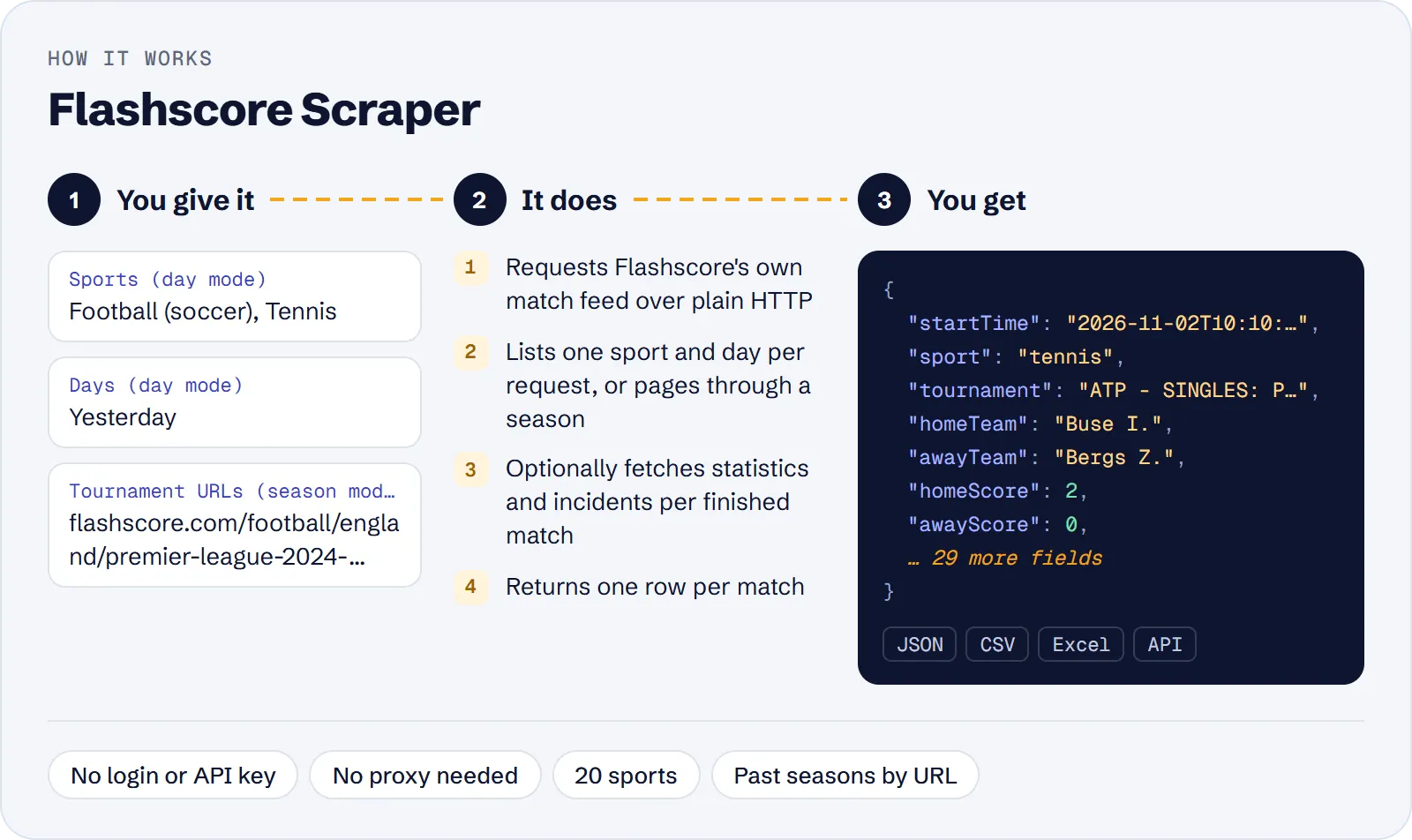
The actor reads the same data feed that flashscore.com uses in your browser and returns one dataset row per match. You can list all matches of chosen sports for a day (7 days back to 7 days ahead), or give it a tournament page URL and get every match of that season, results or fixtures. It suits analysts, bettors, fantasy and data teams, and anyone who needs sports results as a table or JSON. No login or API key is required.
How to scrape Flashscore results and fixtures
- Open the actor in Apify Console and go to the Input tab.
- For daily lists, choose Sports (for example football and tennis) and Days (for example "Yesterday").
- For a league season, paste a tournament URL such as
https://www.flashscore.com/football/england/premier-league-2024-2025/results/into Tournament URLs. - Optionally set Match status, a Tournament name filter, Max matches, or turn on Include match statistics and incidents.
- Click Start, then download the dataset as JSON, CSV or Excel.
How much does it cost to scrape Flashscore?
Price per event by Apify plan:
| Event | Free | Bronze | Silver | Gold and above |
|---|---|---|---|---|
| Match | $0.90 per 1,000 | $0.81 per 1,000 | $0.72 per 1,000 | $0.63 per 1,000 |
| Match details | $3.00 per 1,000 | $2.70 per 1,000 | $2.40 per 1,000 | $2.10 per 1,000 |
| Actor start | $0.00005 | $0.00005 | $0.00005 | $0.00005 |
A test run with the API example input below returned 773 rows in 3 s.
You pay per match row returned ($0.0009 per match, about $0.90 per 1,000 matches) plus a small start fee of $0.00005 per run. If you turn on match statistics and incidents, finished matches where Flashscore published something cost an extra $0.003 each; matches without details are not charged.
| Scenario | Events | Cost on the Free plan |
|---|---|---|
| One day of tennis, 100 matches | 100 matches | about $0.09 |
| Premier League season, 380 matches | 380 matches | about $0.34 |
| 1,000 football matches from daily lists | 1,000 matches | about $0.90 |
| 1,000 matches with details, all found | 1,000 matches + 1,000 details | about $3.90 |
Input
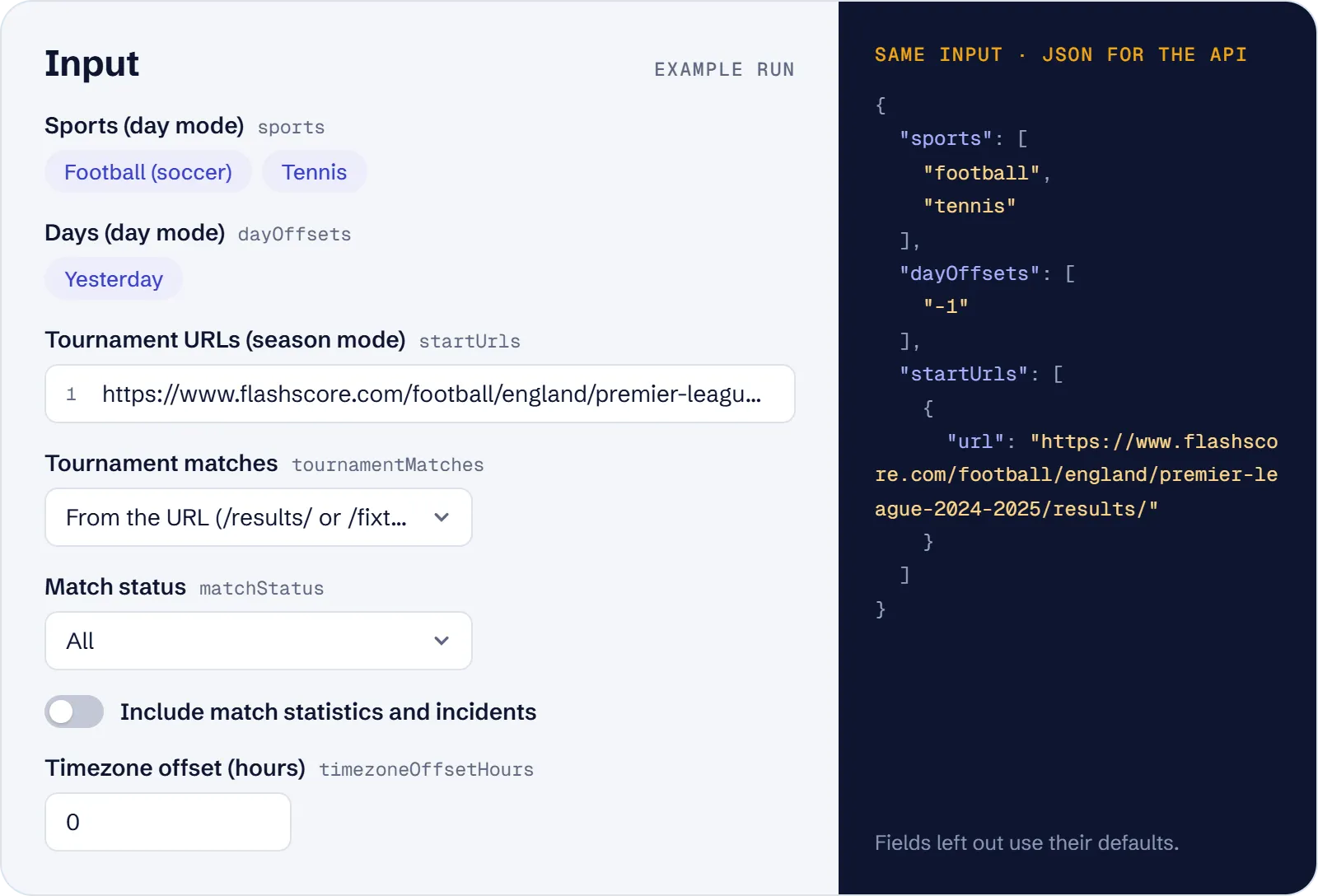
| Field | What it does |
|---|---|
sports | Sports for day lists: football, tennis, basketball, hockey, american-football, baseball, handball, volleyball, cricket, darts, snooker, table-tennis, esports, futsal, badminton, floorball, water-polo, bandy, rugby-union, rugby-league |
dayOffsets | Days from "-7" to "7" relative to today |
startUrls | Flashscore tournament pages, current or past season |
tournamentMatches | auto, results, fixtures or both for tournament URLs |
matchStatus | all, finished, live or scheduled |
tournaments | Keep day-list matches whose tournament or country contains a text, e.g. "ATP" |
includeDetails | Add statistics and incidents for finished matches |
timezoneOffsetHours | Where a day starts and ends (whole-hour UTC offset) |
maxItems | Stop after this many matches (default 1000) |
Example input:
What data can you extract from Flashscore?
| Field | Meaning |
|---|---|
id, url, sport | Match id, match page and sport slug |
tournament, tournamentId, tournamentUrl, round | Tournament name and links; round for tournament URLs |
startTime, endTime | Start and end in ISO 8601 UTC |
status, statusDetail | scheduled / live / finished and a readable stage such as after extra time or retired |
homeTeam, awayTeam, homeTeamId, awayTeamId | Teams or players with Flashscore ids |
homeScore, awayScore, periodScores, tiebreakScores, winner | Final score, per-period scores, tiebreaks and winner |
homeRank, awayRank, homeCountry, awayCountry | Tennis singles ATP/WTA rank and player country |
statistics, incidents | Only with the details option; null otherwise |
Example row (tennis, shortened):
Use cases
- Build a results and fixtures database for football leagues across seasons.
- Feed tennis models with scores, tiebreaks and current ATP/WTA ranks.
- Track live and upcoming matches across several sports in one run.
- Collect historical season data from a past-season tournament URL.
- Add statistics such as possession or shots to match-level analysis.
Limitations
- Day lists cover only 7 days back to 7 days ahead; older matches need a tournament season URL.
- Match statistics and incidents depend on the sport and league. Statistics are filled for football, tennis, basketball and hockey where Flashscore publishes them, and also for baseball, rugby and American football. They are null for volleyball, darts, handball, cricket and other set/frame sports. Incidents are filled for football (goals, cards, substitutions) and hockey (goals, penalties), and sometimes for rugby, American football and floorball; they are null for tennis, basketball and sports without incidents.
- Ranks (
homeRank,awayRank) are the current ATP/WTA table, only for tennis singles; null for doubles, unranked players and other sports. - In hockey, scores include shootout goals; read
statusDetailnext to the score. - Betting odds, horse racing and other non-head-to-head sports are not returned.
- Some fields (
round,tournamentCountry,endTime) are empty depending on the source and match status.
Tips and troubleshooting
- A busy football day has over 1,000 matches: raise
maxItemsif you need them all. - Live matches exist only for today ("0"); finished matches only for past days and today.
- Tournament name filters apply to day lists only, not to tournament URLs.
- If a run returns 0 rows, check that the day is within -7..7 and the tournament URL is a www.flashscore.com league page (match, team and player URLs are rejected).
- A proxy is not needed; enable Apify Proxy only if runs get blocked.
- Change
timezoneOffsetHoursif matches near midnight land on the wrong day.
API, MCP and integrations
Run the actor from your code with the same JSON input as in Console. Your API token is in Console → Settings → API & Integrations.
Python (pip install apify-client):
Node.js (npm install apify-client):
HTTP — one request runs the actor and returns the results (runs up to 5 minutes; longer ones: run asynchronously):
AI agents (MCP). Add the actor as a tool of the Apify MCP server. Claude Code:
Claude Desktop, Cursor or VS Code: {"mcpServers": {"apify": {"url": "https://mcp.apify.com?tools=genial_candlestand/flashscore-results-scraper"}}}. Then ask, for example:
- "Get yesterday's finished ATP tennis matches with player ranks"
- "List all Premier League 2024-2025 results from Flashscore"
- "Show upcoming NBA fixtures from Flashscore"
Integrations. Run it on a schedule with Apify Schedules and send the results to Google Sheets, Slack, Zapier, Make, n8n or your webhook — see Apify integrations.
FAQ
Is it legal to scrape Flashscore?
The actor collects publicly visible match data and no private personal data. You are responsible for how you use it and for complying with Flashscore's terms and local law.
Can I get past seasons?
Yes. Paste a past-season tournament URL, for example a premier-league-2024-2025/results/ page, into Tournament URLs.
Do I need a login or proxy?
No. The data loads without a login, API key or proxy.
Which sports are supported?
The 20 sports listed in the Sports input, including football, tennis, basketball, hockey, baseball, cricket, darts and esports.
Also useful
- Google Trends Scraper — add search-interest trends by region to sports topics
- Google Trending Now Scraper — spot trending sports searches by country
- YouTube Channel Scraper — collect videos and streams of sports channels


