
YouTube Channel Scraper | Details, Videos, Shorts, Streams
Pricing
from $0.63 / 1,000 channel or videos
YouTube Channel Scraper | Details, Videos, Shorts, Streams
Get YouTube channel details (subscriberCount, exact viewCount, videoCount, country, links, business-email flag) plus videos, Shorts and streams with exact views, likes and publish date. Many handles or URLs per run, no login or API key.
Pricing
from $0.63 / 1,000 channel or videos
Rating
0.0
(0)
Developer

Flowo
Maintained by CommunityActor stats
0
Bookmarked
2
Total users
1
Monthly active users
4 days ago
Last modified
Categories
Features
Share
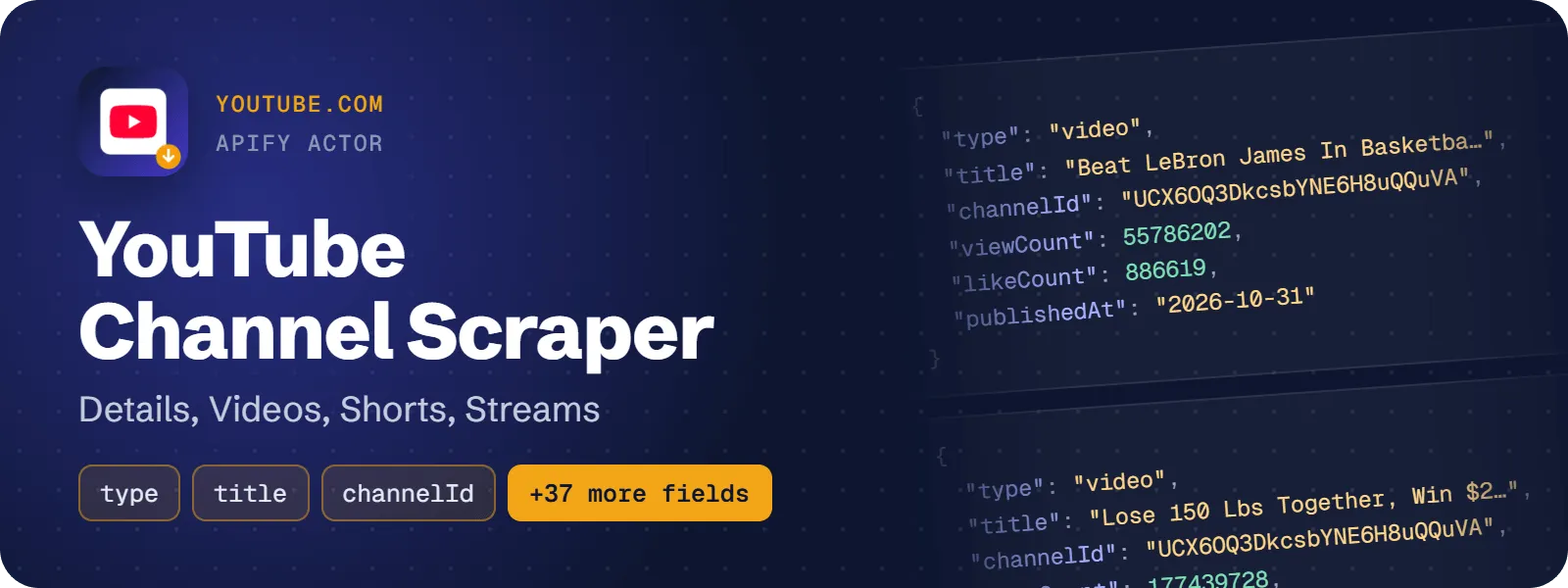
This actor returns one row per YouTube channel with subscriber count, exact total views, video count, join date, country, external links and a business-email flag. It can also return one row per video, Short and live stream with title, exact views, likes, publish date and live status. Give it handles, channel URLs or channel IDs. No login and no API key are needed.
What does YouTube Channel Scraper do?
For every channel you list, the actor saves:
- A flat channel row with subscribers, exact total views, exact public video count, join date, country, external links (real target URLs), a business-email flag, avatar, banner, keywords, verified badge and RSS feed URL.
- Video rows from the Videos tab, Short rows from the Shorts tab and stream rows from the Live tab (live now, upcoming and past streams). Each tab has its own limit.
- With Exact stats on (default), every video, Short and stream gets exact views, exact likes and a real publish date, Shorts included, at no extra charge.
You can sort by latest, popular or oldest, and keep only items published after a date (for example 7 days). It suits marketers, analysts and developers who need YouTube channel data in a table or an API.
How to scrape YouTube channel details, videos and Shorts
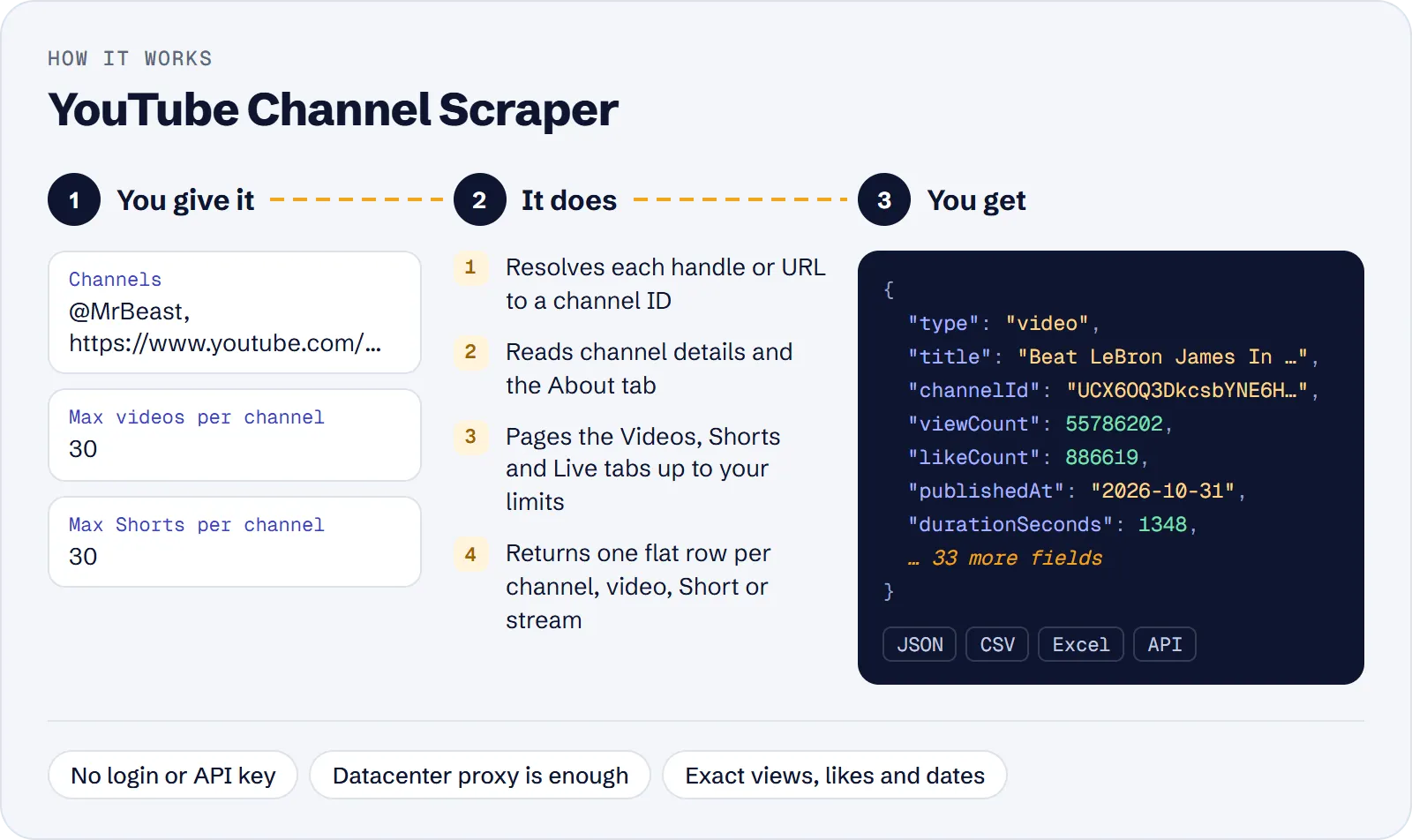
- Open the actor and add channels to Channels:
@MrBeast,https://www.youtube.com/@NASA,youtube.com/channel/UC…,/c/name,/user/nameor a bare channel ID. - Set the per-tab limits (Max videos, Max Shorts, Max live streams). Set all three to 0 to get only the channel details rows.
- Optionally choose Sort videos by and Published after.
- Run it and download the dataset as JSON, CSV, Excel or HTML, or call it through the API.
The default Apify datacenter proxy is enough; no residential proxy is needed.
How much does it cost to scrape YouTube channels?
Price per event by Apify plan:
| Event | Free | Bronze | Silver | Gold and above |
|---|---|---|---|---|
| Actor start | $0.00005 | $0.00005 | $0.00005 | $0.00005 |
| Channel or video | $0.90 per 1,000 | $0.81 per 1,000 | $0.72 per 1,000 | $0.63 per 1,000 |
A test run with the API example input below returned 152 rows in 33 s.
You pay per event:
- $0.0009 per row ($0.90 per 1,000 rows on the Free plan). A row is one channel details row or one video, Short or stream row. Exact views, likes and dates cost nothing extra.
- $0.00005 per run start.
- Channels that are not found, missing tabs and skipped links are free.
Cost scenarios on the Free plan (start fee included):
| Scenario | Rows | Cost |
|---|---|---|
| 3 channels, details only (all limits 0) | 3 | about $0.003 |
| 1 channel with the defaults (30 videos + 30 Shorts + 30 streams, if it has them) | up to 91 | about $0.082 |
| 10 channels, 50 videos each | 510 | about $0.46 |
| 100 channels, 30 videos each | 3,100 | about $2.79 |
Input
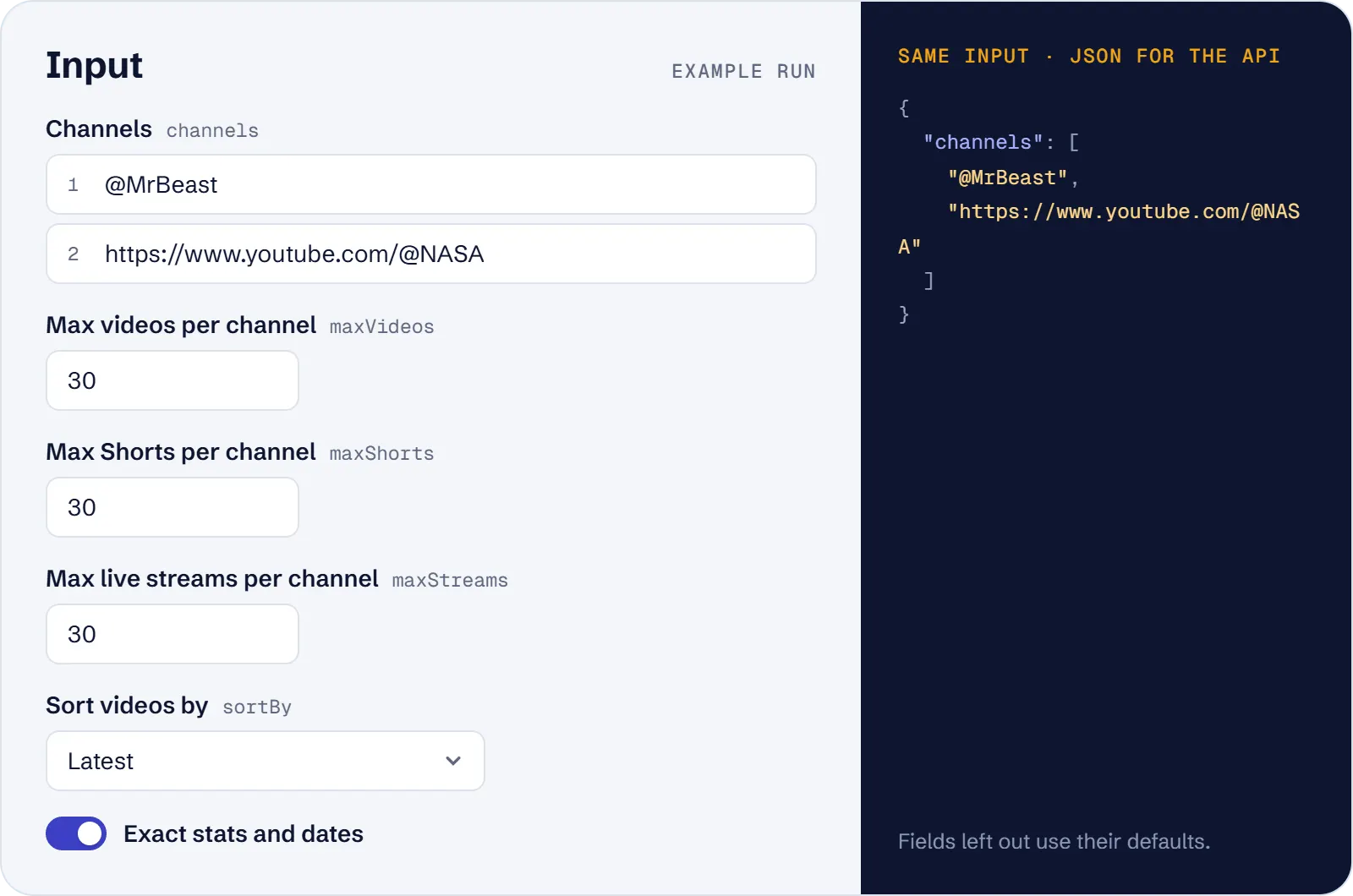
| Field | Meaning |
|---|---|
channels | Handles, channel URLs or channel IDs, one per line |
startUrls | The same as a URL list; merged with channels, duplicates scraped once |
maxVideos / maxShorts / maxStreams | Rows per channel and tab (0–5000, default 30 each; 0 skips the tab) |
sortBy | latest (default), popular or oldest |
publishedAfter | Absolute date (2026-10-01) or relative (7 days, 3 months). Needs Latest; live and upcoming streams are always kept |
exactStats | On by default: exact views, likes and publish date for each item |
maxItems | Total row cap, channel rows included |
proxyConfiguration | Apify datacenter proxy by default |
Example input:
What data can you extract from YouTube channels?
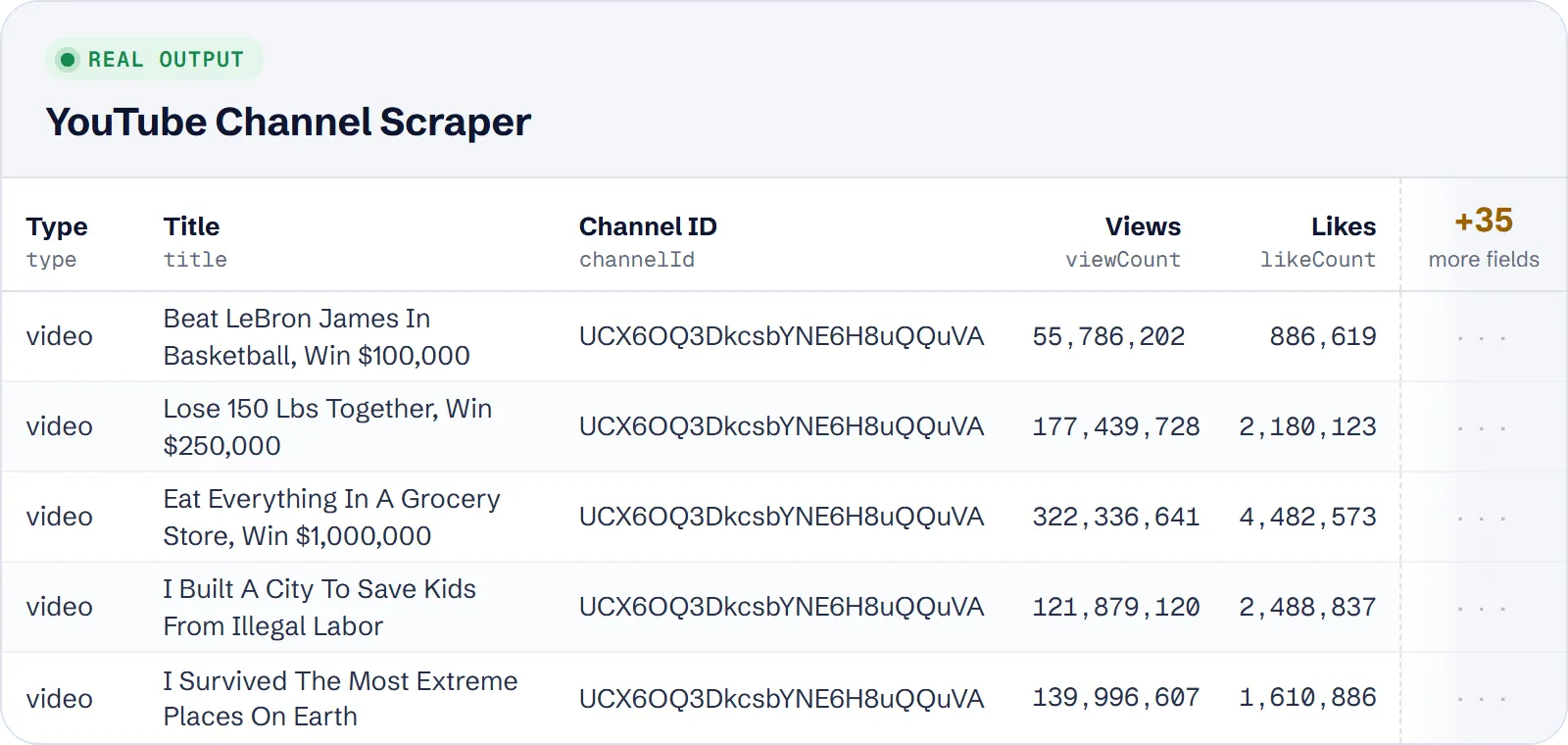
Every row has type (channel, video, short or stream), id, url, query, channelId and scrapedAt. The other fields depend on the row type:
| Row type | Fields |
|---|---|
channel | title, handle, description, subscriberCount, subscriberCountText, videoCount, viewCount (exact channel total), joinedAt, country, location, isVerified, imageUrl (avatar), bannerUrl, tags, isFamilySafe, links, hasBusinessEmail, rssUrl, tabs |
video, short, stream | title, author, authorUrl, position, imageUrl (thumbnail), viewCount, viewCountText, isViewCountExact, likeCount, publishedAt, dateText, publishedTimeText, liveStatus, badges |
video, ended stream | durationSeconds, durationText (not set on Shorts or on live and upcoming streams) |
live or upcoming stream | watchingCount (people watching or waiting; null on other rows); viewCount is null |
upcoming stream or premiere | scheduledAt (start date); publishedAt is null; null on other rows |
liveStatus is none (regular upload), live, upcoming or ended.
Example video row (from a real run):
Example channel row (shortened): {"type": "channel", "title": "MrBeast", "handle": "@MrBeast", "subscriberCount": 525000000, "videoCount": 1011, "viewCount": 145642371073, "joinedAt": "2012-02-19", "country": "US", "isVerified": true, "hasBusinessEmail": true}.
Use cases
- Influencer and creator vetting: size, country, links, verified badge and business-email flag in one row per channel.
- Competitor and media analysis: what channels publish and how each video, Short or stream performs.
- Upload monitoring: schedule a run with
publishedAfter: "7 days"to get only new items. - Top content: sort by
popularto list the most viewed videos and Shorts. - Creator databases and AI agents: flat JSON rows that join on
channelId.
Limitations
- Subscriber counts are rounded by YouTube itself ("15.8M subscribers").
- The business email address is not returned, only whether the channel lists one (YouTube shows it to signed-in users only).
- With Exact stats off, views are rounded list values, there are no likes, and Shorts have no date.
likeCountisnullwhen the creator hides likes on a video.- Titles and date texts are returned in English.
- Video, Shorts and playlist links are not channels and are skipped with a warning. Unknown channels give a warning, no row.
- Channels with very few uploads have no sort options and come in the default (latest) order. Topic channels may have no videos.
- Up to 5,000 rows per tab and channel.
Tips and troubleshooting
- Only new uploads: use
sortBy: latestwithpublishedAftersuch as7 days; the date filter needs Latest order. Live and upcoming streams are always kept. - Only channel details: set
maxVideos,maxShortsandmaxStreamsto 0. - Fewer rows than expected: the channel may have fewer items, or no such tab; missing tabs are skipped and not charged. Check
maxItems, which caps all rows together. - A channel gives no row: it was not found, or the link was a video, Short or playlist URL. Use a handle, channel URL or channel ID and check the run log warnings.
- Missing dates or likes: with
exactStatsoff there are no likes and Shorts have no date; turn it back on (it costs nothing extra). - Proxy: the default Apify datacenter proxy works; no residential proxy is needed.
API, MCP and integrations
Run the actor from your code with the same JSON input as in Console. Your API token is in Console → Settings → API & Integrations.
Python (pip install apify-client):
Node.js (npm install apify-client):
HTTP — one request runs the actor and returns the results (runs up to 5 minutes; longer ones: run asynchronously):
AI agents (MCP). Add the actor as a tool of the Apify MCP server. Claude Code:
Claude Desktop, Cursor or VS Code: {"mcpServers": {"apify": {"url": "https://mcp.apify.com?tools=genial_candlestand/youtube-channel-details-videos-scraper"}}}. Then ask, for example:
- "Get subscriber count and country of @MrBeast and @NASA"
- "List the 50 most viewed videos of @veritasium"
- "Get videos and Shorts published in the last 7 days by @NASA"
Integrations. Run it on a schedule with Apify Schedules and send the results to Google Sheets, Slack, Zapier, Make, n8n or your webhook — see Apify integrations.
FAQ
Is it legal to scrape YouTube?
The actor reads only publicly visible channel data and needs no login. Check YouTube's terms and the rules on personal data (such as GDPR) for your use, and consult a lawyer if unsure.
How is it different from other YouTube channel actors?
Channel details come as their own flat row instead of being nested and repeated on every video row. Shorts get an exact date and likes when Exact stats is on, and no residential proxy is needed.
Do I need a proxy or API key?
No key. The default Apify datacenter proxy is sufficient.
Can I get only channel details?
Yes, set the three limits to 0.
Why is viewCount null on a live stream?
Live and upcoming streams show viewers in watchingCount, not views.
Also useful
- YouTube Comments Scraper — get comments and replies for the videos and Shorts you found
- Google Trends Scraper — compare search interest in a creator or topic over time
- Google Trends Trending Now Scraper — spot trending searches by country for content ideas


