

Google Flights Scraper | Prices by Route & Dates
Pricing
from $0.38 / 1,000 flight results
Google Flights Scraper | Prices by Route & Dates
Get Google Flights offers: total price, airline, flight numbers, departure and arrival times, stops, duration and CO2. Many routes and dates per run, one-way or round trip, cabin and stops filters, optional price calendar. No login.
Pricing
from $0.38 / 1,000 flight results
Rating
0.0
(0)
Developer

Flowo
Maintained by CommunityActor stats
0
Bookmarked
1
Total users
1
Monthly active users
5 days ago
Last modified
Categories
Features
Share
Google Flights Scraper — Flight Prices by Route and Dates
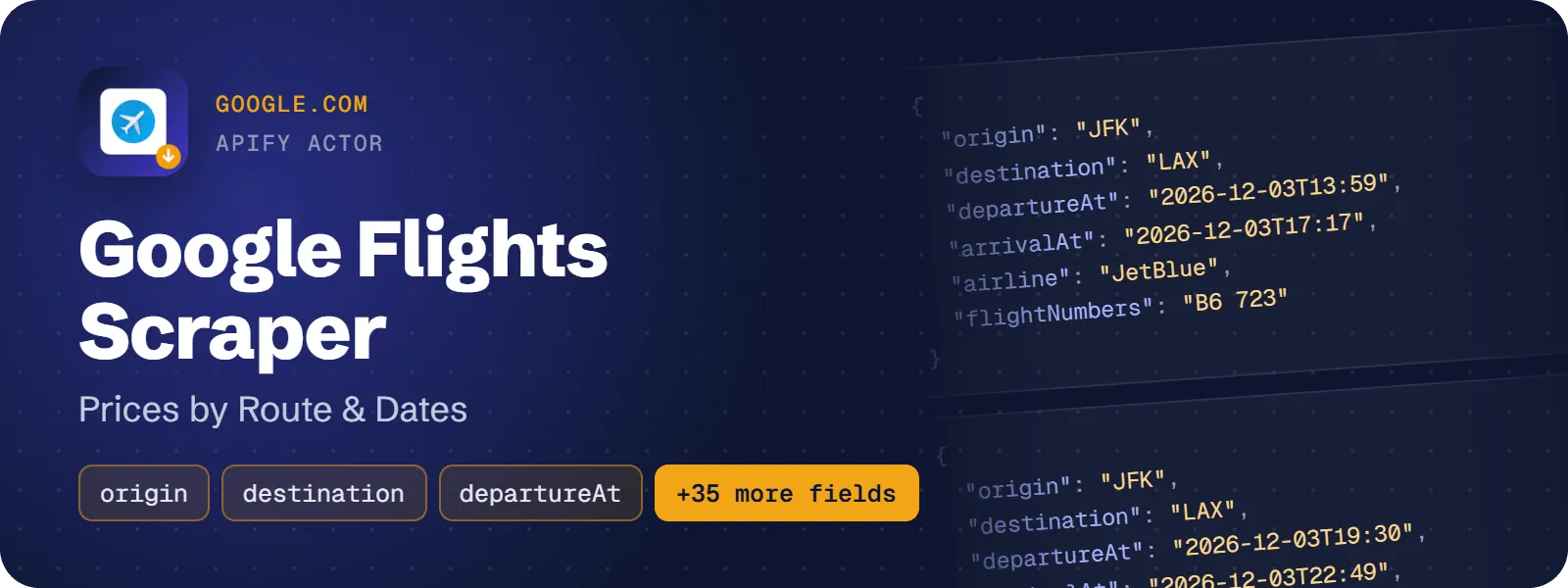
Get every flight Google Flights lists for a route and date: total price and currency, airline and flight numbers, departure and arrival times, duration, stops and layovers, plus aircraft, legroom and CO2. Search many routes and departure dates in one run, one-way or round trip, with passenger, cabin, stops and airline filters.
What does Google Flights Scraper do?
The actor takes routes such as JFK-LAX and one or more departure dates, and returns one row per flight itinerary: the full list Google shows (usually 50–150 flights per search, more for city-to-city searches), not only the first page. Each row also carries Google's price level (low, typical or high) with the typical price range of the route.
Optional extras add a cheapest-price-per-day calendar and, for one-way searches, the sellers (airlines and agencies) with price, fare name and booking link for the top flights. It suits travel apps, fare monitoring, price research and analysts who need structured flight prices without copying them by hand.
This actor covers flights only. It does not search hotels.
How to scrape Google Flights prices
Price per event by Apify plan:
| Event | Free | Bronze | Silver | Gold and above |
|---|---|---|---|---|
| Flight result | $0.55 per 1,000 | $0.495 per 1,000 | $0.44 per 1,000 | $0.385 per 1,000 |
| Actor start | $0.00005 | $0.00005 | $0.00005 | $0.00005 |
A test run with the API example input below returned 235 rows in 15 s.
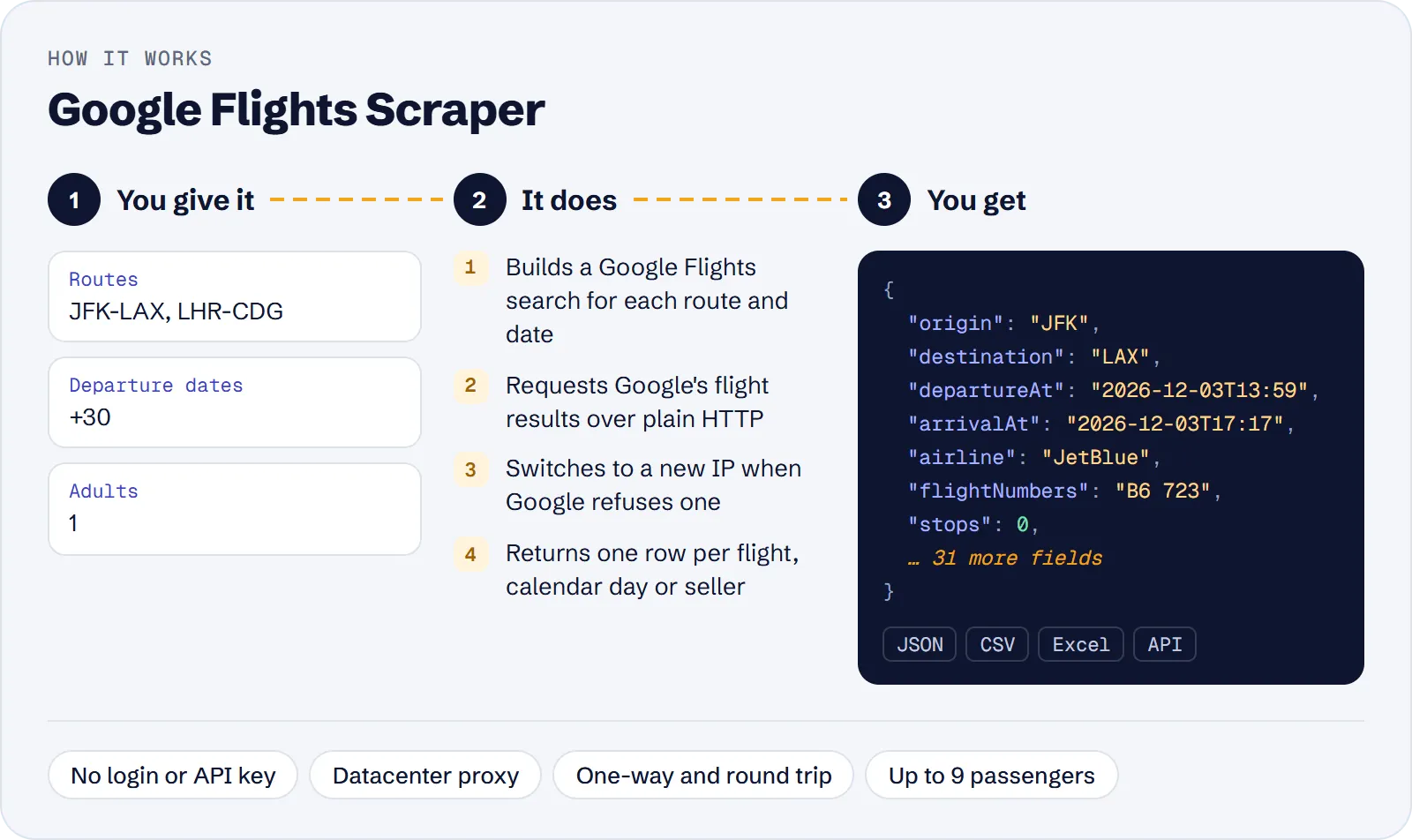
- Open the actor in Apify Console and enter one or more Routes (
JFK-LAX, one per line). - Add Departure dates as
YYYY-MM-DDor+30(30 days from today). For a round trip set Return date or Trip length in days. - Choose passengers, cabin class, stops, airlines and sorting if needed.
- Optionally set Price calendar days or Booking options for top N flights.
- Click Start and download the dataset as JSON, CSV or Excel, or read it through the API.
How much does it cost to scrape Google Flights?
You pay per result row (a flight, a calendar day or a booking option) plus a small actor start fee. Searches that Google rejects and routes without flights are not charged. Examples at the pay-per-event price of $0.55 per 1,000 rows (start fee of a few hundredths of a cent not included):
| Scenario | Rows | Cost |
|---|---|---|
| One route, one date, about 100 flights | ~100 | ~$0.06 |
| 5 routes × 3 dates, about 100 flights each | ~1,500 | ~$0.83 |
| Daily monitor of the 20 cheapest flights on 10 routes (cheapest first, max 20 per search) | 200 per day | ~$0.11 per day |
| One-way route with a 61-day price calendar | 61 | ~$0.03 |
The row limit Max result rows (default 1,000) caps the spend of a run.
Input
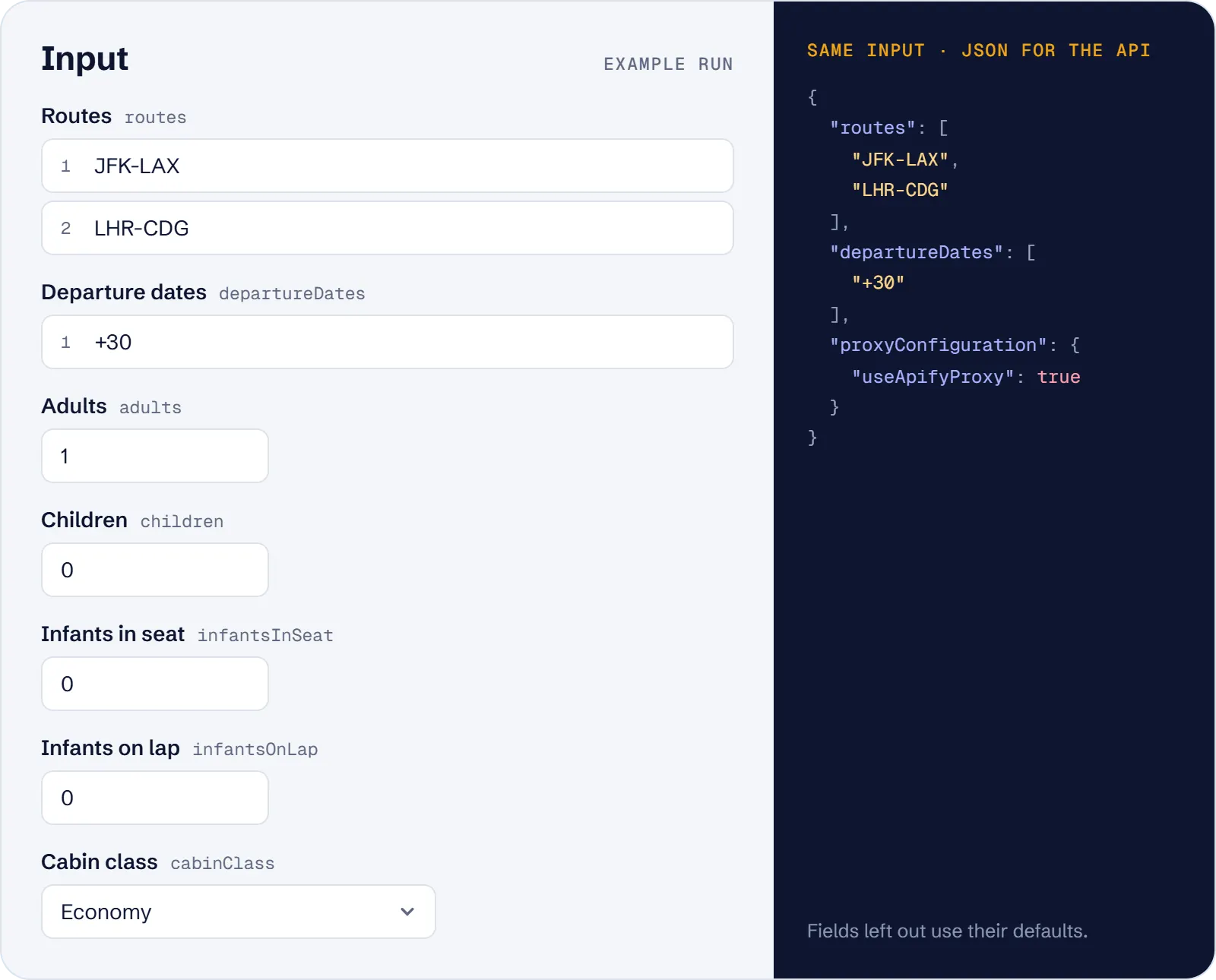
The main fields:
| Field | Meaning |
|---|---|
routes | ORIGIN-DESTINATION, IATA codes; several airports per side (JFK,EWR,LGA-MIA) or Google city ids |
departureDates | YYYY-MM-DD or +N days; up to about 329 days ahead |
returnDate / tripLengthDays | Round trip (use one of them) |
adults, children, infantsInSeat, infantsOnLap | Passengers, at most 9 in total |
cabinClass | economy, premiumEconomy, business, first |
maxStops, airlines, sortBy, maxFlightsPerSearch | Filters and ordering |
priceCalendarDays, bookingOptionsForTopFlights | Extra rows |
country, currency, language | Market, price currency, names |
maxItems | Maximum rows per run |
Example:
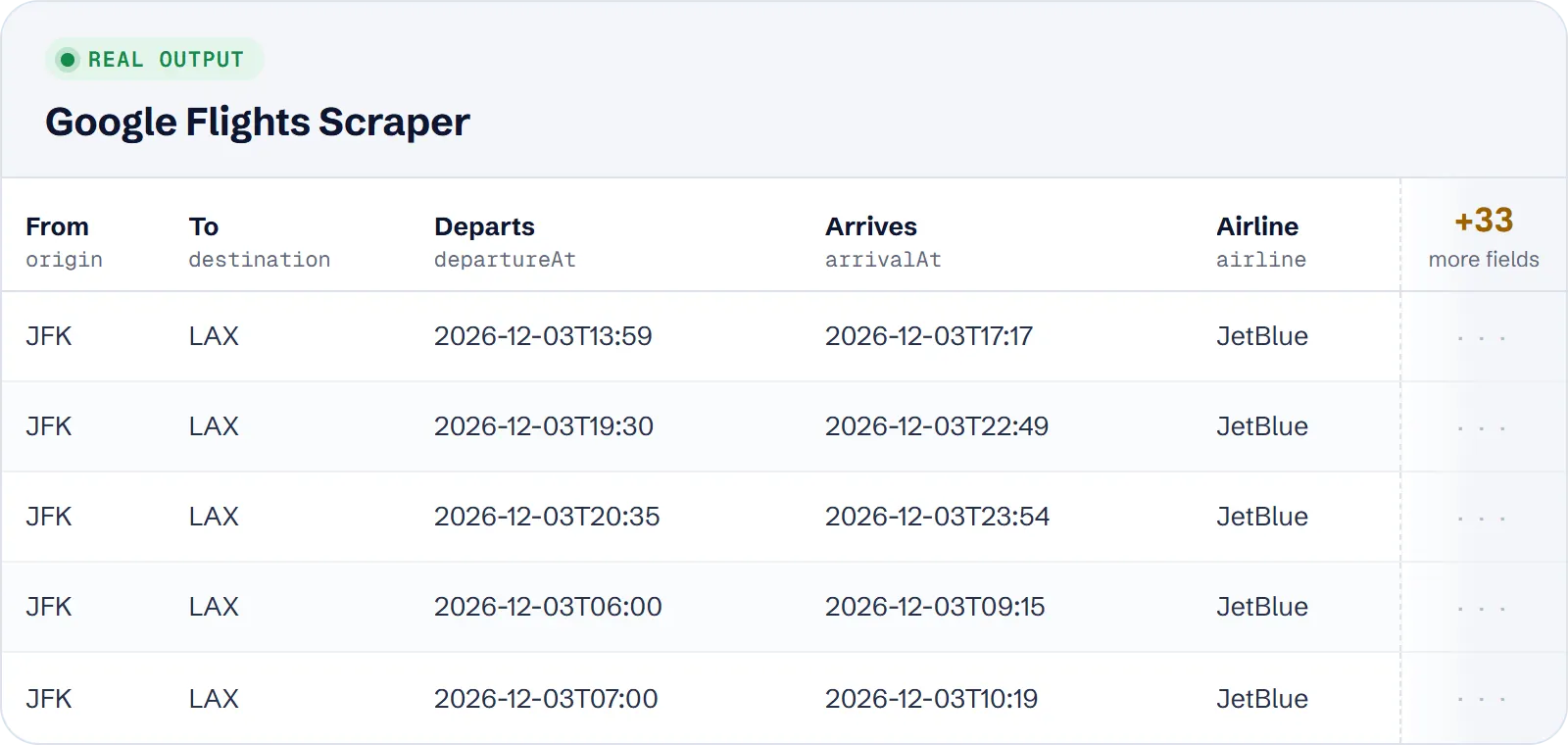
What data can you extract from Google Flights?
| Field | Description |
|---|---|
rowType | flight, calendarDay or bookingOption |
price, currency | Total for all passengers (both directions for round trips) |
priceLevel, lowestPrice, typicalPriceLow, typicalPriceHigh | Google's price insight for the search |
airline, airlineCode, flightNumbers | Carrier and flights |
departureAirport, departureAt, arrivalAirport, arrivalAt | Airports and local times |
durationMinutes, stops, layovers | Trip length and connections |
aircraft, legroom, co2Grams, co2TypicalGrams, co2DiffPercent | Aircraft, legroom and emissions |
isBest, position | Google's best-flights flag and rank |
url, searchUrl | Google Flights links to the itinerary and to the search |
seller, sellerIsAirline, fareName, bookingUrl | Booking option rows |
Real example (shortened):
Use cases
- Fare monitoring: schedule daily runs with
+30dates and Cheapest first to track the lowest prices on your routes. - Finding the cheapest day: use the price calendar to see the lowest fare for each of up to 61 departure days.
- Price comparison across markets: run the same route with different
countryandcurrencyvalues, as prices and sellers can differ by market. - Travel app and research datasets: collect itineraries with times, stops, aircraft and CO2 for analysis.
- Booking-source checks: list the sellers and fare names for the top flights of a one-way search.
Limitations
- Dates must be from today to about 329 days ahead; others are skipped with a warning.
- Calendar rows work for one-way searches with airport codes only; booking options work for one-way searches only. Round trips skip them with a warning.
- Metro codes such as NYC or LON are not accepted; list the airports or use Google city ids.
- Price level and typical range can be empty on rare routes, in searches with infants and in some sorted or filtered searches. A flight listed without a price has
pricenull. isBestis true only with Sort by = Best.- Flights only; no hotels, multi-city trips or cheapest-destination exploration.
Tips and troubleshooting
- Keep the default Apify datacenter proxy. Google refuses some IPs; the actor switches to a new one automatically. Residential IPs are mostly refused.
- Use
maxFlightsPerSearchwith Sort by = Cheapest first to keep only the cheapest N flights per search. - For several departure dates on a round trip use
tripLengthDays; use either it orreturnDate, not both. - 0 rows: check that the airports differ, codes are valid IATA codes and dates are within range; the run log names the problem.
- An unknown airline code makes Google reject the search; the log warning names the code.
- Prices are totals for all passengers; set
adults,childrenand infants accordingly.
API, MCP and integrations
Run the actor from your code with the same JSON input as in Console. Your API token is in Console → Settings → API & Integrations.
Python (pip install apify-client):
Node.js (npm install apify-client):
HTTP — one request runs the actor and returns the results (runs up to 5 minutes; longer ones: run asynchronously):
AI agents (MCP). Add the actor as a tool of the Apify MCP server. Claude Code:
Claude Desktop, Cursor or VS Code: {"mcpServers": {"apify": {"url": "https://mcp.apify.com?tools=genial_candlestand/google-flights-scraper-api"}}}. Then ask, for example:
- "Get the 20 cheapest nonstop flights from JFK to LAX departing in 30 days"
- "Find round-trip LHR to CDG flights for 7 days in economy, prices in EUR"
- "Show the cheapest price per day for JFK to LHR over the next 60 days"
Integrations. Run it on a schedule with Apify Schedules and send the results to Google Sheets, Slack, Zapier, Make, n8n or your webhook — see Apify integrations.
FAQ
Is it legal to scrape Google Flights?
The actor reads publicly visible flight offers and prices; it collects no personal data. You are responsible for how you use the data and for complying with applicable law and the source's terms.
Can I search round trips?
Yes. Set returnDate or tripLengthDays. Prices are totals for both directions.
Does it need a login or API key?
No.
Does it return hotel prices?
No, flights only. See Google Hotels Scraper below for hotels.
Also useful
- Google Hotels Scraper — add hotel prices, ratings and amenities for the same trip dates
- Airbnb Scraper — compare apartment prices at your destination for the same dates
- Google Trends Trending Now Scraper — see what people search for right now by country


