
Google Play Search Scraper | Apps by Keyword or Category
Pricing
from $0.51 / 1,000 apps
Google Play Search Scraper | Apps by Keyword or Category
Get Google Play apps by keyword or from category top charts: app name, developer, rating, installs, price, category and rank. Many keywords and 5 chart types per run, any country and language, no login.
Pricing
from $0.51 / 1,000 apps
Rating
0.0
(0)
Developer

Flowo
Maintained by CommunityActor stats
0
Bookmarked
2
Total users
1
Monthly active users
4 days ago
Last modified
Categories
Features
Share
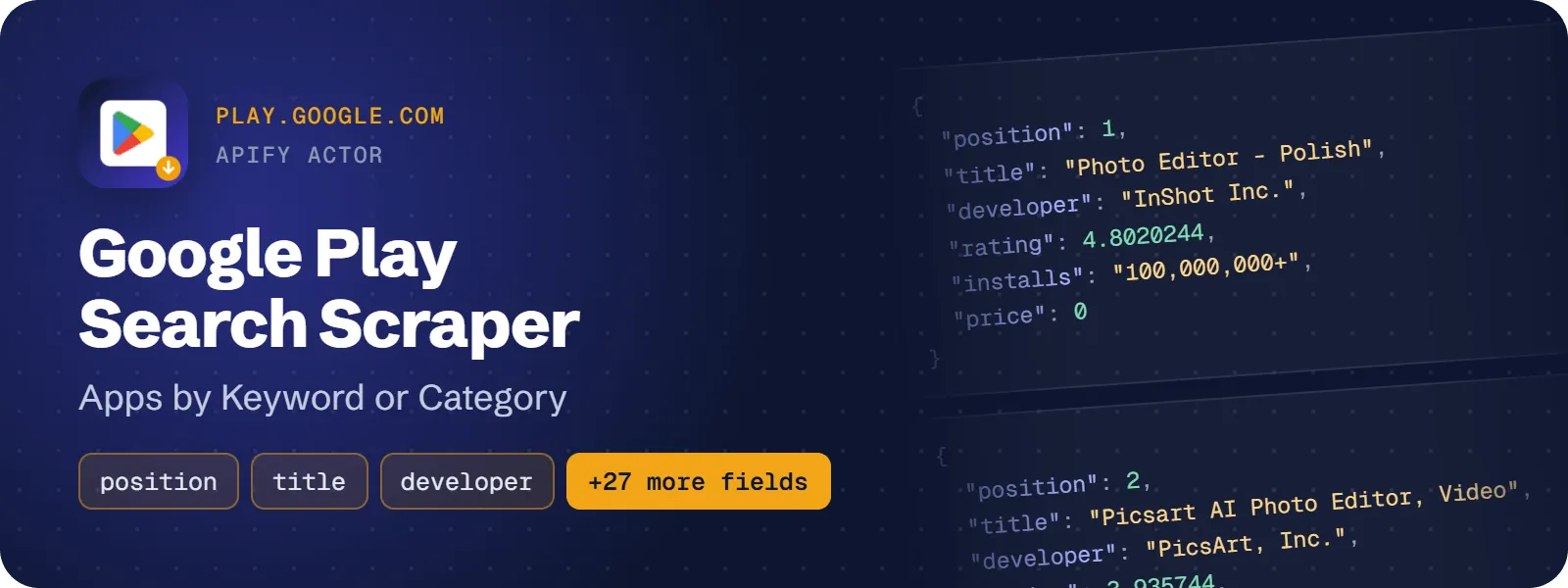
Get Google Play apps by keyword search or from category top charts: app name, developer, star rating, install count, price and currency, category, age rating and in-app purchase range, plus the rank of each app. Many keywords and charts per run, any country and language, no login or API key. Export to JSON, CSV or Excel.
What does Google Play Search Scraper do?
You give it search keywords (for example photo editor or vpn), Google Play category ids (for example GAME_PUZZLE or FINANCE), or both. It returns one row per app, in the order Google shows it, with the rank in position. Keyword searches and top charts can be mixed in one run.
It is built for ASO specialists, app marketers, market researchers, investors and AI agents who need lists of apps with rating, installs and price on every row.
How to scrape Google Play apps
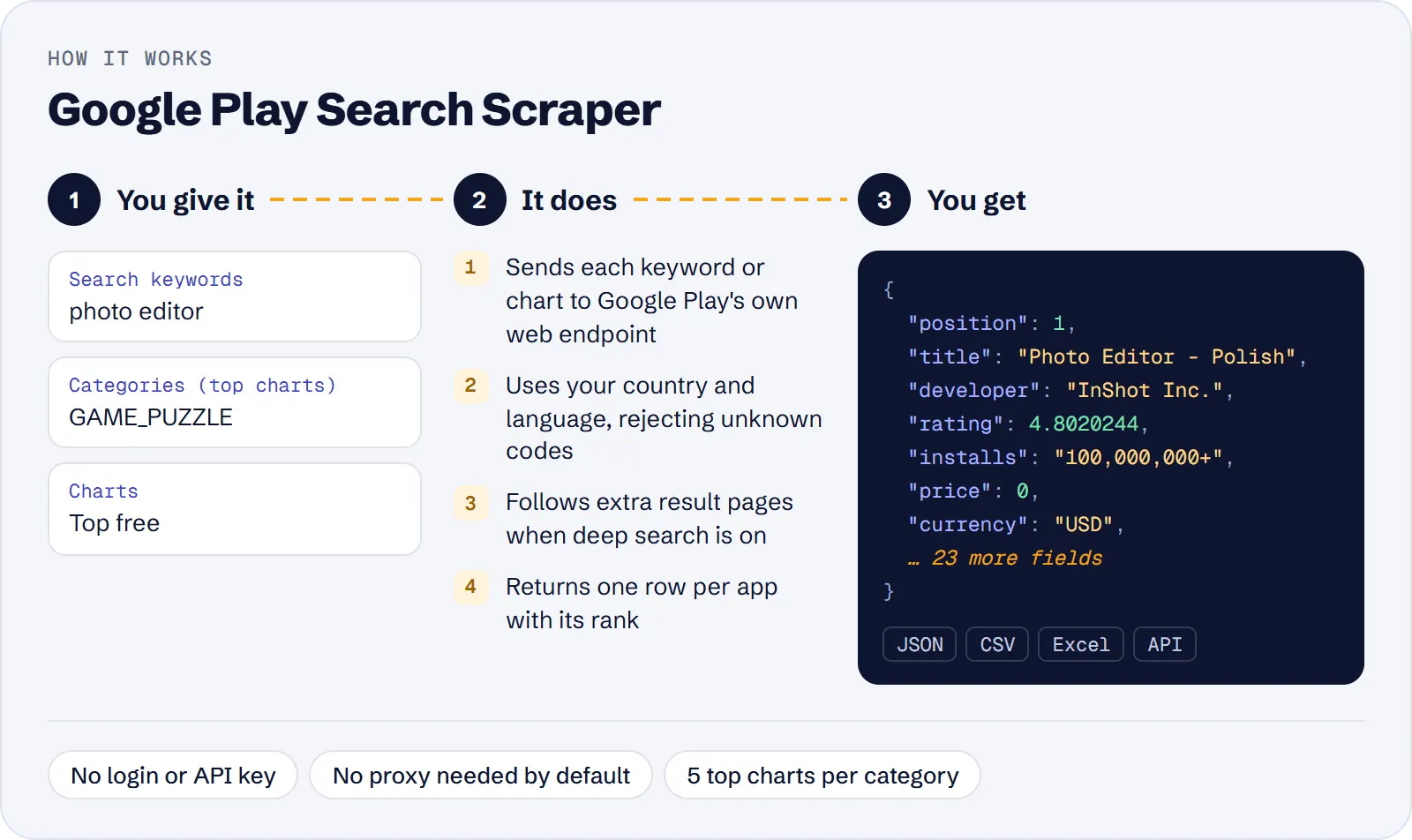
- Open the actor in Apify Console and go to Input.
- Add Search keywords (one per line), Categories, or both.
- For categories, choose one or more Charts (Top free, Top paid, Top grossing, Top new free, Trending).
- Set Country (for example
us,de,jp) and Language (for exampleen,de). - Click Start and download the dataset as JSON, CSV or Excel.
How much does it cost to scrape Google Play?
Price per event by Apify plan:
| Event | Free | Bronze | Silver | Gold and above |
|---|---|---|---|---|
| App | $0.60 per 1,000 | $0.54 per 1,000 | $0.48 per 1,000 | $0.42 per 1,000 |
| Actor start | $0.00005 | $0.00005 | $0.00005 | $0.00005 |
A test run with the API example input below returned 130 rows in 2 s.
You pay per app row (the app event) plus a small actor start event. Keywords or charts without results are free. Price per 1,000 app rows: $0.60 on the Free plan (lower on higher plans); the start event is $0.00005 per GB of memory.
| Scenario | App rows | Cost on the Free plan |
|---|---|---|
| One keyword, about 30 apps | ~30 | about $0.018 |
| One keyword plus the top 100 free puzzle games | ~120 | about $0.072 |
| 10 charts (2 categories × 5 charts), 50 apps each | 500 | about $0.30 |
| 1,000 apps | 1,000 | about $0.60 |
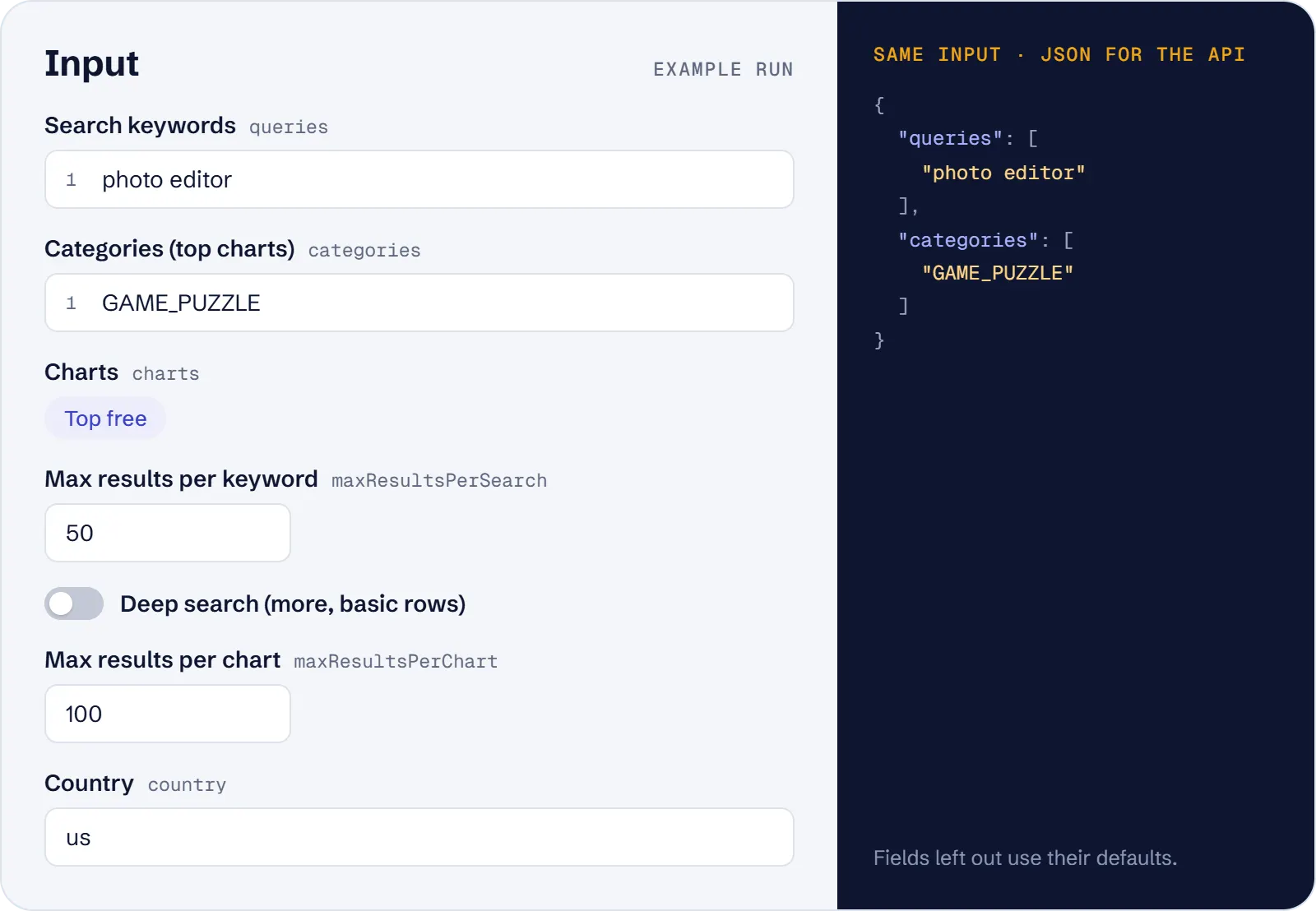
Input
| Field | What it does |
|---|---|
queries | Keywords to search, one per line |
categories | Category ids such as APPLICATION, GAME, GAME_PUZZLE, FINANCE; a category page URL also works |
charts | topselling_free, topselling_paid, topgrossing, topselling_new_free, movers_shakers (default topselling_free) |
maxResultsPerSearch | Apps per keyword, 1–500 (default 50) |
deepSearch | Follow extra result pages of brand or app-name searches, up to maxResultsPerSearch |
maxResultsPerChart | Apps per chart and category, 1–200 (default 100) |
country, language | Play Store market and text language (defaults us, en) |
maxItems | Optional cap on all rows of the run |
proxyConfiguration | Off by default; turn on Apify Proxy only if runs get blocked |
What data can you extract from Google Play?
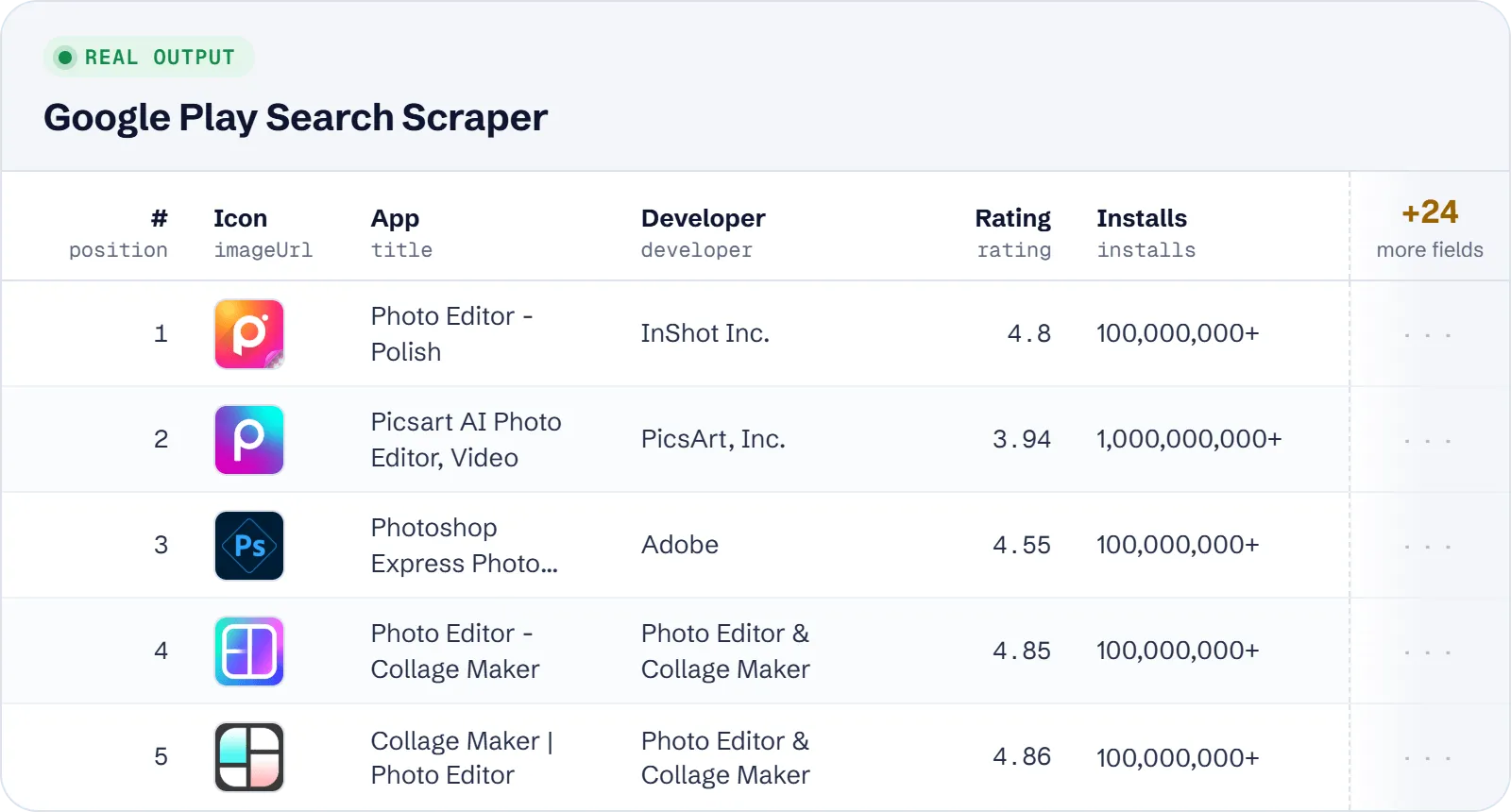
| Field | Meaning |
|---|---|
appId, url, title | Package name, app page, app name |
developer | Developer name |
rating | Average star rating |
installs, installsMin | Install count as shown (100,000,000+) and its number |
price, currency, isFree, originalPrice, discountText | Price, currency of the country, sale information |
category, contentRating, contentRatingInfo, inAppPurchasePriceRange | Category, age rating, content notes, in-app purchase range |
description, imageUrl, headerImageUrl, screenshotUrls, videoUrl | Texts and media |
resultType, position, query, chart, chartCategory | Where the row came from and its rank |
developerId, ratingsCount, reviewsCount, categoryId, installsExact | Only on Google's featured top result of a brand search |
Example (shortened, from a real run):
Use cases
- Keyword and ASO research: see which apps rank for a keyword in a given country.
- Top chart tracking: schedule daily runs over free, paid, grossing, new and trending charts.
- Competitor and brand analysis: list apps found for a brand name, with installs, rating and price.
- Market sizing: compare categories, prices and install ranges across countries.
- AI agents: fetch the top apps for a topic with price and installs in one call.
Limitations
- Google returns about 30 apps per keyword in most countries (up to 50 in some). This is Google's own limit.
deepSearchgives more rows only for brand or app-name searches (about 250 more at most); generic keywords have none. Those extra rows are basic: no installs, price or category.ratingsCount,reviewsCount,developerId,categoryIdandinstallsExactappear only on the featured top result.- Some charts are small or missing in some countries (for example no paid or grossing charts in Russia); they give fewer rows or none, with a warning.
- Installs are ranges such as
10,000,000+, as Google shows them. Reviews text is not included.
Tips and troubleshooting
- Give at least one of
queriesorcategories; the run needs one of them. - An unknown category id, country or language code stops the run with a message instead of silently using another market.
chartsis used only withcategories;maxResultsPerChartonly applies to charts,maxResultsPerSearchto keywords.- To get more than the first page of a keyword, turn on
deepSearchand raisemaxResultsPerSearchabove 50. - Use
maxItemsto cap the total cost of a run. - If runs get blocked, turn on Apify Proxy; by default none is used.
API, MCP and integrations
Run the actor from your code with the same JSON input as in Console. Your API token is in Console → Settings → API & Integrations.
Python (pip install apify-client):
Node.js (npm install apify-client):
HTTP — one request runs the actor and returns the results (runs up to 5 minutes; longer ones: run asynchronously):
AI agents (MCP). Add the actor as a tool of the Apify MCP server. Claude Code:
Claude Desktop, Cursor or VS Code: {"mcpServers": {"apify": {"url": "https://mcp.apify.com?tools=genial_candlestand/google-play-search-scraper"}}}. Then ask, for example:
- "Get the top 10 budget tracker apps on Google Play in the US"
- "List the top free puzzle games on Google Play in Germany"
- "Search Google Play for vpn apps with installs and price"
Integrations. Run it on a schedule with Apify Schedules and send the results to Google Sheets, Slack, Zapier, Make, n8n or your webhook — see Apify integrations.
FAQ
Is it legal to scrape Google Play?
The actor reads public app listings that anyone can see on play.google.com and returns no personal data beyond what the pages show (app and developer names). You are responsible for how you use the data and for following the terms and laws that apply to you.
How is it different from other Google Play scrapers?
Keywords and five charts (including Top new free and Trending) run together, every row has installs, price, category, age rating and in-app purchase range without a separate details request, and every row has a position. The price is $0.60 per 1,000 apps on the Free plan.
Can I get reviews?
No. This actor lists apps. For user reviews, see the Google Play Reviews Scraper below.
Which countries and languages work?
Any two-letter Play Store country code and language code that Google accepts, for example us, gb, de, in, br, jp. Prices follow the country's currency.
Also useful
- Google Play Reviews Scraper — get reviews, star ratings and developer replies for the apps you found
- Apple App Store Reviews API — compare the same apps on iOS: reviews and ratings by country
- Amazon Best Sellers Scraper — track best-seller charts of products on 12 Amazon stores
- Google Trends Scraper — check search interest for the keywords you research


