

Amazon Best Sellers Scraper | Top Products on 12 Stores
Pricing
from $2.10 / 1,000 ranked products
Amazon Best Sellers Scraper | Top Products on 12 Stores
Get Amazon Best Sellers and New Releases charts: rank, ASIN, title, price in local currency, rating and reviews count, category path. 12 marketplaces (US, UK, DE, JP…), up to 100 ranks per chart, subcategories, no login.
Pricing
from $2.10 / 1,000 ranked products
Rating
0.0
(0)
Developer

Flowo
Maintained by CommunityActor stats
0
Bookmarked
2
Total users
1
Monthly active users
4 days ago
Last modified
Categories
Features
Share
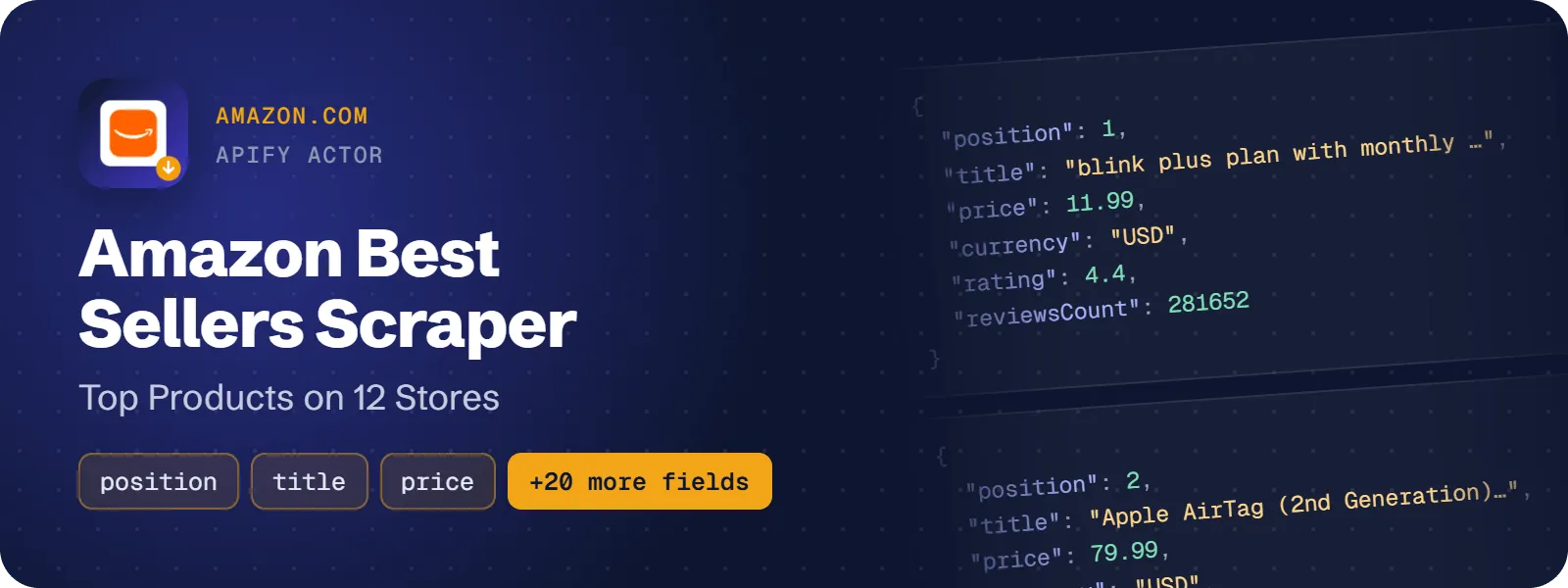
Get the ranked products of Amazon Best Sellers and New Releases charts: rank in the chart, ASIN, product title, price in the store's own currency, star rating, number of ratings and the category path. It covers 12 Amazon stores (US, UK, DE, FR, IT, ES, CA, AU, JP, IN, MX, BR), any department or subcategory, and up to 100 ranks per chart.
What does Amazon Best Sellers Scraper do?
Give the actor department names (for example electronics, books, kitchen), chart URLs copied from the browser, or switch on all departments of a store. It opens each chart and returns one flat row per ranked product, in the store's own currency. Prices are parsed with the store's decimal and thousands separators, so "R$ 1.199,90" becomes 1199.9 and "¥3,774" becomes 3774.
It is built for sellers and brands doing product research, cross-border sellers comparing the same category across stores, analysts tracking ranks on a schedule, book publishers watching book charts, and AI agents that need "top sellers in X on Amazon Y". No login or API key is needed.
How to scrape Amazon Best Sellers
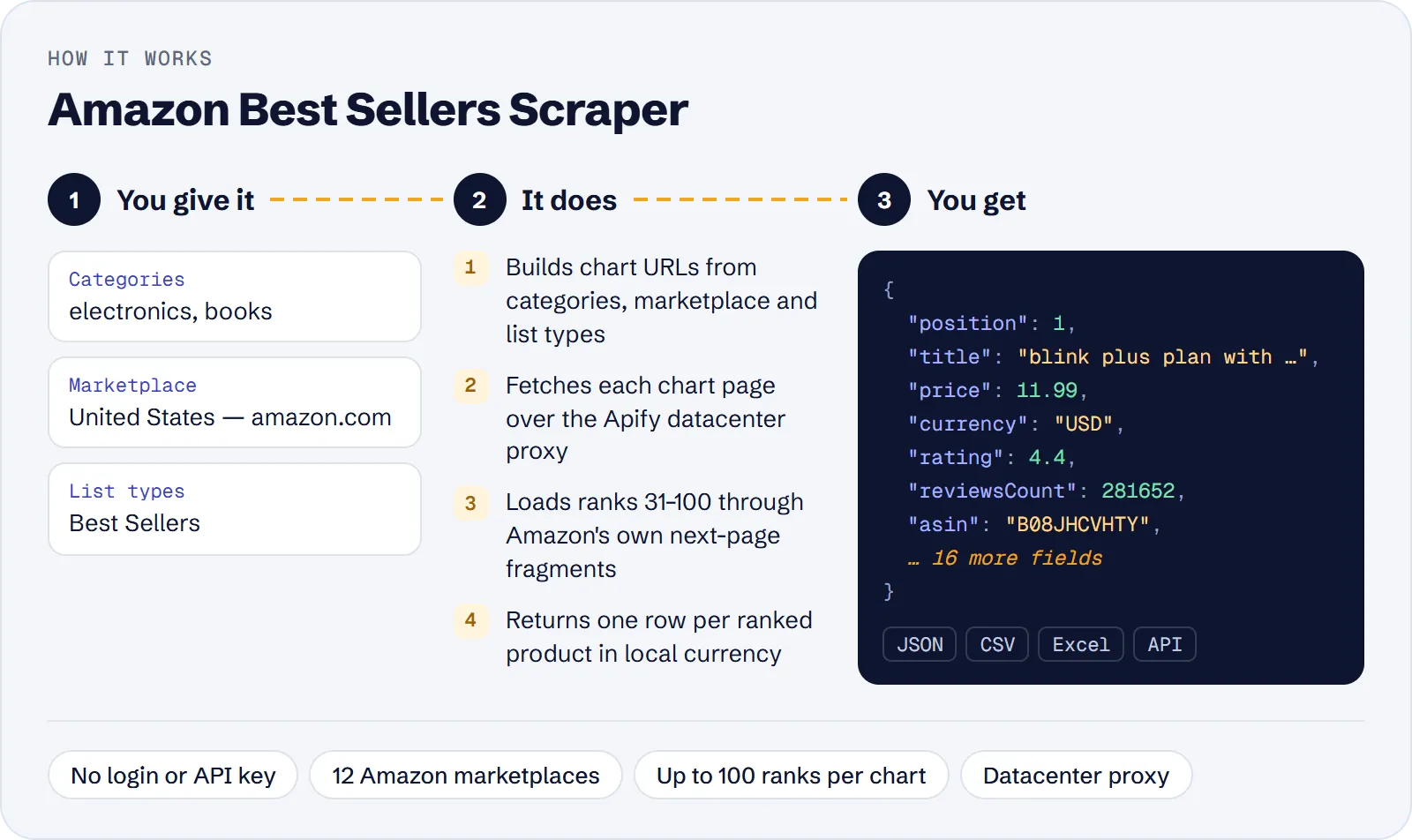
- Open the actor in Apify Console and choose a Marketplace (default US).
- Enter Categories (department slugs such as
electronics, ordepartment/nodeIdsuch aselectronics/172541), or paste Start URLs, or tick All departments. - Pick List types (Best Sellers by default), the Max items per list and optionally a Subcategory depth.
- Click Start and download the dataset as JSON, CSV or Excel, or read it through the API.
How much does it cost to scrape Amazon Best Sellers?
Price per event by Apify plan:
| Event | Free | Bronze | Silver | Gold and above |
|---|---|---|---|---|
| Ranked product | $3.00 per 1,000 | $2.70 per 1,000 | $2.40 per 1,000 | $2.10 per 1,000 |
| Actor start | $0.00005 | $0.00005 | $0.00005 | $0.00005 |
A test run with the API example input below returned 100 rows in 14 s.
The actor uses pay per event. One paid event is one ranked product (one row) at $0.003 on the Free plan, which is $3.00 per 1,000 products; the plan discounts lower it. A small actor-start event of $0.00005 is charged once per run. Empty charts and failed pages are free.
| Scenario | Rows | Cost on the Free plan |
|---|---|---|
| One chart, all 100 ranks | 100 | about $0.30 |
| Two departments, 100 ranks each | 200 | about $0.60 |
| Top 10 of each of 12 departments | 120 | about $0.36 |
| One department on 12 stores, 100 ranks each | 1,200 | about $3.60 |
Input
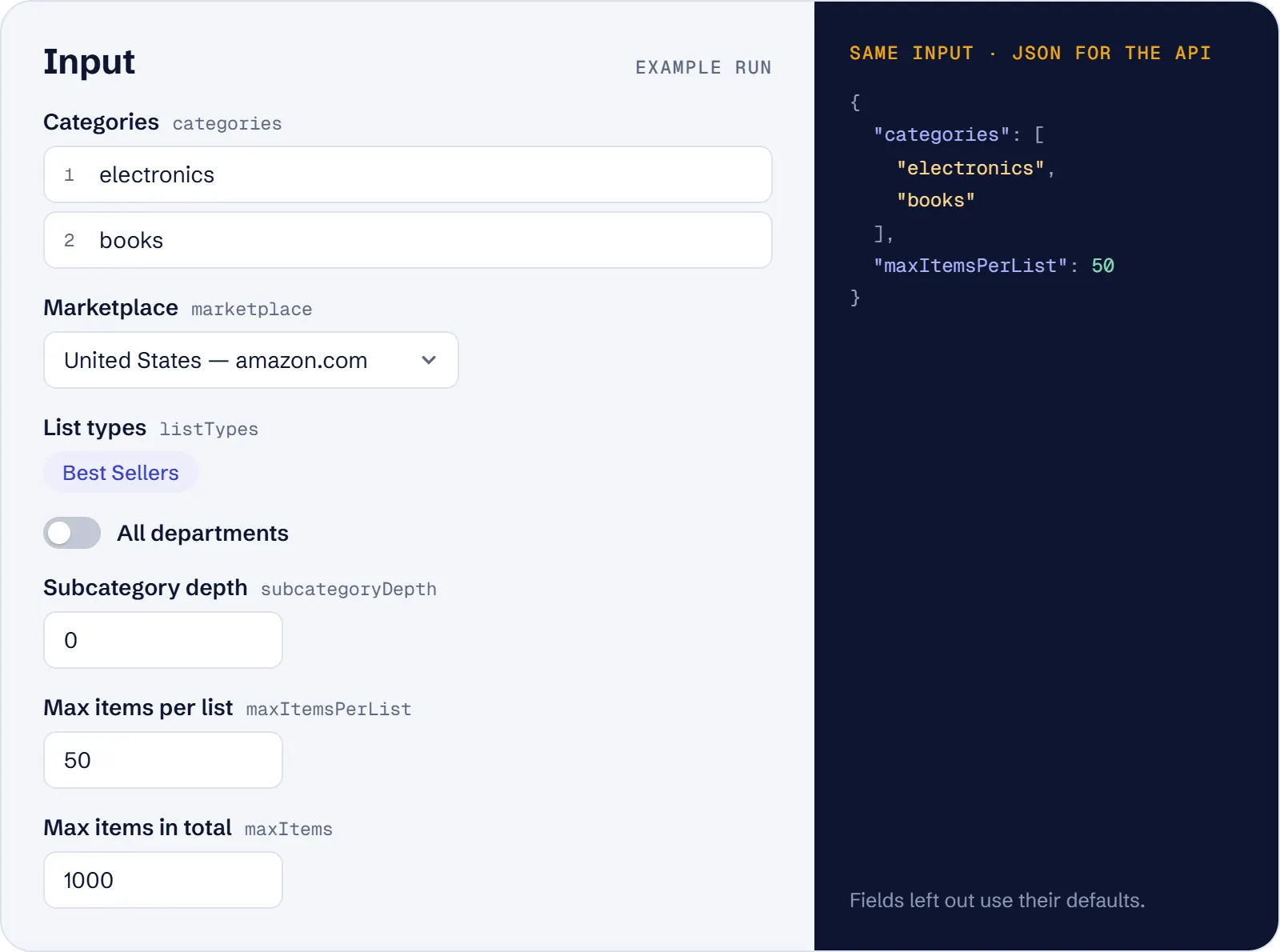
| Field | Meaning |
|---|---|
categories | Department slugs or department/nodeId of the selected marketplace |
marketplace | US, UK, DE, FR, IT, ES, CA, AU, JP, IN, MX or BR (default US) |
listTypes | bestsellers (default), new-releases, plus three types that are currently empty |
startUrls | Chart URLs on any of the 12 hosts; the marketplace comes from the host |
allDepartments | Chart every top-level department of the marketplace |
subcategoryDepth | 0–3 levels of subcategories below each chart (default 0) |
maxItemsPerList | 1–100 ranks per chart (default 100) |
maxItems | Total rows per run (default 1000) |
proxyConfiguration | Apify datacenter proxy by default |
Example:
Department slugs differ by store (ce-de is Electronics on amazon.de, kids is toys on amazon.co.uk). An unknown slug returns 0 rows and a warning that lists the valid slugs.
What data can you extract from Amazon Best Sellers?
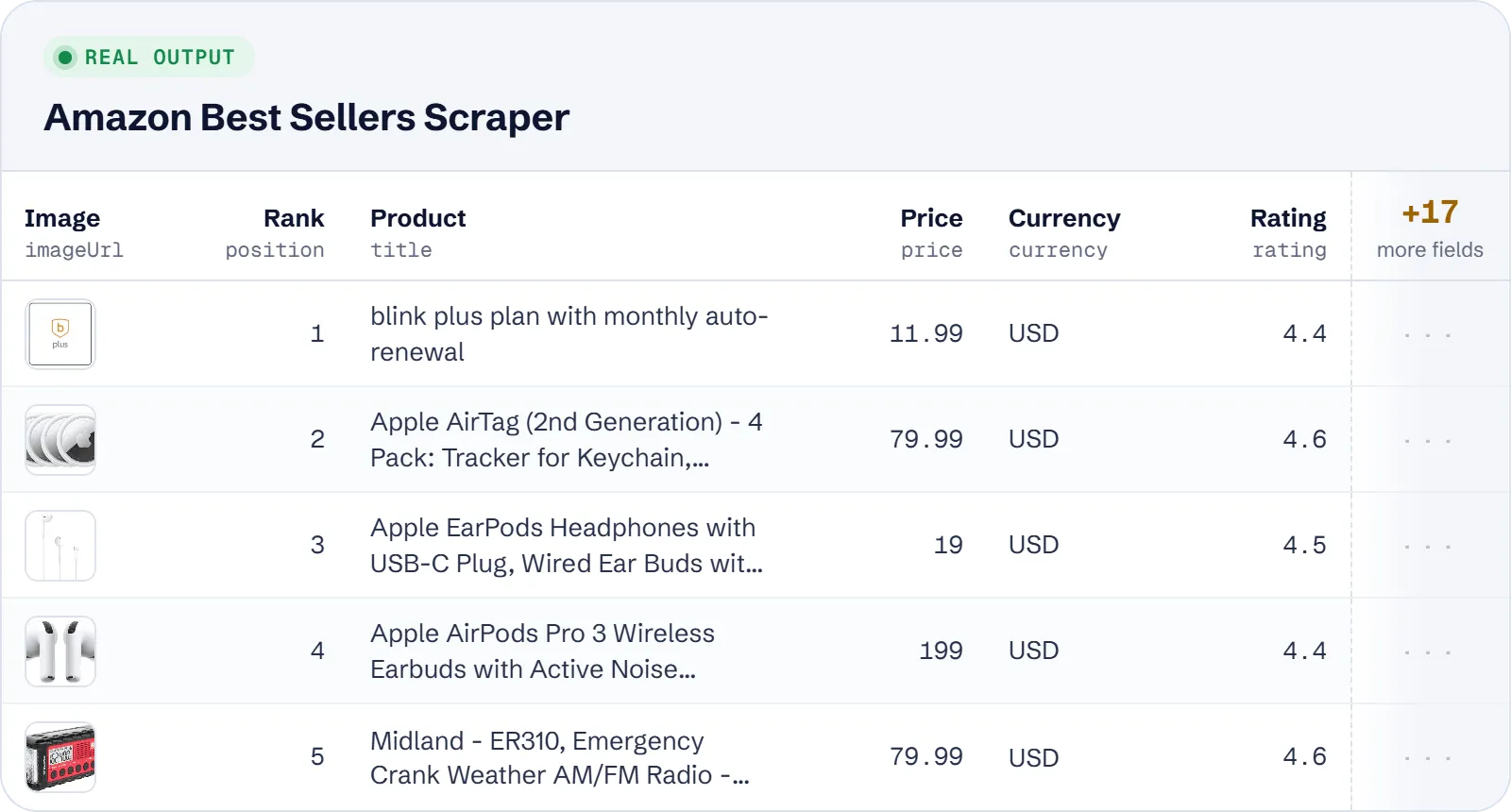
| Field | Description |
|---|---|
position | Rank in the chart, 1–100 |
asin | Amazon product id (ASIN, or ISBN-10 for books) |
title | Product title as shown on the chart |
url | Product page /dp/<ASIN> on the store |
imageUrl | Product image (300 px) |
price | Numeric price in the store's currency; for "N offers from" cards the lowest offer |
currency | ISO 4217 code of the price |
priceText | Price as displayed, for example $17.99 |
isLowestOfferPrice | true when the price is the lowest of N offers |
offersCount | Number of offers on "N offers from" cards |
rating | Average star rating, 0–5 |
reviewsCount | Number of ratings |
author | Author of books, Kindle titles, or developer of apps |
format | Hardcover, Paperback, Kindle Edition, Audio CD… |
marketplace | Store of the chart (US, UK, DE…) |
listType | bestsellers, new-releases, movers-and-shakers, most-wished-for or most-gifted |
listTitle | Chart heading, e.g. "Best Sellers in Electronics" |
category | Name of the charted category |
categoryId | Department slug, or browse node id for a subcategory |
department | Department slug the chart belongs to |
categoryPath | Category path from the department down, joined by " > " |
listUrl | Canonical URL of the chart |
scrapedAt | When the row was extracted (ISO 8601) |
Example item (shortened):
Use cases
- Product research: see what sells in a department, at what price and with how many reviews.
- Cross-border comparison: run the same category on several stores and compare prices in local currencies.
- Daily rank tracking: schedule the actor and store the charts over time.
- Book and media charts: watch Books on .com, .co.uk and .de with
authorandformat. - Store snapshots: use
allDepartmentsfor the top ranks of every department.
Limitations
- Amazon shows at most 100 ranks per chart; some charts are shorter.
- Movers & Shakers, Most Wished For and Most Gifted are currently empty on all 12 stores. They return 0 rows with a warning and are not charged.
- Only the 12 listed stores are supported; other Amazon hosts are an input error.
price,rating,author,formatandoffersCountcan be empty when the chart card does not show them.- Amazon blocks some requests; the actor retries with new sessions, but a page can still fail and is then skipped with a warning.
- A department root is required for subcategories (
electronics/172541); a bare node id is an input error.
Tips and troubleshooting
- Fewer rows than expected: check
maxItemsPerListandmaxItems(default total 1000), and remember that some charts have fewer than 100 ranks. - Zero rows for a department: the slug probably does not exist on that store. Read the warning in the run log, it lists the valid slugs.
- Subcategories: set
subcategoryDepth(0–3) and give a department root; each subcategory chart is a separate chart with its own ranks. - Pasting chart URLs in
startUrlsis the quickest way to match a chart you see in the browser; the store is taken from the host. - Rank tracking: schedule the actor and compare
positionbyasinusingscrapedAt. - Rows with
isLowestOfferPricetrue show the lowest of several offers, not the product's own price.
API, MCP and integrations
Run the actor from your code with the same JSON input as in Console. Your API token is in Console → Settings → API & Integrations.
Python (pip install apify-client):
Node.js (npm install apify-client):
HTTP — one request runs the actor and returns the results (runs up to 5 minutes; longer ones: run asynchronously):
AI agents (MCP). Add the actor as a tool of the Apify MCP server. Claude Code:
Claude Desktop, Cursor or VS Code: {"mcpServers": {"apify": {"url": "https://mcp.apify.com?tools=genial_candlestand/amazon-best-sellers-scraper"}}}. Then ask, for example:
- "Get the top 50 Amazon.de Best Sellers in books with price and rating"
- "List the 100 best selling electronics on amazon.com with ASIN and reviews count"
- "Compare New Releases in Books on amazon.co.uk and amazon.com"
Integrations. Run it on a schedule with Apify Schedules and send the results to Google Sheets, Slack, Zapier, Make, n8n or your webhook — see Apify integrations.
FAQ
Is it legal to scrape Amazon Best Sellers?
The actor reads public chart pages that anyone can open without logging in. It returns product data only, no personal data. You are responsible for using the data in line with Amazon's terms and the law in your country.
Why are there no Movers & Shakers rows?
Amazon currently serves these charts empty on all 12 stores.
Which currency do I get?
The native currency of the store; the currency field holds its ISO code.
How is it different from other Amazon Best Sellers actors?
Each row has the ASIN, star rating and ratings count, which the output of the market leader in this niche lacks, and the marketplace field covers 12 stores. The price is $3.00 per 1,000 rows on the Free plan against $5.90 for that leader.
Also useful
- Naver Shopping Scraper — compare e-commerce prices, ratings and reviews on Korea's largest shopping site
- Woolworths Product Scraper — track retail prices, specials and stock at an Australian retailer
- Google Trends Scraper — check search interest by region and related queries for products you research
- Google Trends Trending Now Scraper — spot trending searches by country to find rising products


