

mobile.de Car Listings Scraper | Prices, Specs & Dealers
Pricing
from $0.51 / 1,000 vehicle listings
mobile.de Car Listings Scraper | Prices, Specs & Dealers
Get mobile.de vehicle listings with price, net price and VAT, mileage, first registration, kW/PS, fuel, gearbox, GPS location, dealer name, address and phones, and price rating. Search by make/model names, free text or search URLs; cars, motorbikes, vans, trucks. No login.
Pricing
from $0.51 / 1,000 vehicle listings
Rating
0.0
(0)
Developer

Flowo
Maintained by CommunityActor stats
0
Bookmarked
2
Total users
1
Monthly active users
6 days ago
Last modified
Categories
Features
Share
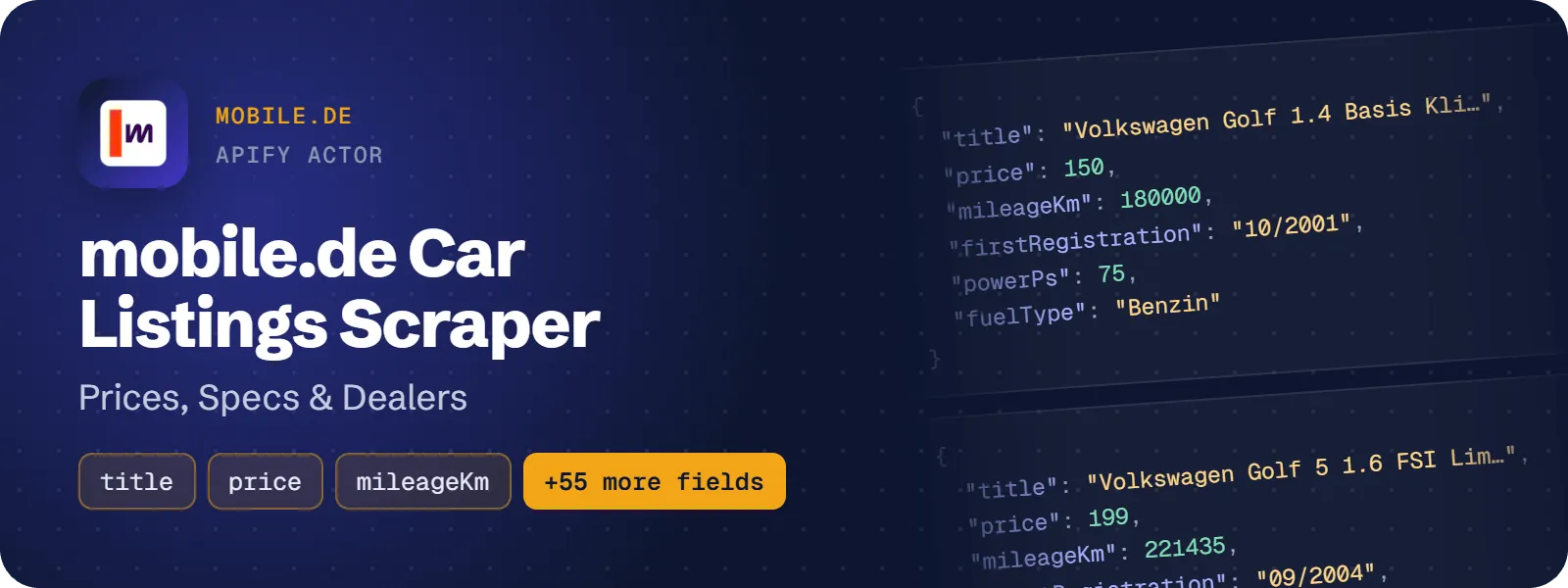
Get mobile.de vehicle listings as flat rows: price with net price and VAT, mileage, first registration, power in kW and PS, fuel type, gearbox, city with GPS coordinates, the dealer's name, address and phone numbers, and mobile.de's price rating. Search by make and model names, free text or pasted mobile.de search URLs, for cars, motorbikes, vans, motorhomes, trucks, trailers and more. Optionally add the seller's description and the equipment list.
What does mobile.de Car Listings Scraper do?
You give it makes and models such as "BMW 3er Reihe" or "Volkswagen Golf" (German or English names), free-text search terms, or search URLs copied from mobile.de, plus optional filters for price, year, mileage, power, fuel, gearbox, body type, seller, condition, damage, country and a radius around coordinates. It returns one row per listing, ready for CSV, Excel or a database.
It is built for car dealers and importers who check stock and prices, analysts who build used-car price models, lead-generation teams who collect dealer contacts and buyers who track one model. No mobile.de account or API key is needed.
How to scrape mobile.de car listings
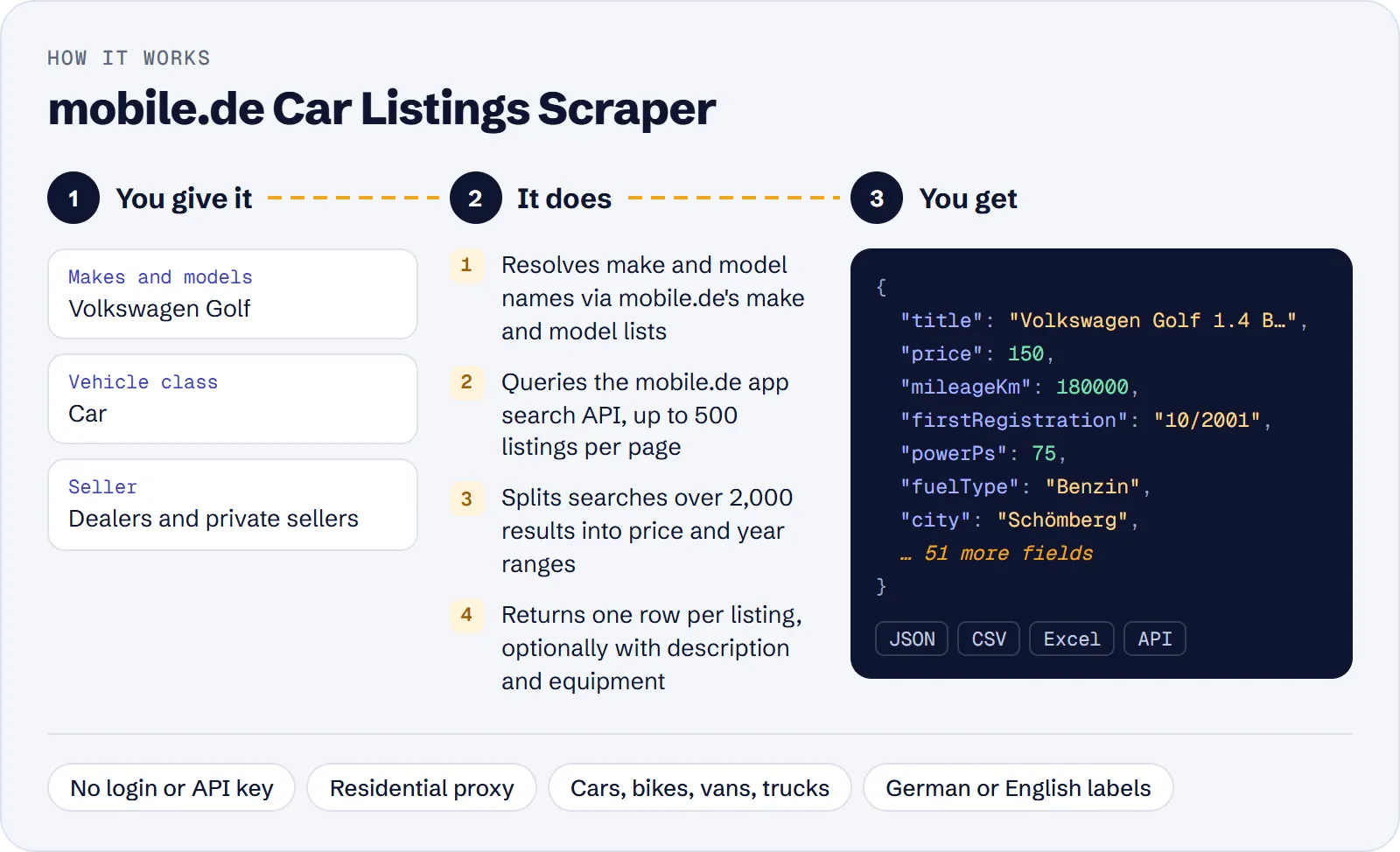
- Open the actor in Apify Console.
- Enter one or more makes and models (one search per line), search terms, or mobile.de search URLs. Leave all three empty to search the whole vehicle class.
- Pick the vehicle class and, if you want, the filters: price, first registration year, mileage, power, fuel, gearbox, body type, seller, condition, damage, seller country or a radius.
- Set Max listings and, if you need the seller's text and equipment, switch on Include description and equipment.
- Click Start and download the results as JSON, CSV, Excel or HTML, or read them through the API.
How much does it cost to scrape mobile.de?
Price per event by Apify plan:
| Event | Free | Bronze | Silver | Gold and above |
|---|---|---|---|---|
| Vehicle listing | $0.60 per 1,000 | $0.54 per 1,000 | $0.48 per 1,000 | $0.42 per 1,000 |
| Listing description and equipment | $0.20 per 1,000 | $0.18 per 1,000 | $0.16 per 1,000 | $0.14 per 1,000 |
| Actor start | $0.00005 | $0.00005 | $0.00005 | $0.00005 |
A test run with the API example input below returned 30 rows in 35 s.
One paid listing event is one saved vehicle listing ($0.0006 on the Free plan, $0.60 per 1,000). With Include description and equipment on, each listing whose details were fetched adds one listing-details event ($0.0002). The run start costs $0.00005.
Not charged: duplicate listings found by several of your searches, listings cut by your limits, detail requests that failed, and runs rejected for invalid input.
| Scenario | Events | Cost on the Free plan |
|---|---|---|
| Price check of one model, 100 listings | 100 listing + start | $0.06 |
| Dealer stock of one model group, 1,000 listings | 1,000 listing + start | $0.60 |
| 1,000 listings with description and equipment | 1,000 listing + 1,000 listing-details + start | $0.80 |
| Market snapshot, 10,000 listings | 10,000 listing + start | $6.00 |
Input
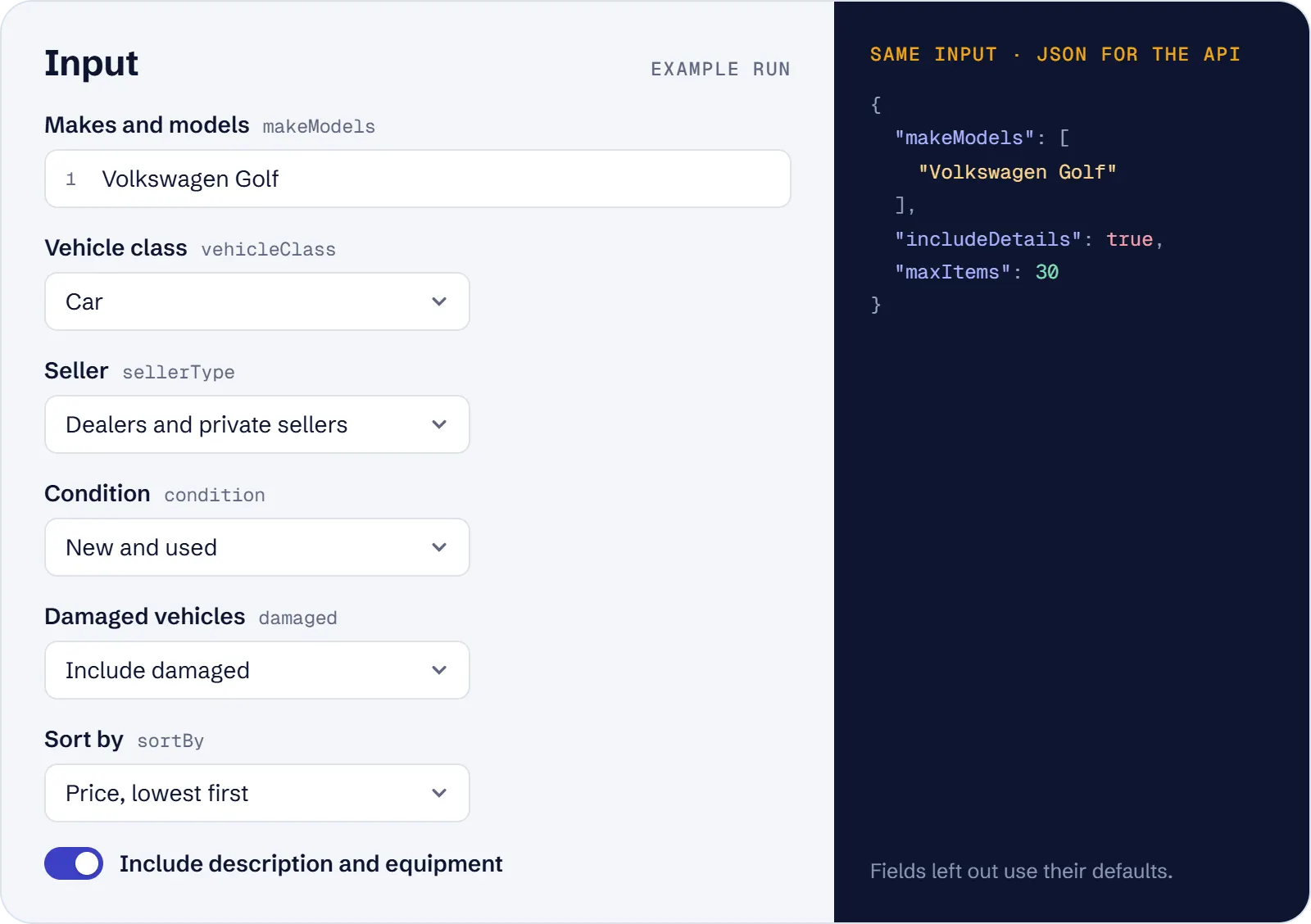
All fields are optional. With an empty input the actor searches all cars, cheapest first, and returns 100 listings.
- Makes and models — one search per line: a make, optionally with a model or model group as named on mobile.de, e.g. "BMW 3er Reihe", "BMW 3 Series", "BMW 320", "VW Golf". Model names work for vehicle class Car; other classes take a make only. An unknown name stops the run with the closest suggestions.
- Search terms — free text such as "touring". Combined with makes and models, every make/model is searched with every term.
- mobile.de search URLs — result pages copied from mobile.de; each keeps its own filters and sort.
- Vehicle class — Car, Motorbike, Van / truck up to 7.5 t, Motorhome, Truck over 7.5 t, Semi-trailer truck, Semi-trailer, Trailer, Bus, Agricultural vehicle, Construction machine, Forklift truck or E-bike.
- Filters — price from/to (EUR), first registration from/to, mileage up to, power from (kW), fuel types, gearbox, body types (Car only), seller (dealers, private or both), condition (new, used), damaged vehicles, seller country.
- Location — latitude, longitude and radius (1–1000 km).
- Output and limits — sort order, description and equipment, label language (German or English), max listings in total and per search.
Example: diesel VW Golf from 2018, €10,000–20,000, up to 100,000 km.
What data can you extract from mobile.de?
| Field | What it is |
|---|---|
title, subtitle, make, model, category | Listing title, seller's short version or trim text, make, model and body type |
makeId, modelId | mobile.de numeric make and model ids (the same ids the search uses) |
price, currency, priceType | Gross price, currency and price type |
netPrice, vatRate | Net price and VAT rate, when the dealer shows them |
priceRating | mobile.de's price rating, e.g. GOOD_PRICE |
mileageKm, firstRegistration, firstRegistrationYear | Mileage and first registration (MM/YYYY and year) |
powerKw, powerPs, engineCapacityCcm | Power and engine size |
fuelType, transmission, color, doors, seats, emissionClass, previousOwners | Specs |
hasDamage, readyToDrive | Condition flags |
country, postalCode, city, latitude, longitude | Location |
sellerType, sellerId, sellerName, sellerAddress, sellerPhones | Seller and contact |
sellerRating, sellerReviewsCount | Seller rating and number of reviews |
imageUrl, imageUrls, imageCount | Photos |
publishedAt, updatedAt | When the listing was created and last changed |
description, features, damageCondition, inspectionDue, climatisation, interior, airbags, emissionsSticker | Only with Include description and equipment |
id, url, vehicleClass, query, scrapedAt | Listing id and page, vehicle class, the search that found it, scrape time |
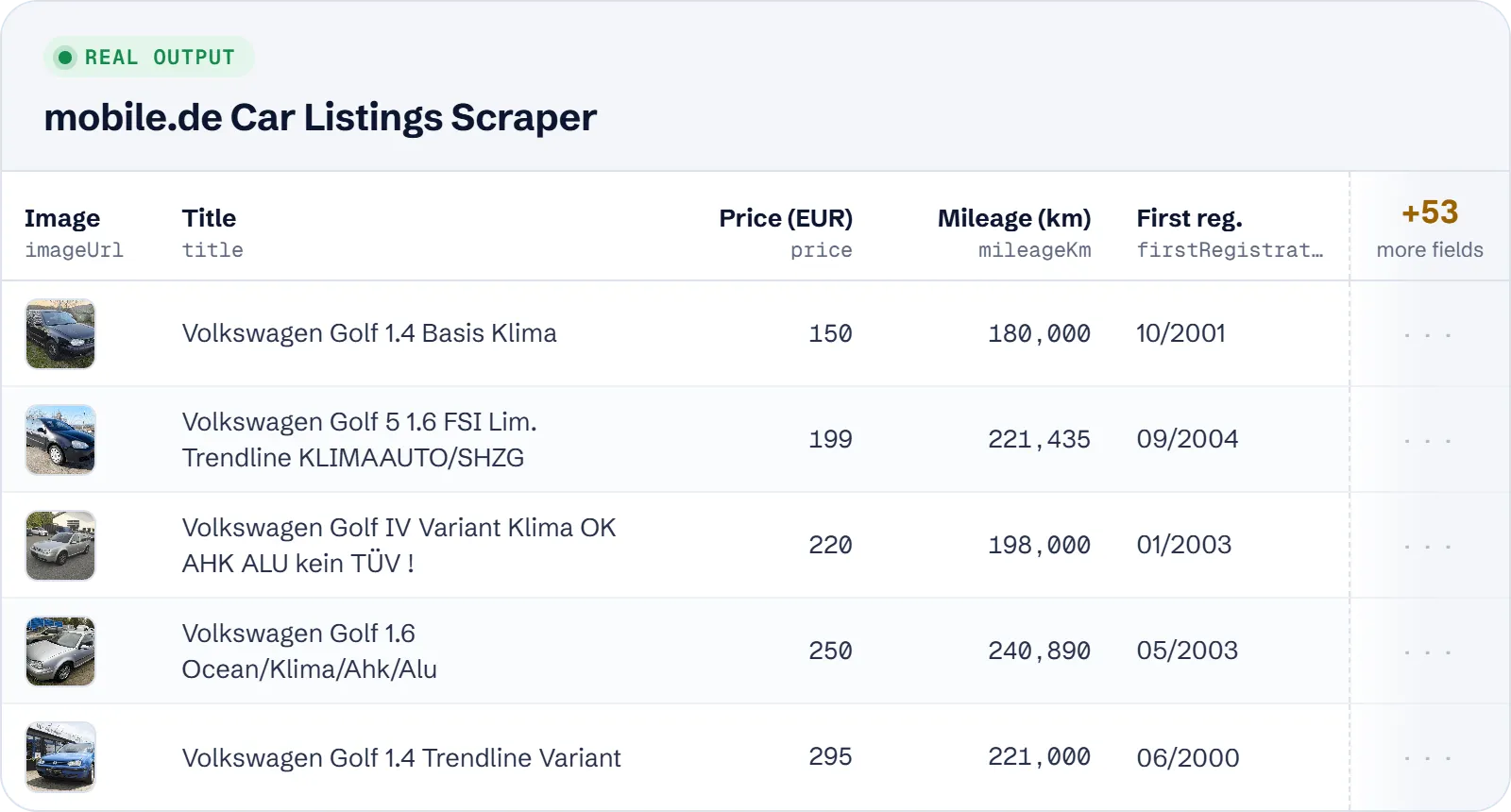
Example row (shortened; German labels):
Use cases
- Model price check — collect all diesel Golfs from 2018 in a price range and compare price, mileage and price rating.
- Dealer stock and leads — list dealer offers of a model group (e.g. automatic BMW 3 Series) with dealer names, addresses, phones and ratings.
- Local search — find private convertibles within 50 km of Berlin with a radius search.
- Re-run a saved search — paste your mobile.de search URL and get its results as a table.
- Other vehicle classes — motorhomes, motorbikes, vans or trucks, with English labels and full descriptions.
Limitations
- mobile.de shows at most 2,000 results per search. Larger searches are split into price ranges (and single years when one price has more than 2,000 listings) automatically; a cell still above 2,000 keeps its first 2,000 rows and the log warns about it.
- When a search is split, the sort order holds only within each price range, not across the whole result.
- Model names work only for vehicle class Car; for other classes use the make alone or search terms.
- Radius search takes coordinates, not a postal code.
- Many fields can be empty (
null): net price and VAT appear only for some dealers, seller name and address only for dealers, and new or non-motor vehicles have no mileage or power. - Listing page URLs (
/auto-inserat/…) cannot be used as input; only search result URLs. - mobile.de blocks datacenter IPs, so the run uses the Apify residential proxy.
Tips and troubleshooting
- 0 rows? The log says which search matched nothing. Check the filters: a year filter also matches new, unregistered vehicles — set Condition to Used to exclude them.
- Run failed right away? The input was rejected before any request, and nothing was charged. The message names the field: e.g. an unknown make or model (with suggestions), body types with a class other than Car, or min above max.
- Search URL filters: the form filters do not apply to pasted URLs; set the filters on mobile.de before copying the URL.
- Many searches in one run: use Max listings per search so one big make does not use up Max listings.
- Only fresh listings: sort by "Newest listings first" and keep a small limit for regular runs.
- Keep the residential proxy: with datacenter proxies mobile.de blocks the requests.
API, MCP and integrations
Run the actor from your code with the same JSON input as in Console. Your API token is in Console → Settings → API & Integrations.
Python (pip install apify-client):
Node.js (npm install apify-client):
HTTP — one request runs the actor and returns the results (runs up to 5 minutes; longer ones: run asynchronously):
AI agents (MCP). Add the actor as a tool of the Apify MCP server. Claude Code:
Claude Desktop, Cursor or VS Code: {"mcpServers": {"apify": {"url": "https://mcp.apify.com?tools=genial_candlestand/mobile-de-car-listings-scraper"}}}. Then ask, for example:
- "Find diesel VW Golf listings on mobile.de from 2018 under 20000 EUR with less than 100000 km"
- "List BMW 3 Series dealers on mobile.de with automatic cars, with their phones and addresses"
- "Get private convertible listings within 50 km of Berlin from mobile.de with prices and mileage"
Integrations. Run it on a schedule with Apify Schedules and send the results to Google Sheets, Slack, Zapier, Make, n8n or your webhook — see Apify integrations.
FAQ
Is it legal to scrape mobile.de?
The actor reads only listings that mobile.de shows publicly, without logging in. Seller names and phone numbers are what the seller published in the listing. You are responsible for how you use the data, including data-protection rules such as GDPR when you contact sellers.
Can I search by model name instead of building a URL?
Yes. Type names like "BMW 3er Reihe", "BMW 3 Series", "Mercedes C-Klasse" or "VW Golf". A name that is both a model group and a model (Golf) uses the whole group.
Can I get more than 2,000 listings for one search?
Yes. Raise Max listings; searches above 2,000 results are split into price ranges, including listings without a numeric price.
Are labels in English?
Set Label language to English for fuel, gearbox, body type and colour labels. Price rating, price type and seller type are always codes.
How is it different from other mobile.de actors?
It takes make and model names, free text and search URLs in one run, returns flat rows (only phones, images and features are lists), charges the description and equipment separately only when you switch them on, and has a $0.00005 start fee.
Also useful
- eBay Search Scraper — compare car parts or vehicle prices on eBay: active listings, condition, seller and bids
- eBay Sold Listings Scraper — check what vehicles and parts actually sold for: sold price, date and shipping
- Google Search Scraper — find dealer websites and reviews from Google results for the dealers you collected
- Yelp Business Scraper — enrich dealer leads with ratings, reviews, website and opening hours from Yelp


