

Naukri Jobs Scraper | Salaries, Skills & Company Ratings
Pricing
from $0.38 / 1,000 job listings
Naukri Jobs Scraper | Salaries, Skills & Company Ratings
Get Naukri.com jobs with title, company, AmbitionBox rating, location, work mode, experience and salary as numbers, skills and posting date. Many keywords per run, filters for city, experience, job age, work mode and salary band; optional full job details. No login.
Pricing
from $0.38 / 1,000 job listings
Rating
0.0
(0)
Developer

Flowo
Maintained by CommunityActor stats
0
Bookmarked
1
Total users
0
Monthly active users
5 days ago
Last modified
Categories
Features
Share
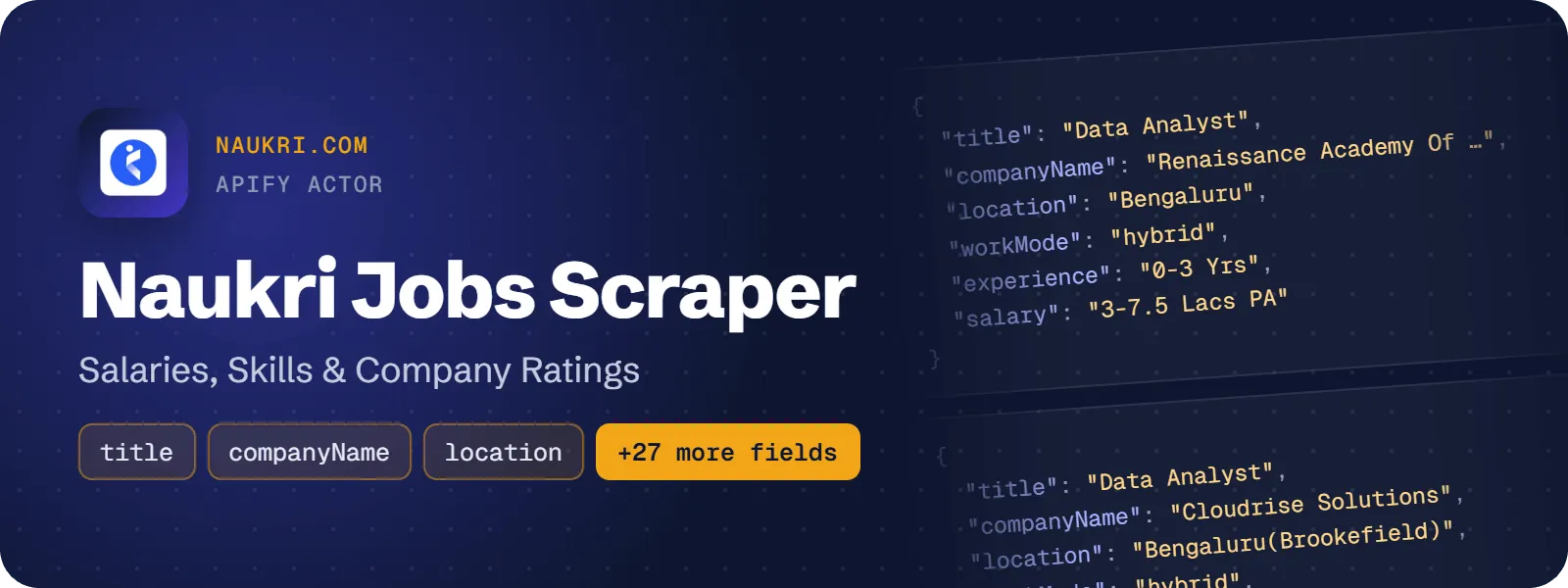
Get Naukri.com job listings as clean, flat rows: job title, company name, AmbitionBox company rating, location, work mode, experience range in years, salary as text and as minimum/maximum numbers in INR per year, skills and the posting date. Search many keywords in one run with Naukri's own filters (location, experience, posting age, work mode, salary band), and optionally add the full job page: full description, employment type, role, industry, education, applicant and view counts.
What does Naukri Jobs Scraper do?
You give it keywords (designations, skills or company names) and/or a city, plus optional filters. It searches Naukri.com, India's largest job board, the way the site's own search does and saves one row per job listing. It is built for recruiters and staffing agencies, HR and compensation analysts, job-market researchers, and job seekers or bots that track new postings. No Naukri login or API key is needed.
How to scrape Naukri.com jobs
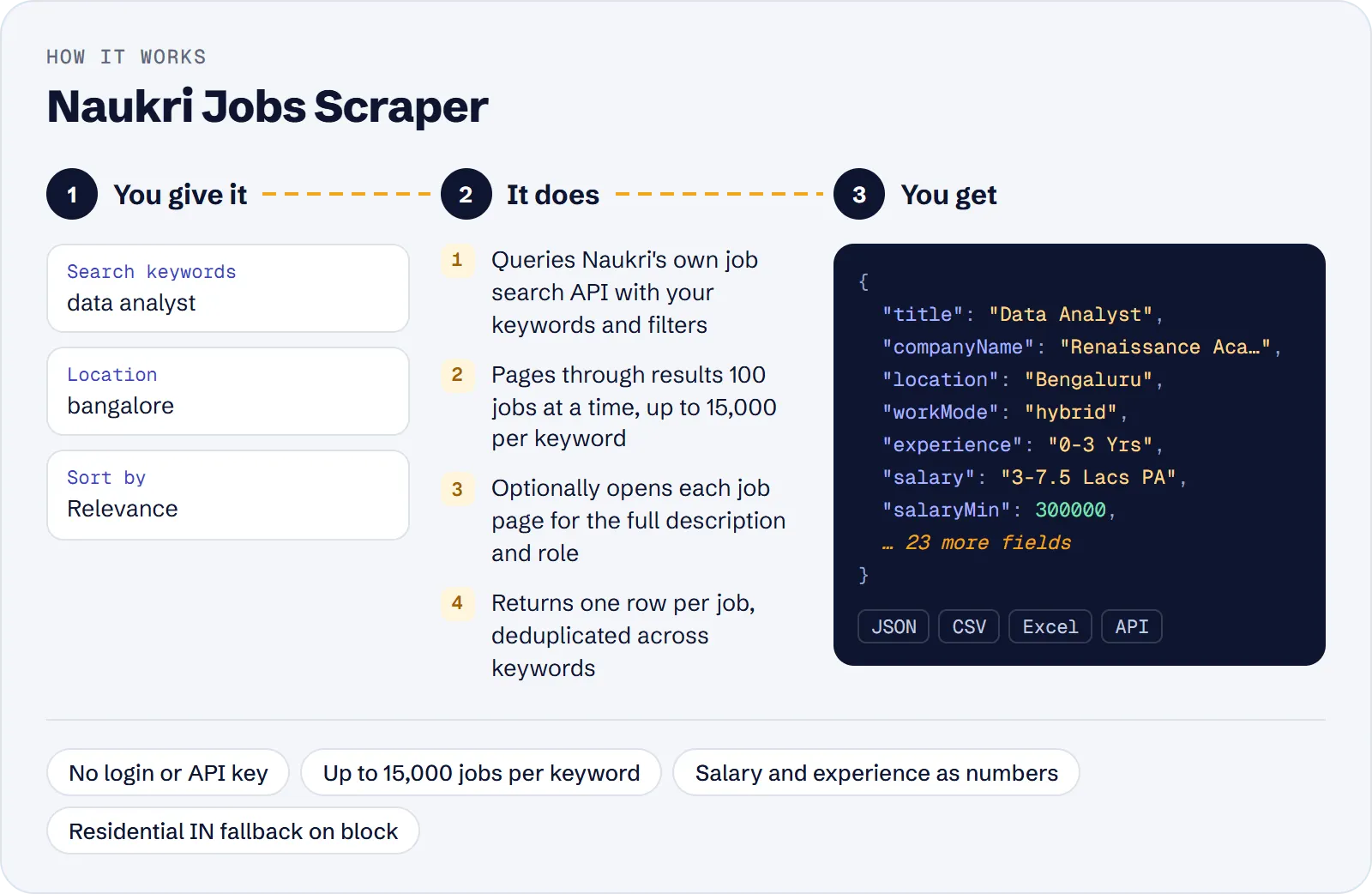
- Open the actor in Apify Console and go to the Input tab.
- Enter one or more Search keywords (one per line), e.g.
data analyst, and/or a Location, e.g.bangalore. At least one of the two is required. - Optionally set filters: years of experience, posted within N days, work mode, salary ranges and sort order.
- Turn on Include full job details if you need the full description, role, industry, education and applicant counts.
- Set Max jobs per keyword (default 100) and, if you like, Max jobs in total.
- Click Start and download the results as JSON, CSV, Excel or via the API.
How much does it cost to scrape Naukri.com?
Price per event by Apify plan:
| Event | Free | Bronze | Silver | Gold and above |
|---|---|---|---|---|
| Job listing | $0.45 per 1,000 | $0.427 per 1,000 | $0.405 per 1,000 | $0.382 per 1,000 |
| Full job details | $0.50 per 1,000 | $0.475 per 1,000 | $0.45 per 1,000 | $0.425 per 1,000 |
| Actor start | $0.00005 | $0.00005 | $0.00005 | $0.00005 |
A test run with the API example input below returned 50 rows in 24 s.
The actor uses pay-per-event pricing:
- Job listing — one saved job row (list fields). Duplicates found by several keywords and searches with no results are free.
- Full job details — an add-on per job, charged only when Include full job details is on and only for jobs whose details were actually fetched. A job whose detail request failed is saved without details and charged as a list row only.
- Actor start — a small fee once per run.
Cost examples on the Free plan (start fee included):
| Scenario | Events | Cost |
|---|---|---|
| 1 keyword, 100 jobs (default limit) | 100 jobs + 1 start | about $0.045 |
| 2 keywords × 100 jobs (prefilled input) | 200 jobs + 1 start | about $0.09 |
| 1,000 jobs, list fields only | 1,000 jobs + 1 start | about $0.45 |
| 1,000 jobs with full job details | 1,000 jobs + 1,000 details + 1 start | about $0.95 |
There is no minimum number of jobs: a run with maxItemsPerQuery: 1 works.
Input
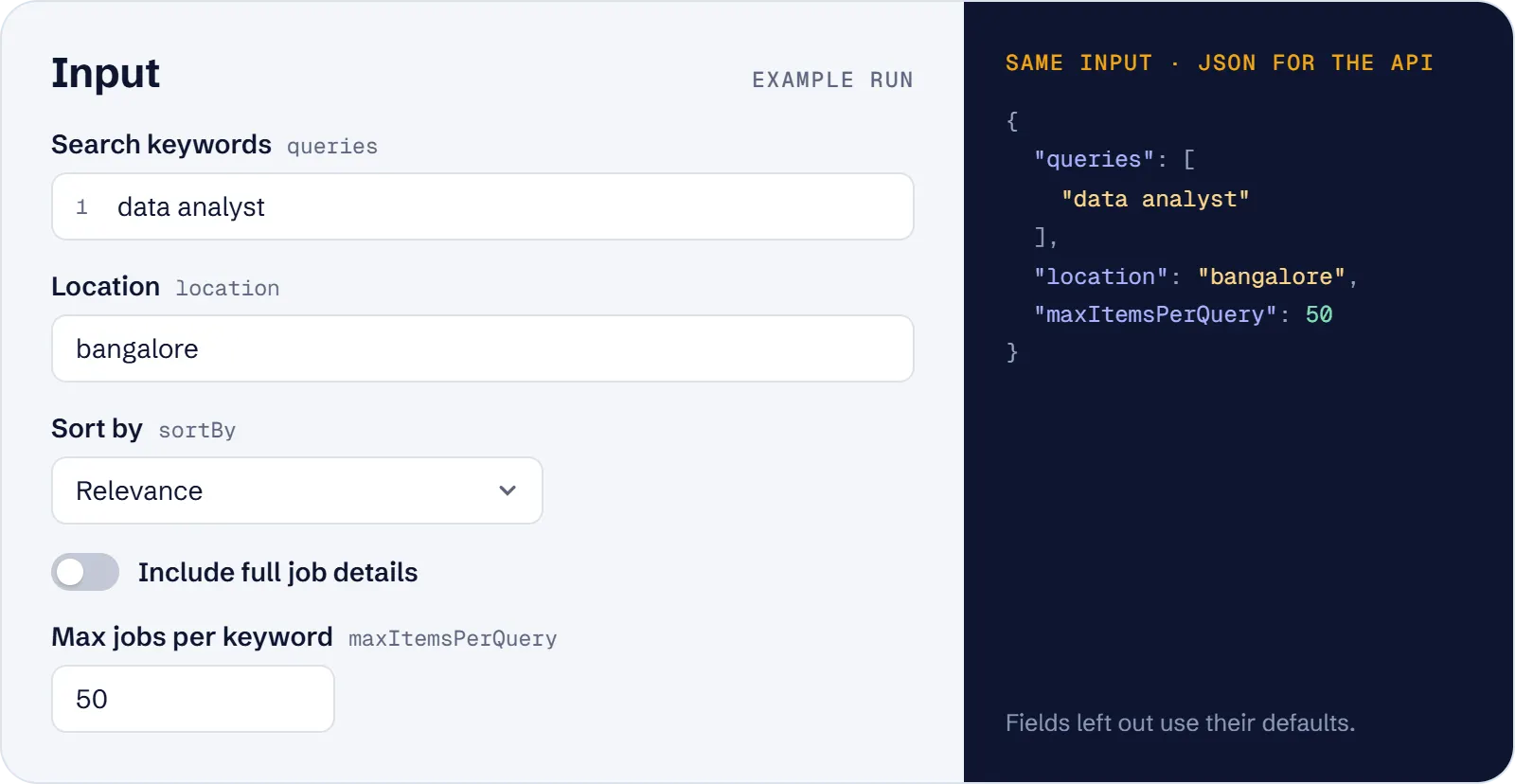
| Field | What it does |
|---|---|
queries | Search keywords, one Naukri search per line (designations, skills, company names; c++ and c# work). Optional when location is set. |
location | City or comma-separated cities applied to every keyword, e.g. bangalore, pune, mumbai, remote. Aliases (bangalore = bengaluru) and a few foreign cities (e.g. dubai) work. Empty = all of India. |
experience | Your experience in years, 0–30 (0 = fresher); returns jobs whose experience range includes it. |
postedWithinDays | Only jobs posted in the last 1–30 days. |
workModes | Any of office, hybrid, remote. |
salaryRanges | Annual salary bands in lakhs INR: 0to3, 3to6, 6to10, 10to15, 15to25, 25to50, 50to75, 75to100, 100to500 (1–5 Crore), 501 (5+ Crore). Several bands = any of them. |
sortBy | relevance (default) or date (newest first). |
includeDetails | Open every job for the full job page fields (default off; add-on charge, slower). |
maxItemsPerQuery | Jobs per keyword, 1–15,000 (default 100). With no keywords, the limit of the single location search. |
maxItems | Optional cap on all jobs of the run. |
proxyConfiguration | Apify Proxy (default datacenter); on a block the actor retries once through residential India IPs. |
Example input:
What data can you extract from Naukri.com?
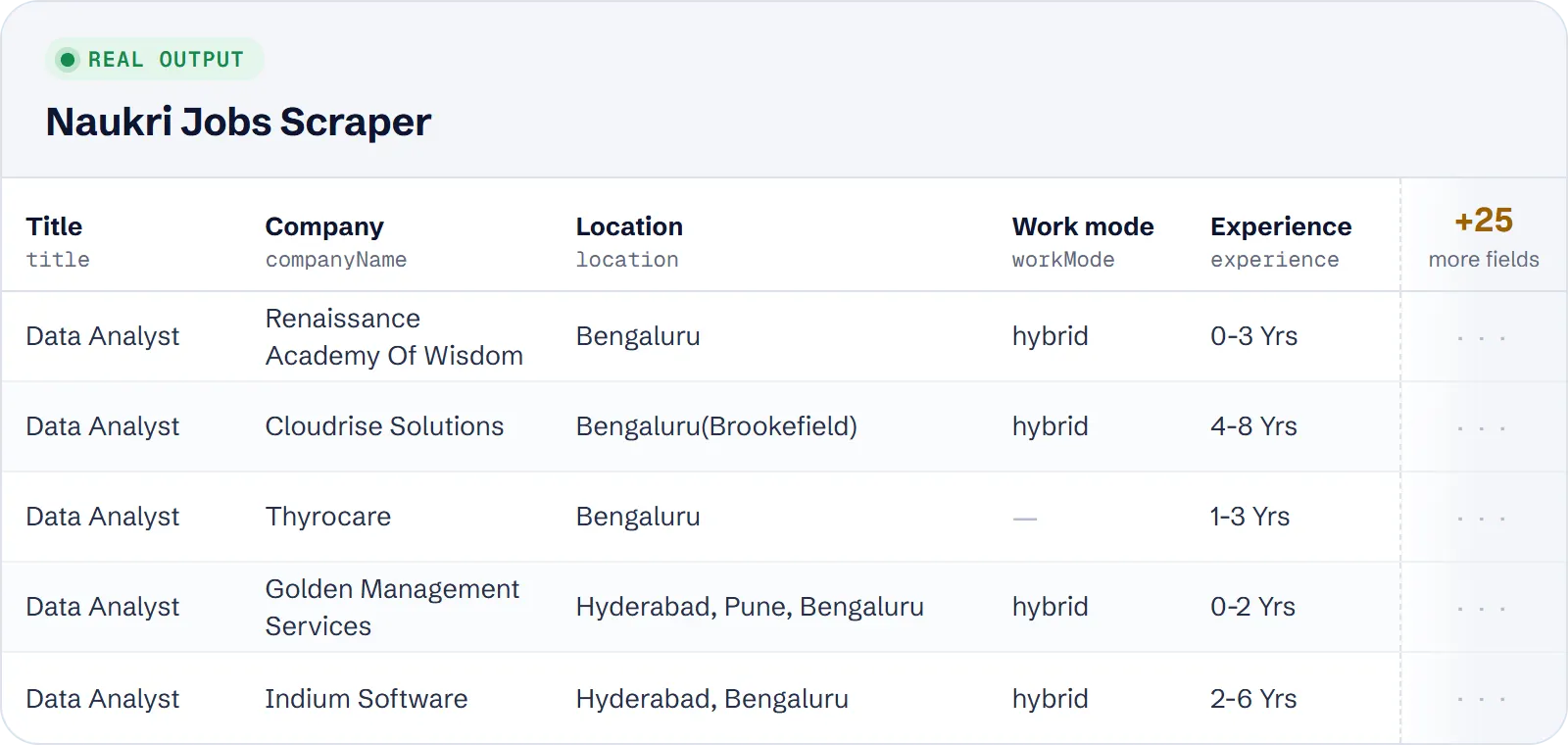
| Field | Description |
|---|---|
id, url, title | Naukri job ID, job page URL and job title |
companyName, companyId, companyUrl, companyLogoUrl | Hiring company, its Naukri ID, jobs page and logo |
companyRating, companyReviewsCount | AmbitionBox employee rating (1–5) and number of reviews |
location, workMode | Location as shown (without the work-mode prefix) and office / hybrid / remote |
experience, minExperience, maxExperience | Experience as shown ("0-3 Yrs") and as numbers in years |
salary, salaryMin, salaryMax, currency | Salary as shown ("Not disclosed" when hidden) and annual min/max numbers (null when hidden) |
skills | Array of skills and tags |
descriptionSnippet | Short description from the search results |
publishedAt, postedLabel | Posting date (ISO 8601) and the label shown on Naukri ("15 Days Ago") |
vacancies, isWalkIn, isConsultant, companyApplyUrl | Openings, walk-in flag, posted by a consultant, apply link on the company site |
description, employmentType, jobRole, roleCategory, functionalArea, industry | Full job page fields (with includeDetails) |
education, applyCount, viewCount, locations | Education (UG and PG), applicants, views and all job locations (with includeDetails) |
companyDescription, companyWebsite | About the company and its website, rarely given (with includeDetails) |
query, searchLocation, position | The keyword and location that found the job and its rank in the results |
scrapedAt | When the job was extracted |
Example row (list fields, shortened):
Use cases
- Salary and skill benchmarks — collect hundreds of jobs for one role with numeric salary ranges, experience ranges and skills, e.g. product managers with 5 years of experience in the 15–50 lakh bands.
- Fresh job monitoring — search several keywords posted within the last day, sorted by date, and get today's jobs deduplicated across keywords.
- Recruitment lead lists — see which companies are hiring for which roles in a city, with their AmbitionBox rating and Naukri company page.
- Remote and hybrid jobs — list remote and hybrid jobs for a role across all of India.
- City job-market snapshots — run a location-only search (e.g. all jobs in Delhi) for job-market dashboards and research.
Limitations
- Naukri shows at most 15,000 jobs per search (150 pages of 100), so
maxItemsPerQueryis capped at 15,000. Use more keywords or narrower filters to cover more. - Many employers hide the salary: then
salaryis "Not disclosed" andsalaryMin/salaryMaxare null. A salary-band filter still matches jobs with hidden salaries. - Without
includeDetails,workModeis known only for hybrid and remote jobs; office jobs haveworkMode: null. With details it is always set. companyRatingis empty for companies without AmbitionBox data;vacancies,companyApplyUrlandcompanyWebsiteare often empty.- Full job details take one extra request per job, so runs with
includeDetailsare much slower than list runs. - A location Naukri does not know is ignored by the site; the actor then logs a warning that results are not filtered by location.
- Non-Latin (e.g. Hindi) keywords are matched loosely by Naukri; use English terms.
Tips and troubleshooting
- Get only new jobs: set
postedWithinDays: 1andsortBy: date, and schedule the run daily. - Get more jobs: raise
maxItemsPerQuery(up to 15,000) or add more keywords; the same job found by several keywords is saved and charged once. - Filters combine freely: location, experience, posting age, work modes and salary bands all work together; several work modes or salary bands mean "any of them".
- 0 results: the log says "No jobs for '…'" with the filters used — loosen the filters or check the spelling. Searches without results are free.
- Fewer jobs than the limit: Naukri has fewer matching jobs; the run stops when the results end.
- Keep the Apify Proxy on: Naukri's protection blocks many IPs; the default datacenter proxy works and the actor falls back to residential India IPs on a block.
API, MCP and integrations
Run the actor from your code with the same JSON input as in Console. Your API token is in Console → Settings → API & Integrations.
Python (pip install apify-client):
Node.js (npm install apify-client):
HTTP — one request runs the actor and returns the results (runs up to 5 minutes; longer ones: run asynchronously):
AI agents (MCP). Add the actor as a tool of the Apify MCP server. Claude Code:
Claude Desktop, Cursor or VS Code: {"mcpServers": {"apify": {"url": "https://mcp.apify.com?tools=genial_candlestand/naukri-jobs-scraper"}}}. Then ask, for example:
- "Find remote Python developer jobs on Naukri posted in the last 7 days, newest first"
- "Get 200 data analyst jobs in Bangalore from Naukri with salary ranges and required skills"
- "List product manager jobs in Pune for 5 years of experience paying 25 to 50 lakhs per year"
Integrations. Run it on a schedule with Apify Schedules and send the results to Google Sheets, Slack, Zapier, Make, n8n or your webhook — see Apify integrations.
FAQ
Is it legal to scrape Naukri.com?
The actor collects only publicly visible job listings, the same data any visitor sees without logging in. It does not collect candidate data. You are responsible for how you use the data, including Naukri's terms and data-protection laws that apply to you.
Do I need a Naukri account or API key?
No. The actor works without login, cookies or an API key.
How is it different from other Naukri scrapers?
List rows cost $0.45 per 1,000 jobs, close to the most-used Naukri actor ($0.40 per 1,000), and the full job page is an optional add-on of $0.50 per 1,000 (both together $0.95 per 1,000). Rows are flat: experience and salary come as numbers (salary null when hidden, not 0), the posting date as ISO 8601, and the AmbitionBox rating is included already in list mode. It also adds salary-band filters, several keywords per run, up to 15,000 jobs per keyword and no minimum number of jobs.
Can I search all jobs in a city without a keyword?
Yes. Leave queries empty and set location; the rows then have query: null.
Why is salaryMin empty although I filtered by salary band?
Naukri matches the employer's salary band even when the salary is hidden on the listing; hidden salaries give null numbers.
Also useful
- Indeed Jobs Scraper — search the same roles on Indeed in many keywords, locations and countries
- Google Jobs Scraper — collect jobs from Google Jobs with salaries, descriptions and apply links
- Glassdoor Jobs Scraper — add Glassdoor job listings with salaries and company ratings
- Workday Jobs Scraper — pull job listings straight from companies' Workday career sites
- Wellfound Jobs Scraper — find startup jobs with salary, equity and company details


