
G2 Reviews Scraper | Ratings, Pros & Cons, Company Size
Pricing
from $1.36 / 1,000 reviews
G2 Reviews Scraper | Ratings, Pros & Cons, Company Size
Get G2.com software reviews with star rating, title, pros, cons, problems solved, reviewer role, industry and company size, plus the product's overall rating and review count. Many products per run, filters by stars, company segment, region, keyword and date. No login.
Pricing
from $1.36 / 1,000 reviews
Rating
0.0
(0)
Developer

Flowo
Maintained by CommunityActor stats
0
Bookmarked
3
Total users
2
Monthly active users
4 days ago
Last modified
Categories
Features
Share
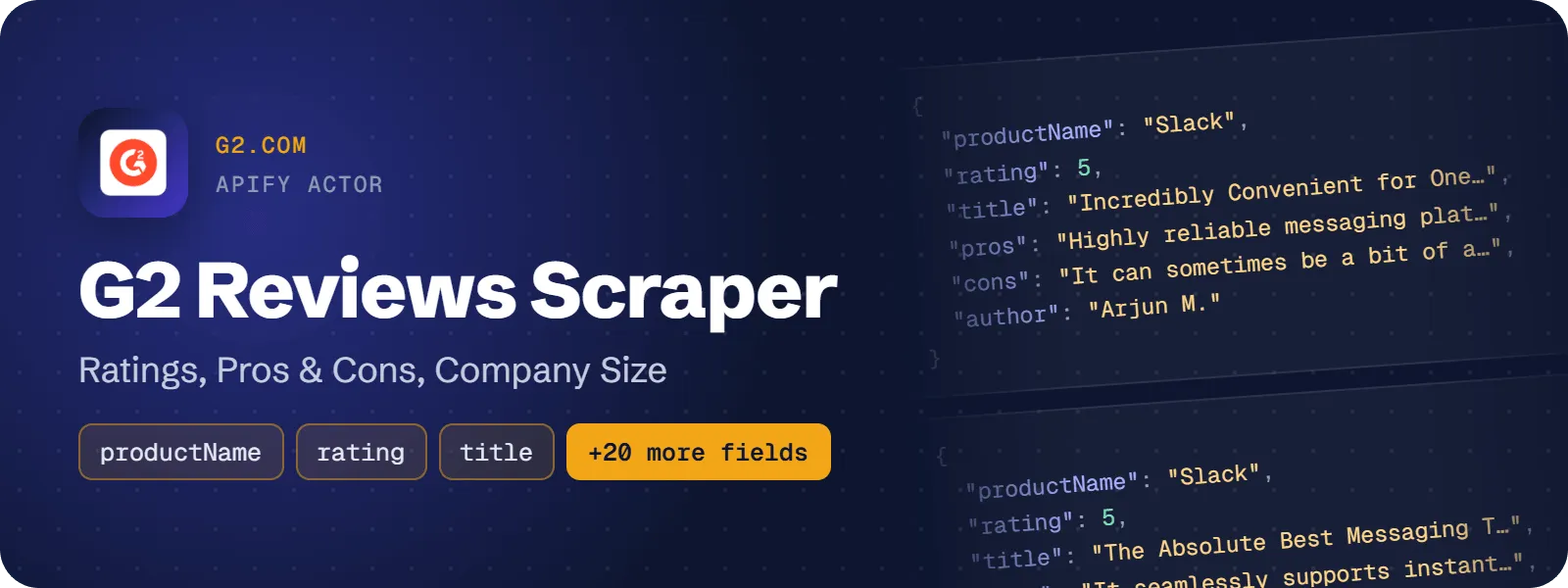
Get G2.com software reviews for many products in one run. Each row holds the star rating, the review title, the pros, cons and problems solved, the reviewer's name, role, industry and company size, and the publish date. Every row also carries the product's overall G2 rating, its total review count and its G2 categories.
What does G2 Reviews Scraper do?
You give it a list of G2 products as URLs or slugs, such as https://www.g2.com/products/slack/reviews or notion. It returns one flat dataset row per review. You can filter by star rating, the reviewer's company segment, region, a keyword and a publish date. Product marketers, product managers, sales teams and data teams use it to compare products, look for pain points and track new reviews. It needs no G2 account, no login and no browser.
How to scrape G2 reviews
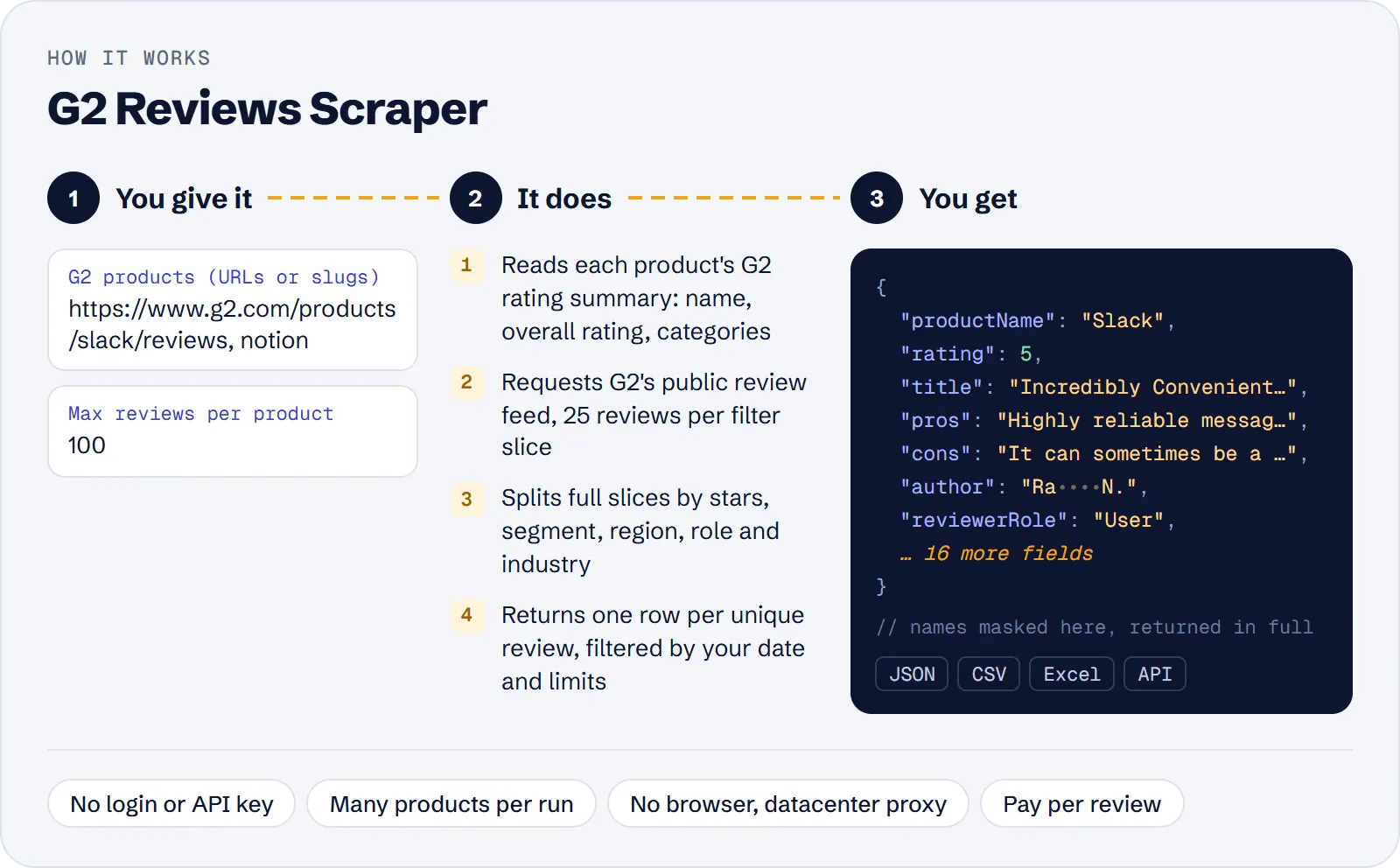
- Open the actor in Apify Console and click Try for free.
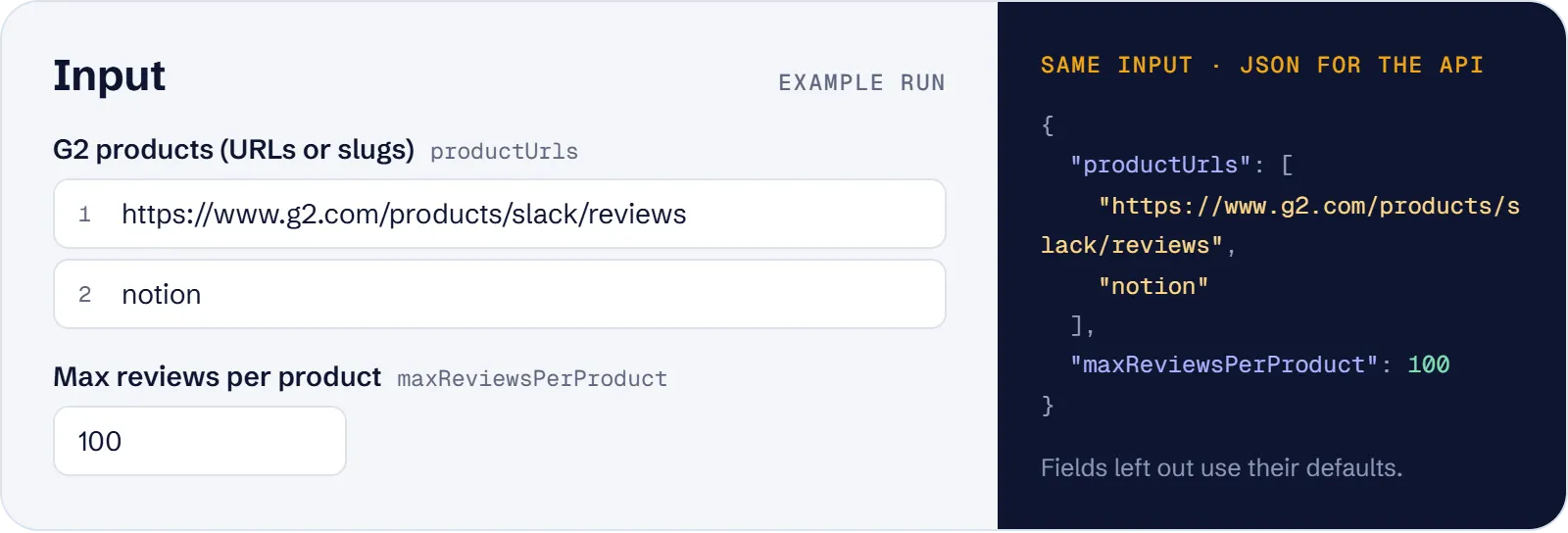
- In G2 products, enter product URLs or slugs, one per line. You can mix both forms.
- Set Max reviews per product. The default is 100.
- Optional: choose star ratings, company segments or regions, or enter a keyword or a Published after date.
- Click Start. When the run finishes, download the reviews as JSON, CSV, Excel or HTML, or read them through the API.
How much does it cost to scrape G2?
Price per event by Apify plan:
| Event | Free | Bronze | Silver | Gold and above |
|---|---|---|---|---|
| Review | $1.60 per 1,000 | $1.52 per 1,000 | $1.44 per 1,000 | $1.36 per 1,000 |
| Actor start | $0.00005 | $0.00005 | $0.00005 | $0.00005 |
A test run with the API example input below returned 200 rows in 19 s.
You pay per review saved to the dataset: $0.0016 per review ($1.60 per 1,000 reviews) on the Free plan. Each run also has Apify's start event of $0.00005 per GB of memory, and the actor runs with 256 MB by default. There is no other run fee.
Not charged: products that are not found on G2, products with no reviews, filters that match nothing, reviews older than your Published after date, and duplicate reviews.
| Scenario | Review events | Cost on the Free plan |
|---|---|---|
| Prefill input: Slack and Notion, 100 reviews each | 200 | about $0.32 |
| 3 competitors, 300 reviews each | 900 | about $1.44 |
| 10 products, 500 reviews each | 5,000 | about $8.00 |
| Weekly check of one product, 30 new reviews | 30 | about $0.05 |
Input
| Field | What it does |
|---|---|
productUrls (required) | G2 products, one per line: a product URL such as https://www.g2.com/products/slack/reviews or just its slug (slack). Renamed products are followed. Duplicate entries are processed once. Seller, category, comparison and search pages are not supported. |
maxReviewsPerProduct | Stop after this many reviews per product (1–10,000, default 100). |
maxItems | Optional cap on reviews across all products in the run. |
stars | Only these star ratings: 5 (4.5–5), 4 (3.5–4), 3 (2.5–3), 2 (1.5–2), 1 (0–1). |
companySizes | Only reviewers from these G2 segments: small-business, mid-market, enterprise. |
regions | Only reviewers from North America, Europe, Asia, Latin America, ANZ (Australia & New Zealand), Middle East or Africa. |
keyword | Only reviews that mention this word or phrase, using G2's own review search, e.g. pricing. |
publishedAfter | Only reviews published on or after this date: absolute (2026-01-31) or relative (30 days, 6 months). It cannot be in the future. |
proxyConfiguration | Apify datacenter proxy by default. A blocked request is retried once through a residential proxy automatically. |
You can combine all the filters, and each one accepts several values.
What data can you extract from G2?
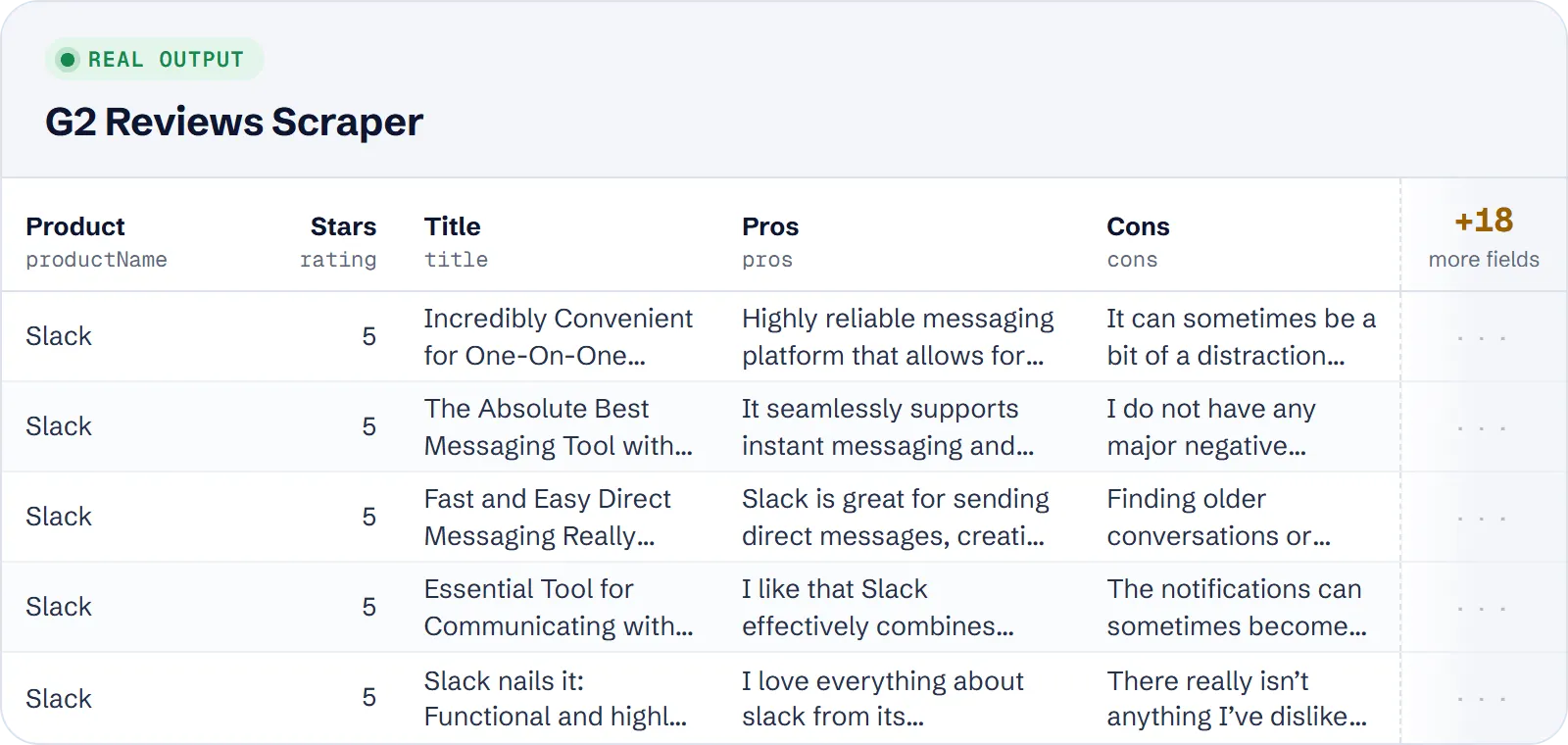
| Field | Description |
|---|---|
id, url | G2 review id and review page |
title | Review headline |
rating | Star rating of the review, 0–5 in half stars |
pros | Answer to "What do you like best about …?" |
cons | Answer to "What do you dislike about …?" |
problemsSolved | Answer to "What problems is … solving and how is that benefiting you?" |
publishedAt | Publish date (ISO 8601, UTC) |
author, isAnonymous | Reviewer's display name (first name and initial). It is null and isAnonymous is true for "Verified User" reviews. |
reviewerRole | Reviewer's role with the product as G2 lists it (e.g. User, Administrator, Consultant) |
reviewerIndustry | Reviewer's industry |
companySize | Reviewer's company size, e.g. "51-200 employees" |
companySegment | Small-Business, Mid-Market or Enterprise. It is filled when you use the segment filter, otherwise null. |
reviewerRegion | Reviewer's region. It is filled when you use the region filter, otherwise null. |
productSlug, productName, productUrl | The product (the slug is the current one after a rename) |
productRating, productReviewsCount | The product's overall G2 rating and total number of reviews |
productCategories | The product's G2 categories (array) |
query | The input entry the review was found for |
scrapedAt | When the review was extracted |
A real example row (the categories list is shortened):
Use cases
- Competitor comparison. Pull 300 reviews each for your product and two competitors and compare what users like and dislike, together with each product's G2 rating and categories.
- Pain-point mining. Set
starsto1and2to get only low-rated reviews and read their cons for bugs and feature requests. - Segment and region research. Set
companySizestoenterpriseandregionstoEuropeto see what enterprise users in Europe say. Every row of such a run is labelled with its segment and region. - Theme search. Use
keyword: "pricing"to get the reviews that talk about pricing, and combine it with star ratings if you need to. - Review monitoring. Schedule a weekly run with
publishedAfter: "7 days"to get only the newest reviews of your own product.
Limitations
- Not every review of very large products. G2 serves reviews in slices of 25, with no page 2. The actor splits a product by stars, segment, region, role and industry to reach more reviews. In tests it got over 1,000 unique reviews each for Slack, Notion and Asana. For products with tens of thousands of reviews, expect up to a few thousand recent reviews, not all of them.
- No sort option. G2 ignores sorting on this source. Rows come in slice order, roughly but not strictly newest first.
- Fields the source does not provide: NPS (0–10), sub-ratings (ease of use, quality of support…), switching data, helpful votes, reviewer job title, vendor responses and video reviews.
- Fields that can be empty:
author(null for anonymous reviewers),companySize,reviewerIndustry(filled for fewer than half of the reviews in tests), andcompanySegmentandreviewerRegionwhen you do not use those filters. If G2's product summary is unavailable, the product fields (productName,productRating,productReviewsCount,productCategories) are null for that product. - Products only. It does not discover products by name, category or search. Give a product URL or slug.
Tips and troubleshooting
- 0 rows? Check the run log. It has a warning for each product that was not found, has no reviews, or has no reviews that match your filters. None of these are charged.
- Fewer rows than
maxReviewsPerProduct? The product may have fewer reviews, or the slices did not reach more. The log says how many were found. Adding filters (stars, segment, region) gives you a different set of reviews. - Find the slug in the product's G2 address:
g2.com/products/<slug>/reviews. Old slugs of renamed products also work (hotjarreturnshotjar-by-contentsquare). - Only new reviews: use
publishedAfterwith a relative value such as7 daystogether with an Apify schedule. - Limit spend with
maxItems. It caps reviews across all products in the run. - Proxy: keep the default datacenter proxy. The actor switches a blocked request to a residential proxy on its own.
API, MCP and integrations
Run the actor from your code with the same JSON input as in Console. Your API token is in Console → Settings → API & Integrations.
Python (pip install apify-client):
Node.js (npm install apify-client):
HTTP — one request runs the actor and returns the results (runs up to 5 minutes; longer ones: run asynchronously):
AI agents (MCP). Add the actor as a tool of the Apify MCP server. Claude Code:
Claude Desktop, Cursor or VS Code: {"mcpServers": {"apify": {"url": "https://mcp.apify.com?tools=genial_candlestand/g2-reviews-scraper"}}}. Then ask, for example:
- "Get 300 G2 reviews each for Slack, Notion and Microsoft Teams and compare their pros and cons"
- "Find 1 and 2 star G2 reviews of Jira that mention pricing"
- "Get G2 reviews of Otter.ai from enterprise companies in Europe"
Integrations. Run it on a schedule with Apify Schedules and send the results to Google Sheets, Slack, Zapier, Make, n8n or your webhook — see Apify integrations.
FAQ
Is it legal to scrape G2 reviews?
The actor collects only reviews that G2 publishes openly, with no login. Reviewer names are shown as G2 shows them publicly (first name and initial), and anonymous reviewers stay anonymous. You are responsible for how you use the data, including data-protection rules such as GDPR and G2's terms.
Do I need a G2 account or API key?
No. The actor uses G2's public review feed and product summary, so you need no login, cookies or browser.
Can I scrape several products in one run?
Yes. List as many product URLs or slugs as you need. Each product gets its own maxReviewsPerProduct limit, and maxItems caps the whole run.
How is it different from other G2 review actors?
It costs $1.60 per 1,000 reviews with no run fee beyond Apify's start event. It takes many products per run and filters by company segment, region and keyword, as well as stars and date. Each row includes the reviewer's role, industry and company size. It does not return NPS, sub-ratings or switching data.
Does it return the reviewer's company or LinkedIn profile?
No. The public review feed shows only the reviewer's display name, role, industry and company size, and that is what the actor returns.
Also useful
- Trustpilot Reviews Scraper — add customer reviews of the same vendors from Trustpilot, with ratings and company replies
- Apple App Store Reviews API — collect iOS app reviews of the same SaaS products' mobile apps
- Google Play Reviews Scraper — get Android app reviews with star ratings, app versions and developer replies
- Reddit Scraper — find what users say about the same tools in Reddit posts and comments
- Google Search Scraper — track how the compared products rank on Google for your category keywords


