

Workday Jobs Scraper | Job Listings from Career Sites
Pricing
from $0.63 / 1,000 job postings
Workday Jobs Scraper | Job Listings from Career Sites
Get open jobs from any Workday career site: job title, requisition ID, locations, country, posted date, remote type, description and parsed salary range. Many companies and keywords per run, filters from the URL kept, no login.
Pricing
from $0.63 / 1,000 job postings
Rating
0.0
(0)
Developer

Flowo
Maintained by CommunityActor stats
0
Bookmarked
2
Total users
1
Monthly active users
5 days ago
Last modified
Categories
Features
Share
Workday Jobs Scraper — Job Listings from Workday Career Sites
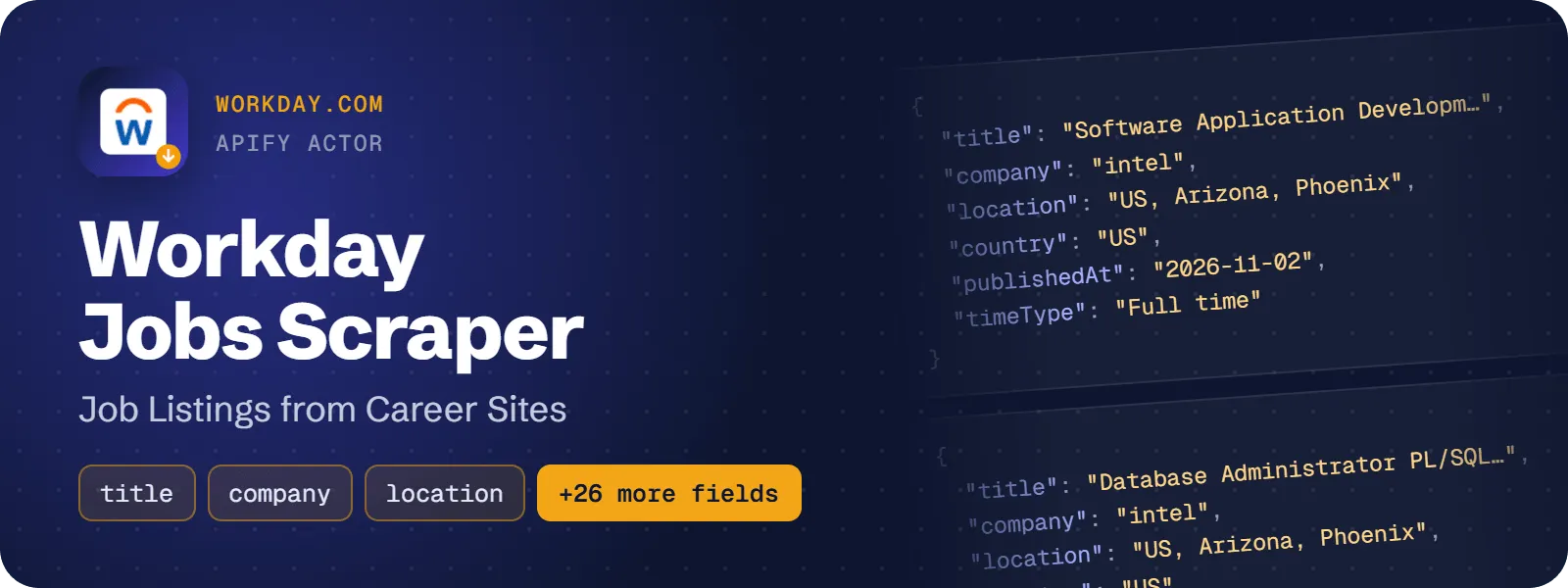
Get open jobs from any company's Workday career site (*.myworkdayjobs.com, *.myworkdaysite.com). Each row has the job title, requisition ID, locations with ISO country, exact posted date, full-time or part-time type, remote type, the full description and the salary range parsed from it. Paste career-site URLs, optionally add keywords, and export to JSON, CSV or Excel.
What does Workday Jobs Scraper do?
You give it one or more Workday career-site URLs, for example the NVIDIA, Salesforce or Intel job pages. The actor reads the live jobs of each site and returns one row per open job, with details by default. Filters you set on the career site (job category, location, a ?q= search) are kept when you copy the URL.
It suits recruiters tracking target employers, job boards importing listings, analysts studying hiring by team and country, and AI agents answering "what is this company hiring for". There is no cross-company search on Workday, so you always name the career sites.
How to scrape Workday job listings
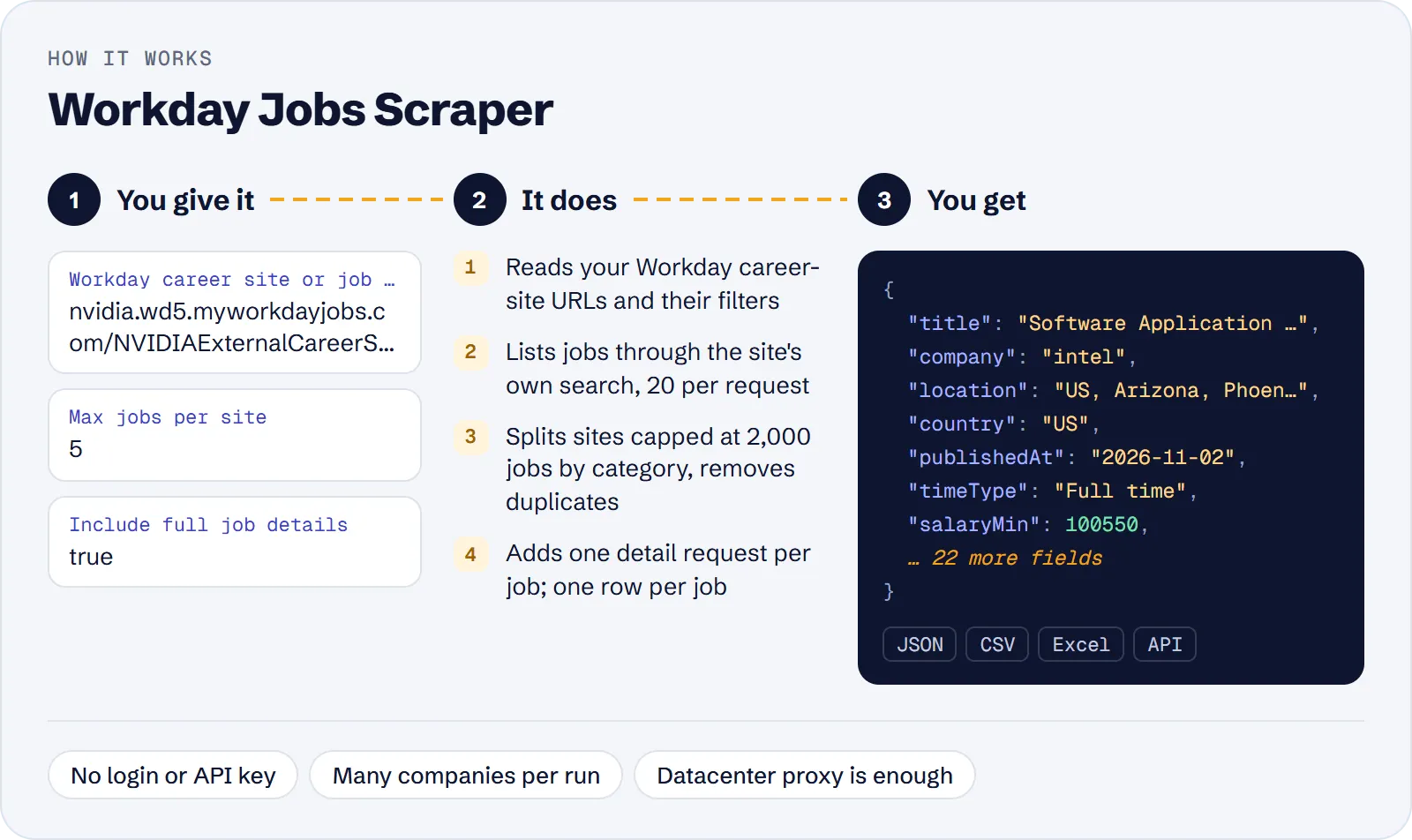
- Open the actor in Apify Console and click Try for free.
- Add one or more career-site URLs to Workday career site or job URLs (the form
https://nvidia.wd5.myworkdayjobs.com/NVIDIAExternalCareerSite). To use a filter, set it on the career site first and paste the resulting URL. - Optionally add Search keywords, set Max jobs per site, or Posted within last N days.
- Click Start and download the dataset as JSON, CSV, Excel or HTML, or read it through the API.
How much does it cost to scrape Workday jobs?
Price per event by Apify plan:
| Event | Free | Bronze | Silver | Gold and above |
|---|---|---|---|---|
| Job posting | $0.90 per 1,000 | $0.81 per 1,000 | $0.72 per 1,000 | $0.63 per 1,000 |
| Actor start | $0.00005 | $0.00005 | $0.00005 | $0.00005 |
A test run with the API example input below returned 15 rows in 45 s.
You pay per job posting returned: $0.90 per 1,000 jobs, plus a small start fee of $0.00005 per GB of memory per run. Details are included in the same price whether Include full job details is on or off. Duplicates, closed postings and empty postings are free. Costs below are on the Free plan, start fee included, with one start event.
| Scenario | Jobs | Cost |
|---|---|---|
| Preview of 3 career sites (50 jobs each) | 150 | about $0.14 |
| One mid-size company, all open jobs | 1,000 | about $0.90 |
| Three companies, 1,000 jobs each | 3,000 | about $2.70 |
| Large inventory without details | 5,000 | about $4.50 |
Input
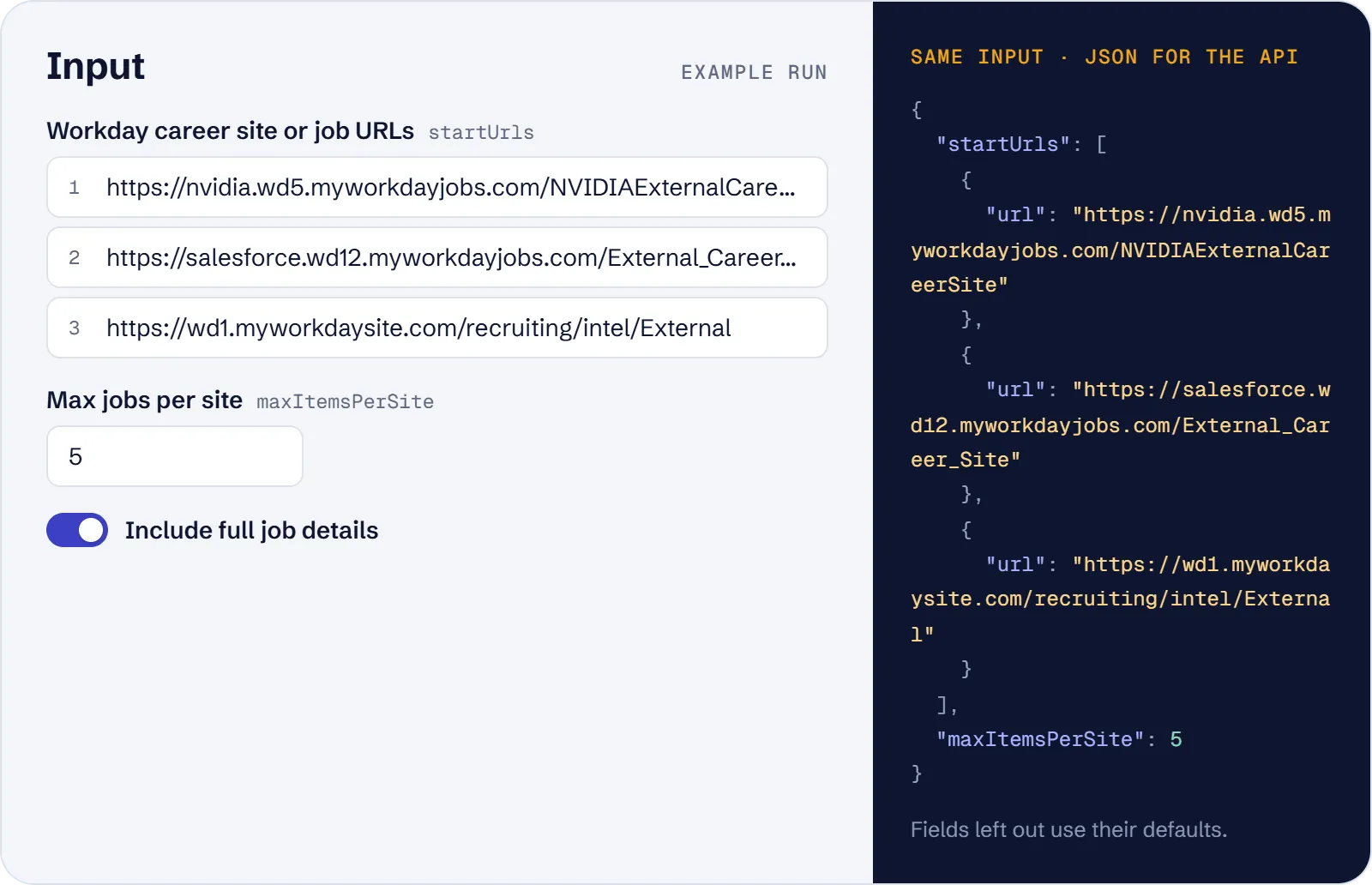
| Field | Meaning |
|---|---|
startUrls (required) | Career-site URLs, or a single job link (…/job/…) to get just that job |
queries | Keywords for the site's own search, one per line; each runs on every site and each job is output once |
maxItemsPerSite | Jobs per career site, default 1000 |
maxItems | Optional cap for the whole run |
postedWithinDays | Only jobs posted in the last N days (1–365) |
includeDetails | On by default: one extra request per job for description, exact date, country, all locations and salary |
proxyConfiguration | Apify datacenter proxy by default; residential is not needed |
What data can you extract from Workday?
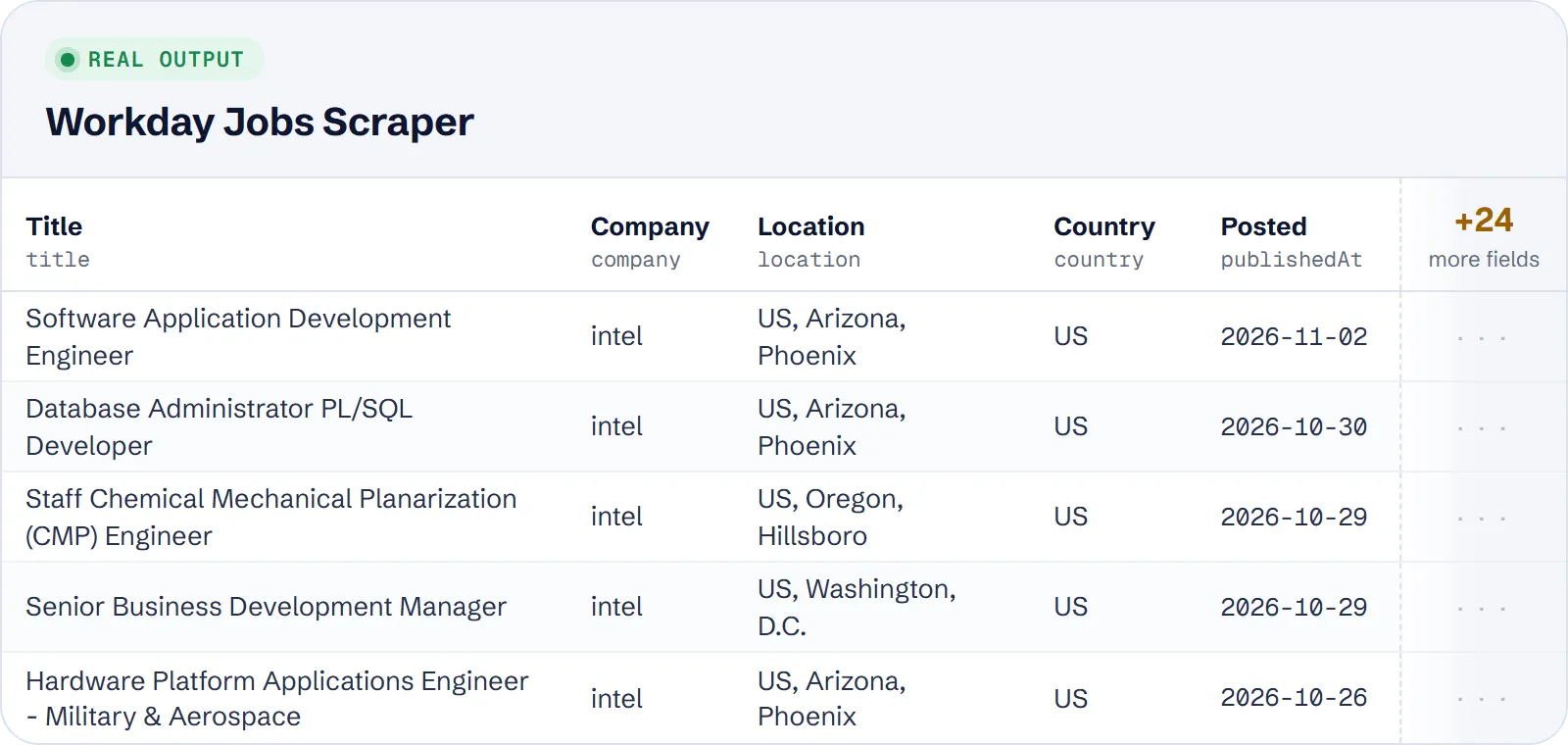
| Field | Description |
|---|---|
title, id | Job title and requisition ID |
company, legalEntity | Tenant name from the URL and the hiring legal entity |
location, additionalLocations, locationsText | Main location, other locations, and the list text |
country, countryName | ISO-2 country code and country name |
isRemote, remoteType, timeType | Remote flag, the site's remote type, full or part time |
publishedAt, postedOnText | Posted date (YYYY-MM-DD) and the site's relative text |
postingEndDate, canApply | Closing date (some employers) and whether applying is open |
salaryMin, salaryMax, salaryCurrency, salaryPeriod, salaryText | Salary range parsed from the description |
description, descriptionHtml | Job description as plain text and as HTML |
workdayId | Workday internal posting ID (details only) |
siteId, siteUrl, query, url, scrapedAt | Source site, matched keyword, job link and scrape time |
Example (shortened):
Use cases
- Recruiting and sourcing: export all open jobs of target employers into a sheet or ATS every week.
- Job boards and aggregators: import listings with description, location and apply status.
- Labour-market analysis: compare hiring by team, country and remote type across companies.
- New-job monitor: schedule a daily run with
postedWithinDaysset to 1 to get only fresh postings. - AI agents: answer questions such as "which data engineer roles is Mastercard hiring for".
Limitations
- You must supply the career-site URL; the actor does not search across companies. Only
myworkdayjobs.comandmyworkdaysite.comURLs are accepted, others are skipped with a warning. - Salary is parsed from the description text, so it is empty for most jobs and when the posting has no range.
remoteTypeandpostingEndDatedepend on the employer and are often empty.- With
includeDetailsoff, fields such ascountry,description,legalEntityand salary are empty, andpublishedAtcomes from the relative text; "Posted 30+ Days Ago" has no date. - Companies change site IDs or leave Workday; an outdated URL gives a warning and no rows.
Tips and troubleshooting
- 0 rows? Check the warning in the log: "career site not found" means the site ID in the URL is wrong; "company not found on host" means the
wdNnumber is wrong; "no jobs match" means the keyword or filter has no results. - Large sites take longer with details on. Turn Include full job details off for a fast inventory, or lower Max jobs per site.
- Some sites list at most 2,000 jobs. The actor splits such sites by job category and removes duplicates; if no split is possible it warns you to add filters.
- If you set
queries, a?q=in the URL is ignored. Other tracking parameters such asutm_*are ignored too. - For over 30 days in
postedWithinDays, keep details on so the exact date is known. - A job link in the URL returns that single job; keywords and date filters do not apply to it.
API, MCP and integrations
Run the actor from your code with the same JSON input as in Console. Your API token is in Console → Settings → API & Integrations.
Python (pip install apify-client):
Node.js (npm install apify-client):
HTTP — one request runs the actor and returns the results (runs up to 5 minutes; longer ones: run asynchronously):
AI agents (MCP). Add the actor as a tool of the Apify MCP server. Claude Code:
Claude Desktop, Cursor or VS Code: {"mcpServers": {"apify": {"url": "https://mcp.apify.com?tools=genial_candlestand/workday-jobs-scraper"}}}. Then ask, for example:
- "List open data engineer jobs at Mastercard posted in the last 7 days"
- "Get the 50 newest jobs from the NVIDIA Workday career site"
- "Which remote jobs does Salesforce have open, with salary ranges?"
Integrations. Run it on a schedule with Apify Schedules and send the results to Google Sheets, Slack, Zapier, Make, n8n or your webhook — see Apify integrations.
FAQ
Is it legal to scrape Workday job listings?
The actor reads job postings that employers publish openly on their career sites. You are responsible for how you use the data and for following the laws that apply to you, such as data-protection rules. The output contains job information, not private account data.
Do I need a login, API key or proxy?
No login or key is needed. The default Apify datacenter proxy is enough; a residential proxy is not required.
Can I track only new jobs?
Yes. Set postedWithinDays and schedule the run; the actor stops listing once it reaches older jobs.
What happens if one URL is wrong?
That URL is skipped with a warning and the others continue. The run fails only when the input is invalid or no URL could be used.
Also useful
- Google Jobs Scraper — search jobs across employers by term and location: salaries, descriptions and apply links
- SEC EDGAR Filings Search — research the same companies' filings by keyword, form type and date
- Trustpilot Reviews Scraper — check ratings and company replies for the employers you track


