
Shopee Product Details Scraper | 9 Markets & Seller Data
Pricing
from $7.65 / 1,000 products
Shopee Product Details Scraper | 9 Markets & Seller Data
Get Shopee product details by URL or shopId/itemId: title, brand, attributes, category path, images, variations, shop vouchers and the seller's rating, followers and response rate. SG, MY, TH, VN, PH, TW, ID, BR, MX. Many products per run, no login. Price and sold count not included.
Pricing
from $7.65 / 1,000 products
Rating
0.0
(0)
Developer

Flowo
Maintained by CommunityActor stats
0
Bookmarked
5
Total users
3
Monthly active users
4 days ago
Last modified
Categories
Features
Share
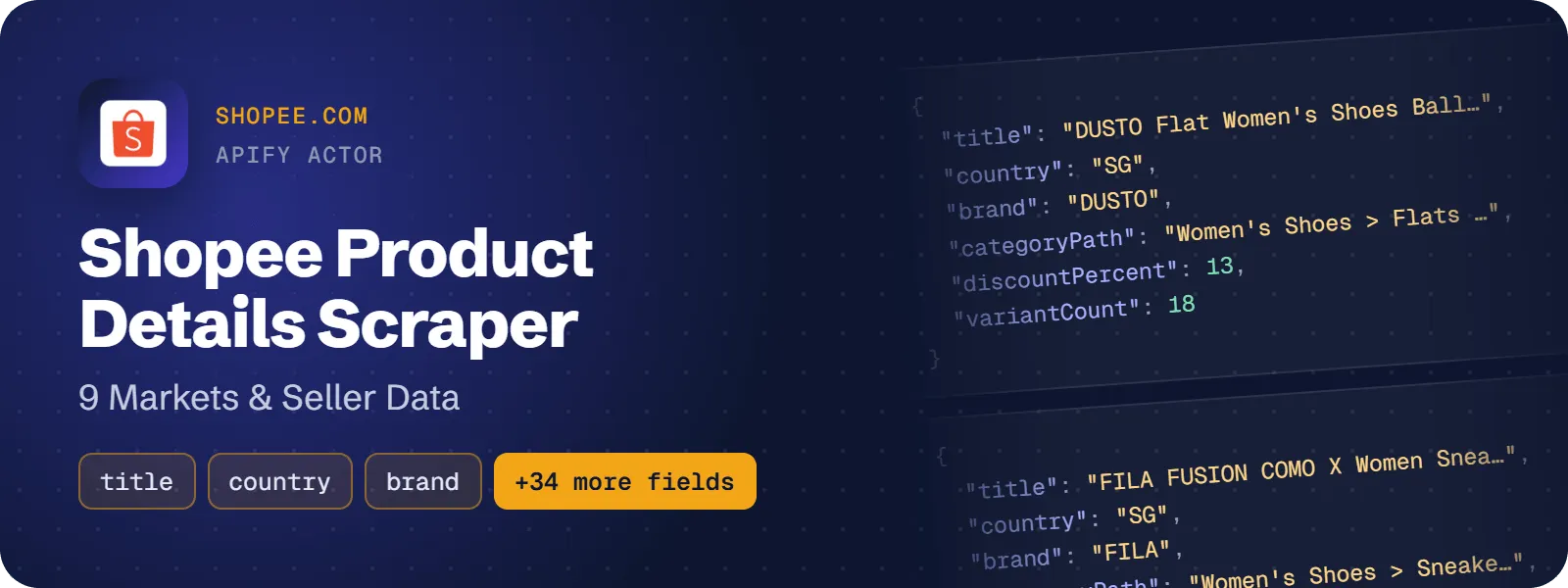
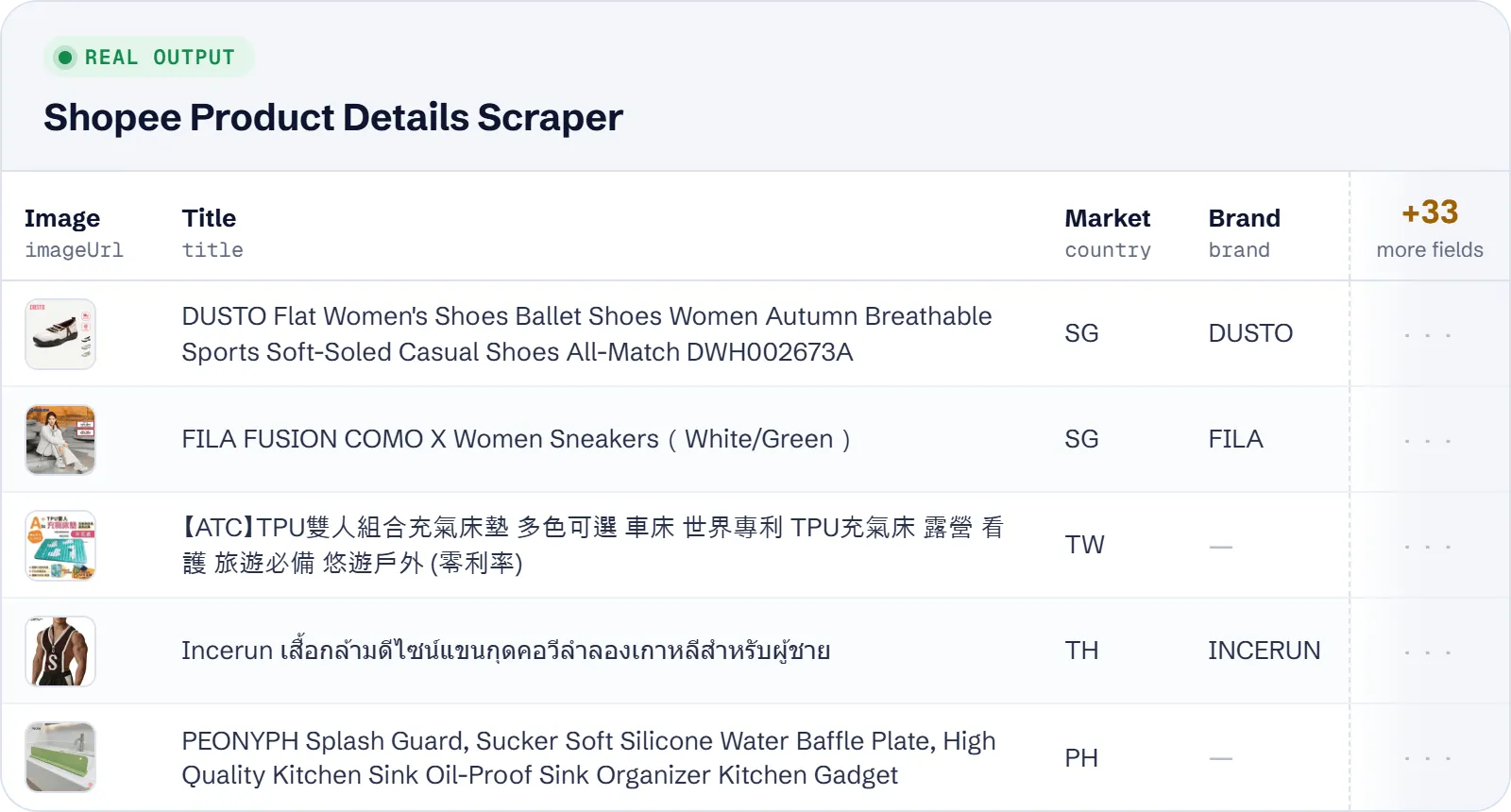
Get Shopee product details as flat rows: title, description, brand, category path, attributes, images, video, variations and the shop vouchers shown on the page. Each row also has seller data: shop name, shop rating, followers, item count, response rate and the date the shop joined. Works for Shopee Singapore, Malaysia, Thailand, Vietnam, Philippines, Taiwan, Indonesia, Brazil and Mexico, with product URLs or shopId/itemId pairs as input.
What does Shopee Product Details Scraper do?
You give it Shopee product page URLs, or shopId/itemId pairs plus a market. It returns one row per product with the product data, the discount percentage, the shop vouchers and, unless you turn it off, the seller's shop metrics. Brand owners, marketplace analysts, cross-border sellers, data teams and AI agents use it to turn Shopee links into structured data.
Since about September 2026 Shopee hides price, rating and sold count from visitors who are not logged in. This actor does not log in, so it does not return prices, product ratings, sold counts or stock. Each row lists what Shopee withheld in hiddenFields.
How to scrape Shopee product details
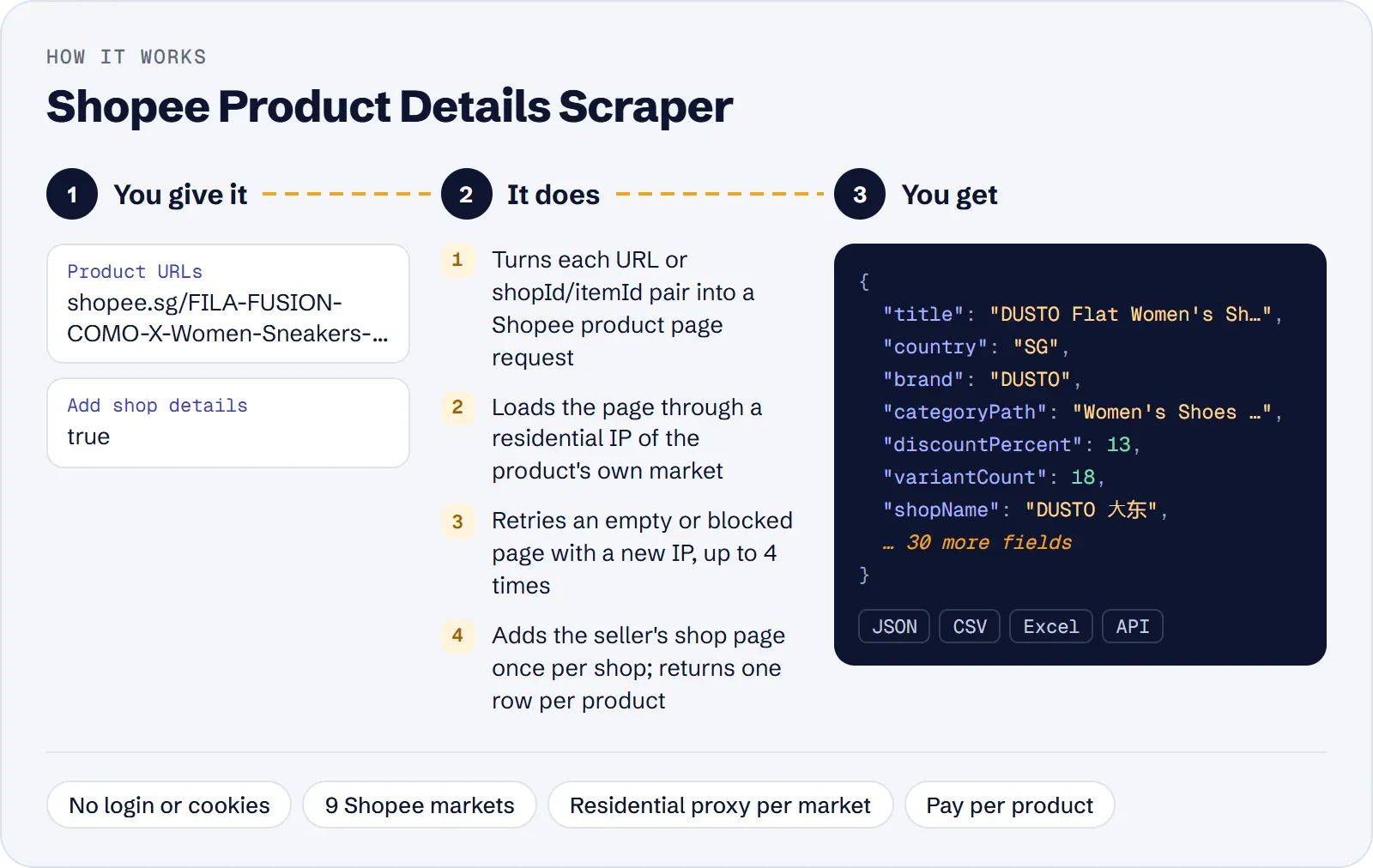
- Open the actor in Apify Console.
- Paste Shopee product URLs into Product URLs, one per line, from any of the 9 markets. Or put
shopId/itemIdpairs into Product IDs and choose their Market. - Keep Add shop details on if you want shop rating, followers and response rate; turn it off for faster runs.
- Optionally set Max products to cap the run.
- Click Start. Download the results as JSON, CSV or Excel, or read them through the API.
How much does it cost to scrape Shopee?
Price per event by Apify plan:
| Event | Free | Bronze | Silver | Gold and above |
|---|---|---|---|---|
| Product | $9.00 per 1,000 | $8.55 per 1,000 | $8.10 per 1,000 | $7.65 per 1,000 |
| Actor start | $0.00005 | $0.00005 | $0.00005 | $0.00005 |
A test run with the API example input below returned 10 rows in 70 s.
You pay per product saved: $0.009 per product ($9 per 1,000 products), plus the Apify actor start fee of $0.00005. Shop details are included in the product price.
Not charged: products that are not found or were removed, invalid URLs or IDs, and duplicates (the same product given twice, in both URL forms or as an ID).
| Scenario | Products (events) | Cost on the Free plan |
|---|---|---|
| One link from an AI agent | 1 | about $0.009 |
| Shop audit of 50 competing products | 50 | about $0.45 |
| Listing audit of 200 products in 3 markets | 200 | about $1.80 |
| Bulk enrichment of 1,000 Indonesian IDs | 1,000 | about $9.00 |
Input
| Field | What it does |
|---|---|
startUrls | Shopee product pages from shopee.sg, shopee.com.my, shopee.co.th, shopee.vn, shopee.ph, shopee.tw, shopee.co.id, shopee.com.br or shopee.com.mx. Both forms work: https://shopee.sg/<name>-i.<shopId>.<itemId> and https://shopee.sg/product/<shopId>/<itemId>. The market comes from the URL host. |
productIds | shopId/itemId or shopId.itemId pairs, e.g. 122238789/41724293478. Needs country. Can be combined with startUrls. |
country | Market of productIds: SG, MY, TH, VN, PH, TW, ID, BR or MX. Required with productIds, ignored for URLs. |
includeShop | Adds the shop name, rating, followers, item count, response rate, verified flag and join date (default: on). One shop page per shop, loaded once per run. |
maxItems | Stop after this many products are saved. Empty = all products given. |
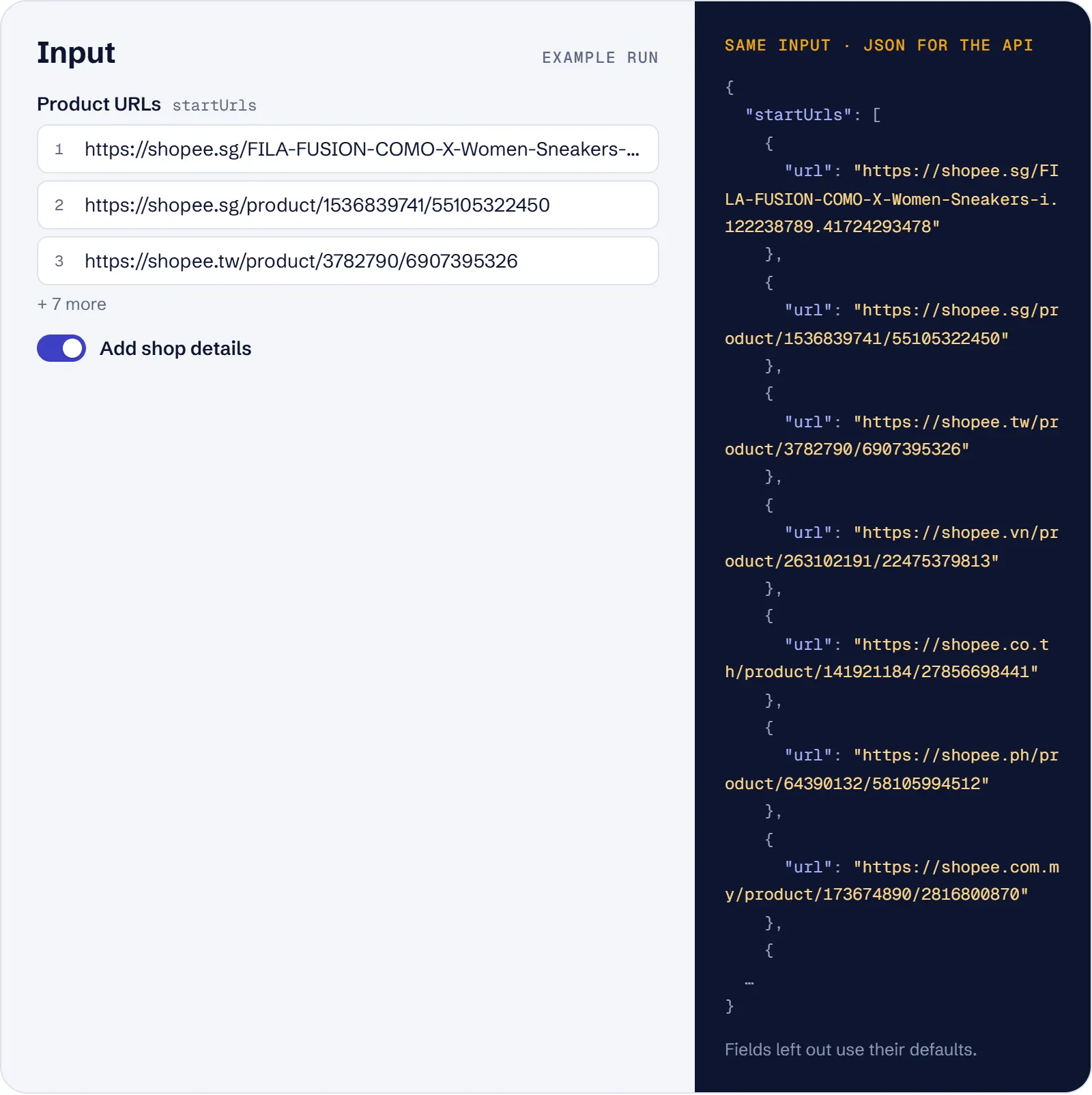
Example input:
Here country: "ID" applies only to the product ID; the two URLs keep their own markets (SG and TW).
What data can you extract from Shopee?
| Field | Description |
|---|---|
url | Normalised product URL https://<host>/product/<shopId>/<itemId> |
itemId, shopId | Shopee item and shop IDs (strings) |
country | Market: SG, MY, TH, VN, PH, TW, ID, BR or MX |
title, description | Product title and description text (description is null for image-only descriptions) |
brand | Brand, or null |
currency | Currency of the market, e.g. SGD, IDR |
discountPercent | Discount shown on the product, or null when there is none |
condition | new or used, or null |
categoryId, category, categoryPath | Category ID, last category name and the full path, e.g. Women's Shoes > Sneakers > Women's Sneakers |
attributes | List of {name, value} specifications |
imageUrl, imageUrls, videoUrl | Main image, all images, product video (or null) |
variations, variantCount | Variation groups {name, options} (e.g. Color, Size) and the number of variants |
shopLocation | Ship-from location, e.g. SG or Mainland China |
isOfficialShop, isShopeeChoice, isPreOrder, isAdult | Flags from the page |
estimatedDays | Estimated days shown on the page |
publishedAt | Listing creation date (ISO) |
vouchers | Shop vouchers: code, discountPercent, discountAmount, maxDiscount, minSpend, startsAt, endsAt |
shopName, shopUrl | Shop name and shop page URL |
shopRating, shopFollowers, shopItemCount, shopResponseRate, isVerifiedShop, shopCreatedAt | Seller metrics (null when includeShop is off) |
hiddenFields | What Shopee withheld from anonymous visitors, e.g. product_price.price |
scrapedAt | Time of scraping (ISO) |
Real example (lists shortened):
Voucher money values (discountAmount, maxDiscount, minSpend) are in the market's currency.
Use cases
- Listing audit across markets: a brand pastes product URLs from shopee.sg, shopee.com.my and shopee.co.th and checks titles, attributes, images, variations and official-shop flags.
- Seller due diligence: an analyst checks the shops behind competing products by shop rating, followers, response rate, item count, verified flag and join date.
- Bulk enrichment from IDs: a data team turns exported
shopId/itemIdpairs for one market into full product rows, with shop details off for speed. - Promotion tracking: a seller monitors competitors' discount percentages and shop vouchers on a schedule.
- AI agent lookup: an agent gets one Shopee link from a user and returns structured product facts.
Limitations
- No price, product rating, sold count, likes or stock. Shopee withholds them from visitors who are not logged in;
hiddenFieldslists what was withheld for each product. If you need prices, this actor does not provide them. - Only the 9 live markets are supported. shopee.com (the country selector), shopee.com.co and shopee.cl are skipped.
- Shop pages, category pages, search pages and
shp.eeshort links are skipped with a warning; open a short link and paste the full product URL. - Optional fields can be empty:
description(image-only descriptions),brand,discountPercent,videoUrl,shopResponseRateand others are null when the page has no value.vouchersandvariationscan be empty lists. - If a shop page cannot be loaded, the product row is still saved with the shop metrics as null;
shopNamethen comes from the product's vouchers when it has any. - Every request goes through an Apify residential proxy of the product's market; there is no proxy setting. Your Apify account needs residential proxy access.
Tips and troubleshooting
- Product IDs need a market. A run with
productIdsand nocountryfails before any request. All IDs in one run are looked up in that one market; put products of other markets in as URLs. - Both URL forms are fine. The text before
-i.does not matter; only the IDs are used. The same product given twice is fetched and charged once. - 0 rows? Check the log: not-found or removed products and invalid inputs are skipped with warnings and are free. If the run fails with "no product data", Shopee kept blocking the residential IPs of that market; try again later.
- Faster runs: turn off
includeShopwhen you only need product data — the shop page is then not requested. - Small tests: set
maxItemsto stop after a few products; the remaining products are not requested.
API, MCP and integrations
Run the actor from your code with the same JSON input as in Console. Your API token is in Console → Settings → API & Integrations.
Python (pip install apify-client):
Node.js (npm install apify-client):
HTTP — one request runs the actor and returns the results (runs up to 5 minutes; longer ones: run asynchronously):
AI agents (MCP). Add the actor as a tool of the Apify MCP server. Claude Code:
Claude Desktop, Cursor or VS Code: {"mcpServers": {"apify": {"url": "https://mcp.apify.com?tools=genial_candlestand/shopee-product-details-scraper"}}}. Then ask, for example:
- "Get the title, brand, variations and shop rating of https://shopee.sg/product/122238789/41724293478"
- "List the shop vouchers and discount of Shopee Indonesia product 163503296/13130004816"
- "Get shop followers, item count and response rate for https://shopee.tw/product/3782790/6907395326"
Integrations. Run it on a schedule with Apify Schedules and send the results to Google Sheets, Slack, Zapier, Make, n8n or your webhook — see Apify integrations.
FAQ
Does it return prices or sold counts?
No. Since about September 2026 Shopee hides price, rating and sold count from anonymous visitors, and this actor does not log in. The hiddenFields column shows what Shopee withheld.
Which Shopee countries are supported?
Singapore, Malaysia, Thailand, Vietnam, Philippines, Taiwan, Indonesia, Brazil and Mexico — product data is returned for all 9, Vietnam, Brazil, Taiwan and Mexico included.
Do I need a Shopee account or cookies?
No. No login, cookies or API key are needed.
How is it different from other Shopee product actors?
It costs $9 per 1,000 products with shop details included, against $30 per 1,000 for the most used Shopee product detail actor. It accepts many URLs and ID pairs in one run, includes seller metrics and shop vouchers, and covers all 9 markets. That actor returned price and product rating in our test, which this one does not.
Is it legal to scrape Shopee?
The actor collects only data that Shopee shows publicly on product and shop pages, without logging in. It returns no personal data beyond what the shop pages show publicly. You are responsible for how you use the data, including Shopee's terms and the data protection laws that apply to you.
Also useful
- AliExpress Product Scraper — compare the same products on AliExpress: price, SKU variants, shipping and sold count
- eBay Search Scraper — check active eBay listings for the same items: prices, condition and seller feedback
- Etsy Search Scraper — research Etsy listings by keyword: prices, discounts, shop ratings and badges
- Amazon Best Sellers Scraper — see top-ranked products on 12 Amazon stores with price, rating and category
- Naver Shopping Scraper — track Korean marketplace prices, discounts and reviews by keyword


