
Naver Shopping Scraper | Product Prices by Keyword
Pricing
from $2.10 / 1,000 products
Naver Shopping Scraper | Product Prices by Keyword
Get Naver Shopping (네이버쇼핑) products by keyword: title, price, discount, coupon price, delivery fee, rating, reviews, purchases, store and ad flag. Many keywords per run, optional product ID filter, no login, Korean residential proxy by default.
Pricing
from $2.10 / 1,000 products
Rating
0.0
(0)
Developer

Flowo
Maintained by CommunityActor stats
0
Bookmarked
1
Total users
1
Monthly active users
4 days ago
Last modified
Categories
Features
Share
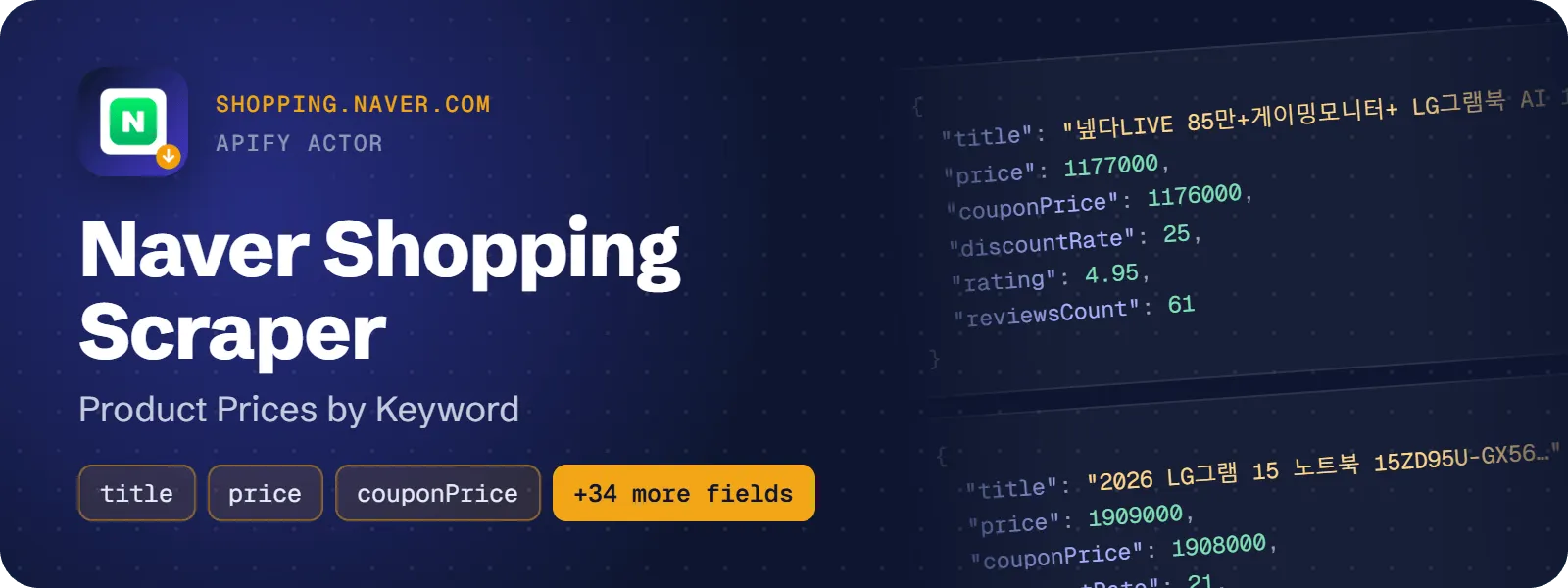
Get Naver Shopping (네이버쇼핑) products by keyword. Each result has the product title, price, original price, discount rate, coupon price, delivery fee, rating, review count, purchase count, store name and an ad flag. Catalog (price-comparison) products also show the number of sellers. No login and no API key are needed.
What does Naver Shopping Scraper do?
You give the actor one or more search terms (Korean or English). For each term it returns the product cards that Naver Shopping shows for that keyword, up to about 90 per term, in Naver's own order (the position field). Every card becomes one flat dataset row with prices in KRW, delivery data, rating, reviews, store and category ids.
It suits price monitoring, rank tracking of your own products or competitors, and market research on Korean e-commerce.
How to scrape Naver Shopping products
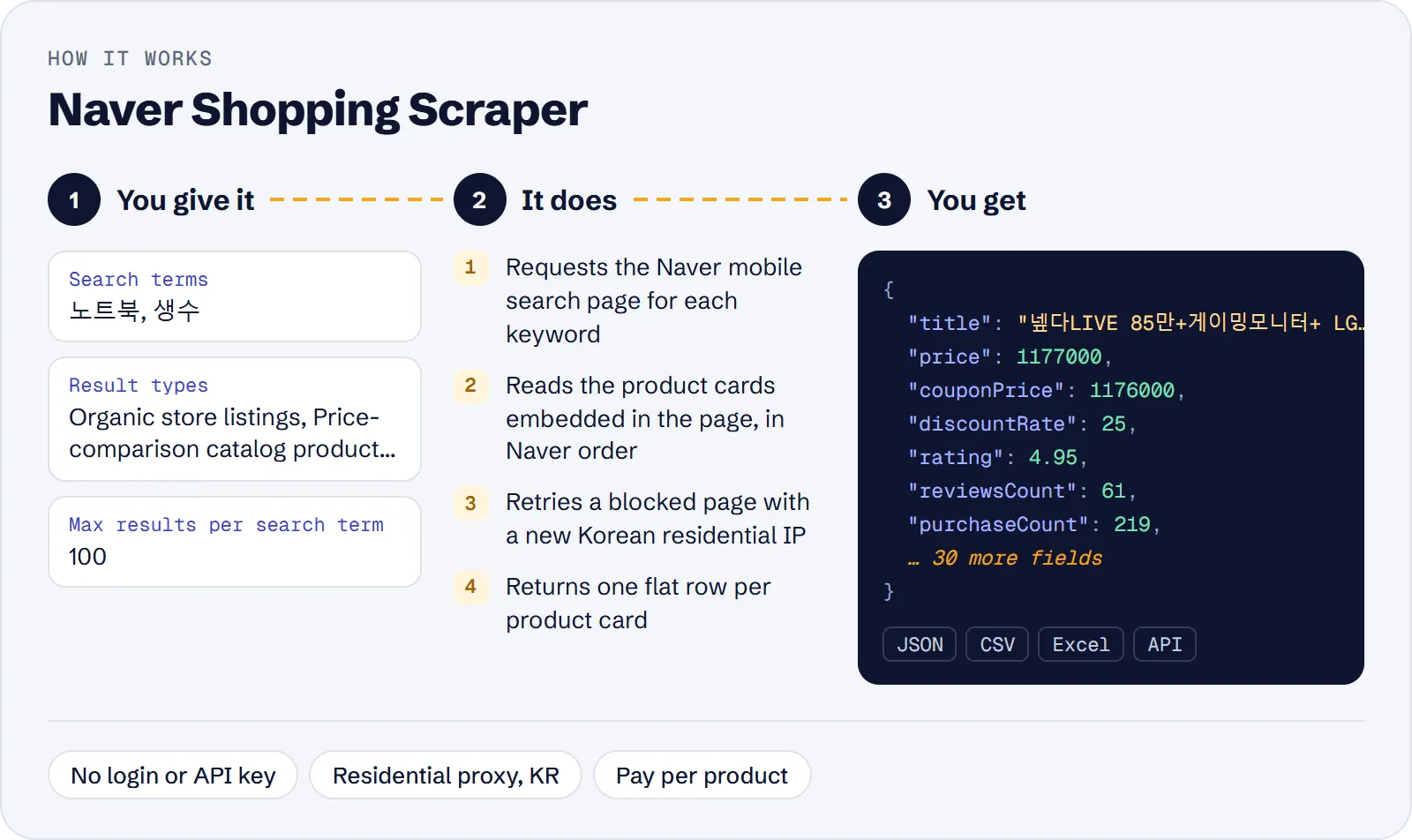
- Open the actor in Apify Console and enter your Search terms, one per line.
- Optionally pick Result types (organic, catalog, ad), enter Product IDs to track and set the result limits.
- Click Start and download the dataset as JSON, CSV or Excel.
How much does it cost to scrape Naver Shopping?
Price per event by Apify plan:
| Event | Free | Bronze | Silver | Gold and above |
|---|---|---|---|---|
| Product | $3.00 per 1,000 | $2.70 per 1,000 | $2.40 per 1,000 | $2.10 per 1,000 |
| Run start | $0.00005 | $0.00005 | $0.00005 | $0.00005 |
A test run with the API example input below returned 157 rows in 16 s.
The actor uses pay-per-event pricing. One paid event is one product card in the dataset ($0.003 on the Free plan) plus a small run start fee ($0.00005). Duplicate cards and search terms without results are free.
| Scenario | Products | Cost on the Free plan |
|---|---|---|
| One keyword, top 10 rank check | 10 | about $0.03 |
| One keyword, all cards | about 90 | about $0.27 |
| 10 keywords, all cards | about 900 | about $2.70 |
| Default total cap of 1,000 results | 1,000 | about $3.00 |
Higher Apify plans have lower per-product prices (see the table above).
Input
| Field | Meaning |
|---|---|
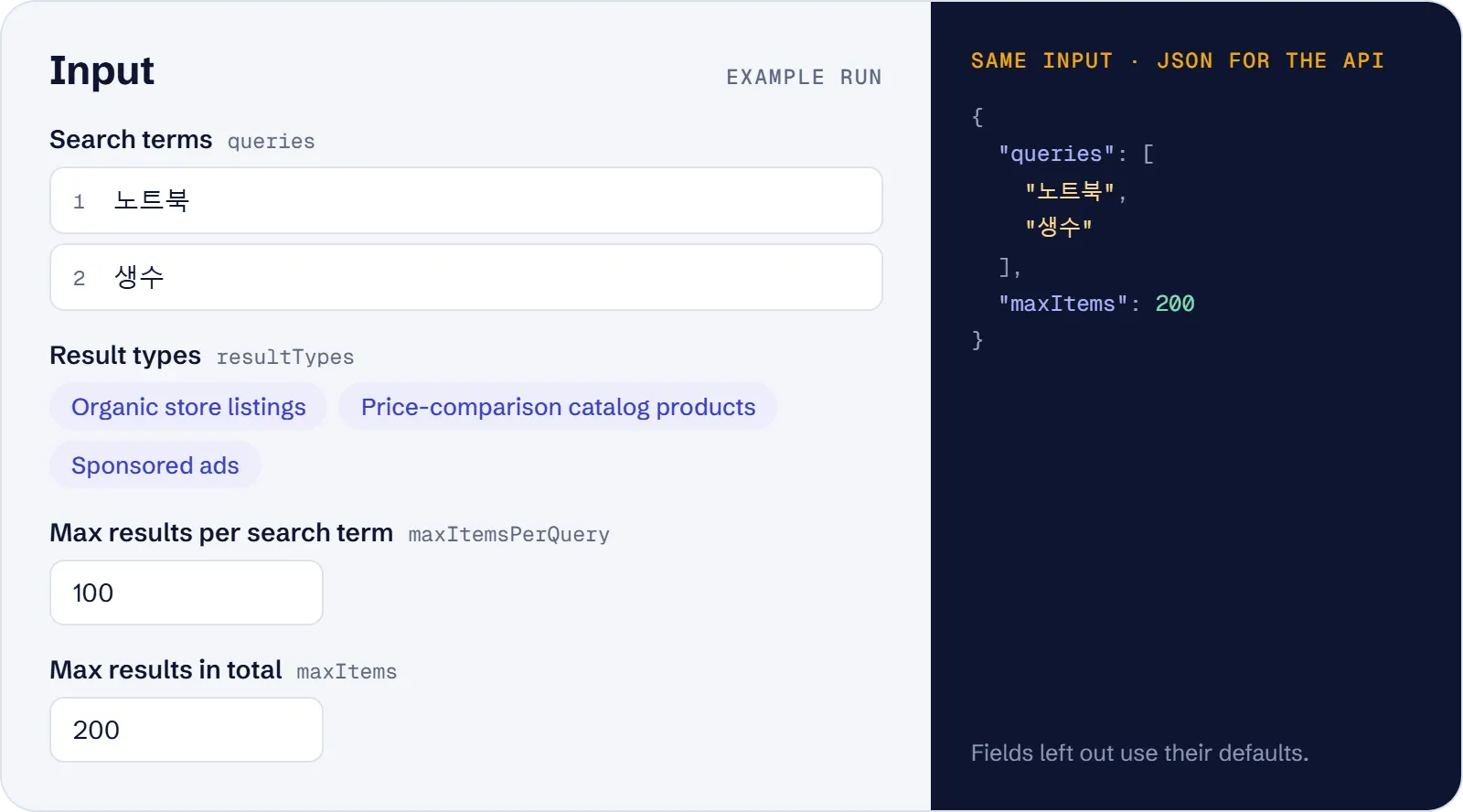
queries | Search terms (required), e.g. 노트북, 생수, Nike running shoes |
resultTypes | organic, catalog, ad. All three by default |
productIds | Keep only these products (nvMid, store product number or product link). Needs search terms that find them |
maxItemsPerQuery | 1–100, default 100 |
maxItems | Total cap across all terms, default 1000 |
proxyConfiguration | Default: Apify Residential proxy, country KR |
What data can you extract from Naver Shopping?
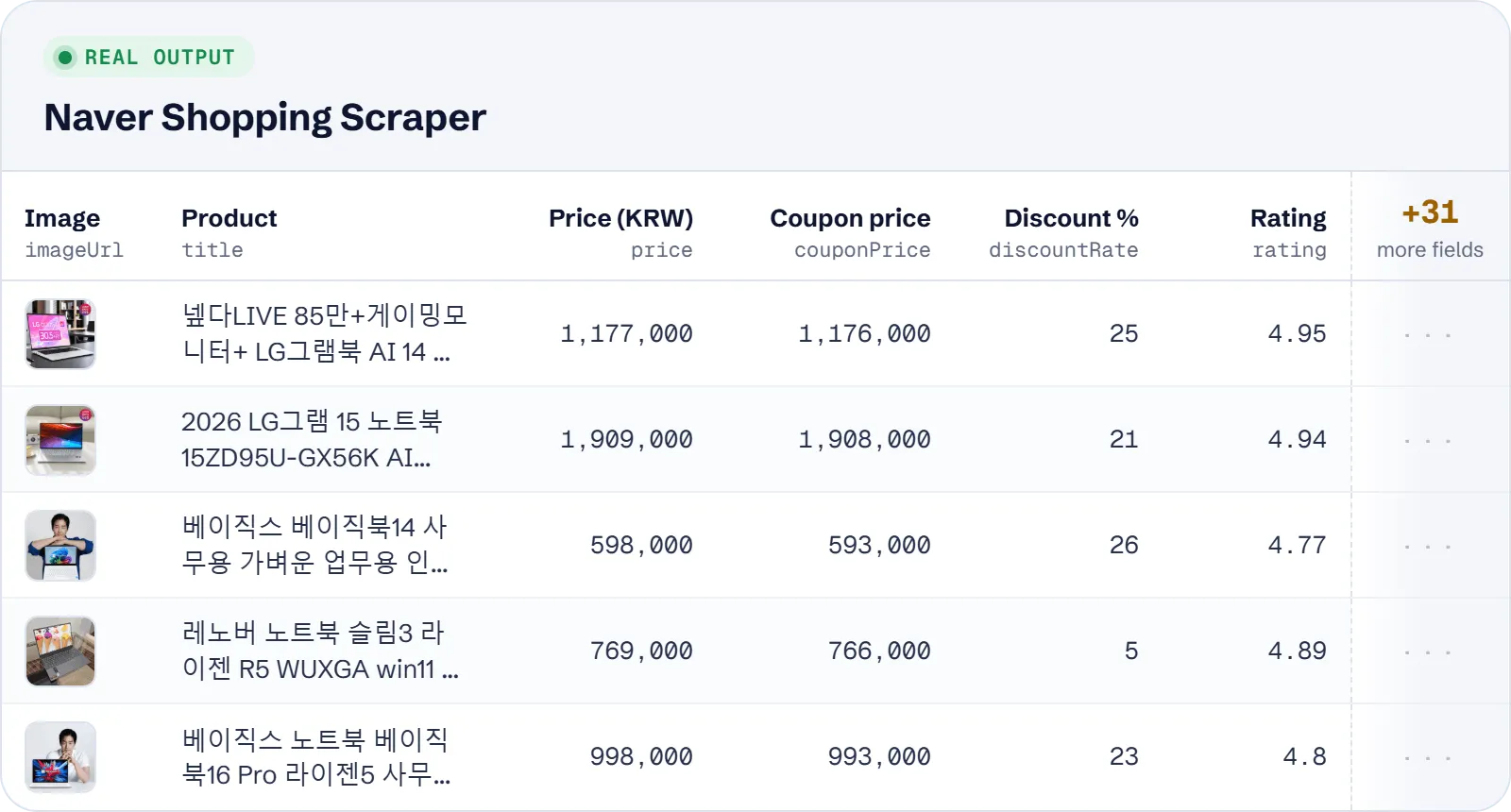
| Field | Description |
|---|---|
title, url, id | Product name, link, Naver product ID (nvMid) |
resultType, isAd, isCatalog | organic / catalog / ad |
price, originalPrice, discountRate, couponPrice | KRW prices and discount |
deliveryFee, arrivalAt, orderDeadline | Delivery data |
rating, reviewsCount, purchaseCount, keepCount | Social proof (keepCount = wishlist count) |
sellerCount | Number of sellers for catalog products |
author, storeSlug, storeId, isBrandStore, isOverseas | Store data |
categoryId, categoryIds, imageUrl | Category ids and image |
unitPrice, unitCapacity, pointsEarned | Unit price and points |
query, position, scrapedAt | Search term, rank, time of scraping |
Example item (shortened):
Use cases
- Monitor prices, discounts and coupon prices of products on Naver Shopping.
- Track the rank of your products or brand for a keyword (
position, withproductIds). - Compare the number of sellers of catalog products.
- See which sponsored ads appear for a keyword (
isAd). - Collect Korean market data for research or dropshipping.
Limitations
- About 60–90 cards per search term at most; Naver gives no paging.
- Sorting and price filters are not supported by the source; results come in Naver's order.
- Products cannot be looked up by ID or link; use the product name as the search term and the ID in
productIds. - Only fields on the search card are returned: no specification tables, seller lists, price history or review texts.
- Category names are not available, only ids. Some fields (
couponPrice,rating,unitPrice) can be empty. - Naver blocks datacenter IPs more often; the default Korean residential proxy is recommended.
Tips and troubleshooting
- For more results, add more search terms; one term gives at most about 90 cards, so
maxItemsPerQueryabove 100 has no effect. - For a top-10 rank check, set
maxItemsPerQueryto 10 and comparepositionbetween runs. productIdsonly filters cards found by your search terms. If you get 0 rows, search with the product name.- To see only ads or only price-comparison products, set
resultTypestoadorcatalog. - If runs are blocked or return fewer rows than expected, keep the default Apify Residential proxy with country KR; datacenter or no proxy makes the run log a warning and Naver blocks it more often.
- Set
maxItemsto cap the total number of results, and with it the cost, across all search terms.
API, MCP and integrations
Run the actor from your code with the same JSON input as in Console. Your API token is in Console → Settings → API & Integrations.
Python (pip install apify-client):
Node.js (npm install apify-client):
HTTP — one request runs the actor and returns the results (runs up to 5 minutes; longer ones: run asynchronously):
AI agents (MCP). Add the actor as a tool of the Apify MCP server. Claude Code:
Claude Desktop, Cursor or VS Code: {"mcpServers": {"apify": {"url": "https://mcp.apify.com?tools=genial_candlestand/naver-shopping-product-search-scraper"}}}. Then ask, for example:
- "Get the top 10 Naver Shopping results for 노트북 with price and rating"
- "List sponsored ads on Naver Shopping for the keyword 갤럭시 버즈"
- "Find catalog products for 나이키 운동화 on Naver Shopping with seller counts"
Integrations. Run it on a schedule with Apify Schedules and send the results to Google Sheets, Slack, Zapier, Make, n8n or your webhook — see Apify integrations.
FAQ
Is it legal to scrape Naver Shopping?
The actor reads publicly visible product listings and returns no personal data beyond the store names the site shows. You are responsible for using the data in line with Naver's terms and the laws that apply to you.
Do I need a Naver account or API key?
No.
How is it different from other Naver Shopping scrapers?
It returns sponsored ads (flagged with isAd), coupon price, guaranteed arrival time and order deadline in one flat row. It has two billing events only, the product and the run start, at $0.003 per product on the Free plan. It does not return specification tables, seller lists or price history.
Can I search in English?
Yes, but Korean keywords usually give more results.
Also useful
- Amazon Best Sellers Scraper — compare top-ranked products and prices on Amazon stores, including Japan
- Google Trends Scraper — check search interest for the products and keywords you track
- Coles Product Scraper — monitor retail prices, was-prices and specials at Coles Australia


