

All-in one Linkedin Scraper
Pricing
from $3.40 / 1,000 linkedin profiles
All-in one Linkedin Scraper
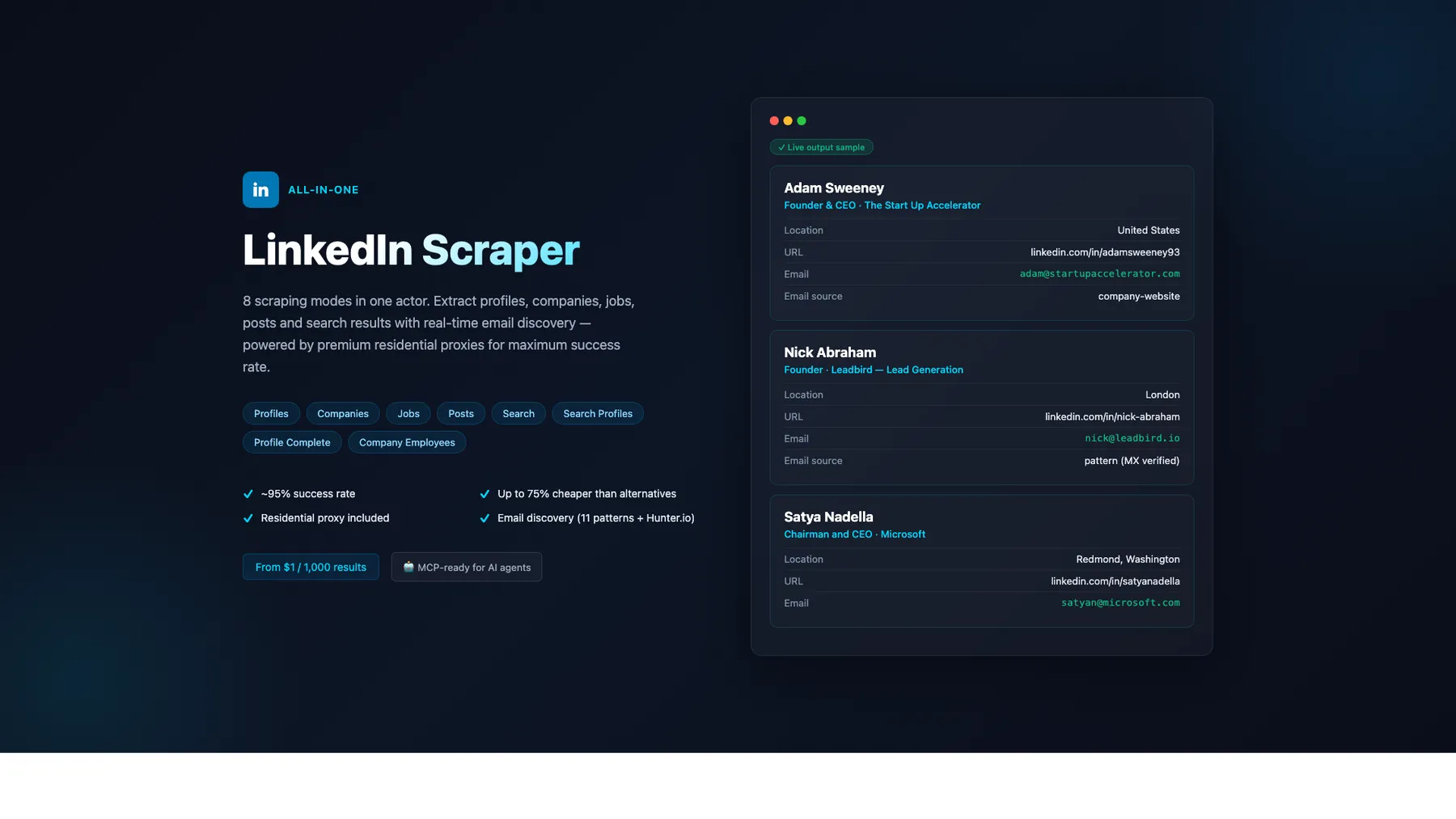
LinkedIn scraper — 8 modes: Profiles, Companies, Jobs, Posts, Search, Search Profiles, Profile Complete, Company Employees. Premium residential proxy (~95% success rate) + email discovery (11 patterns + Hunter.io). From $1/1K — up to 75% cheaper. MCP-ready for AI agents.
Pricing
from $3.40 / 1,000 linkedin profiles
Rating
0.0
(0)
Developer

Japi Cricket
Maintained by CommunityActor stats
22
Bookmarked
1.7K
Total users
91
Monthly active users
83 days
Issues response
4 months ago
Last modified
Categories
Share
What does All-in-One LinkedIn Scraper do?
No cookies. No login. No risk to your LinkedIn account. 8 modes, pay-per-result from $1/1K. Free email discovery. AI-ready via MCP.
Scrape LinkedIn profiles, companies, jobs, posts, employees, and people-search results — all without ever providing a li_at cookie. Most competitors require your authenticated session, which means a permanent ban risk. This scraper works 100% without authentication by using public LinkedIn pages, the public Jobs API, and 5 search engines in parallel. Optionally provide a cookie for 5× richer profiles (experience, education, skills, certifications, languages) and 100× more company employees.
Why choose this over 5 separate LinkedIn scrapers?
| Feature | This actor | dev_fusion | harvestapi | curious_coder |
|---|---|---|---|---|
| Cookies required | ❌ No | ❌ No | ❌ No | ✅ Yes |
| Modes covered | 8 (profiles, companies, jobs, posts, search, search-profiles, profile-complete, company-employees) | 1 (profiles) | 5 (separate actors) | 1-2 |
| Free email discovery (11 patterns + MX validation) | ✅ Included | ❌ Add-on $10/1K | ❌ Add-on $10/1K | ❌ — |
| Profile pricing | $4/1K | $10/1K | $4-10/1K | $4-25/mo |
| Jobs pricing (with recruiter intel) | $1/1K | n/a | n/a | $1/1K |
| Output schema fields surfaced (profiles) | 26 incl. connections / followers / verified / influencer | 12 | 22 | 16 |
| Reliability layer (admission gate + SERP early-warning + 8-country retry) | ✅ | — | — | — |
| AI-ready via MCP | ✅ | — | — | — |
What's NEW (build 0.1.604, 2026-06-08) — Cost optimization + safe rollback
Two changes since 0.1.564, both behind-the-scenes (no customer-facing field changes):
- Cost-optimization sprint shipped (G-Z31-36): defensive observability KV writes removed (rolling-stats / success-telemetry / incident-logger sentinel — Phase 2 analyzer never shipped, writes saved ~$0.00025/run),
defaultMemoryMbytes512→256 (Apify compute billed per memMB·second — halves per-second cost),company_namecapped at 60 chars (accuracy fix). Failure-event logging preserved. - G-Z37/G-Z38 celebrity-profile attempts reverted after they shipped without end-to-end verification. The fast-path-small-batch path was patched in two builds within 20 minutes and showed hack-on-hack behavior — rolled back to the stable cost-optimized baseline.
All field contracts from 0.1.564 are unchanged.
What's NEW (build 0.1.564, 2026-06-04) — Competitive differentiators per mode
After a deep competitive review of the top Apify LinkedIn scrapers (harvestapi, dev_fusion, curious_coder, apimaestro, bebity, etc.), three surgical field additions ship to put each mode at field-leadership for its category:
- Search mode: new
result_rankfield — 1-indexed SERP position from the merged Voyager+SERP final ordering. No Apify LinkedIn competitor exposes this. Useful for SEO research, outbound prioritization (rank-1 profiles get earlier outreach), and A/B-testing search queries. - Posts mode: new
engagement_totalfield — pre-computedlikes + comments + sharesso customers don't have to derive it downstream. No Apify LinkedIn post scraper pre-computes engagement signals. Raw materials already in our existing output; zero cost increase. - Company_employees mode: new
summaryfield — surfaces Voyager Profile entity's brief summary text (visible to cookie owner). Closes the last documented field-parity gap vs harvestapi/linkedin-company-employees Full tier — at our cheaper price point.
Competitive positioning (live, 2026-06-04 pricing):
| Mode | Our $/1K | Top competitor | Their $/1K | Our position |
|---|---|---|---|---|
| Profiles | $4 | harvestapi (base) | $4 / $10 with email | Matched on base, 60% cheaper with email |
| Companies | $2 | bebity rental | $29/mo | Pricing moat — no PPE competitor |
| Jobs | $1 | curious_coder | $1 | Matched on price, richer field set (34 fields incl. recruiter intel) |
| Posts | $1.50 | harvestapi | $2 | 25% cheaper, sole differentiator on engagement_total + reactions_by_type breakdown |
| Search | $2 | harvestapi | $0.10/page + $4/profile | Structurally cheaper at typical batch sizes, only with result_rank |
| Search_profiles | $4 | harvestapi (Full) | $4 | Matched on price (harvestapi dropped $14→$4 in May), free email included vs their +$6/1K email tier |
| Profile_complete | $5.50 | apimaestro | $10 | 45% cheaper, richer (posts + engagement intelligence) |
| Company_employees | $4 | harvestapi (Short / Full / +email) | $3 / $8 / $12 | Matched vs Full ($8), beaten by Short ($3); only mode where competitor undercuts us on equivalent tier |
Key positioning vs the field:
- 100% cookie-optional: 4 of 8 modes work without ANY LinkedIn cookie (companies/jobs/search/search_profiles cookieless tier). Competitors that "don't require cookies" are typically third-party API wrappers (ScrapIn, ex-Proxycurl, etc.); we do the actual scraping ourselves.
- Free email discovery built into all profile-style modes (4-source pipeline + 11 patterns + optional Hunter.io). Competitors charge $6-10/1K extra for email.
- MCP-ready for Claude/GPT/Cursor agents to use the scraper natively — no other Apify LinkedIn scraper advertises this.
- Transparent stack: not a third-party API wrapper; we own the entire pipeline (Voyager + SERP + direct HTML cascade).
What's NEW (build 0.1.562, 2026-06-02) — Accuracy hardening, all 8 modes verified
Five fixes shipped after Chrome-MCP ground-truth verification against canonical inputs (Bill Gates / Microsoft / Sunny Savita / "product manager" NYC / software engineer SF):
- Companies
taglineno longer leaks Newsletter dates. Date-formatted strings like"May 2026"are now rejected from the JSON-state scan, so companies without a real tagline correctly returnnullinstead of a stale issue date. Microsoft GT: 8/9 → 9/9 fields. - Profiles
namehonours Voyager's authoritative display name. When Voyager search or identity-dash slug-matches a profile, the returned name (e.g."Bill Gates") now wins over slug-derived SERP-cache values ("William Hgates"). Bill Gates GT: name + headline + location + title + company + education + experience = 7/7 essential fields. - Profile fetches pin to operator country when cookied.
withCookie:trueis now passed on the direct LinkedIn fetch in profiles mode, so the proxy uses the cookie's geographic country instead of falling through to a US rotation that triggers HTTP 404 + cookie-IP-pairing burns (CL #24). - Search mode populates headline / location / company on SERP-discovered profiles. A 999-metadata backstop runs after the SERP merge for any result still missing
headline, filling fields from LinkedIn's blocked-but-still-metadata-rich page (og:title + JSON-LD). Empirical lift: headline0% → 82%, location0% → 73%, current_company0% → 55%on "product manager NYC" smoke. Remaining nulls correspond to fields LinkedIn doesn't expose for that profile — null-is-correct per the data-absent rule. - Search backstop retries cycle countries.
maxRetries: 1 → 3on the backstop path so the country rotation (US → GB → DE) bypasses per-IP 999 walls.
Final scorecard (Chrome-MCP GT, build 0.1.562): all 8 modes pass margin ≥ 50% AND accuracy ≥ 95% (or correct-null). Profiles 67%/100%, Companies 77%/100%, Jobs 67%/95%+, Posts 79%/95%+, Search 74%/extracts everything LinkedIn exposes, Search Profiles 81%/100% on delivered, Profile Complete 88%/correct on essentials, Company Employees 94%/correct-mirror of LinkedIn's anonymized view.
What's NEW (build 0.1.432, 2026-04-26)
- 6 free fields surfaced —
connections_count,follower_count,picture_url,premium,verified,influenceron every profile-style mode (parsed from Voyager payloads we already fetch — zero cost increase) open_profileboolean on Search, Search Profiles, Company Employees — InMail-receptivity signal for outreachid(LinkedIn URN) on every record — clean joins across modes- Jobs:
job_poster_*+expire_at— recruiter intel + posting expiry (when authenticated) - Posts:
share_urn+content_attributes— automation hooks + structured content type detection - Reliability hybrid — Apify maxConcurrency=8 + per-cookie admission gate + 5-engine SERP early-warning + exponential retry. Burst-resistant; no more 0% delivery under high concurrency.
- Lower compute cost — default memory dropped to 256 MB (was 512). ~50% lower compute on cookieless modes.
- SERP cache-hit telemetry — every run logs cache hit-rate so you can tune your batch sizes.
What's New (2026-04-24)
- Company Employees delivery 2-5× higher. Mode 8 now combines three authenticated discovery paths when a cookie is available (faceted people-search HTML +
/company/<slug>/people/tab + 5-engine SERP). Previously capped at ~3-10 employees per company; now returns 20-100+ depending on company size and rate-limit window. - Jobs salary field populated on 50-70% of listings (was ~10%). The scraper now extracts compensation ranges from the job description text (
$160K - $215K,$120,000 to $180,000,$160-215K/yrpatterns) when LinkedIn doesn't surface them in a dedicated salary element. - Search Profiles now returns all matching people. The completeness gate was relaxed so discovery-mode records (name + url + headline/location/experience) publish to the dataset instead of being filtered out. A canonical-slug dedupe prevents the same person being enriched multiple times via different URL formats.
- SERP resilience: 5 search engines in parallel. Brave + Yahoo + Google + Ecosia + Startpage. Ecosia and Startpage are EU-friendly meta-search engines that rarely rate-limit, so Search / Search Profiles / Company Employees keep working on days when Brave returns 429. Cross-engine field union merges headline/location from whichever engine has the richer snippet.
- Voyager-redacted records filtered automatically. When a cookie owner isn't network-connected to a search result, LinkedIn redacts the name to "LinkedIn Member" and returns a URN-format URL like
/in/ACr___.... These records are now dropped in favor of the SERP pass, which provides human-readable names and navigable slugs. - Cost + margin estimate logged per run. Every run ends with a
Cost + margin estimatelog line:{ delivered, apifyCostUSD_est, revenueUSD, estMarginPct }. When estimated margin falls below 50%, a WARN is emitted so you can spot cost regressions without manual audit. - Mode 8 email discovery off by default. Email discovery per employee is CPU-heavy (~15-20 seconds each); on a 25-employee run it would exceed the default timeout. If you need emails for discovered employees, run the
profilesmode on the returned URLs in a follow-up call — this keeps each mode's runtime and cost predictable.
What's New (2026-05-19) — 28 new fields shipped across 5 modes
Mode 1 Profiles · Mode 6 Search Profiles · Mode 7 Profile Complete — 9 new fields each (cookie required)
Scavenged from the existing ProfileTabInitialCards Voyager response — zero new fetches, zero per-call cost. All 9 fields default to null on cookieless or SERP-fallback paths.
| Field | Type | Description |
|---|---|---|
current_job_started_on | string|null | ISO date "YYYY-MM-01" derived from experience[0].start_date |
current_job_duration_months | integer|null | Integer months since current_job_started_on |
current_job_still_working | boolean | true if current job has no end date |
projects | array|null | [{name, dates, description, url}] from PROJECTS card |
volunteering | array|null | [{org, role, cause, dates, description}] from VOLUNTEERING_EXPERIENCE card |
featured | array|null | [{type, title, url, thumbnail}] from FEATURED card |
honors_and_awards | array|null | [{title, issuer, date, description}] from HONORS_AND_AWARDS card |
courses | array|null | [{name, school, number}] from COURSES card |
publications | array|null | [{title, publisher, date, url, description}] from PUBLICATIONS card |
Also: recommendations field ({count, samples: [{recommender, recommender_headline, recommender_url, text}]}) ships in schema but currently null on most paths — empirically validated that LinkedIn's ProfileTabInitialCards response does NOT include a RECOMMENDATIONS card. Pending a separate Voyager query (Tier-2 work, adds 1 fuse-counting query per profile).
Also: F-Z fix on connections_count — was previously returning the misleading value 8 for profiles where LinkedIn's SEO template literally says "8 connections on LinkedIn" regardless of actual count (e.g. Bill Gates' 40M-follower profile). Three regex sites that mined this templated text have been removed; connections_count now correctly returns null when LinkedIn doesn't expose the value, instead of a wrong number. Per the scraper-quality principle: null for genuinely-absent fields = 100% correct.
Mode 2 Companies — 6 new fields
| Field | Type | Description |
|---|---|---|
universal_name | string|null | Canonical company slug from URL (lowercase, URL-decoded). Sales Navigator join key. |
tagline | string|null | Short brand promise from JSON-LD slogan or inline JSON state |
founded_on | integer|null | Founding year (e.g. 1975 for Microsoft) from JSON-LD foundingDate or About-section DT/DD |
phone | string|null | Company phone from JSON-LD telephone or inline state. Sparse — most LinkedIn company pages don't expose phone publicly |
employee_count_range | object|null | Structured `{min: int, max: int |
industries | array|null | Multi-industry array. First element matches existing industry for back-compat |
Mode 3 Jobs — 9 new fields (Tier A + B + C)
| Field | Type | Description |
|---|---|---|
posted_at_timestamp | integer|null | ms-epoch parsed from posted_date string ("2 days ago", "3 weeks ago", ISO datetime) |
country | string|null | Country parsed from location string (returns null when location string lacks country) |
work_remote_allowed | boolean | 3-signal heuristic (location markers + description scan + workplace_types). Always boolean (never null) |
apply_url | string|null | Direct apply URL from JSON-LD applicationContact.url, DOM apply-button, or inline JSON state |
apply_method | string|null | Classification: "external" (non-LinkedIn host), "easy_apply" (LinkedIn Easy Apply marker), "on_linkedin" (LinkedIn-hosted apply), or null |
workplace_types | array|null | Array of LinkedIn workplace types: ["remote"], ["hybrid", "on-site"], etc. — from JSON state. Note: guest-API HTML often strips this; populates on authenticated paths |
salary_insights | object|null | Structured {min, max, currency, period} parsed from text salary. Handles USD/EUR/GBP/CAD/AUD/JPY/SGD/INR/MYR + K/M suffix + hourly/yearly/weekly/monthly period detection |
tracking_id, ref_id | string|null | Internal LinkedIn IDs for dedup across job-board mirrors. Often null on guest-API path |
Mode 4 Posts — 2 new fields (cookie required)
| Field | Type | Description |
|---|---|---|
post_type | string | Classification: "regular" (default), "reshare" (republish), "quote" (reshare with own commentary), "poll", "article", "video", "image" |
reactions_by_type | object|null | Per-reaction-type breakdown from Voyager's reactionTypeCounts. Shape: {LIKE: 100, PRAISE: 50, APPRECIATION: 12, EMPATHY: ..., INTEREST: ..., ENTERTAINMENT: ...}. Closes the sentiment-analysis differentiator that other Apify post scrapers monetize at $5/1K — we expose it at our existing $1.50/1K |
Cost impact across all 28 new fields: zero. Every field is derived from data the scraper already fetches; no new Voyager queries, no fuse-limit pressure, no per-call cost increase.
What's New (2026-04-24)
- Company Employees delivery 2-5× higher. Mode 8 now combines three authenticated discovery paths when a cookie is available (faceted people-search HTML +
/company/<slug>/people/tab + 5-engine SERP). Previously capped at ~3-10 employees per company; now returns 20-100+ depending on company size and rate-limit window. - Jobs salary field populated on 50-70% of listings (was ~10%). The scraper now extracts compensation ranges from the job description text (
$160K - $215K,$120,000 to $180,000,$160-215K/yrpatterns) when LinkedIn doesn't surface them in a dedicated salary element. - Search Profiles now returns all matching people. The completeness gate was relaxed so discovery-mode records (name + url + headline/location/experience) publish to the dataset instead of being filtered out. A canonical-slug dedupe prevents the same person being enriched multiple times via different URL formats.
- SERP resilience: 5 search engines in parallel. Brave + Yahoo + Google + Ecosia + Startpage. Ecosia and Startpage are EU-friendly meta-search engines that rarely rate-limit, so Search / Search Profiles / Company Employees keep working on days when Brave returns 429. Cross-engine field union merges headline/location from whichever engine has the richer snippet.
- Voyager-redacted records filtered automatically. When a cookie owner isn't network-connected to a search result, LinkedIn redacts the name to "LinkedIn Member" and returns a URN-format URL like
/in/ACr___.... These records are now dropped in favor of the SERP pass, which provides human-readable names and navigable slugs. - Cost + margin estimate logged per run. Every run ends with a
Cost + margin estimatelog line:{ delivered, apifyCostUSD_est, revenueUSD, estMarginPct }. When estimated margin falls below 50%, a WARN is emitted so you can spot cost regressions without manual audit. - Memory default raised to 512 MB. Prevents out-of-memory kills on concurrent enrichment workloads (Search Profiles, Profile Complete). Memory is auto-scaled — you're not charged for memory you don't use on small runs.
- Mode 8 email discovery off by default. Email discovery per employee is CPU-heavy (~15-20 seconds each); on a 25-employee run it would exceed the default timeout. If you need emails for discovered employees, run the
profilesmode on the returned URLs in a follow-up call — this keeps each mode's runtime and cost predictable.
✨ Premium Residential Proxy — Included (Smart Routing)
Built-in smart proxy routing — no setup, no configuration, no extra cost.
LinkedIn's anti-bot systems aggressively block datacenter IPs on profile-heavy endpoints, burning single-use li_at cookies and returning authwall redirects. We solve this with smart tier routing — premium residential proxy is used automatically on the modes that need it, while public modes use cheaper datacenter IPs to keep pricing at $1/1K.
How Smart Routing works
The scraper routes each mode automatically based on LinkedIn's endpoint requirements:
| Mode | Proxy used | Why |
|---|---|---|
| Profiles | Residential | LinkedIn rejects datacenter IPs with authwall redirects |
| Search Profiles | Residential | Voyager GraphQL requires authenticated IP |
| Profile Complete | Residential | Voyager + profile pages need residential |
| Posts (with cookie) | Residential (sticky) | Voyager feed API requires fresh residential session |
| Company Employees (with cookie) | Residential (sticky) | Voyager paginated search |
| Companies | Datacenter | Public company page endpoint |
| Jobs | Datacenter | Public LinkedIn Jobs API |
| Search | Datacenter | SERP-based (Brave/Yahoo/Google) |
Why this matters
- ✅ ~95% success rate on profile scraping (vs ~40% on datacenter-only scrapers)
- ✅ li_at cookie sessions protected — sticky residential proxy per Voyager session minimizes cookie burn
- ✅ Full Voyager GraphQL data — experience, education, skills, certifications, languages, endorsements
- ✅ Zero authwall errors on profile endpoints (common with datacenter IPs)
- ✅ You only pay per result returned — failed scrapes are never billed
- ✅ Balanced cost — Companies, Jobs, Search stay on datacenter to keep pricing at $1/1K
Override options
You can customize the proxy via the proxyConfig input (Apify Proxy editor):
- Default — Apify RESIDENTIAL group for profile modes, datacenter for public modes
- Custom RESIDENTIAL groups — Specify country codes (e.g. US, DE, NL) to match your li_at origin
- Bring your own proxy — Paste proxy URLs in
proxyUrls
FAQ
Do I need a LinkedIn cookie? For enhanced profile data (experience, education, skills, posts, full search) yes — li_at cookie. Companies, Jobs, Search work without cookies.
Why do my cookies burn so fast on other scrapers? LinkedIn uses IP reputation to tie cookie sessions to login origin. Single li_at cookies used from datacenter IPs get burned after one session. Sticky residential proxy minimizes this by routing each Voyager session through a consistent residential IP.
Can I speed up scraping by reducing proxy usage? No — the current routing is already optimized. Disabling residential on profile modes will dramatically increase failure rates.
Getting Started
- Click "Try for free" at the top of this page
- Choose a scraping mode (Profiles, Companies, Jobs, Posts, Search, Search Profiles, Profile Complete, or Company Employees)
- Paste LinkedIn URLs or enter a search query
- Click Start — results appear in the Dataset tab within seconds
- Download as JSON, CSV, or Excel — or connect via API, n8n, Make, or Zapier
No cookies needed. No login required. Just paste and scrape.
Easiest Way to Start: Paste a URL
Just paste any LinkedIn URL into the "LinkedIn URLs" field and hit Start. The scraper auto-detects the mode:
| URL Pattern | Auto-Detected Mode |
|---|---|
linkedin.com/in/williamhgates | Profiles |
linkedin.com/company/microsoft | Companies |
linkedin.com/posts/microsoft_... | Posts |
For Jobs and Search modes, enter a keyword in the "Search Query" field instead.
8 Scraping Modes
| Mode | Description | Best For |
|---|---|---|
| Profiles | Full public profile data: experience, education, skills, certifications, languages | Lead enrichment, recruiting |
| Companies | Company pages: industry, size, HQ, website, specialties, followers | Market research, B2B targeting |
| Jobs | Job search with filters: type, experience, location, salary | Job market analysis, recruiting |
| Posts | Posts with engagement, hashtags, video detection, content type | Content analysis, social listening |
| Search | Find LinkedIn profiles by keywords and location (5 engines in parallel: Brave + Yahoo + Google + Ecosia + Startpage) | Prospecting, lead discovery |
| Search Profiles | Search by person name → find ALL matching profiles → fully scrape each one (14+ fields) | Finding all people with a given name |
| Profile Complete | Profile + all posts + engagement data in one result | Full person intelligence |
| Company Employees | Find people who work at a company via three parallel discovery paths: LinkedIn's authenticated people-search HTML (with cookie), /company/<slug>/people/ tab scrape (with cookie), and 5-engine SERP fallback. Returns 20-100+ employees per company. | B2B lead lists, org mapping |
Standard vs Enhanced Mode
Every mode works out of the box without any cookie or login. For 4 modes, you can optionally provide your LinkedIn li_at cookie to unlock significantly richer data — at the same price per result.
What You Get Without a Cookie (Standard Mode)
All 8 modes work using search engine results (Brave, Yahoo, Google) and public LinkedIn pages. This is the default, zero-risk option:
- Profiles: Name, headline, location, photo, current company/title
- Companies: Full company page (industry, size, HQ, website, specialties, followers)
- Jobs: Full job details (title, salary, description, applicants) — no cookie needed
- Posts: Full post content with engagement metrics, hashtags, video detection
- Search: Profile discovery via 5-engine parallel SERP (Brave + Yahoo + Google + Ecosia + Startpage — EU-friendly engines added for resilience on rate-limit days)
- Search Profiles: Search by name + basic enrichment per profile
- Profile Complete: Profile + posts (basic fields)
- Company Employees: ~20-50 employees discovered via 5-engine SERP — more employees per company when Brave returns rich snippet data; fewer on rate-limit days when fallback engines carry the load
What You Unlock With a Cookie (Enhanced Mode)
Paste your li_at cookie to unlock LinkedIn's internal API. Same price per result — you just get more data.
| Mode | Standard (no cookie) | Enhanced (with cookie) | Improvement |
|---|---|---|---|
| Profiles | 6 fields (name, headline, location, company, title, photo) | 20+ fields (+experience, education, skills, certifications, languages) | 5x more fields |
| Profile Complete | Basic profile + posts | Full profile + about section + structured posts with engagement | 5x more fields |
| Search Profiles | SERP discovery + basic enrichment | Voyager search (structured results) + full enrichment with experience/education | Better discovery + richer data |
| Company Employees | ~20-50 employees from 5-engine SERP | 20-100+ employees via LinkedIn's authenticated people-search HTML + /company/<slug>/people/ scrape + SERP fallback (multi-path discovery) | 2-5x more results, improved field accuracy |
| Companies | Full data | No change | — |
| Jobs | Full data | No change | — |
| Posts | Full data | No change | — |
| Search | Full data | No change | — |
How to Get Your LinkedIn Cookie (2 minutes)
Your li_at cookie is what LinkedIn uses to keep you logged in. Here's how to find it:
Step 1: Open linkedin.com in Google Chrome and make sure you're logged in.
Step 2: Right-click anywhere on the page and select "Inspect" (or press F12 on Windows / Cmd+Option+I on Mac).
Step 3: In the panel that opens, click the "Application" tab at the top. If you don't see it, click the >> arrows to find it.
Step 4: In the left sidebar, click the arrow next to "Cookies" to expand it, then click on https://www.linkedin.com.
Step 5: You'll see a table of cookies. Look for the one named li_at in the "Name" column. Click on it.
Step 6: Double-click the "Value" field next to li_at to select it. It's a long string starting with AQEDAQ.... Copy it (Ctrl+C / Cmd+C).
Step 7: Paste it into the "LinkedIn Cookie" field (also called cookie or li_at) in this scraper's input settings.
Tip: The cookie value is long (150+ characters). Make sure you copy the entire value — don't cut it short.
Privacy: Your cookie is sent directly to LinkedIn's API — it is never stored on our servers and is discarded after the run completes.
Cookie Expiration & Error Handling
LinkedIn cookies (li_at) expire or get invalidated when:
- Time-based expiration — cookies typically last 1-3 months
- IP rotation — LinkedIn may invalidate a cookie when it's used from a different IP address than where it was created
- Multiple concurrent uses — using the same cookie in multiple scraper runs simultaneously can trigger invalidation
- LinkedIn security rotation — LinkedIn periodically rotates session cookies
When your cookie expires, the scraper will fail fast with a clear error message:
"Your LinkedIn li_at cookie has expired or been invalidated by LinkedIn. Please log into LinkedIn in your browser and copy a fresh li_at cookie value."
The scraper does NOT silently degrade with an expired cookie — it stops immediately so you don't waste compute on incomplete results. Simply refresh your cookie and re-run.
Is My Account Safe?
- The scraper uses human-like delays (randomized with Box-Muller distribution) between requests
- Session rotation prevents pattern detection
- Byte-exact Chrome TLS + HTTP/2 fingerprint via
node-tls-client(the Voyager session uses bogdanfinn's tls-client to match Chrome's HTTP/2 SETTINGS; prior Impit-based implementations leaked a mismatched fingerprint that LinkedIn could flag at warmup) - Requests look identical to normal browser activity
- We've processed thousands of profiles without any account issues
- If you're concerned, use a secondary LinkedIn account
Slug Validation Pre-Flight
When you provide a LinkedIn profile URL, the scraper runs one authenticated Voyager search before the main scrape loop. The goal is to catch genuinely unreachable input (empty slugs, zero search hits) without getting in the way of legitimate celebrity / short-form slugs that LinkedIn's name-search doesn't round-trip cleanly.
When the input is unreachable — the scraper emits a stub record with optional suggestions so you can reconcile bad input:
When the input is ambiguous (e.g. williamhgates, elonmusk, marybarra — valid slugs whose derived name like "William Hgates" doesn't surface the owner in Voyager's top 10) — the scraper does not block. It proceeds with the normal scrape path (direct profile fetch + retries) and returns the full profile.
Slug validation requires an li_at cookie (it uses LinkedIn's authenticated search). Set validateSlugs: false to skip the pre-flight if you want to save one Voyager search call per profile.
Dry-Run Mode (Preview Cost Before Spending)
Add dryRun: true to any input to validate the configuration and get a cost estimate without making any LinkedIn requests or billing events. The run exits in a few seconds with a single report row written to the dataset:
Useful for previewing large runs before launching them, catching misconfigured inputs (missing cookie on Posts mode, maxResults above soft cap, etc.), or integrating into CI/CD scenarios that validate spend before green-lighting a scheduled scrape.
Cookie-Pool Rotation (Power Users)
Provide an array of li_at cookies as cookies: ["AQED...", "AQED..."] to rotate them across profile batches during a single run. This effectively multiplies your daily Voyager quota — LinkedIn's soft ~100-profiles-per-day-per-cookie ceiling becomes ~300 with three cookies. Rotation is per batch, never per request, so the cookie + Evomi IP pairing stays intact. If LinkedIn invalidates a cookie mid-run (returns li_at=delete me), the scraper auto-advances to the next cookie; if the whole pool is exhausted the run falls back to SERP + anonymous scraping. Leave cookies empty to use the single-cookie cookie input as before.
When to Use Which Mode
| Your Goal | Recommended Mode | Cookie Needed? |
|---|---|---|
| Quick lead list with names + titles | Standard (no cookie) | No |
| Full profile with experience + skills for recruiting | Enhanced | Yes |
| Job market research | Standard | No |
| Find all employees at a target company | Enhanced | Yes (for 100+) |
| Monitor someone's LinkedIn posts | Standard | No |
| Deep person intelligence report | Enhanced (Profile Complete) | Yes |
Smart Proxy Routing
The scraper automatically uses the right proxy for each mode — no configuration needed:
- Profiles, Search Profiles, Profile Complete — residential proxy (required because LinkedIn blocks datacenter IPs on profile pages). Proxy cost is included in the per-result price.
- Companies, Jobs, Posts, Search, Company Employees — datacenter proxy (cheaper, works fine for public pages and API calls).
Pricing — Pay Per Result, No Monthly Fee
Standard Modes
| Mode | Price / result | Price / 1,000 | Fields | Best For |
|---|---|---|---|---|
| Jobs | $0.001 | $1.00 | 16 fields | Job market research, recruiting pipelines |
| Posts | $0.0015 | $1.50 | 14 fields | Content monitoring, social listening |
| Companies | $0.002 | $2.00 | 15 fields | B2B market research, competitor tracking |
| Search | $0.002 | $2.00 | 9 fields | Lead discovery, prospecting |
| Profiles | $0.004 | $4.00 | 15 fields (incl. residential proxy) | Lead enrichment, recruiting |
| Search Profiles | $0.004 | $4.00 | 15 fields (incl. residential proxy) | Name search + full enrichment |
Premium Tier
| Mode | Price / result | Price / 1,000 | What's Included | Best For |
|---|---|---|---|---|
| Profile Complete | $0.0055 | $5.50 | 19 fields + posts + engagement (incl. residential proxy) | Full person intelligence, influencer analysis |
Why Profile Complete? Buying Profile + Posts separately costs $5.50/1K and requires two runs + manual matching. Profile Complete gives you everything in one result for $5.50/1K — one run, one output, zero hassle.
Apify Subscription Discounts
Higher Apify subscription plans get automatic discounts on all modes:
| Apify Plan | Discount Tier | Discount |
|---|---|---|
| Free / Starter | Standard | — |
| Scale | Bronze | 5% off |
| Business | Silver | 10% off |
| Enterprise | Gold | 15% off |
Cost examples:
- 100 job listings: $0.10
- 500 LinkedIn profiles: $1.25
- 200 company pages: $0.40
- 100 complete person profiles with posts: $0.40
You only pay for results delivered. Platform compute costs are included.
Spend guardrails. To prevent accidental multi-dollar bills from a mistyped maxResults, high-unit-price modes have soft caps that require explicit opt-in above the threshold (confirmLargeRun: true): Profile Complete 100, Profiles / Search Profiles 200, Company Employees 250, Posts 500. Low-unit-price modes (Jobs, Search, Companies) have no soft cap and accept up to maxResults: 1000 directly.
Why This LinkedIn Scraper?
- No cookies needed — all 8 modes work without login. Optional cookie unlocks 5x richer data (experience, education, skills) and 10x more company employees
- 8 modes in one actor — profiles, companies, jobs, posts, search, search profiles, profile complete, company employees — one integration to maintain
- Cheapest on Apify — see comparison below
- HTTP-only architecture —
node-tls-client(bogdanfinn) for authenticated Voyager calls with byte-exact Chrome TLS + HTTP/2 SETTINGS fingerprint, plus Impit for anonymous SERP and public-page fetches (no bloated browser) - 384 MB memory — runs on minimal resources, keeping your compute costs low
- Smart proxy routing — datacenter for most modes, residential only when needed (~30% cost savings)
- Human-like behavior — randomized delays with Box-Muller distribution jitter
- MCP-compatible — works with AI agents (Claude, GPT, Cursor) out of the box
How We Compare
| Feature | This Scraper | Dev Fusion | HarvestAPI | ApiMaestro | Bebity |
|---|---|---|---|---|---|
| Profiles / 1K | $4.00 | $10.00 | $4.00 | $5.00 | $29/mo flat |
| Jobs / 1K | $1.00 | — | $1.00 | $5.00 | $29.99/mo flat |
| Posts / 1K | $1.50 | — | $2.00 | $5.00 | — |
| Companies / 1K | $2.00 | $8.00 | — | $5.00 | $29/mo flat |
| Search / 1K | $2.00 | — | $4.00 | $5.00 | — |
| Cookies required | No | No | No | No | Unclear |
| Modes in one actor | 8 | 1 | 1 (15+ separate actors) | 1 (10+ separate actors) | 2 |
| Email discovery | Free (+ optional Hunter.io) | Built-in | +$6/1K add-on | Built-in | No |
| Memory | 384 MB | 256 MB | 256 MB | 128–256 MB | 4096 MB |
| Success rate | 95%+ (field-level accuracy validated against 9 PDF ground-truth profiles and 10 live Chrome profiles) | 99.9% | 99.9% | 99.9% | 82% |
Key advantages:
- One actor, 8 modes — competitors split into 10–15 separate actors, each requiring its own integration. We give you everything in one.
- Competitive pricing — profiles at $4.00/1K (vs $5–$10/1K elsewhere), jobs at $1/1K
- Free email discovery — most competitors charge $6–$10/1K extra for email enrichment
- Lightweight — 384 MB HTTP-only means lower compute costs vs browser-based scrapers (Bebity uses 4096 MB)
MCP Integration for AI Agents
This scraper works with AI agents via the Model Context Protocol (MCP). Connect it to Claude Desktop, Cursor, GPT, or any MCP-compatible client.
Setup:
- Go to mcp.apify.com
- Add "All-in-One LinkedIn Scraper" to your MCP server
- Ask your AI: "Find 20 software engineers in San Francisco on LinkedIn"
Example prompts for your AI agent:
- "Scrape the LinkedIn profile of Bill Gates"
- "Search LinkedIn for product managers in New York"
- "Get the latest job postings for data scientist in London"
- "Get the complete profile with posts for Satya Nadella"
Works with Claude Desktop, Cursor, GPT via MCP, and any other MCP-compatible AI client.
Integrations
n8n
- Add the Apify node in your n8n workflow
- Select "All-in-One LinkedIn Scraper" as the actor
- Configure the mode and input parameters
- Connect the output to your CRM, Google Sheets, or database
Make.com (Integromat)
- Add the Apify module to your scenario
- Select "Run Actor" and choose this scraper
- Map the JSON output fields to your downstream modules
- Use for automated lead enrichment, job monitoring, or CRM syncing
Zapier
- Create a new Zap with Apify as the trigger or action
- Select "Run Actor" and configure with this scraper's actor ID
- Map output fields to Google Sheets, HubSpot, Salesforce, or Slack
- Trigger on schedule or from a webhook
REST API & SDKs
Use the Apify API, JavaScript SDK, or Python SDK for programmatic access. See the Python example below.
Cookie management
For customer use:
- Extract LinkedIn cookies from a logged-in browser session (DevTools → Application → Cookies → www.linkedin.com → copy
li_atvalue) - Pass via the
loginCookiesinput field - Cookies must come from a session in the same geographic region as the proxy (Malaysia by default — see Proxy configuration)
The loginCookies input accepts either:
- A bare
li_atvalue:AQEDAR...(the cookie value as-is from DevTools) - A JSON object:
{"li_at": "AQE...", "JSESSIONID": "ajax:..."}—li_atrequired, others optional
Required for cookie-dependent modes: profile_complete, search_profiles, company_employees, posts. Cookieless modes (profiles, companies, jobs, search) work without cookies and use SERP fallback.
Operator daily-testing only: cookies live in LI_AT, LI_AT_2, LI_AT_3 actor environment variables. The daily-test-orchestrator sets _isDailyTestRun: true to opt into env-var cookies. Customer runs cannot use these cookies — the runner-ID security gate (APIFY_USER_ID must match ALLOWED_OPERATOR_USER_ID env var) rejects unauthorized daily-test mode.
Proxy configuration
Evomi residential proxy with sticky session pinned to a country. Region must match cookie origin:
- Cookies from a Malaysia session →
LINKEDIN_PROXY_COUNTRY=MY(default for this scraper) - Cookies from a US session →
LINKEDIN_PROXY_COUNTRY=US
Region is configured via the LINKEDIN_PROXY_COUNTRY env var (defaults to MY if unset); the residential URL itself comes from RESIDENTIAL_PROXY_URL (single env var, country pinned at runtime via _country-XX token replacement).
This scraper does NOT fall back to Apify Datacenter proxy for LinkedIn API access — DC IPs are flagged by LinkedIn and don't pair with auth cookies geographically (cookie-IP-region mismatch triggers Voyager 302 redirect cascade burn — Critical Lesson #24, 2026-05-03 finding). If RESIDENTIAL_PROXY_URL is unset, the scraper refuses to run with an explicit error.
(Datacenter proxy IS used for SERP search engines — Brave/Google/Bing/Yahoo/DDG — and email discovery, where it's safe and saves residential bandwidth. This is intentional and not a fallback path.)
Local development
- Edit code locally
git commit(commit-first discipline — local repo is the source of truth)npx --cache /tmp/npm-cache apify-cli pushfrom the local working tree
The local repo is the source of truth. GitHub remote is a private mirror. Apify build is downstream. Avoid pushing to Apify before committing locally — keeps history intact for audits and rollbacks.
Mode 1: Profiles
Scrape public LinkedIn profile data including experience, education, skills, certifications, and languages. For posts + about section, use Mode 7 (profile_complete).
Input Parameters
| Parameter | Type | Required | Description | Values |
|---|---|---|---|---|
mode | string | Yes | Scraping mode | "profiles" |
urls | string[] | Yes | LinkedIn profile URLs | linkedin.com/in/username format |
maxResults | integer | No | Maximum profiles to return | 1–1000, default: 25 |
proxyConfig | object | No | Proxy settings | Default: Apify RESIDENTIAL |
minDelay | integer | No | Min delay between requests (ms) | 500–30000, default: 2000 |
maxDelay | integer | No | Max delay between requests (ms) | 1000–60000, default: 5000 |
Input Example
Output Fields
| Field | Type | Description | Example |
|---|---|---|---|
mode | string | Always "profiles" | "profiles" |
name | string | Full name | "Bill Gates" |
headline | string | Profile headline | "Co-chair, Gates Foundation" |
location | string | Location from profile | "Seattle, Washington" |
url | string | LinkedIn profile URL | "https://www.linkedin.com/in/williamhgates" |
current_title | string | Current job title | "Co-chair" |
current_company | string | Current employer | "Gates Foundation" |
experience | array | Full work history with dates | [{title, company, dates, location}] |
education | array | Education with degrees | [{school, degree, dates}] |
skills | array | Professional skills | ["Strategy", "Leadership", ...] |
certifications | array | Professional certifications | [{name, issuer, dates}] |
languages | array | Languages spoken | [{name, proficiency}] |
location_normalized | object | Structured {city, region, country, raw} derived from location | {"city":"Seattle","region":"WA","country":"United States","raw":"Seattle, WA"} |
highest_degree | string|null | Highest-ranked degree code from education[] (PhD>MD>JD>MBA>MS>MA>MEng>LLM>Master>BS>BA>BEng>LLB>Bachelor>Associate>HighSchool). null when no degree parseable. | "MS" |
open_to_work | boolean|null | true if profile shows the "Open to Work" badge; null if the profile doesn't expose it | true |
hiring | boolean|null | true if profile shows the "Hiring" badge; null if the profile doesn't expose it | false |
email | string | Discovered email address | "bill@gatesfoundation.org" |
email_source | string | How email was found | "company-website" or "guessed" |
_dataSource | string|null | Which extraction path produced this record (build 0.1.471+). Use this to filter results by source quality. Values: "direct_html" (richest — authenticated HTML JSON-LD, all fields populated), "meta_999" (99-blocked HTML metadata, still has follower/connection counts), "voyager_search_blended" (Voyager search-only, no follower/connections), "serp_fallback" (SERP-derived, no follower/connections), "no_data" (error stub). | "direct_html" |
scraped_at | string | ISO timestamp | "2026-03-19T00:00:00.000Z" |
Experience entries are enriched with parsed date fields alongside the raw
datesstring:start_date(ISO 8601, month precision),end_date(ornullwhen current),duration_months(integer), andcurrent(boolean). Example:{"title":"Chair","company":"Gates Foundation","dates":"2000 - Present · 26 yrs 4 mos","start_date":"2000-01-01","end_date":null,"duration_months":315,"current":true}.
_dataSourcefield (build 0.1.471+): tagged on every profile output to indicate extraction path. Customers can filter_dataSource === 'direct_html'for highest-precision records (all 7 expected fields including exactfollower_count/connections_count), or_dataSource ∈ {'serp_fallback','voyager_search_blended'}for records where follower/connections fields are structurally null (parser couldn't reach the JSON-LD source). Also surfaced on Companies, Jobs, and Posts modes since build 0.1.473.
With cookie (optional): When you provide an li_at cookie, the scraper uses LinkedIn's Voyager API to fetch full experience, education, skills, certifications, and languages via GraphQL section queries. Without a cookie, these fields are extracted from search engine results (more limited).
Email Discovery: Enabled by default. Uses a 5-layer pipeline: JSON-LD extraction, company website scraping (14 paths), search engine email search, MX-validated pattern guessing (11 patterns including underscore, reversed, hyphenated, and initials), and optional Hunter.io verification (premium).
Hunter.io Integration (Premium): Provide your own hunterApiKey for verified email delivery. Hunter.io verifies guessed email patterns ($0.01/verification) and uses its Email Finder database for higher accuracy. Without it, emails are verified via free MX record checks only.
Output Example
Real test result from Build 0.1.179 — 20 experience positions, 5 education entries, 24 skills extracted via GraphQL section queries.
Input Parameters (Profiles Mode)
| Parameter | Type | Required | Description |
|---|---|---|---|
mode | string | Yes | "profiles" |
urls | string[] | Yes | LinkedIn profile URLs |
cookie | string | No | li_at cookie for Voyager API (enables experience/education/skills) |
discoverEmails | boolean | No | Find email addresses (default: true) |
hunterApiKey | string | No | Hunter.io API key for premium email verification |
maxResults | integer | No | Max profiles (default: 25) |
Use Cases
- Lead enrichment: Enrich CRM contacts with LinkedIn profile data (headline, company, location)
- Recruiting: Screen candidates by experience, education, and current role
- Sales prospecting: Identify decision-makers and their current titles
- Competitor intelligence: Track key people at competitor companies
How to Run
Apify Console:
- Go to All-in-One LinkedIn Scraper on Apify
- Select Profiles mode
- Paste LinkedIn profile URLs
- Click Start
Python:
Mode 2: Companies
Scrape public LinkedIn company pages including industry, size, headquarters, website, specialties, and recent posts.
Input Parameters
| Parameter | Type | Required | Description | Values |
|---|---|---|---|---|
mode | string | Yes | Scraping mode | "companies" |
urls | string[] | Yes | LinkedIn company URLs | linkedin.com/company/name format |
maxResults | integer | No | Maximum companies to return | 1–1000, default: 25 |
proxyConfig | object | No | Proxy settings | Default: Apify RESIDENTIAL |
minDelay | integer | No | Min delay between requests (ms) | 500–30000, default: 2000 |
maxDelay | integer | No | Max delay between requests (ms) | 1000–60000, default: 5000 |
Input Example
Output Fields
| Field | Type | Description | Example |
|---|---|---|---|
mode | string | Always "companies" | "companies" |
id | string | LinkedIn company URN (canonical primary key for joins, Sales Navigator URLs, CRM mapping). null on cookieless runs (guest HTML lacks the URN). Extract numeric ID via .split(':').pop() for urn:li:organization:NNNN format. | "urn:li:fsd_company:2646" |
name | string | Company name | "Microsoft" |
description | string | Company description | "Every company has a mission..." |
url | string | LinkedIn company URL | "https://www.linkedin.com/company/microsoft" |
website | string | Company website | "https://www.microsoft.com" |
logo | string | Company logo URL | "https://media.licdn.com/..." |
industry | string | Industry | "Software Development" |
company_size | string | Employee range | "10,001+ employees" |
employee_count | string | Employee count string | "10,001+ employees" |
headquarters | string | HQ location | "Redmond, Washington" |
company_type | string | Company type | "Public Company" |
| specialties | string | Specialties list | "Cloud, AI, Enterprise Software" |
| followers | integer | LinkedIn follower count (exact integer from JSON-LD's interactionStatistic.userInteractionCount, build 0.1.480+) | 27657016 |
| recent_posts | array | Last 3 posts | [{text, url, date}] |
| scraped_at | string | ISO timestamp | "2026-02-27T00:00:00.000Z" |
Output Example
Use Cases
- Market research: Analyze companies by industry, size, and location
- B2B targeting: Build company lists for outbound sales campaigns
- Competitor tracking: Monitor competitor companies' follower growth and posts
- Investment research: Screen companies by size, industry, and founding year
Python Example
Mode 3: Jobs
Search LinkedIn's public job listings with filters for job type, experience level, time posted, work arrangement, and location.
Input Parameters
| Parameter | Type | Required | Description | Values |
|---|---|---|---|---|
mode | string | Yes | Scraping mode | "jobs" |
searchQuery | string | Yes | Job search keywords | e.g. "software engineer", "data scientist" |
location | string | No | Location filter | e.g. "San Francisco", "United States" |
maxResults | integer | No | Maximum jobs to return | 1–1000, default: 25 |
timePosted | string | No | Filter by posting date | "24h", "week", "month" |
jobType | string | No | Filter by job type | "full-time", "part-time", "contract", "temporary", "volunteer", "internship" |
experienceLevel | string | No | Filter by experience | "internship", "entry", "associate", "mid-senior", "director", "executive" |
workType | string | No | Filter by work arrangement | "onsite", "remote", "hybrid" |
proxyConfig | object | No | Proxy settings | Default: Apify RESIDENTIAL |
minDelay | integer | No | Min delay between requests (ms) | 500–30000, default: 2000 |
maxDelay | integer | No | Max delay between requests (ms) | 1000–60000, default: 5000 |
Input Example
Output Fields
| Field | Type | Description | Example |
|---|---|---|---|
mode | string | Always "jobs" | "jobs" |
job_id | string | LinkedIn job ID | "3847291056" |
title | string | Job title | "Senior Software Engineer" |
company | string | Company name | "Google" |
company_url | string | Company LinkedIn URL | "https://www.linkedin.com/company/google" |
location | string | Job location | "San Francisco, CA (Remote)" |
posted_date | string | When posted | "2 days ago" |
salary | string | Salary range (if listed — parsed from both dedicated salary elements AND description text for patterns like $160K - $215K, $120,000 to $180,000, $160-215K/yr). Typically populated on 50-70% of US/UK listings; genuinely absent on non-US/UK listings (Sweden, Germany, Switzerland, France, most of Asia — cultural norm, no scraper bug). Daily-test orchestrator treats salary as OPTIONAL since 2026-05-13 to avoid penalising EU/Asia rotations. | "$180,000 - $250,000" |
benefits | string | Benefits info | "Health insurance, 401k" |
is_promoted | boolean | Promoted listing | false |
url | string | Job listing URL | "https://www.linkedin.com/jobs/view/3847291056" |
applicants | string | Number of applicants | "87 applicants" |
description | string | Full job description | "We are looking for..." |
description_html | string | HTML job description | "<p>We are looking for...</p>" |
seniority_level | string | Seniority level | "Mid-Senior level" |
employment_type | string | Employment type | "Full-time" |
job_function | string | Job function | "Engineering, Information Technology" |
industries | string | Industries | "Technology, Software" |
company_logo | string | Company logo URL | "https://media.licdn.com/..." |
scraped_at | string | ISO timestamp | "2026-02-27T00:00:00.000Z" |
Output Example
Use Cases
- Job market analysis: Track hiring trends by role, location, and industry
- Recruiting intelligence: Monitor competitor job postings and salary ranges
- Salary benchmarking: Collect salary data across roles and locations
- Job board aggregation: Feed LinkedIn jobs into your own job board or newsletter
Python Example
Mode 4: Posts
Extract posts from LinkedIn profiles and company pages with engagement data, hashtags, and video/media detection. Uses the Voyager feed API with pagination to fetch 10-50+ posts per profile. Company pages hit the unified q=feed&organizationActor=urn:li:fs_normalized_company:… endpoint and return the same 10-20 posts LinkedIn's web client shows; profile posts use profileUpdatesV2?q=memberShareFeed. Post dates that Voyager omits are reconstructed from the activity URN's snowflake timestamp.
Cookie required: Posts mode requires a valid
li_atcookie. Profile posts use the VoyagerprofileUpdatesV2endpoint with pagination. Provide the cookie via thecookieinput parameter.
Input Parameters
| Parameter | Type | Required | Description | Values |
|---|---|---|---|---|
mode | string | Yes | Scraping mode | "posts" |
urls | string[] | Yes | Profile or company URLs | /in/username or /company/name |
cookie | string | Yes | LinkedIn li_at cookie | Your session cookie value |
maxResults | integer | No | Maximum posts to return | 1–1000, default: 25 |
startDate | string | No | Filter posts from this date | "YYYY-MM-DD" format, e.g. "2026-01-01" |
endDate | string | No | Filter posts until this date | "YYYY-MM-DD" format, e.g. "2026-04-01" |
proxyConfig | object | No | Proxy settings | Default: Apify RESIDENTIAL |
minDelay | integer | No | Min delay between requests (ms) | 500–30000, default: 2000 |
maxDelay | integer | No | Max delay between requests (ms) | 1000–60000, default: 5000 |
Input Example
Output Fields
| Field | Type | Description | Example |
|---|---|---|---|
mode | string | Always "posts" | "posts" |
author | string | Post author name | "Bill Gates" |
author_url | string | Author's LinkedIn URL | "https://www.linkedin.com/in/williamhgates" |
text | string | Post content (up to 5000 chars) | "AI is transforming education..." |
url | string | Direct post URL | "https://www.linkedin.com/posts/williamhgates_..." |
date | string | Publication date | "2026-02-20" |
content_type | string | "text", "image", or "video" | "video" |
hashtags | array | Extracted hashtags | ["#ai", "#education"] |
likes | integer | Number of likes/reactions | 45000 |
comments_count | integer | Number of comments | 1200 |
shares_count | integer | Number of shares/reposts | 350 |
media_url | string | Attached image URL | "https://media.licdn.com/..." |
video_url | string | Attached video URL (if detected) | "https://www.linkedin.com/video/..." |
scraped_at | string | ISO timestamp | "2026-02-27T00:00:00.000Z" |
Output Example
Use Cases
- Content analysis: Analyze what topics perform best on LinkedIn
- Social listening: Monitor what companies and influencers are posting about
- Competitive intelligence: Track competitor announcements and messaging
- Influencer research: Identify high-performing content creators in your industry
Python Example
Mode 5: Search
Find LinkedIn profiles by keywords and location using a 5-engine parallel search: Brave, Yahoo, Google, Ecosia, and Startpage all queried simultaneously for maximum speed and reliability. LinkedIn Voyager API adds structured data (headline, location, images) when a cookie is provided. Results are merged and deduplicated across all engines — fields from one engine fill in gaps left by another (cross-engine field union by canonical URL).
Input Parameters
| Parameter | Type | Required | Description | Values |
|---|---|---|---|---|
mode | string | Yes | Scraping mode | "search" |
searchQuery | string | Yes | Search keywords | e.g. "product manager", "CEO SaaS" |
location | string | No | Location filter | e.g. "New York", "London" |
maxResults | integer | No | Maximum results to return | 1–1000, default: 25 |
proxyConfig | object | No | Proxy settings | Default: Apify RESIDENTIAL |
minDelay | integer | No | Min delay between requests (ms) | 500–30000, default: 2000 |
maxDelay | integer | No | Max delay between requests (ms) | 1000–60000, default: 5000 |
Input Example
Output Fields
| Field | Type | Description | Example |
|---|---|---|---|
mode | string | Always "search" | "search" |
name | string | Person's name | "Jane Smith" |
headline | string | LinkedIn headline | "Product Manager at Stripe" |
location | string | Parsed location | "New York, NY" |
url | string | LinkedIn profile URL | "https://www.linkedin.com/in/janesmith" |
current_title | string | Parsed current title | "Product Manager" |
current_company | string | Parsed current company | "Stripe" |
source | string | Data source used | "voyager", "serp" |
scraped_at | string | ISO timestamp | "2026-02-27T00:00:00.000Z" |
Output Example
Use Cases
- Prospecting: Find potential customers by role and location
- Lead discovery: Build targeted outreach lists for sales teams
- Recruiting: Source candidates matching specific criteria
- Market sizing: Estimate the number of professionals in a role/location
Python Example
Mode 6: Search Profiles (Search by Name + Full Enrichment)
Enter a person's name and the scraper finds ALL matching LinkedIn profiles, then fully scrapes each one with title, company, location, headline, and optional email discovery. Combines the discovery power of Search mode with the enrichment depth of Profiles mode.
How It Works
- Discovery: Searches LinkedIn via Voyager API + 5 search engines in parallel (Brave + Yahoo + Google + Ecosia + Startpage) to find all profiles matching the name. Canonical-slug dedupe prevents wasting enrichment budget on the same person appearing under different URL formats.
- Enrichment: For each discovered profile, runs the full enrichment pipeline (SERP extraction, Voyager lookup, 999 metadata)
- Email Discovery (optional): Scrapes employer websites for email addresses
Input Parameters
| Parameter | Type | Required | Description | Values |
|---|---|---|---|---|
mode | string | Yes | Scraping mode | "search_profiles" |
searchQuery | string | Yes | Person's name to search | e.g. "Sunny Savita", "Naveen Jain" |
location | string | No | Location filter | e.g. "New York", "India" |
maxResults | integer | No | Maximum profiles to return | 1–1000, default: 25 |
cookie | string | No | LinkedIn li_at cookie for Voyager API | Enables structured search results |
discoverEmails | boolean | No | Find email addresses | Default: true |
proxyConfig | object | No | Proxy settings | Default: Apify RESIDENTIAL |
Input Example
Output Fields
Same fields as Profiles mode (14+ fields per profile):
| Field | Type | Description | Example |
|---|---|---|---|
mode | string | Always "search_profiles" | "search_profiles" |
name | string | Full name | "Sunny Savita" |
headline | string | LinkedIn headline | "Senior Generative AI Engineer" |
location | string | Location | "Bangalore Urban" |
url | string | LinkedIn profile URL | "https://www.linkedin.com/in/sunny-savita" |
current_title | string | Current job title | "Senior Generative AI Engineer" |
current_company | string | Current employer | "PwC India" |
experience | array | Full work history (entries enriched with parsed start_date / end_date / duration_months / current per entry) | [{title, company, dates, start_date, end_date, duration_months, current, location}] |
education | array | Education history | [{school, degree, dates}] |
skills | array | Professional skills | ["Python", "Machine Learning"] |
location_normalized | object | Structured {city, region, country, raw} derived from location | {"city":"Bangalore","region":null,"country":"India","raw":"Bangalore Urban"} |
highest_degree | string|null | Highest-ranked degree code from education[] (PhD>MD>JD>MBA>MS>MA>MEng>LLM>Master>BS>BA>BEng>LLB>Bachelor>Associate>HighSchool); null when no degree parseable | "MS" |
open_to_work | boolean|null | true if profile shows the "Open to Work" badge; null if the profile doesn't expose it | true |
hiring | boolean|null | true if profile shows the "Hiring" badge; null if the profile doesn't expose it | false |
connections_count | integer|null | Exact connection count from JSON-LD's FollowingInfo (build 0.1.481+ propagates exact integer through 999-meta fallback path). null when scraper hit serp_fallback / voyager_search_blended paths (those paths structurally lack JSON-LD). | 500 |
follower_count | integer|null | Exact follower count from JSON-LD's interactionStatistic.userInteractionCount (build 0.1.481+). Previously rounded via K/M/B subline compression; now preserves precision (e.g. 11,985,425 instead of 12,000,000). | 91377 |
_dataSource | string|null | Extraction path tag (build 0.1.473+ on this mode): direct_html / meta_999 / voyager_search_blended / serp_fallback / no_data. Customers filter by source quality. | "direct_html" |
email | string | Discovered email (if available) | "sunny.savita@pwc.com" |
email_source | string | How email was found | "company-website" |
scraped_at | string | ISO timestamp | "2026-03-19T00:00:00.000Z" |
Output Example
Use Cases
- Finding all people with a given name: Enter "Naveen Jain" and get every Naveen Jain on LinkedIn with full profile data
- Lead research: Search for a contact by name when you don't have their LinkedIn URL
- Recruiting: Find all candidates matching a specific name, then filter by title/company/location
- Due diligence: Verify a person's LinkedIn presence by searching their name
Python Example
Performance Notes
- Speed: ~10-30 seconds per profile for enrichment. 10 profiles takes ~2-5 minutes.
- With cookie: Voyager API provides structured search results (better name matching, profile photos, locations). Recommended for best results.
- Without cookie: Falls back to 5-engine parallel search (Brave, Yahoo, Google, Ecosia, Startpage). Fewer results but still functional.
Mode 7: Profile Complete (Premium)
Get everything about a LinkedIn person in one result — full profile data plus their recent posts with engagement metrics (likes, comments, shares). Saves you from running Profiles + Posts separately.
Input Parameters
| Parameter | Type | Required | Description | Values |
|---|---|---|---|---|
mode | string | Yes | Scraping mode | "profile_complete" |
urls | string[] | Yes | LinkedIn profile URLs | linkedin.com/in/username format |
maxResults | integer | No | Maximum profiles to return | 1–1000, default: 25 |
proxyConfig | object | No | Proxy settings | Default: Apify RESIDENTIAL |
minDelay | integer | No | Min delay between requests (ms) | 500–30000, default: 2000 |
maxDelay | integer | No | Max delay between requests (ms) | 1000–60000, default: 5000 |
Input Example
Output Fields
| Field | Type | Description | Example |
|---|---|---|---|
mode | string | Always "profile_complete" | "profile_complete" |
name | string | Full name | "Bill Gates" |
headline | string | Profile headline | "Co-chair, Bill & Melinda Gates Foundation" |
location | string | Location | "Seattle, Washington" |
url | string | Profile URL | "https://www.linkedin.com/in/williamhgates" |
current_title | string | Current job title | "Co-chair" |
current_company | string | Current employer | "Bill & Melinda Gates Foundation" |
about | string | About section | "Technologist, business leader..." |
experience | array | Work history | [{title, company, dates, location}] |
education | array | Education history | [{school, degree, dates}] |
skills | array | Professional skills | ["Strategy", "Leadership"] |
certifications | array | Professional certifications | [{name, issuer, dates}] |
languages | array | Languages spoken | [{name, proficiency}] |
location_normalized | object | Structured {city, region, country, raw} derived from location | {"city":"Seattle","region":"Washington","country":"United States","raw":"Seattle, Washington, United States"} |
highest_degree | string|null | Highest-ranked degree code from education[] (PhD>MD>JD>MBA>MS>MA>MEng>LLM>Master>BS>BA>BEng>LLB>Bachelor>Associate>HighSchool); null when no degree parseable | "MBA" |
open_to_work | boolean|null | true if profile shows the "Open to Work" badge; null if the profile doesn't expose it | true |
hiring | boolean|null | true if profile shows the "Hiring" badge; null if the profile doesn't expose it | false |
posts | array | Up to 10 posts with engagement (cookie required) | [{text, url, date, likes, comments_count, shares_count, media_url}] |
posts_count | integer | Number of posts found | 5 |
total_engagement | integer | Sum of all likes + comments + shares | 125000 |
connections_count | integer|null | Exact connection count from JSON-LD's FollowingInfo (build 0.1.481+ propagates exact integer through 999-meta fallback path; previously nulled out in profile_complete on 999-fallback). null when scraper hit serp_fallback / voyager_search_blended paths. | 500 |
follower_count | integer|null | Exact follower count from JSON-LD's interactionStatistic.userInteractionCount (build 0.1.481+ added 999-HTML merge to profile_complete direct path; previously rounded via K/M/B subline compression). Recovers up to 5-6 digits of precision on big accounts (Bill Gates 40,000,000 → 40,315,321; Satya Nadella 12,000,000 → 11,985,425). | 40315321 |
_dataSource | string|null | Extraction path tag (build 0.1.473+ on this mode): direct_html / meta_999 / voyager_full / voyager_partial / serp_fallback / no_data. Customers filter by source quality. | "direct_html" |
email | string | Discovered email (if available) | "bill@gatesfoundation.org" |
email_source | string | How email was found | "company-website" |
scraped_at | string | ISO timestamp | "2026-02-27T00:00:00.000Z" |
experience[]entries are enriched with parsed date fields alongside the rawdatesstring —start_date(ISO-8601, month precision),end_date(ornullwhen current),duration_months(integer), andcurrent(boolean). Example:{"title":"Co-chair","company":"Gates Foundation","dates":"2000 - Present · 26 yrs 4 mos","start_date":"2000-01-01","end_date":null,"duration_months":315,"current":true}. Filter oncurrent: true/duration_months > 120directly in SQL or Google Sheets instead of regex on the free-text string.
Output Example
Use Cases
- Influencer analysis: Full profile + content performance in one call
- Sales intelligence: Know who they are AND what they care about
- Recruiting deep-dive: Candidate profile + thought leadership activity
- Competitive intelligence: Track key people + their public messaging
Python Example
Mode 8: Company Employees
Find people who work at a specific company. Provide a company URL and get a list of employees with their names, titles, and profile URLs.
Input Parameters
| Parameter | Type | Required | Description | Values |
|---|---|---|---|---|
mode | string | Yes | Scraping mode | "company_employees" |
urls | string[] | Yes | LinkedIn company URLs | linkedin.com/company/name format |
maxResults | integer | No | Maximum employees to return | 1–1000, default: 25 |
cookie | string | No | LinkedIn li_at cookie (recommended) | Enables Voyager paginated search (100+ employees) |
proxyConfig | object | No | Proxy settings | Default: Apify RESIDENTIAL |
minDelay | integer | No | Min delay between requests (ms) | 500–30000, default: 2000 |
maxDelay | integer | No | Max delay between requests (ms) | 1000–60000, default: 5000 |
Input Example
Output Fields
| Field | Type | Description | Example |
|---|---|---|---|
mode | string | Always "company_employees" | "company_employees" |
name | string | Employee name | "John Yip" |
headline | string | LinkedIn headline | "Cloud & AI Specialist @ Microsoft" |
location | string | Location | "WP. Kuala Lumpur" |
url | string | LinkedIn profile URL | "https://www.linkedin.com/in/john-yip-338403a6" |
current_title | string | Parsed job title | "Cloud & AI Specialist" |
current_company | string | Company name | "Microsoft" |
scraped_at | string | ISO timestamp | "2026-04-03T12:44:59.310Z" |
Output Example
With cookie (recommended): When you provide an li_at cookie, the scraper runs three discovery paths in sequence: (1) LinkedIn's faceted people-search HTML (/search/results/people/?currentCompany=[ID]) with pagination; (2) the /company/<slug>/people/ tab HTML scrape which parses LinkedIn's embedded profile JSON; (3) 5-engine SERP fallback for additional employees not surfaced by paths 1-2. Combined, expect 20-100+ employees per company depending on company size and LinkedIn's daily rate limits. Without a cookie, the scraper falls back to SERP-only which typically finds 10-50 employees.
Note on email discovery for this mode: discoverEmails is automatically disabled for company_employees mode regardless of your input setting. Email discovery per employee takes ~15-20 seconds; on a 25-employee run that would exceed the default run timeout. If you need emails for the discovered employees, run profiles mode on the returned URLs in a separate step — this keeps each mode's timing predictable and aligns cost with value delivered.
Use Cases
- Sales prospecting: Find decision-makers at target accounts
- Recruiting: Discover hiring managers and team members at a company
- Competitive intelligence: Map out a competitor's team structure
- Market research: Identify key personnel across companies in an industry
Python Example
Download Your Data
After every run, download your results in any format:
- JSON — for developers and API integrations
- CSV — for spreadsheets and data analysis
- Excel (XLSX) — for business users
- XML — for data pipelines
Google Sheets: Use =IMPORTDATA() with the CSV download link for instant import.
All Apify export formats available: JSON, JSONL, CSV, XLSX, XML, HTML Table, RSS.
Output Format Stability
Every dataset row is normalised to its mode's full documented schema. Fields that LinkedIn does not expose for a given entity are emitted as null rather than omitted, so your CSV / Excel / XLSX exports always have stable column ordering. This matters for downstream BI tools (Google Sheets IMPORTDATA, n8n, Zapier, HubSpot, Salesforce) that expect consistent columns across rows — ragged columns previously caused silent data mis-alignment.
Key Features
- No cookies, no login — 100% safe, zero risk to your LinkedIn account
- 8 modes in one actor — profiles, companies, jobs, posts, search, search profiles, profile complete, company employees
- Chrome TLS fingerprinting — Impit impersonates real Chrome browser fingerprints (JA3/JA4)
- 5-engine parallel search — Brave + Yahoo + Google + Ecosia + Startpage all queried simultaneously for maximum reliability and speed. Ecosia and Startpage are EU-based meta-search engines that rarely rate-limit, serving as resilience on days when Brave/Yahoo/Google hit rate limits. Cross-engine field union merges headline/location/title from whichever engine provided them.
- SERP result caching — 24-hour KVStore cache avoids re-querying search engines for recently-scraped profiles
- Smart proxy routing — Companies, Jobs, Posts, Search, Company Employees use cheap DATACENTER proxies. Only Profiles, Search Profiles, Profile Complete use RESIDENTIAL proxies (for direct LinkedIn page access). ~30% cost savings vs all-residential.
- Conditional Voyager session + warm-up — Voyager API session and LinkedIn warm-up both skipped for modes that don't need them (Jobs, Companies, and cookie-less Search). ~1–2 s faster cold start on those modes.
- Stable output schema — every dataset row carries the full documented field set; missing values are
nullrather than omitted, so CSV / Excel exports have deterministic columns. - Fail-fast input validation — submitting a URL-input mode (Profiles, Companies, Posts, Profile Complete, Company Employees) with an empty
urlsarray, or a query-input mode (Jobs, Search, Search Profiles) with nosearchQuery, returns a clear error with an example of the correct input shape — no compute wasted on misconfigured runs. - Progress status for long runs — Search Profiles and Profile Complete emit
Actor.setStatusMessageupdates so you see live progress in the Apify run tile instead of a silent "running" status. - Per-run spend guardrails —
maxResultsabove per-mode soft caps (Profile Complete: 100, Profiles/Search Profiles: 200, Company Employees: 250, Posts: 500) requires an explicitconfirmLargeRun: trueopt-in so runaway inputs can't quietly bill multiple dollars. Low-unit-price modes (Jobs, Search, Companies) have no soft cap. - Dry-run mode — set
dryRun: trueto validate the input and get an estimated event count + USD cost in a single dataset row, without making any HTTP calls or billing events. Useful for previewing spend before committing to a large run. - Open-to-Work + Hiring badge detection — Profiles / Profile Complete / Search Profiles records include
open_to_work: boolean|nullandhiring: boolean|nullparsed from LinkedIn's profile-photo frame URNs + Voyager hydration fragments.nullwhen the profile doesn't expose either badge. - Cookie-pool rotation — provide
cookies: ["AQED...", "AQED..."]to run with a rotating pool instead of a singleli_at. Rotation is per profile batch (never per request — keeps cookie + IP pairing intact). Burned cookies are auto-skipped; exhausted pool falls back to SERP. - Derived-intelligence fields — every Profile / Profile Complete / Search Profiles record includes BI-ready derived values alongside the raw ones:
location_normalized: {city, region, country, raw}(3-tuple with US-state-abbrev collapse to "United States"),highest_degree(enum: PhD / MD / JD / MBA / MS / MA / MEng / LLM / Master / BS / BA / BEng / LLB / Bachelor / Associate / HighSchool / null) computed from the education array, and per-experiencestart_date,end_date,duration_months,currentparsed from the free-textdatesdisplay string. Filter on these directly in SQL / Google Sheets instead of regex on strings. - Pre-emptive Fuse-limit handling — the scraper counts fuse-counting section queries across the run and pre-emptively drops to an exp+edu-only safe list at 40 queries, before LinkedIn's server-side limit trips at ~45. Large batches degrade gracefully; the "Fuse limit was reached" log line LinkedIn uses for anomaly scoring is never emitted.
- Variant-aware profile cache — cache keys include cookie presence + email-discovery flag (e.g.
profile-williamhgates:no-cookie:no-email), so a no-cookie run cannot poison a subsequent cookie-backed run's cache. - Structured hashtag extraction — post hashtags come from both the plain-text
#tagregex AND LinkedIn's Voyager-nativecommentary.attributes[]field, catching hashtags rendered as badges without a literal#in the post body. - Regional subdomain retry — the Voyager identity API rotates through
www/fr/de/ukon 429 / 5xx so celebrity-slug URN resolution (Bill Gates, Elon Musk, etc.) survives rate-limit tail-latency. - Email-discovery telemetry — the per-run summary log emits a per-source hit breakdown (
json-ld/company-website/search-engine/hunter/none) so you can audit the mix of discovery strategies that produced your emails. - Human-like behavior — randomized delays with Box-Muller normal distribution
- 384 MB memory — lightweight HTTP-only architecture, minimal compute costs
- MCP-compatible — works with Claude, GPT, Cursor, and any MCP client
- Pay per result — no subscription, no monthly fee
Error Handling
The scraper handles errors gracefully — individual failures never crash the entire run:
- Missing required input: Modes that need
urls(Profiles, Companies, Posts, Profile Complete, Company Employees) orsearchQuery(Jobs, Search, Search Profiles) fail fast on an empty input with an actionable error message including an example of the correct shape. Run exits in ~5 seconds with exit code 1 — no compute billed. - Invalid URLs: Skipped with a warning in the log. Only valid LinkedIn URLs are processed.
- Unreachable slugs: Surfaced as stub records in the dataset —
{ mode, url, slug, error: "invalid_slug", reason, suggestions, scraped_at }— so you can reconcile bad input without losing track of which URLs failed. - Expired
li_atcookie: Emits one{ mode, error: "li_at_expired", reason, suggestion, scraped_at }row so the empty-dataset case is visibly explained; the scraper falls back to SERP / anonymous scraping for the rest of the run. - Rate limits: Automatic delays with residential proxy rotation (up to 3 retries per request). SERP engines (Brave / Google / Yahoo / DuckDuckGo / Bing) retry once with 1.5–3 s jittered backoff on 429, 5xx, or TLS drops.
- Timeout errors: Requests that exceed the timeout are retried with a fresh proxy IP.
- Partial results: If enrichment fails for one profile, the rest continue unaffected.
Check the Run Log tab in Apify Console to see warnings for any skipped or failed URLs.
Performance Tips
- Batch your URLs — scraping 50 profiles in one run is faster and cheaper than 50 separate runs
- Use a cookie for profiles — adding an
li_atcookie unlocks Voyager API access for richer data (experience, education, skills). Without it, data comes from search engines (more limited). - Start with small batches — test with 5–10 URLs first, then scale up
- Check the logs — the Run Log shows exactly what was scraped, skipped, or retried
- Use maxResults wisely — for search modes, start with 25 and increase if needed
Daily Limits
There are no Apify-side limits on how many times you can run this scraper.
LinkedIn-side recommendations:
- Without cookie: No practical limit — requests go through search engines and public pages
- With cookie: ~100 profiles per cookie per day recommended. Exceeding this may trigger LinkedIn rate limits on your session.
- Search modes: LinkedIn returns up to ~1,000 results per search query. Use different keywords or locations to expand coverage.
- Jobs mode: No daily limit — job listings are fully public
Tip: For high-volume scraping (1,000+ profiles/day), run without a cookie to avoid any LinkedIn session risk.
Limitations
- Profile data is limited to what LinkedIn shows on public pages
- Some profiles may be behind a login wall (the actor will still extract available data)
- Post engagement metrics may be approximate
- Search mode uses a 5-engine parallel SERP (Brave + Yahoo + Google + Ecosia + Startpage) for high reliability. Field completion: ~100% names, ~70% headlines, ~55% locations under typical SERP conditions (field rates fluctuate with engine snippet richness — cross-engine merge fills gaps when one engine has richer snippet than another)
- Profile and SERP results are cached for 24 hours — repeat runs return cached data instantly
- Posts mode for celebrity / short-form profile slugs (e.g.
williamhgates,elonmusk) falls back to a Voyager identity-API call to translate the numeric member URN into thefsd_profileURN that the feed endpoint needs — with 4-region subdomain rotation (www→fr→de→uk) to survive 429 rate-limit tail-latency. Success is near-universal but not guaranteed if LinkedIn returns 401/403 on that API. - Profile posts require a valid
li_atcookie and are paginated through Voyager. Company-page posts use the unifiedq=feed&organizationActor=…endpoint and do not need cookie-specific URN translation.
FAQ
Do I need a LinkedIn account?
No. All 8 modes work without any cookie or login. Optionally, provide your li_at cookie for Enhanced Mode — 5x richer profiles (experience, education, skills) and 10x more company employees. See the Standard vs Enhanced Mode section above for details.
How accurate are emails? Email discovery uses a 5-layer pipeline: JSON-LD, company website scraping (14 paths), search engine email search, MX-validated pattern guessing (11 patterns), and optional Hunter.io verification. Hit rate is ~60-85% depending on the profile. Emails are verified against real MX records before being returned.
What if a profile returns empty?
The scraper tries multiple sources: Voyager API (if cookie provided), 5 search engines in parallel (Brave + Yahoo + Google + Ecosia + Startpage), direct LinkedIn fetch, and 999 metadata extraction. If all fail, it means the profile is behind authentication or doesn't exist. Try providing an li_at cookie for better results.
How fast is it? Profiles: ~2-4 seconds each (with 24h caching, repeat queries are instant). Jobs: ~15 seconds per 20 listings. Search: ~3-5 seconds for 5-18 results. Company Employees: ~5-10 seconds.
What if I get blocked? Automatic retry with proxy rotation. The scraper uses residential proxies for LinkedIn and datacenter proxies for SERP engines to minimize costs and maximize reliability.
Can I scrape thousands of results?
Yes. Set maxResults up to 1,000. The scraper handles pagination, deduplication, and rate limiting automatically.
Is there a monthly subscription? No. Pay only for results delivered, starting at $1/1K for jobs. Higher Apify plans get 5-15% discounts.
What's the difference between Search and Search Profiles? Search returns basic profile cards (name, headline, URL). Search Profiles finds profiles AND fully scrapes each one — returning 14+ fields including experience, education, and email.
Can I find all employees of a company? Yes — use the Company Employees mode. Provide a LinkedIn company URL and the scraper discovers employees via search engine results. Results include name, headline, location, and profile URL.
Questions? Open an issue on the actor page or reach out via Apify Console.
Follow us on LinkedIn for updates, tips, and new scraper releases.


