HTTP Request Runner: Single or Bulk API Calls with curl Import
Pricing
from $0.61 / 1,000 http responses
HTTP Request Runner: Single or Bulk API Calls with curl Import
Send one API call or thousands per run. Paste curl commands, fill URL templates from your rows, follow pagination, retry safely and extract JSON fields. Works with Clay, n8n, Make and Zapier. Private and cloud-metadata addresses are always blocked, so agents can use it safely.
Pricing
from $0.61 / 1,000 http responses
Rating
0.0
(0)
Developer

GetAScraper
Maintained by CommunityActor stats
0
Bookmarked
63
Total users
27
Monthly active users
4 days ago
Last modified
Categories
Share
🔌 HTTP Request Runner: Single or Bulk API Calls with curl Import
|
One API call or ten thousand, one clean row per response Fill a URL, paste a curl command, or map a list of rows. Get status, JSON, timing and errors back in a table your workflow can read. |
|
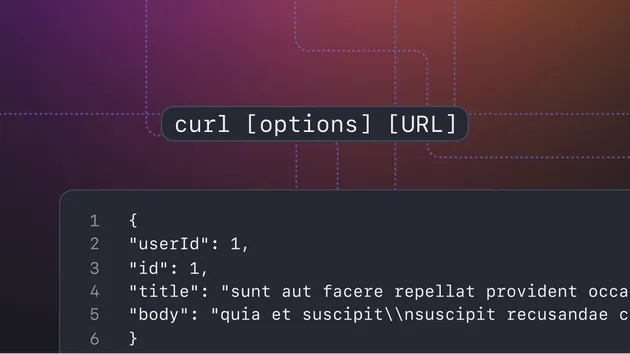
📋 curl in, request out Paste what DevTools or Postman gave you. Several commands at once work too. |
🧩 Rows become requests Use a URL template, a lookup key and field extraction to join answers back to your table. |
📄 Walks every page Page numbers, offsets, next links and cursors, with each page returned as its own row. |
🛡️ Safe by default Private network and cloud-metadata addresses are always blocked, and tokens stay encrypted. |
Run a single request from a form, or send a whole list in one run. Every request returns a row with the status code, parsed JSON, selected fields, redirect chain, timing and a plain-language failure reason. Retries, rate limits and concurrency are handled for you, so your pipeline, monitor or AI agent only reads the results.
🎯 Common workflows
- Clay, n8n, Make and Zapier builders: Map your row to
url,headers,paramsanddata, add arowId, and join the answer back to the row. UsecallbackUrlto push each result to a webhook as it finishes. - Bulk enrichment: Put
https://api.example.com/users/{{id}}in the URL template, list your ids, and get one response per id with the fields you picked. - QA and uptime checks: Run a list of endpoints on a schedule and filter on
assertionPassedwhen you set expected status codes or expected text. - AI agents and MCP tools: Give your agent one tool that can call any API. A single request needs only a URL, and unsafe targets are refused before anything is sent.
- Data teams: Page through an API that returns thousands of records and land every page as a row you can export.
🚀 How to use it
|
STEP 1 Describe the call Fill the URL, paste curl commands, add a list of URLs, or use a template with rows. |
STEP 2 Set the rules Concurrency, retries, pagination, field extraction and proxy are all optional. |
STEP 3 Read the rows Download JSON, CSV or Excel, call the API, or receive each row on your webhook. |
📥 Input
Fill url, or use any of the batch fields. Nothing is required, and no account or key is needed to call public APIs. If the API you call needs credentials, you pass your own.
| Field | Type | Required | Description |
|---|---|---|---|
url | string | Conditional | The address to call for a single request. |
method | enum | No | GET, POST, PUT, PATCH, DELETE, HEAD or OPTIONS. A body with GET selected is sent as POST. |
headers | object (secret) | No | Request headers for every request in the run. Stored encrypted and hidden in saved tasks. |
params | object | No | Query-string parameters added to the URL. |
data | object | No | JSON body, or a form body when the content type says so. |
rowId | string | No | An identifier echoed back on the result row as lookupKey. |
requests | array | Conditional | Request objects with id, label, url, method, headers, params, data, expectedStatusCodes and expectedBodyContains. |
urls | array of URLs | Conditional | A list of URLs to fetch, typed, pasted or uploaded as a text file. |
urlTemplate | string | Conditional | A URL with {{placeholders}}, one request per row in templateValues. |
templateValues | array | Conditional | Plain values or objects that fill the placeholders. They also work in headers and the body. |
curlCommand | string (secret) | Conditional | One or more curl commands to import as requests. Stored encrypted and hidden in saved tasks. |
paginationMode | enum | No | none, pageNumber, offset, nextUrl or cursor. |
maxPages | integer | No | Pages to fetch per request when pagination is on. |
pageParam, pageStart, pageSize | string, integer | No | Which parameter carries the page, where it starts and the offset step. |
nextPagePath, stopWhenEmptyPath | string | No | Where to find the next link or cursor, and which list ends the paging when it is empty. |
maxConcurrency | integer | No | Requests running at the same time. |
requestsPerSecond | integer | No | Extra rate limit on top of concurrency. 0 disables it. |
dedupeRequests | boolean | No | Skip requests that repeat the same method, URL and body. |
timeoutSecs | integer | No | Seconds to wait per attempt. |
maxRetries | integer | No | Extra attempts after a network error or retryable status. |
retryOnStatusCodes | array of integers | No | Status codes worth retrying. |
retryUnsafeMethods | boolean | No | Also retry POST and PATCH after server errors. Off by default so nothing is sent twice. |
followRedirects, maxRedirects | boolean, integer | No | Follow redirects, and how many hops. |
ignoreTlsErrors | boolean | No | Accept self-signed or expired certificates on trusted staging servers. |
parseJson | boolean | No | Parse JSON responses into a structured json field. |
extract | object | No | Map output names to paths, such as {"title": "data.title"}. |
bodyMode | enum | No | auto, none (status and timing only) or keyValueStore (always save the full body). |
maxResponseBytes | integer | No | Inline body size before a body is cut. |
saveOversizedBodyToKeyValueStore | boolean | No | Save big and binary bodies instead of cutting them. |
includeResponseHeaders | boolean | No | Add response headers to each row. |
failOnErrorStatus | boolean | No | Fill the error field for non-2xx responses. |
expectedStatusCodes, expectedBodyContains | array, string | No | Checks that set assertionPassed on each row. |
authType | enum | No | none, bearer or basic, applied to requests without their own Authorization header. |
authBearerToken, authBasicUsername, authBasicPassword | string (secret) | No | Credentials for the default authentication. |
secretHeaders | object (secret) | No | Headers with keys or tokens. Stored encrypted and masked in results. |
proxyConfiguration | object | No | Optional Apify Proxy settings with groups and country. Off by default. |
proxyRouting | enum | No | always, or fallback to try direct first and use the proxy only when blocked. |
proxyRotation | enum | No | A new IP per request, or one IP for the whole run. |
clientProfile | enum | No | Which browser identity to present, or none to send only your headers. |
callbackUrl, callbackHeaders | string, object (secret) | No | POST each row to your endpoint as it completes. |
Single request
Rows from a template with pagination
Curl import
📤 Output
One row per response:
Three dataset views are ready in the Output tab: Responses for status and timing, Response Bodies for payloads and extracted fields, and Redirects & Errors for chains and failures. A run summary with success rate, status breakdown, failure reasons and average response time is saved next to your results. Requests that were refused before sending, such as a blocked address, are listed with the reason in the NOT-SENT record and are never charged.
Field reference
| Field | Type | Description |
|---|---|---|
requestId, lookupKey, label | string | Your own identifiers, echoed back for joining results to source rows. |
requestIndex, source, pageNumber | integer, string | Position in your input, where the request came from, and the page for paginated rows. |
requestedUrl, finalUrl | string | The URL you sent and the URL after any redirects. Secret-looking query values are masked. |
method | string | HTTP method used. |
statusCode, statusText | integer, string | Response status. Missing when no response arrived. |
ok | boolean | true for 2xx responses. |
isBroken | boolean | true for 4xx, 5xx, or no response. |
isRedirect, redirectChain, redirectCount | boolean, array, integer | Whether the request redirected, and every hop. |
contentType, responseHeaders | string, object | Response type and headers. |
body, bodyEncoding | string | Raw text, or base64 for binary content. |
json, extracted | object | Parsed JSON and the fields you asked for. |
bodyBytes, bodyTruncated, bodyStoredKey | integer, boolean, string | Size, whether the inline copy was cut, and the link to the full body. |
assertionPassed | boolean | Result of your expected status and text checks. |
durationMs, timings, attempts | integer, object | Total time, connection phases and attempts made. |
usedProxy | boolean | Whether the request went through the proxy. |
failureReason, errorType, errorMessage, error | string | Why no response arrived: timeout, dns, connection, tls, blocked-target, too-many-redirects or invalid-request. |
fetchedAt | string | Timestamp the request completed. |
💰 Pricing
This Actor is pay per result. You are charged for each response row, whether the server answered with a success or an error. Requests refused before sending and empty runs cost nothing beyond the fixed start fee. There is no subscription, and larger Apify plans get lower rates.
Free Apify plans can send up to 250 requests per run. Paid plans have no run limit.
⭐ Enjoying HTTP Request Runner?
|
⭐ ⭐ ⭐ ⭐ ⭐ If this Actor saved you from writing retry, paging and mapping code, leave a rating. A 5-star rating takes 10 seconds and helps other pipeline builders and agent developers find it. Your feedback also tells us what to build next. |
| ★ Rate this Actor on Apify |
🛡️ Tips and limits
- Requests run up to
maxConcurrencyat a time. AddrequestsPerSecondwhen a target rejects bursts even at low concurrency. ARetry-Afterheader from the server is respected. retryOnStatusCodesdefaults to codes worth retrying (408, 425, 429, 500, 502, 503, 504). Other 4xx codes mean the request itself is wrong, so they are not retried.POSTandPATCHare only retried when the server clearly did not process them, so an order or payment is never sent twice by accident.- Private network, loopback and cloud-metadata addresses are refused, including after redirects. Only
httpandhttpsURLs are accepted. - Response bodies are held in memory while they are read. At the default run memory, bodies up to a few megabytes are kept in full. Raise the run memory in the run options to keep larger files.
- Residential proxy routing reads at most 64 KB of each response. Datacenter routing and direct calls have no such limit.
- You are responsible for the APIs you call and for following their terms.
❓ FAQ
Can I import a request straight from my browser or Postman?
Yes. Copy the curl command and paste it into curlCommand. Paste several commands one after another and each becomes its own request.
How do I use it from Clay, n8n or Make?
Map your row fields to url, headers, params and data, and set rowId to your row id. Each run returns the same lookupKey on the result so you can join it back. Set callbackUrl to receive rows on a webhook as they complete.
What happens when a request fails?
It retries according to maxRetries and retryOnStatusCodes. The row is still saved with isBroken: true, a failureReason and an errorMessage, so failures never disappear from your results.
Does a 404 or 500 fail the run?
No. The server's answer is a valid result and you get the status code back. A run only ends with a message instead of results when the input has no usable request, and that run costs nothing.
🔗 Other actors
- Bulk HTTP Status Checker: Redirects, SSL Expiry and Run Changes ↗ - Check a list of URLs for status, redirects and certificate expiry.
- Google Lens OCR API: Image to Text with Word Boxes and Standby ↗ - Batch image to text extraction with bounding boxes.
- Bulk Image Downloader: Crawl Sites, Dedupe Photos, Export ZIP ↗ - Download image batches with metadata and hashes.
- arXiv Scraper for RAG: Papers as Chunked JSON ↗ - Research papers as chunked JSON for retrieval pipelines.