

Discord Username Checker — Bulk Availability
Pricing
from $0.004 / username checked
Discord Username Checker — Bulk Availability
Check whether Discord usernames are available or already taken, in bulk. Paste a list and get one clean row per username: available, taken, valid format, and a note. Fast and simple. Export as JSON, CSV or Excel.
Pricing
from $0.004 / username checked
Rating
0.0
(0)
Developer

Hipersoft
Maintained by CommunityActor stats
0
Bookmarked
11
Total users
0
Monthly active users
3 days ago
Last modified
Categories
Features
Share
Discord Username Checker — Bulk Username Availability
Discord Username Checker tells you, in bulk, whether Discord usernames are available or already taken. Paste a list of usernames, run it, and get one clean row per username — perfect for picking a new Discord handle, securing a brand name, bulk-checking ideas for a community or server, or researching username availability at scale.
Works with the modern Discord username system (the new unique @username handles, not the old name#0000 tags). Export results as JSON, CSV or Excel.
What it does
- ✅ Availability: for every username you submit, is it free to register on Discord or already in use?
- 🧾 Bulk checking: check one username or thousands in a single run.
- 🔤 Format validation: flags usernames that can't exist on Discord (wrong length or characters) so you don't waste checks.
- 📤 Clean export: structured rows, ready for Google Sheets, Excel, a database or your own tool via the API.
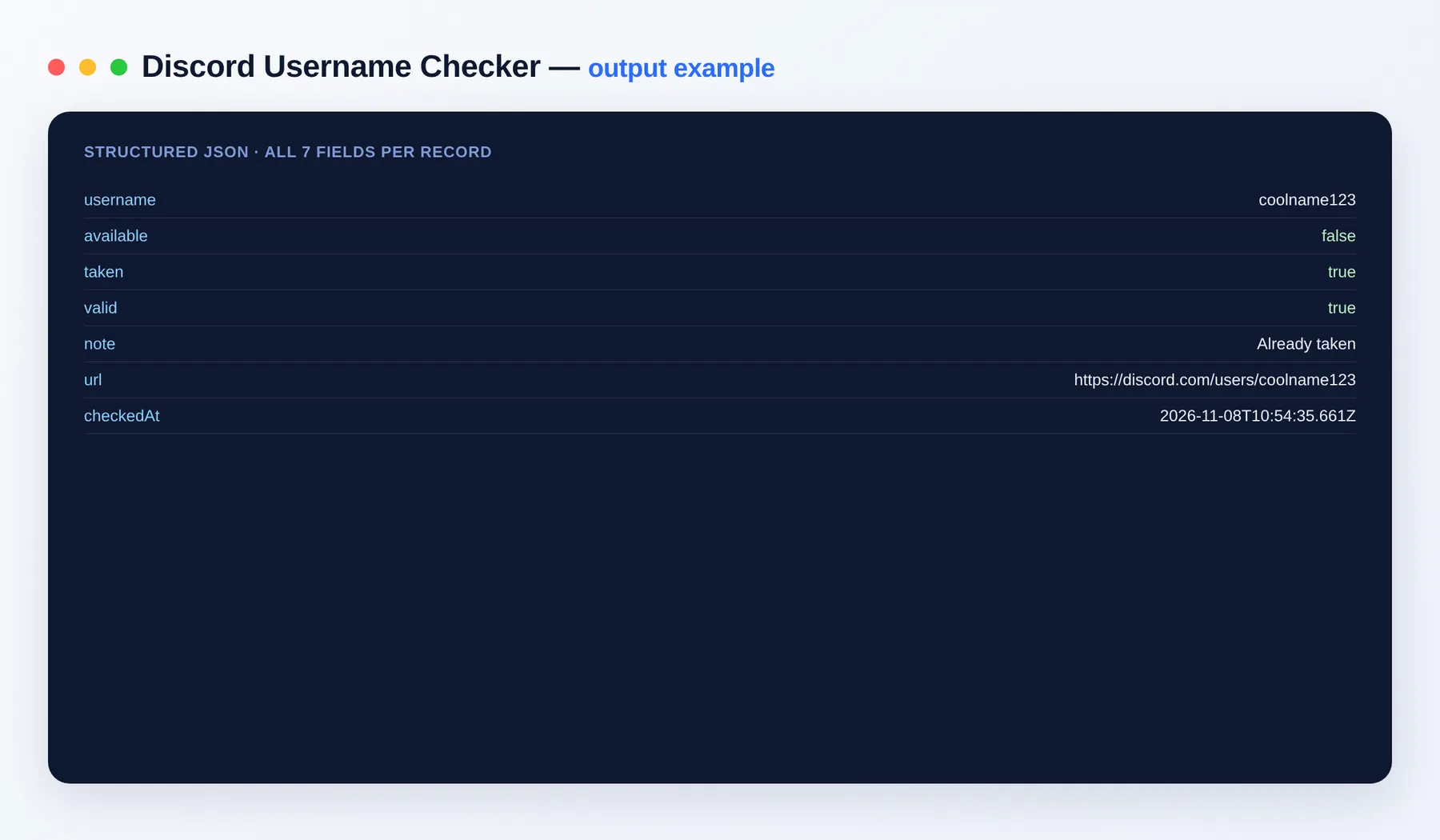
Example output
| Field | Type | Description |
|---|---|---|
username | string | The normalized username that was checked (lowercased, leading @ removed). |
available | boolean | true if the username is free to register, false if it is taken or invalid. |
taken | boolean | true if already in use, false if free, null if the username isn't a valid format. |
valid | boolean | Whether the username matches Discord's format rules. |
note | string | Human-readable status, e.g. "Available to register". |
url | string | Convenience link to the Discord profile path for that username. |
checkedAt | string | Timestamp of the check. |
How to use
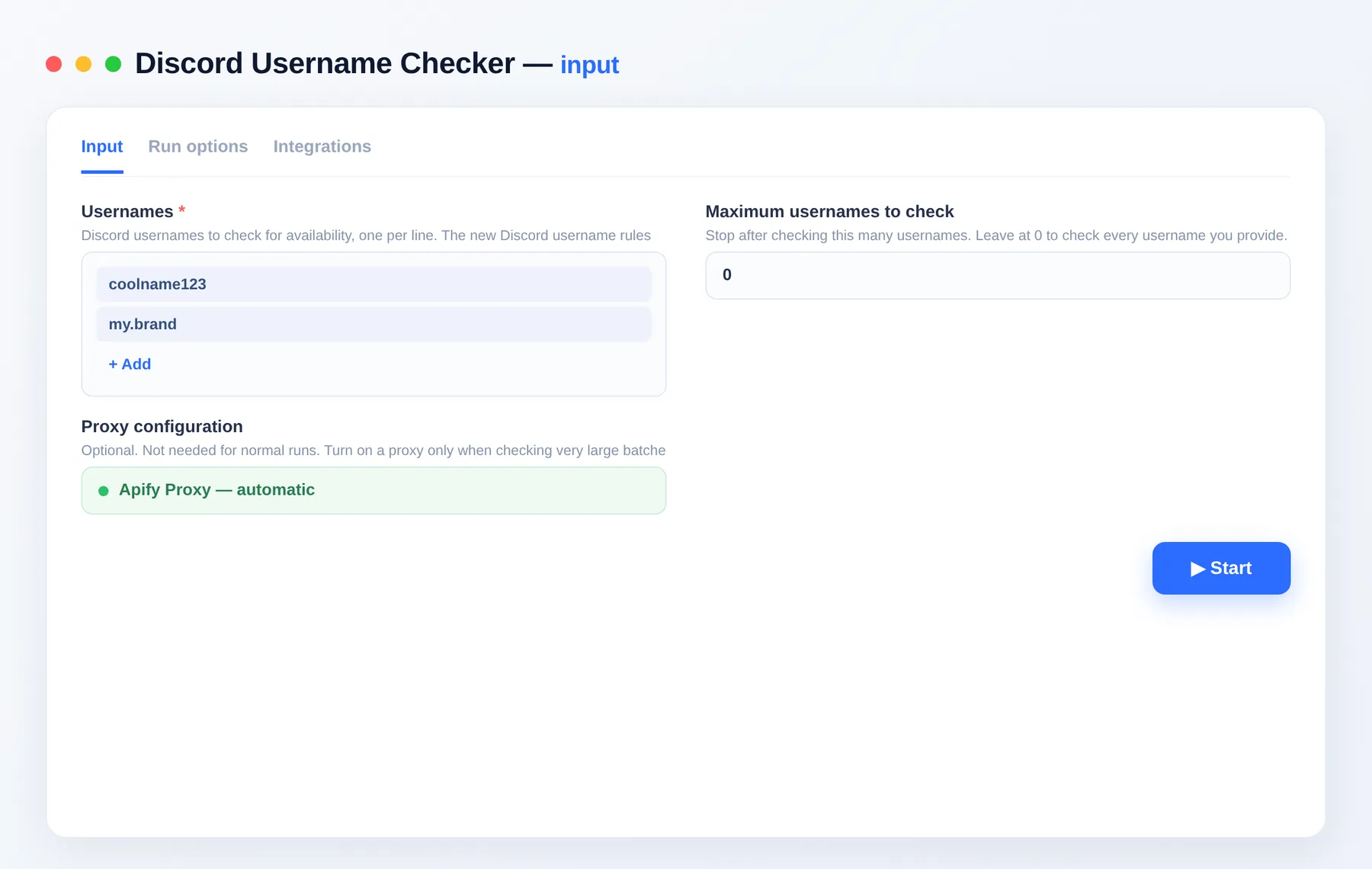
- Add Discord Username Checker and open its input.
- Paste the usernames you want to check, one per line.
- Optionally set Maximum usernames to cap a run.
- Click Start and download the results as JSON, CSV or Excel.
Discord username rules
Discord usernames are 2–32 characters and may contain lowercase letters, numbers, underscores (_) and periods (.) only. Anything outside those rules can't be registered, so the checker marks it as unavailable with a note instead of spending a check on it.
Common uses
- 🏷️ Grab a handle: see which of your shortlisted names are still free before you commit.
- 🛡️ Brand protection: check whether your brand or product name is taken on Discord.
- 👥 Communities & servers: bulk-check naming ideas for a new community, bot or project.
- 🔁 Monitoring: re-run a list over time to catch when a desired name frees up.
Related Actors
Explore more data tools from the same author:
- App Store Reviews Scraper — Apple App Reviews & Ratings
- NetEase Cloud Music Scraper — Charts & Playlists
- Singapore Air Quality, PSI, UV & Dengue Alerts
- StockTwits Scraper — Ticker Messages & Sentiment
Plug the results straight into your stack with Make, Zapier or any of Apify's integrations.
FAQ
Does this need a Discord account or token? No. You only provide the usernames you want to check.
How many usernames can I check?
As many as you like — submit them in the usernames list. Use Maximum usernames to cap a run.
What does available: false with valid: false mean?
The username breaks Discord's format rules (length or characters), so it can never be registered — effectively unavailable.
Notes
Results reflect availability at the moment of the check; a free name can be taken by someone else at any time. Availability is not a reservation.


