

Finviz Stock Screener Scraper — Bulk Overview
Pricing
from $0.001 / stock scraped
Finviz Stock Screener Scraper — Bulk Overview
Scrape Finviz's stock screener: ticker, company, sector, industry, country, market cap, P/E, price, change and volume. Apply any Finviz filter, signal or sort. Bulk paginated export. No setup.
Pricing
from $0.001 / stock scraped
Rating
0.0
(0)
Developer

hiper soft
Maintained by CommunityActor stats
0
Bookmarked
5
Total users
3
Monthly active users
6 days ago
Last modified
Categories
Share
Finviz Stock Screener Scraper — Tickers, Sectors, P/E, Price & Volume
Scrape the Finviz stock screener into clean JSON, CSV or Excel — ticker, company, sector, industry, country, market cap, P/E, price, change and volume for every stock matching your criteria. Apply any Finviz filter, signal or sort, then bulk-export across all result pages. No key, no login. Fast and reliable.
Great for stock screening, watchlists, quant research, dashboards and market scans.
What does Finviz Stock Screener Scraper do?
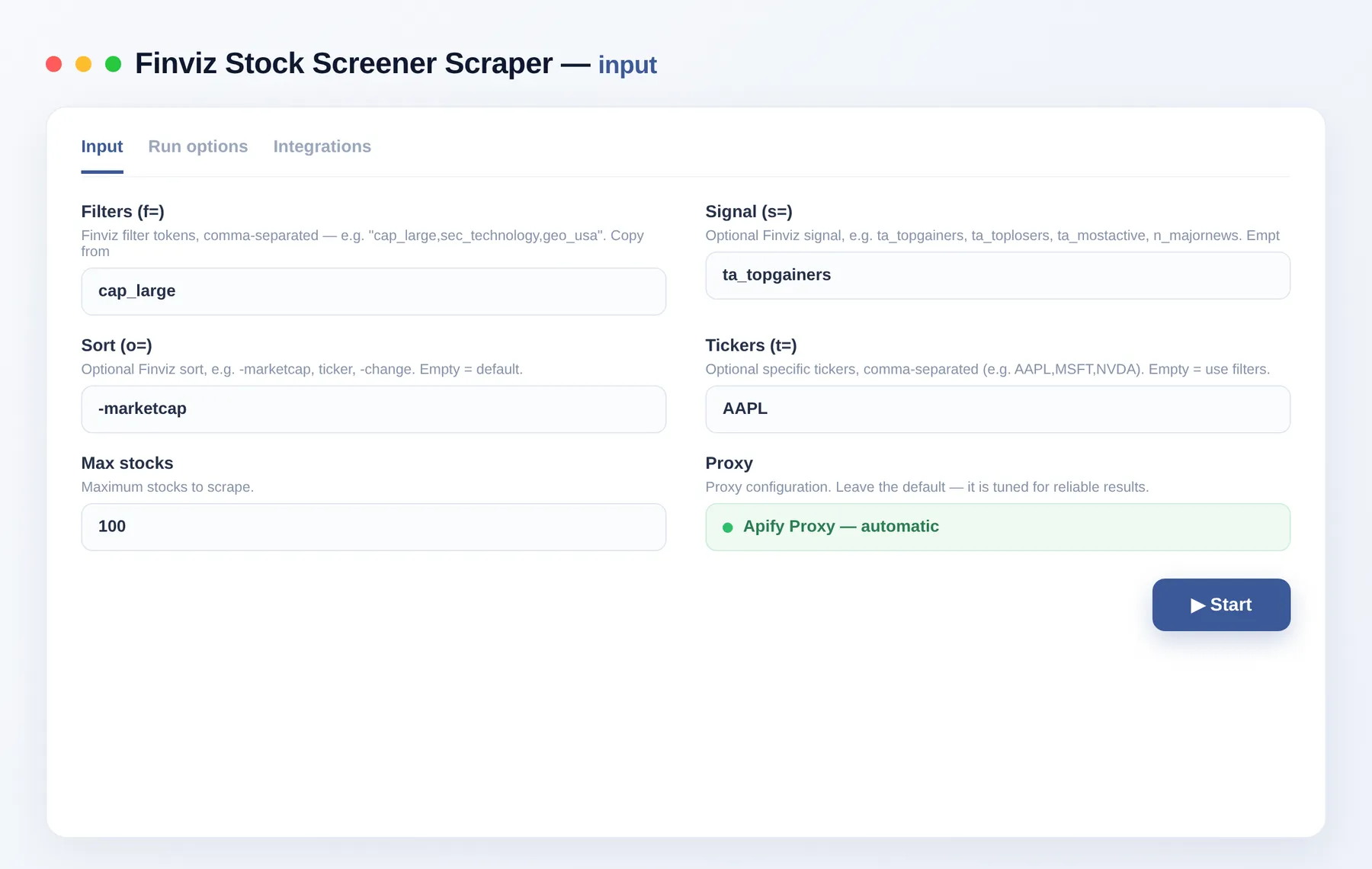
It reproduces any Finviz screen and extracts the full result set as structured data. Pass the same f= filters, s= signal and o= sort you use on Finviz — the Actor walks every result page and returns one clean record per stock, ready to export or pipe into a dashboard.
What you get
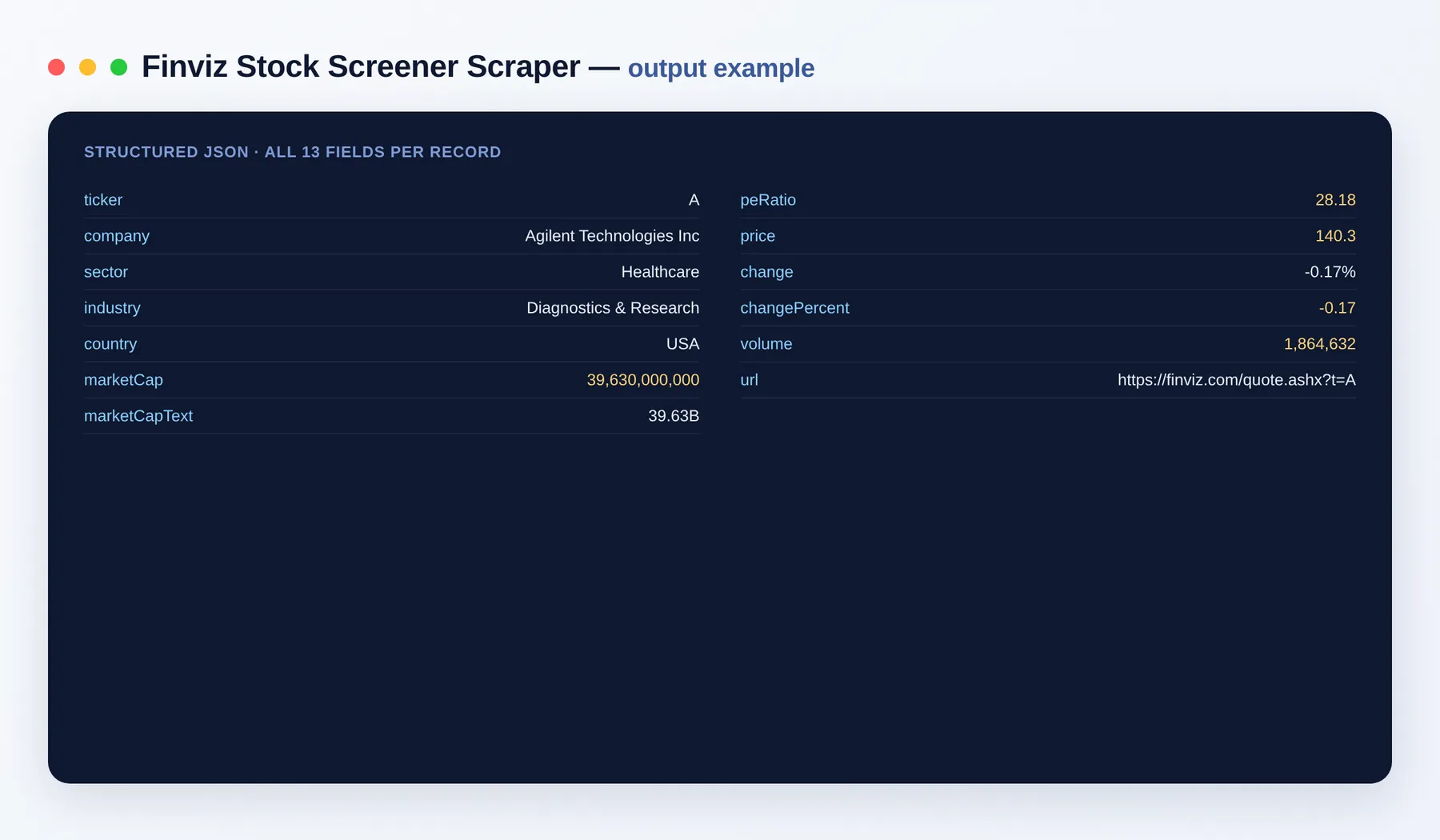
- 📊 Screener rows — ticker, company, sector, industry, country, market cap (numeric + text), P/E, price, % change, volume
- 🎚️ Any Finviz query — pass the same
f=filters,s=signal ando=sort you use on Finviz - 🎯 Specific tickers — or pass a list of tickers directly
- 📥 Bulk paginated — walks every result page automatically
Output schema
| Field | Type | Description |
|---|---|---|
ticker | string | Stock ticker symbol (e.g. AAPL). |
company | string | Company name. |
sector | string | Sector the company belongs to. |
industry | string | Industry classification. |
country | string | Country of the company. |
marketCap | integer | Market capitalization as a number. |
marketCapText | string | Market cap in Finviz shorthand (e.g. 3.39T). |
peRatio | number | Price-to-earnings ratio. |
price | number | Latest share price. |
change | string | Price change as a percentage string. |
changePercent | number | Price change as a numeric percentage. |
volume | integer | Trading volume. |
url | string (URL) | Link to the stock's Finviz quote page. |
Use cases
- Stock screening — pull every stock that passes your fundamental or technical criteria.
- Watchlists — refresh a curated set of tickers on a schedule.
- Quant research — build datasets of sector, market cap, P/E and volume for modeling.
- Dashboards — feed a BI tool or spreadsheet with live screener output.
- Market scans — capture top gainers, most active or unusual-volume signals.
- Sector analysis — compare valuations across sectors and industries.
How to scrape Finviz data
- Add the Finviz Stock Screener Scraper to your Apify account.
- Build a screen on finviz.com/screener.ashx and copy the
f=value from the URL. - Paste it into
filters, add asignalandorderif you want, and setmaxItems. - Click Run.
- Export the results as JSON, CSV or Excel, or pull them via the Apify API.
Input
Where do filters come from? Build a screen on finviz.com/screener.ashx and copy the f= value from the URL (e.g. cap_large,fa_pe_u20). Paste it into filters.
| Field | Description |
|---|---|
filters | Finviz f= filter tokens (comma-separated). |
signal | Finviz s= signal (top gainers, most active…). |
order | Finviz o= sort. |
tickers | Specific tickers instead of filters. |
maxItems | Max stocks to scrape. |
proxyConfiguration | Proxy settings (residential recommended for large runs). |
Output
Need more market data?
- Yahoo Finance Scraper — quotes and fundamentals
- CoinGecko Scraper — crypto market data
- SEC EDGAR Scraper — filings and financials
FAQ
Do I need a Finviz account? No. This scrapes the public screener — no key, no login.
How many stocks can I scrape?
As many as your screen returns; set maxItems to cap the run. The Actor paginates through every result page.
How do I filter to exactly what I want?
Configure the screen on Finviz, copy the f= value from the URL, and paste it into filters — the Actor reproduces that screen and exports all pages.
What export formats are supported? JSON, CSV, Excel and XML, plus the Apify API.
Can I integrate it with other tools? The Finviz Stock Screener Scraper can be connected with almost any cloud service or web app thanks to integrations on the Apify platform. It works with Make, Zapier, Slack, Airbyte, GitHub, Google Drive and many more, plus the Apify API, JavaScript/Python clients and MCP. Or use webhooks to trigger an action whenever a run finishes.
How does billing work? You pay only per item you get — cheap per stock, cheapest in its class.
Is the data public? Yes. The Actor returns only publicly available screener data.
Related Actors
- Yahoo Finance Scraper — quotes and fundamentals
- CoinGecko Scraper — crypto market data
- SEC EDGAR Scraper — filings and financials
Notes
Original clean-room implementation. Returns only public screener data; you are responsible for how you use the data and for complying with Finviz's terms. Not affiliated with or endorsed by Finviz.


