

Google Autocomplete Keyword Scraper
Pricing
from $0.000625 / keyword scraped
Google Autocomplete Keyword Scraper
Generate long-tail keyword ideas from Google Autocomplete: alphabet-soup, question and preposition expansions with relevance scores. Fast SEO keyword research, per country and language. Clean, no setup.
Pricing
from $0.000625 / keyword scraped
Rating
0.0
(0)
Developer

hiper soft
Maintained by CommunityActor stats
0
Bookmarked
7
Total users
3
Monthly active users
a day ago
Last modified
Categories
Share
Google Autocomplete Scraper — Long-Tail Keywords, Questions & Relevance Scores
Turn a handful of seed keywords into hundreds of long-tail keyword ideas from Google Autocomplete. This Actor expands each seed with alphabet-soup, question and preposition modifiers, and returns clean, structured JSON, CSV, Excel or XML — deduplicated and sorted by Google's relevance score. No account, no API key — fast and reliable, made for SEO specialists, content marketers and PPC teams.
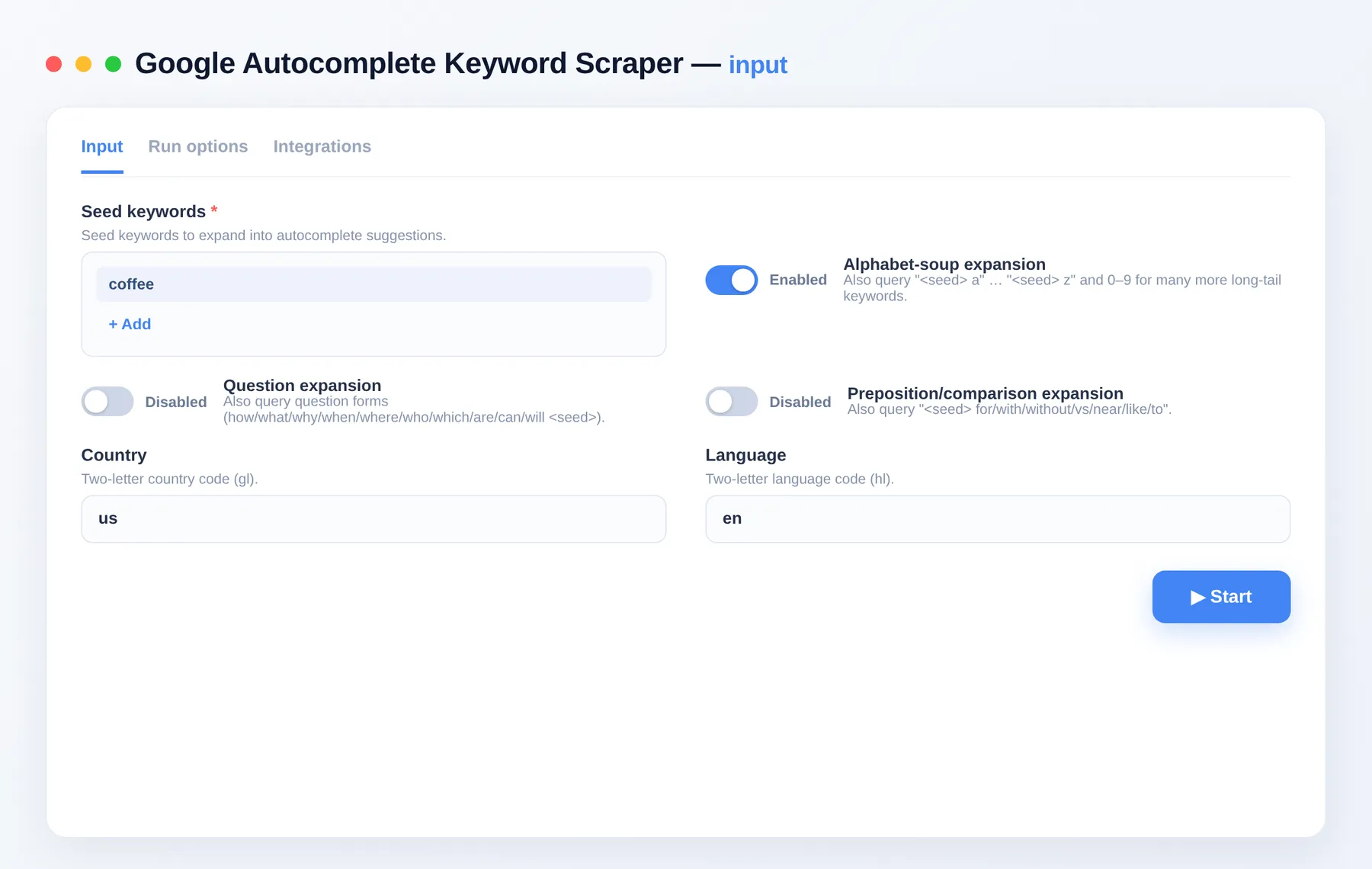
What does the Google Autocomplete Scraper do?
The Google Autocomplete Scraper takes your seed keywords and returns the suggestions Google shows as you type, expanded across the alphabet, question words and prepositions. Every suggestion carries a relevance score and the expansion that produced it — ideal for building long-tail keyword lists, content briefs and PPC term sets at scale.
Features
- 🔤 Alphabet-soup expansion — with
alphabetSoupon, each seed is queried as<seed> a…zplus0–9to surface long-tail variations. - ❓ Question expansion — enable
prependQuestionsto pullhow/what/why/when/where/who/which/are/can/will <seed>— ideal for FAQ and blog content. - 🔗 Preposition & comparison expansion — enable
appendPrepositionsfor<seed> for/with/without/vs/near/like/tovariants. - 📊 Relevance scores — every keyword carries a
relevancevalue, and each seed's results are sorted highest-first. - 🌍 Country & language targeting — set
countryCodeandlanguageCodefor localized suggestions. - 🧹 Deduplicated & labeled — each row records the
expansionthat produced it and theseedKeyword.
What you get
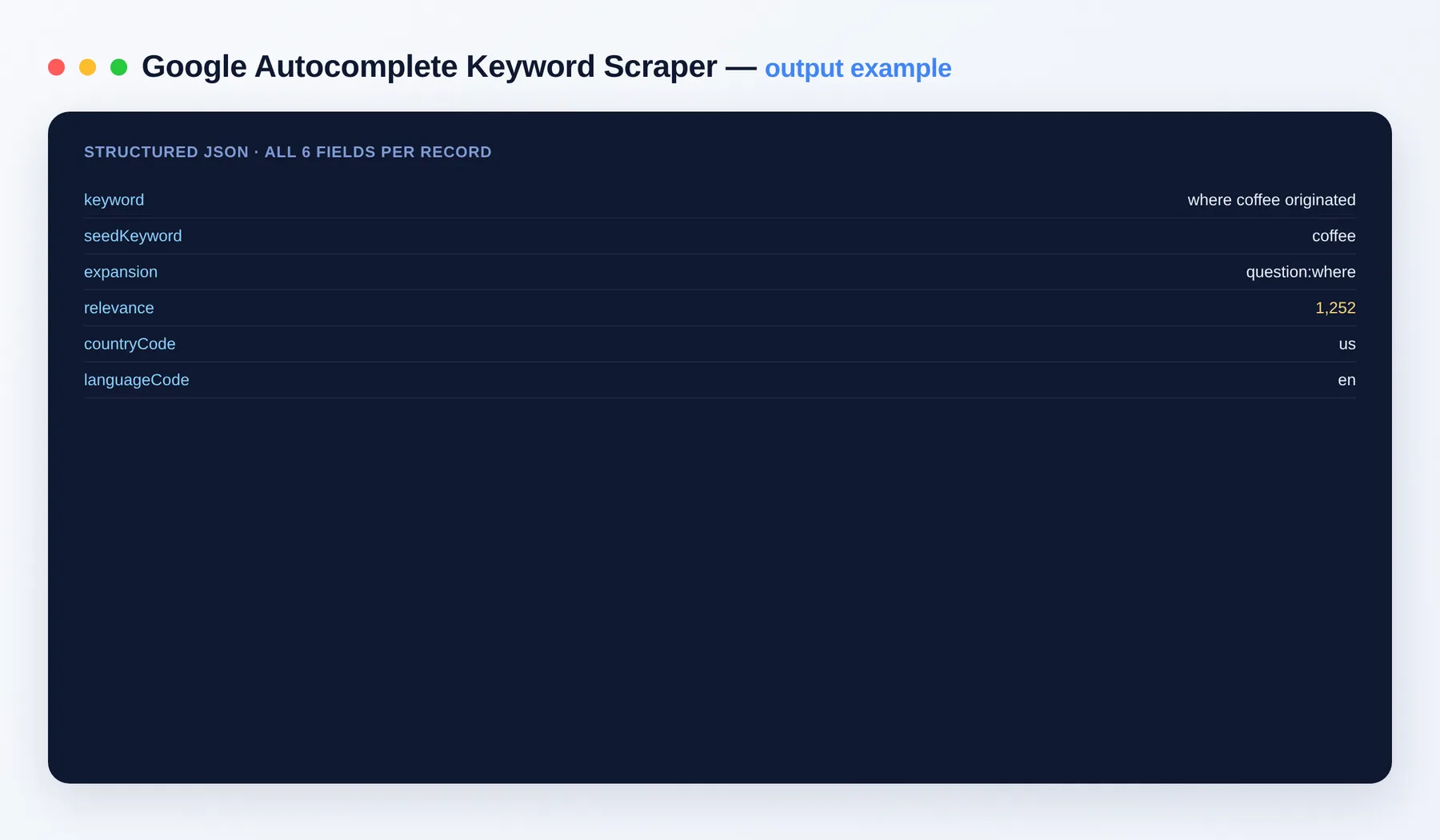
Each row is one unique keyword suggestion:
Output schema
| Field | Type | Description |
|---|---|---|
keyword | string | The autocomplete suggestion returned |
seedKeyword | string | The seed keyword this suggestion was expanded from |
expansion | string | The modifier that produced it, e.g. alphabet:g, question:how, preposition:for |
relevance | integer | Google's relevance score for the suggestion (higher = more prominent) |
countryCode | string | Two-letter country code used for the query |
languageCode | string | Two-letter language code used for the query |
Input
| Field | Type | Description |
|---|---|---|
keywords | array | Seed keywords to expand into autocomplete suggestions (required). |
alphabetSoup | boolean | Also query <seed> a…z and 0–9. Default true. |
prependQuestions | boolean | Also query question forms like how <seed>. Default false. |
appendPrepositions | boolean | Also query <seed> for/with/vs/…. Default false. |
countryCode | string | Two-letter country code. Default us. |
languageCode | string | Two-letter language code. Default en. |
Use cases
- Build long-tail keyword lists for SEO and content briefs.
- Mine question keywords to answer real user intent in blog posts and FAQs.
- Find comparison and "near me" terms for local and commercial pages.
- Prioritize keywords by Google's own relevance ordering.
- Localize keyword research by country and language.
How to scrape Google Autocomplete keywords
- Add the Google Autocomplete Scraper to your Apify account.
- Enter your seed keywords.
- Toggle alphabetSoup, prependQuestions and appendPrepositions, and set countryCode/languageCode.
- Click Run.
- Export the dataset as JSON, CSV, Excel or XML, or pull it via the Apify API.
Need more keyword & search data?
- Google News Scraper — headlines and articles by topic and region.
- Amazon Autocomplete Scraper — product search suggestions for Amazon.
- Wikipedia Scraper — article content and metadata for topic research.
FAQ
Do I need an API key or login? No. There's no account, login or API key required — just add your seeds and run.
How many keywords can I generate per run? It depends on your seeds and expansions — with alphabet-soup, questions and prepositions on, a single seed can yield hundreds of suggestions, and you can pass many seeds per run.
How does billing work? You pay only per suggestion you get, so small runs stay cheap. See the Pricing tab for current rates.
What format is the output? Structured JSON — one row per suggestion — exportable as JSON, CSV, Excel or XML. Each row includes the keyword, its seed, the expansion, relevance score and locale.
Can I target a specific country or language?
Yes. Set countryCode and languageCode to get suggestions localized to a market.
Is this only public data? Yes. It returns only suggestions Google serves publicly.
Can I connect this to other tools? The Google Autocomplete Scraper can be connected with almost any cloud service or web app thanks to integrations on the Apify platform. It works with Make, Zapier, Slack, Airbyte, GitHub, Google Drive and many more, plus the Apify API, JavaScript/Python clients and MCP. Or use webhooks to trigger an action whenever a run finishes.
Related Actors
Notes
Original clean-room implementation. Returns only suggestions Google serves publicly; you are responsible for compliance with Google's terms. Not affiliated with, endorsed by, or sponsored by Google. Google is a trademark of its respective owner.


