
Images to PDF — Combine Photos into One PDF
Pricing
from $0.0025 / pdf created
Images to PDF — Combine Photos into One PDF
Bundle JPG and PNG images into a single paginated PDF, with page size and fit options. Turn scans, screenshots and product shots into a shareable document.
Pricing
from $0.0025 / pdf created
Rating
0.0
(0)
Developer

Hipersoft
Maintained by CommunityActor stats
0
Bookmarked
1
Total users
0
Monthly active users
4 days ago
Last modified
Categories
Features
Share
Bundle JPG and PNG images into a single paginated PDF — with page-size and margin options. Turn scans, screenshots, receipts and product shots into one shareable, printable document in a single run.
What it does
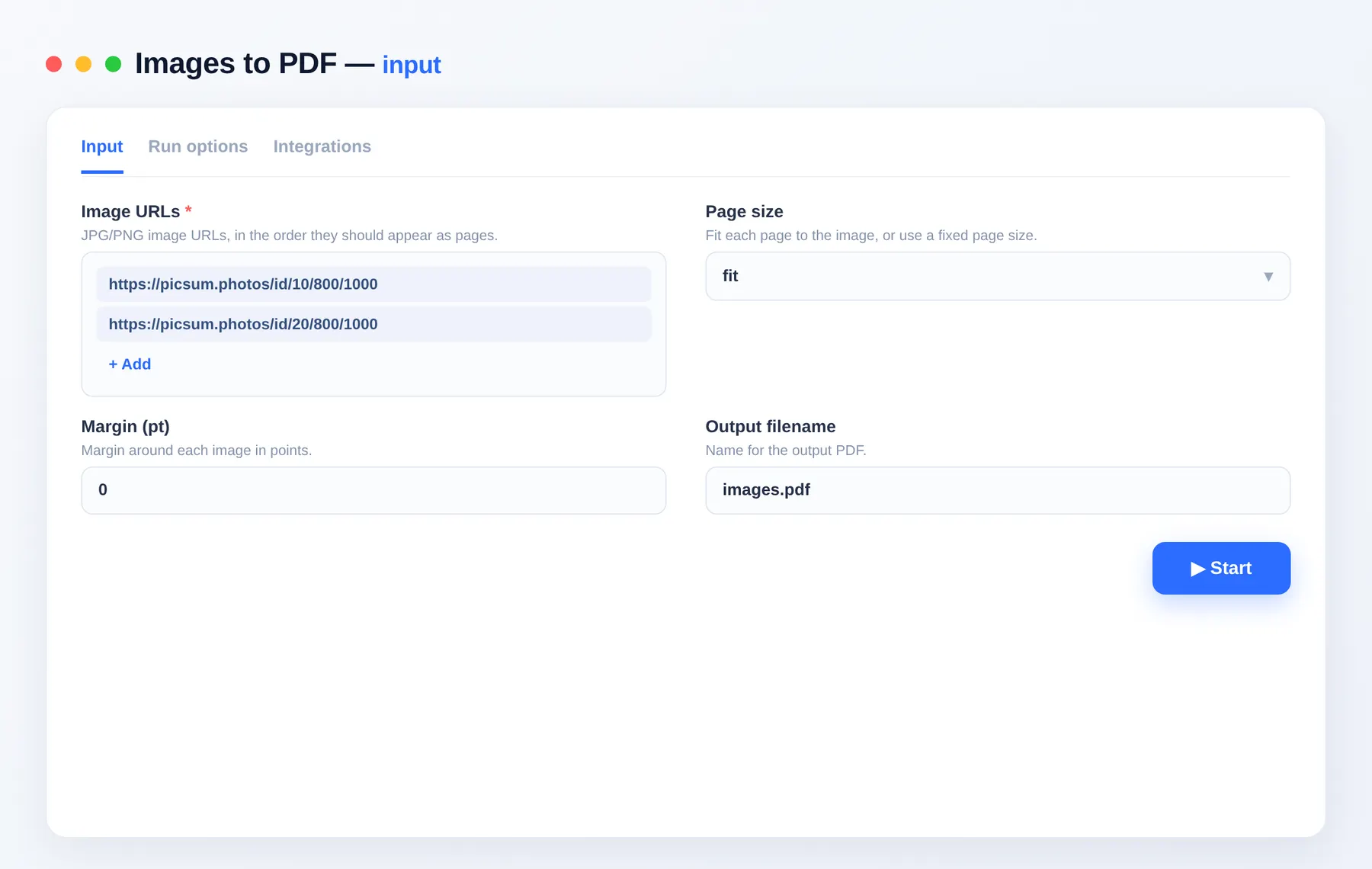
- Combines a list of JPG/PNG images into one PDF, in order.
- Fit-to-image, A4 or US Letter page sizes, with optional margins.
- Centers and scales each image to the page.
Use cases
- Scanning — turn phone photos of documents into a PDF.
- Receipts / expenses — bundle receipt images for submission.
- Portfolios / catalogs — assemble product shots into a PDF.
Input
| Field | Type | Description |
|---|---|---|
imageUrls | array | JPG/PNG URLs, in page order. |
pageSize | string | fit, a4 or letter. |
margin | integer | Margin around each image (points). |
outputName | string | Output filename. |
Output
Output schema
| Field | Type | Description |
|---|---|---|
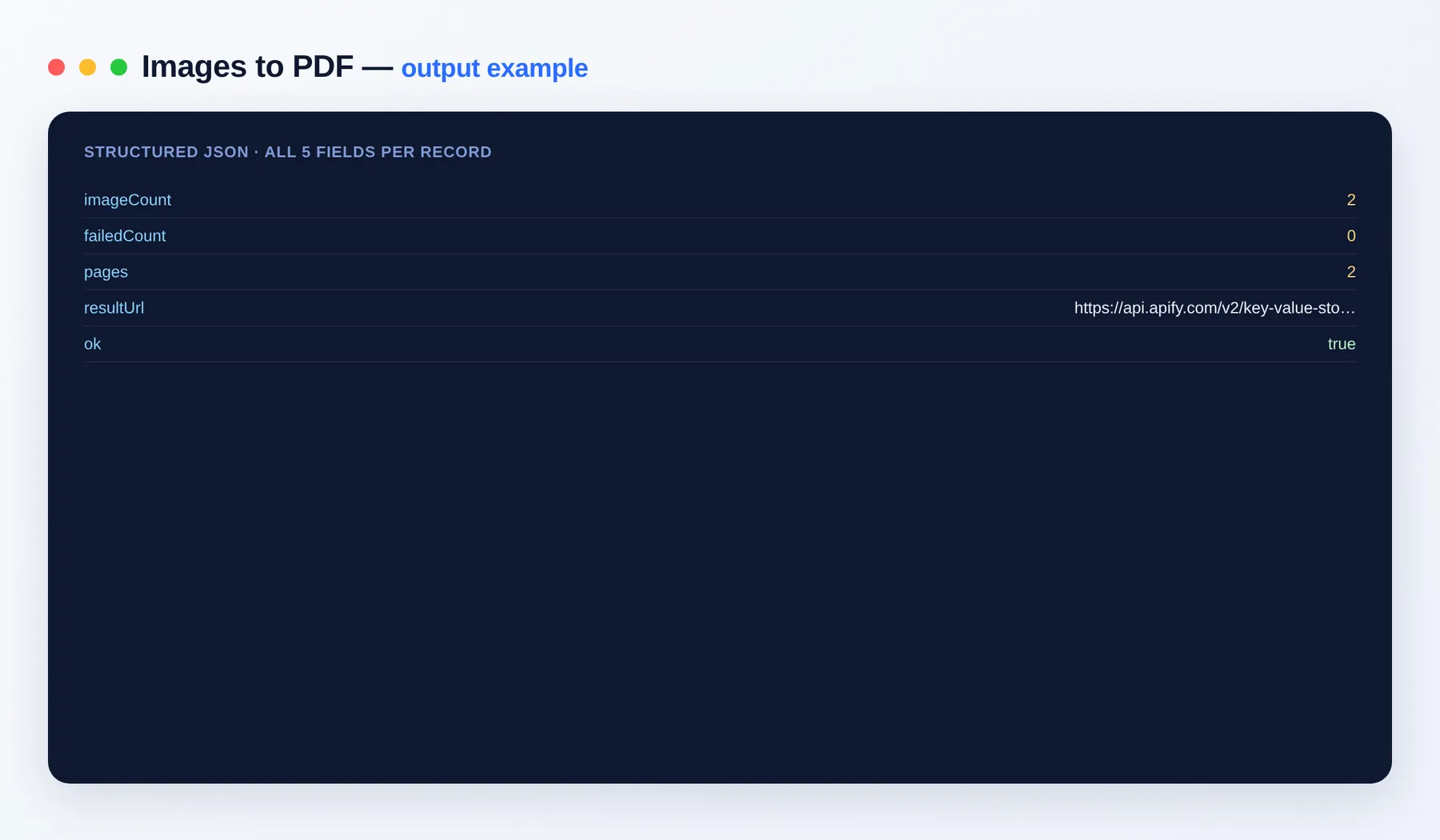
imageCount | integer | Images added. |
pages | integer | Pages in the PDF. |
resultUrl | string (URL) | Link to the output PDF. |
FAQ
Which image formats are supported? JPG and PNG. Each image becomes one page, scaled and centered to fit the chosen page size.
In what order are the pages created? Exactly the order of the imageUrls list, so you control the page sequence by arranging the URLs.
What page sizes can I pick? fit keeps each page the size of its image, while a4 and letter produce standard print-ready pages with an optional margin for clean borders.
Is there a limit on how many images? No fixed cap — bundle a handful of receipts or hundreds of scanned pages into a single PDF in one run.
Can I automate it? Yes — via integrations on the Apify platform and the Apify API, so a new PDF can be built on a schedule or triggered from your own app.
Notes
Original clean-room implementation. Pairs with PDF Merge and PDF Split.


