
Bulk Image Downloader — URLs to Stored Files
Pricing
from $0.028 / url processed
Bulk Image Downloader — URLs to Stored Files
Download thousands of images from a list of URLs and store each in the key-value store with a public link. Returns content type, size, dimensions and SHA-256 per image. Bulk-ready. Great for datasets, backups and media pipelines.
Pricing
from $0.028 / url processed
Rating
0.0
(0)
Developer

hiper soft
Maintained by CommunityActor stats
0
Bookmarked
88
Total users
26
Monthly active users
2 days ago
Last modified
Categories
Share
Bulk Image Downloader — Download Images from URLs at Scale
Bulk Image Downloader takes a list of image URLs and downloads every one, stores each file in your run's key-value store, and returns its content type, size, pixel dimensions and SHA-256 hash plus a direct link to the stored file. Export the metadata to JSON, CSV, Excel or XML. Fast and reliable, with no login or API key to run. Great for building image datasets, mirroring and backups, media pipelines and deduplicating creative assets.
What does the Bulk Image Downloader do?
Give it hundreds or thousands of image URLs and it fetches each one in parallel, saves the bytes to your run storage, and records a metadata row per image. The result is a clean dataset you can filter, deduplicate by hash, or wire into a downstream media pipeline.
What data do you get per image?
| Data point | Description |
|---|---|
| Source | url, finalUrl |
| Status | ok, error |
| File info | contentType, sizeBytes |
| Dimensions | width, height |
| Hash | sha256 |
| Storage | key, storedUrl |
What you get
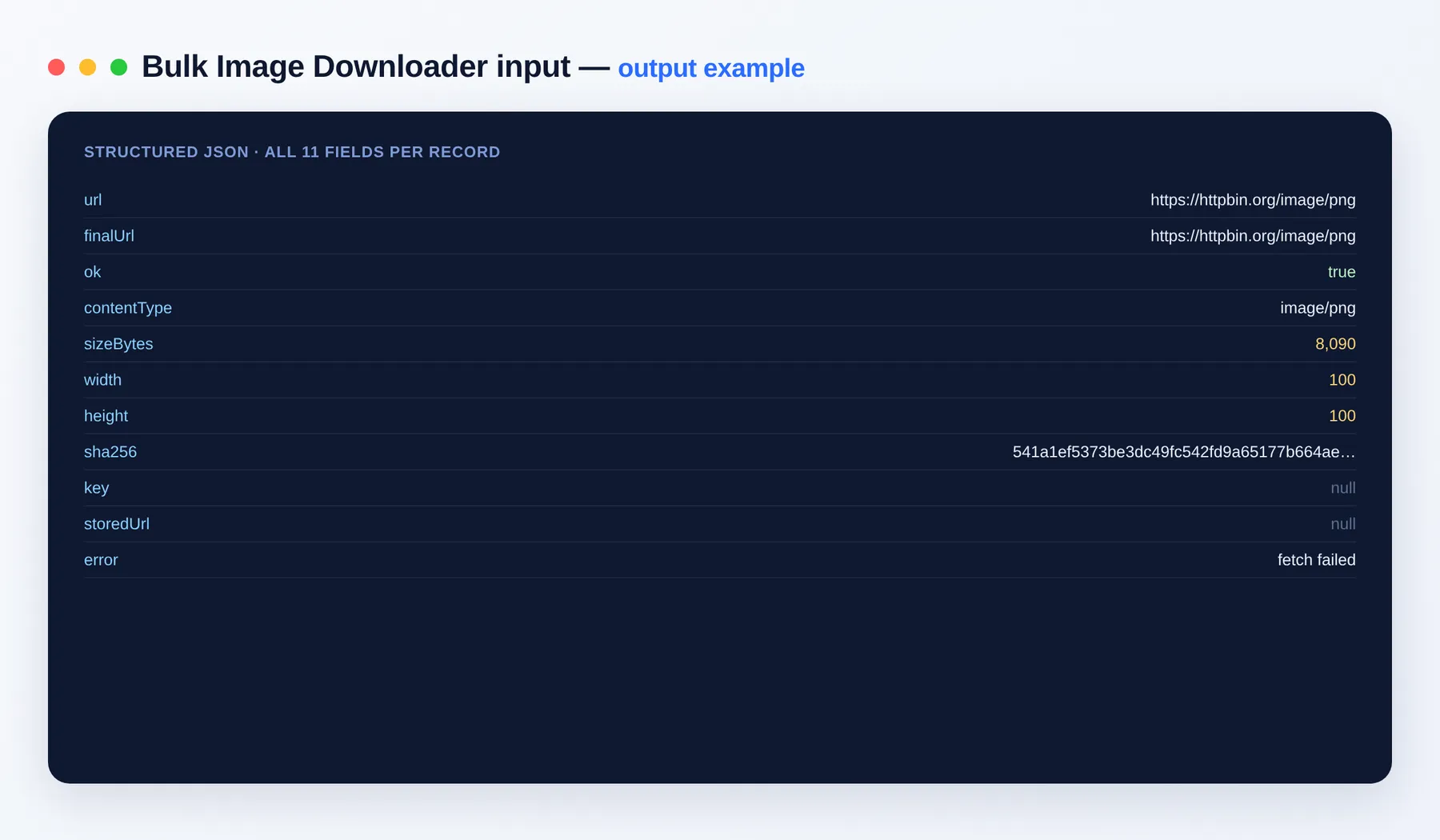
Each image produces one metadata row plus the stored file itself. Export the dataset to JSON, CSV, Excel or XML.
Output schema
| Field | Type | Description |
|---|---|---|
url | string (URL) | The image URL you supplied. |
finalUrl | string (URL) | The URL after any redirects were followed. |
ok | boolean | Whether the download succeeded. |
contentType | string | MIME type of the file (e.g. image/jpeg, image/png, image/webp). |
sizeBytes | integer | File size in bytes. |
width | integer | Image width in pixels, read from the file header. |
height | integer | Image height in pixels, read from the file header. |
sha256 | string | SHA-256 hash of the file contents, useful for deduplication. |
key | string | The record key of the stored file in the run's key-value store. |
storedUrl | string | Direct link to the stored file in your run's key-value store. |
error | string | Failure reason when a download did not succeed; empty otherwise. |
Use cases
- Build labelled image datasets for machine learning or research.
- Mirror and back up image assets from a list of URLs.
- Deduplicate creative libraries using the SHA-256 content hash.
- Feed a media processing or thumbnailing pipeline.
- Validate that a set of image links are live and return the expected files.
How to download images in bulk
- Add the Bulk Image Downloader to your Apify account and open its input.
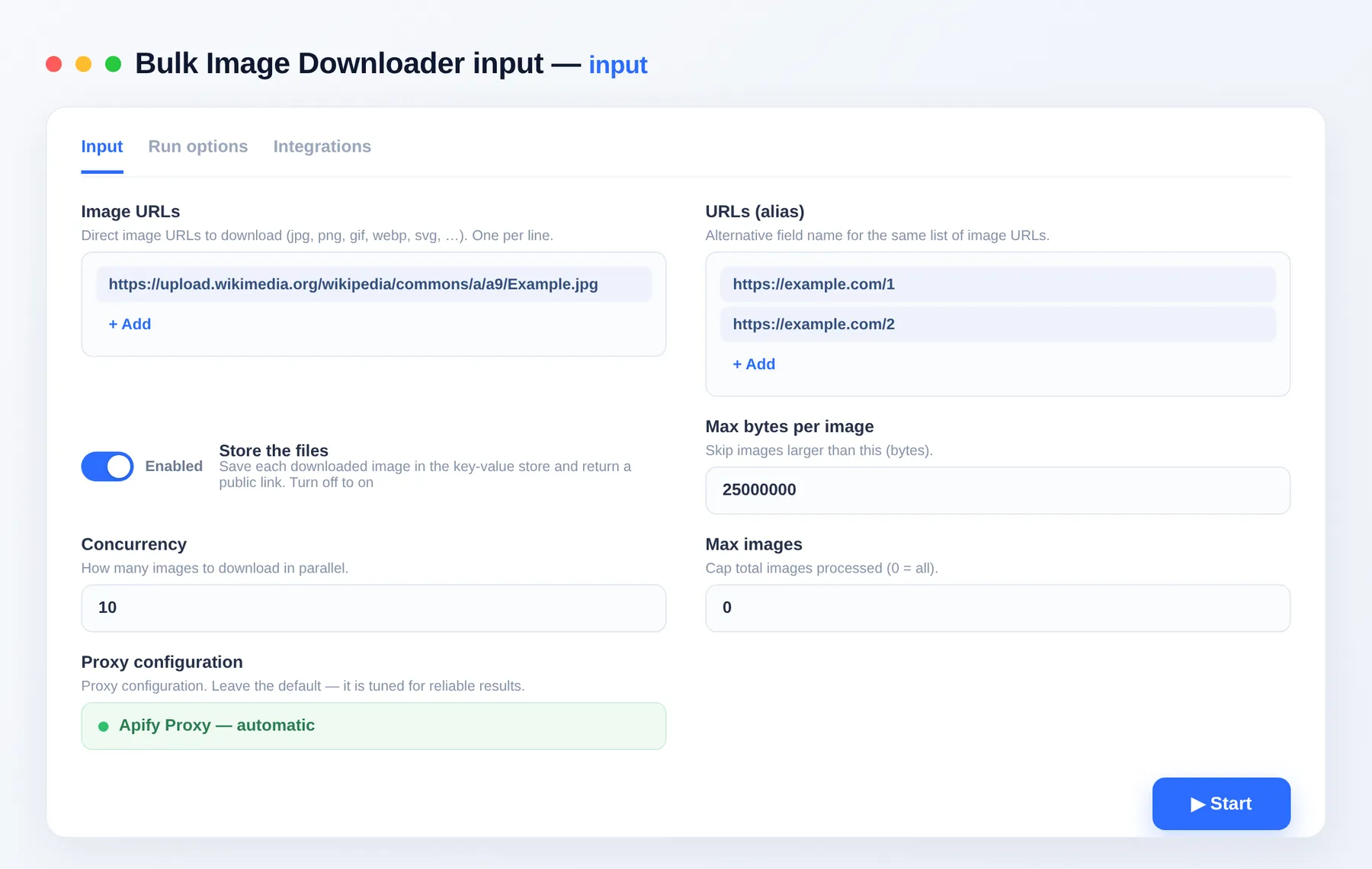
- Paste your image URLs under
imageUrls, one per line. - Set
store,maxBytes,maxConcurrencyandmaxItemsto suit your run. - Click Run and let it fetch and store every image.
- Export the metadata dataset as JSON, CSV, Excel or XML, and download the stored files as a zip from the run's Storage tab.
Input
| Field | Description |
|---|---|
imageUrls | Direct image URLs, one per line. |
store | Save the bytes and return a link (default on). Off = metadata only. |
maxBytes | Skip images larger than this size. |
maxConcurrency | Number of parallel downloads (default 10). |
maxItems | Global cap on the number of images processed. |
proxyConfiguration | Optional proxy settings for the run. |
Related tools
- Bulk URL Status Checker — check thousands of links for broken status, redirects and SSL.
- Website Contact Scraper — pull emails, phones and social links from any site.
- Website Content Crawler — crawl a site into clean text and discover asset URLs.
- Wayback Machine Scraper — list archived snapshots of a URL or domain.
FAQ
Do I need an account or API key? No API key is needed to run it. Downloaded files are saved to your run's key-value store, which you open in the Apify Console or fetch with your own API token.
How many images can I download per run?
As many as you supply. maxItems sets a global cap, maxConcurrency controls parallel downloads (default 10), and maxBytes skips files larger than a chosen size.
What export formats are supported? A JSON/CSV/Excel/XML dataset with one metadata row per image, plus the stored files themselves. Bulk-download the whole store as a zip from the run's Storage tab.
Can I filter or limit results?
Yes. Use maxItems, maxBytes and maxConcurrency, and set store to false to return metadata only without saving the bytes.
How does billing work? You pay per item you get, so cost scales with the number of images you actually process. See the Pricing tab for current rates.
Can I connect this to other tools? The Bulk Image Downloader can be connected with almost any cloud service or web app thanks to integrations on the Apify platform. It works with Make, Zapier, Slack, Airbyte, GitHub, Google Drive and many more, plus the Apify API, JavaScript/Python clients and MCP. Or use webhooks to trigger an action whenever a run finishes.
Is bulk image downloading legal? Only download images you have the right to use. You are responsible for the copyright and terms of the sources.
Related Actors
Notes
Original clean-room implementation. Files are saved to your run's key-value store and are private to your account, as with all Apify runs. Only download images you have the right to use.



