
PyPI Package Scraper — Metadata & Downloads
Pricing
from $0.001875 / package scraped
PyPI Package Scraper — Metadata & Downloads
Look up Python packages on PyPI: version, summary, author, license, Python requirement, dependencies, project links, release history and download counts. Ideal for dependency, license and security auditing. Clean, no setup.
Pricing
from $0.001875 / package scraped
Rating
0.0
(0)
Developer

Hipersoft
Maintained by CommunityActor stats
0
Bookmarked
1
Total users
0
Monthly active users
3 days ago
Last modified
Categories
Features
Share
PyPI Package Scraper — Metadata, Dependencies, Licenses & Download Stats
Look up any Python package on PyPI by exact name and get back clean, structured JSON: version, summary, author, license, Python requirement, dependencies, project links, release history and day / week / month download counts. The PyPI Package Scraper turns a requirements.txt, poetry.lock or pyproject.toml into an auditable dataset for dependency, license and supply-chain review — exportable as JSON, CSV, Excel or XML. Fast, reliable, and built for bulk package lookups.
What does the PyPI Package Scraper do?
This PyPI scraper (a Python package data extractor) resolves a list of package names into a full metadata record each. Instead of opening dozens of pypi.org/project/... pages by hand, paste your dependency list and export every field — license, supported Python versions, dependency graph, release cadence and download popularity — in one run. It's the fastest way to build a software bill of materials (SBOM), run an open-source license audit, or benchmark Python libraries side by side.
Features
- 🎯 Exact package lookups — paste names (
requests,fastapi,numpy) straight from your lockfile for precise, bulk results. - 🧾 License intelligence — a clean, resolved
licensefor every package, ideal for open-source license compliance and audits. - 🔗 Dependency graph — normalized
dependencieslist plus rawdependenciesRawrequirement specifiers and a dependency count for supply-chain mapping. - 🐍 Python version support —
requiresPythonand the fullpythonVersionslist, so you know exactly what runtimes each package targets. - 📈 Download statistics — optional last day / week / month download counts to measure package popularity and momentum.
- 🗓️ Release history — optional
recentReleaseswith the 10 most recent versions and upload dates to track release cadence and freshness. - 🔗 Project links —
homepage,repository,documentationand the completeprojectUrlsmap for every package.
What data can you scrape from PyPI?
Every Python package becomes one structured JSON record with these data points:
| Group | Fields |
|---|---|
| Identity | name, version, summary, keywords, pypiUrl |
| Licensing & compatibility | license, requiresPython, pythonVersions, yanked |
| Dependencies | dependencies, dependenciesRaw, dependenciesCount |
| Links | homepage, repository, documentation, projectUrls |
| Releases | latestUpload, latestSize, releaseCount, recentReleases |
| Popularity | downloadsLastDay, downloadsLastWeek, downloadsLastMonth |
What you get
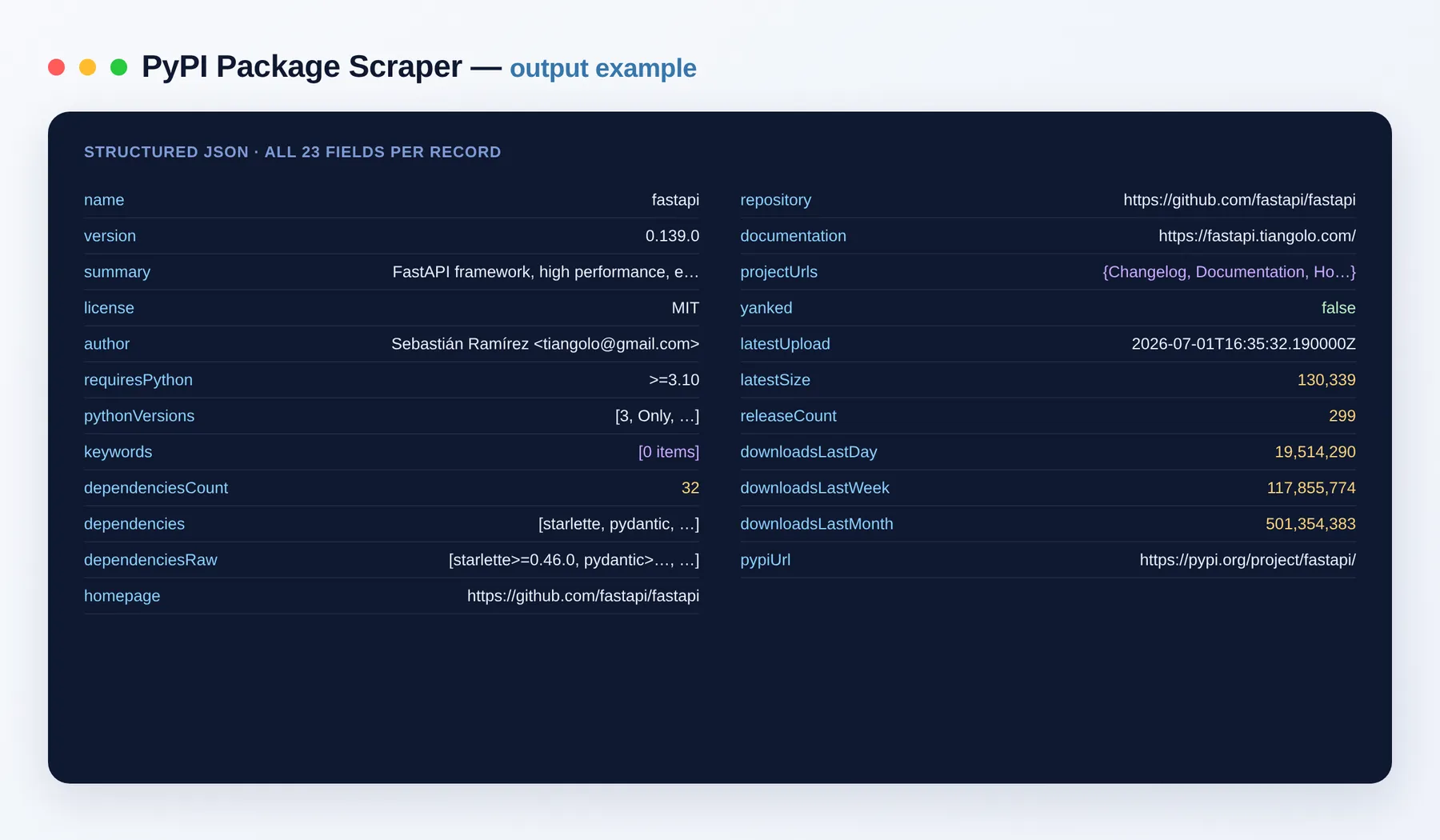
Each package becomes one clean JSON record:
Output schema
| Field | Type | Description |
|---|---|---|
name | string | Package name on PyPI. |
version | string | Latest published version. |
summary | string | Short package description. |
license | string | Resolved license from manifest, expression or classifiers. |
author | string | Package author name. |
requiresPython | string | Python version requirement specifier. |
pythonVersions | array | Supported Python versions parsed from classifiers. |
keywords | array | Keywords declared by the package. |
dependenciesCount | integer | Number of runtime dependencies. |
dependencies | array | Normalized dependency package names. |
dependenciesRaw | array | Raw dependency requirement specifiers. |
homepage | string | Package homepage URL. |
repository | string (URL) | Source code repository link. |
documentation | string (URL) | Documentation link. |
projectUrls | object | Map of all declared project links. |
yanked | boolean | Whether the latest release was yanked. |
latestUpload | string (ISO date) | Upload timestamp of the latest release. |
latestSize | integer | Size in bytes of the latest release file. |
releaseCount | integer | Total number of released versions. |
downloadsLastDay | integer | Downloads in the last day. |
downloadsLastWeek | integer | Downloads in the last week. |
downloadsLastMonth | integer | Downloads in the last month. |
pypiUrl | string (URL) | Link to the package page on PyPI. |
How to scrape PyPI package data
- Open the PyPI Package Scraper and click Try for free.
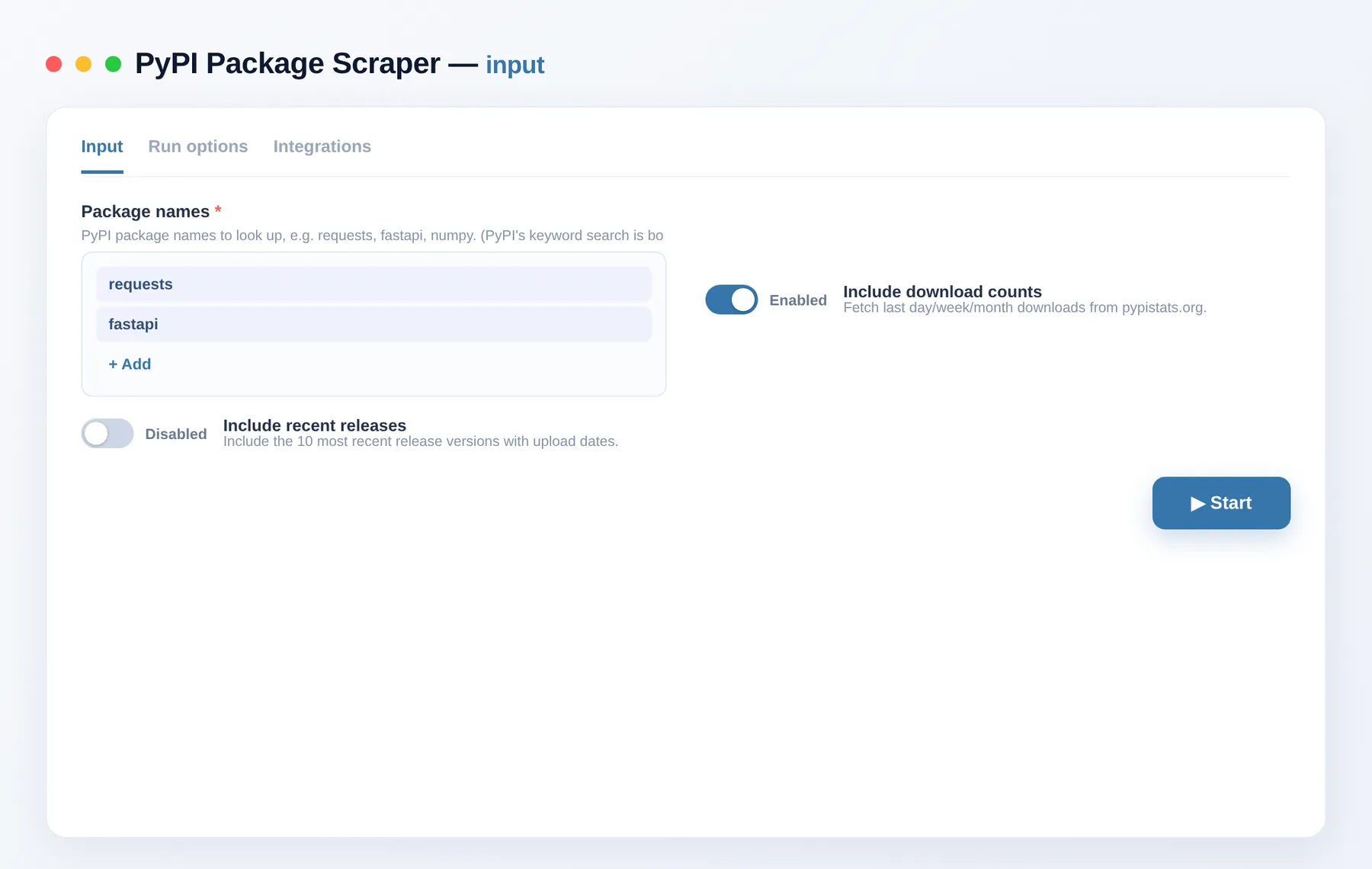
- Paste the package names you want into the
packagesfield — one per line, copied straight fromrequirements.txt,poetry.lockorpyproject.toml. - Toggle
includeDownloadsfor popularity figures andincludeReleasesfor recent release history. - Click Run.
- Export the results as JSON, CSV, Excel or XML, or pull them from the Apify API.
Input
| Field | Description |
|---|---|
packages | PyPI package names to look up (exact names from your requirements.txt / poetry.lock). |
includeDownloads | Add last day / week / month download counts for each package. |
includeReleases | Include recentReleases: the 10 most recent versions with upload dates. |
Use cases
- Software bill of materials (SBOM): export every dependency's name, version and license into a single structured dataset for compliance and procurement.
- Open-source license audit: flag copyleft, unknown or mismatched licenses across a whole
requirements.txtbefore shipping. - Supply-chain security review: map a project's full dependency names and spot
yankedor stale releases that need attention. - Dependency freshness monitoring: compare
latestUploadandreleaseCountto find abandoned or slow-moving packages. - Python library benchmarking: rank competing packages by download momentum (day/week/month) before choosing a dependency.
- Package popularity research: build dashboards and reports on Python ecosystem trends from download statistics.
- Migration planning: check
requiresPythonandpythonVersionsacross dependencies before a Python upgrade. - Developer tooling & enrichment: feed package metadata into internal catalogs, IDE plugins, or data pipelines.
Pricing
Pay-per-event: you're billed a small amount per run and per package you get back — you only pay for the results you receive. See the Pricing tab for current rates.
FAQ
How many Python packages can I look up at once? As many as you like — add your whole dependency list and the PyPI Package Scraper returns one record per package in a single run.
Can I search PyPI by keyword or topic?
This actor works from exact package names rather than keyword search, so paste names straight from your requirements.txt, poetry.lock or pyproject.toml into the packages field for precise results.
Is scraping PyPI data allowed? The scraper returns only publicly available package information. Review the Python Software Foundation's terms before large-scale or commercial reuse, and use the data responsibly.
What export formats are supported? Structured JSON, CSV, Excel and XML — one row per package — plus programmatic access through the Apify API.
Can I get download counts and release history?
Yes. Enable includeDownloads for last day / week / month figures, and includeReleases to attach recentReleases — the 10 most recent versions with their upload dates.
How do I build an SBOM or license report with this?
Paste your full dependency list, run the actor, and export the name, version, license and dependencies fields to CSV or Excel — that is a ready-made software bill of materials and license inventory.
How fresh is the data? Each run fetches the latest published metadata, version and download figures at the time it runs, so results reflect the current state of each package.
Can I connect this to other apps? The PyPI Package Scraper can be connected with almost any cloud service or web app thanks to integrations on the Apify platform. It works with Make, Zapier, Slack, Airbyte, GitHub, Google Drive and many more, plus the Apify API, JavaScript/Python clients and MCP. Or use webhooks to trigger an action whenever a run finishes.
Related Actors
Auditing dependencies and developer data across stacks? Combine the PyPI Package Scraper with our other developer-data tools:
- npm Package Scraper — search and look up npm packages with metadata, dependencies and downloads.
- crates.io Scraper — Rust crate metadata, versions, licenses and download trends.
- Docker Hub Scraper — container images, pull counts and tags.
- GitHub Scraper — repositories and user profiles with stars, topics and licenses.
- Stack Overflow & Stack Exchange Scraper — questions by tag or search across Stack Exchange sites.
Notes
Original clean-room implementation. Returns only publicly available Python package data; you are responsible for compliance with the Python Software Foundation's terms. This is an independent tool and is not affiliated with, endorsed by, or sponsored by the PSF; "PyPI" and "Python" are trademarks of the PSF.


