
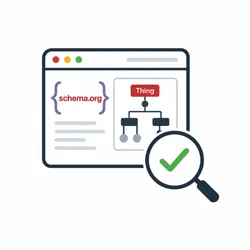
Schema.org Extractor & Validator
Pricing
from $1.75 / 1,000 url analyzeds
Schema.org Extractor & Validator
Extract and validate Schema.org JSON-LD, Microdata, and RDFa from HTML pages.
Pricing
from $1.75 / 1,000 url analyzeds
Rating
0.0
(0)
Developer

Iqbal R
Maintained by CommunityActor stats
0
Bookmarked
2
Total users
1
Monthly active users
2 months ago
Last modified
Categories
Share
What does Schema.org Extractor & Validator do?
Schema.org Extractor & Validator finds and validates Schema.org structured data on public web pages. It supports JSON-LD, Microdata, and RDFa and returns clear, consistent results for every analyzed URL.
Use it for technical SEO audits, catalog quality checks, website monitoring, and data enrichment. On Apify, results are available through the Console, API, schedules, integrations, and downloadable datasets.
Why use Schema.org Extractor & Validator?
- Audit structured data across a list of pages or a shallow site crawl.
- Find malformed JSON-LD without losing valid blocks from the same page.
- Detect misspelled or unknown Schema.org types and properties.
- Normalize three markup formats into one API-friendly model.
- Monitor structured-data changes through scheduled Apify runs.
- Feed stable page-level results into analytics, QA, enrichment, or Website Intelligence APIs.
How to use Schema.org Extractor & Validator
- Open the Actor in Apify Console and select the Input tab.
- Add one or more HTTP or HTTPS URLs.
- Keep Maximum crawl depth at 0 to analyze only those URLs, or increase it to follow links.
- Choose which structured-data formats and warning details to include.
- Click Start.
- Open the Dataset result to review page validity, formats, types, issues, and normalized items.
Input
The Input tab supports the following fields:
| Field | Default | Description |
|---|---|---|
startUrls | Apify.com | One or more public HTTP(S) URLs. |
maxRequestsPerCrawl | 100 | Total page limit; never lower than the number of supplied URLs. |
maxCrawlDepth | 0 | 0 = supplied URLs only; 1 = one discovered level; and so on. |
sameDomainOnly | true | Keep discovered links on the originating hostname. |
proxyConfiguration | Disabled | Configure Apify Proxy groups/country or custom proxy URLs. |
includeJsonLd | true | Extract application/ld+json scripts. |
includeMicrodata | true | Extract Schema.org itemscope / itemprop markup. |
includeRdfa | true | Extract common Schema.org RDFa markup. |
includeRaw | false | Include source snippets associated with detected structured data. |
validate | true | Check detected markup for Schema.org errors and warnings. |
includeWarnings | true | Include warning details in each result. |
timeoutSecs | 30 | Per-request HTTP timeout from 5 to 120 seconds. |
Example input:
Output
The Actor stores one result for each processed page. Every result shows the detected formats and types, validation status, issue counts, and extracted structured-data items.
You can download the dataset in various formats such as JSON, HTML, CSV, or Excel, or access it programmatically through the Apify API.
Data table
| Field | Meaning |
|---|---|
url | URL requested by the crawler. |
finalUrl | Final URL after redirects. |
statusCode | HTTP response status, or null when unavailable. |
detected / hasSchema | Whether at least one normalized item was found. |
valid | True when no generated issue has error severity. |
formats | Structured-data formats found on the page. |
types | Schema.org types found on the page. |
summary | Format counts and generated issue totals. |
items | Normalized entities with item-level validation details. |
errors / warnings | Page-level parsing, HTTP, or extraction issues. |
analyzedAt | ISO 8601 analysis timestamp. |
How much does it cost to validate Schema.org markup?
Cost depends mainly on the number and size of pages, website response times, and selected compute resources. Start with a small maxRequestsPerCrawl, review usage in Apify Console, and scale from that measurement. Small audits may fit within available free-platform credits; check your Apify account for current limits and pricing.
Tips and advanced options
- Keep
maxCrawlDepth: 0for URL-list audits and predictable page counts. - All supplied Start URLs are processed. The request limit controls how many additional discovered pages can be analyzed.
- Use depth 1 or 2 for targeted site discovery and keep
sameDomainOnly: true. - Configure
proxyConfigurationin the Input tab when targets require IP rotation; disable it for direct local requests. - Disable unused extractors to reduce parsing work on large runs.
- Keep
includeRaw: falsefor smaller datasets and faster downstream processing. - Set
includeWarnings: falsewhen downstream consumers only need blocking validation errors.
Validation checks syntax and known Schema.org types and properties. Errors make an item invalid, while warnings highlight potential quality or compatibility issues for review.
This is not a Google Rich Results validator. Google search features have separate, product-specific eligibility rules and recommended fields. A valid Schema.org Product can therefore be valid here even when it is not eligible for a particular Google result.
FAQ, disclaimers, and support
Does the Actor render JavaScript?
This Actor does not render JavaScript. Structured data injected only after client-side JavaScript execution may not be detected.
How does crawling work?
Depth 0 processes only supplied URLs. Higher depths follow eligible page links up to the configured limit. Enable sameDomainOnly to keep discovery on the starting hostname. The Actor respects robots.txt directives.
What are the limitations?
The Actor focuses on common Schema.org patterns. Structured data added only after client-side JavaScript runs may not be visible. Blocked, inaccessible, or unsupported pages are reported as page-level errors so they can be reviewed in the dataset.
Scrape only pages you are permitted to access and comply with applicable terms, robots policies, privacy requirements, and laws. If you find a bug or need another vocabulary rule or output integration, use the Actor's Issues tab. Custom extraction and Website Intelligence integrations are also available as tailored solutions.


