Google Lens API | Reverse Image and Visual Product Search
Pricing
from $0.20 / 1,000 visual match returneds
Google Lens API | Reverse Image and Visual Product Search
Google Lens API for reverse image search and visual product search. Upload images from your computer or send base64 from code, no public URL needed, up to 10 per run. Get similar results, shop listings with prices, or every page carrying that exact image. Pay per result, MCP ready for AI agents.
Pricing
from $0.20 / 1,000 visual match returneds
Rating
5.0
(1)
Developer

John
Maintained by CommunityActor stats
5
Bookmarked
350
Total users
142
Monthly active users
2 days ago
Last modified
Categories
Security
Limited permissionsShare
Google Lens API
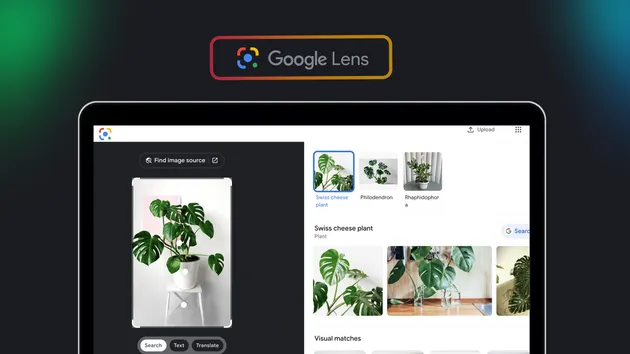
The Google Lens API turns any image into structured data. Upload images straight from your computer, send base64 from code, or give it a public image URL, and get back visually similar results, including shoppable listings with prices where the retailer publishes them, or every page on the web carrying that exact image.
This is the working path to Google visual search, and it covers the three jobs people actually hire reverse image search for: find where this came from, find where else it is being used, and find where I can buy it. Most reverse image tools demand a public URL; this one also takes files straight off your machine, up to 10 per run, staged privately behind a signed link.
Use cases
- Image attribution and licensing. Run exact matches to find every page publishing a specific image, then work the list for missing credit or unlicensed reuse.
- Counterfeit and brand monitoring. Feed a product photo and see who else is selling it, and at what price.
- Visual product search. Turn a product photo into visually similar listings; many carry price and currency where the retailer publishes them.
- Content provenance. Establish where an image first appeared and how widely it has spread.
- Catalogue enrichment. Match a supplier photo to live retail listings to fill gaps in your own product data.
- Feeding an AI agent. Let an assistant look up an image through Google Lens mid-conversation instead of guessing at it.
Input parameters
| Parameter | Type | Required | Default | Description |
|---|---|---|---|---|
image_url | string | one image source required | none | Public http or https link to the image. Must be reachable without a login. Also accepts a data:image/...;base64, URI. |
image_upload | array | one image source required | none | Upload up to 10 images straight from your computer in the console, or paste links to files already stored on Apify. 20 MB per image, 30 MB per run. Takes priority over image_url. |
image_base64 | array | one image source required | none | Raw image bytes as base64, one entry per image, with or without the data URI prefix. Built for API, MCP, and agent callers holding local files. Fits about 6 MB of images per run (platform input cap); use image_upload for bigger files. |
search_type | string | no | visual_matches | visual_matches for similar images and shoppable listings, exact_matches for pages carrying the identical file. products was retired by Google in October 2026: it now returns an error row and bills nothing. |
query | string | no | none | Words to narrow results. Applies to visual matches; the source ignores it for exact matches. |
max_results | integer | no | 50 | Rows to return per image, up to 400. One lookup returns everything available, so this trims rather than pages. Values below the per-image minimum (50 visual, 40 exact) are raised to it, since that minimum is billed anyway. |
country | string | no | none | Two letter country code, such as us or de. |
language | string | no | none | Two letter language code. Coverage genuinely varies by language, so try without it first if results look thin. |
Example output
price, currency and inStock populate on visual matches that are shoppable listings, where the retailer publishes them. image is null on exact matches, where the source returns only a thumbnail plus the pixel dimensions. Failures arrive as one resultType: "error" row, and a lookup with no matches finishes cleanly at zero rows rather than erroring (it is still billed the per-image minimum, see Pricing).
Search types
| Type | What it answers | Typical volume per lookup |
|---|---|---|
| Visual matches | "What else looks like this, and where can I buy it?" | up to about 60 results |
| Exact matches | "Where else is this exact image published?" | up to 400 results |
Exact matches is the one to reach for when you are checking attribution, tracking licensing, or looking for unauthorised reuse of your own images.
Products was retired by Google. In October 2026 Google stopped serving the Lens Products view, so search_type: products now returns an error row and bills nothing. The option stays in the input so existing integrations keep validating. For shoppable listings, run visual matches: most product photos return listings with a price. For prices across many retailers by product name, use the Google Shopping API.
What the Google Lens API returns
| Field | Description |
|---|---|
title | Title of the page or listing |
source | Site the match was found on |
url | Link to the page carrying the image |
thumbnail | Small preview, rendered inline in the output |
image | Full-resolution image URL |
imageWidth / imageHeight | Pixel dimensions of the source image |
date | Publication date, where the source reports one |
price / currency | Listing price, where the match is a shoppable listing |
inStock | Stock status, where the listing publishes it |
rating / reviewCount | Product rating, where the listing carries one |
How to get started
- Paste a public image URL into the Image URL field, or use Upload images to pick files straight from your computer.
- Pick a search type. Visual matches is the general-purpose default.
- Set how many results you want and run it.
Upload an image, no public link needed
In the console, open Upload images, click Upload new files, and pick up to 10 images from your computer. From the API, MCP, or an AI agent, send image_base64 entries or a data URI in image_url. Each image is staged in your run's private storage behind a signed link and is never published anywhere else. Limits: 10 images per run, 20 MB per image, 30 MB per run (about 6 MB per run on the base64 path, since the platform caps run input at 9 MB).
Prefer to start from working code? The example repo has a Python quick start plus MCP install walkthroughs for Claude, Cursor and ChatGPT.
Honest limitations
These are real gaps in the underlying data source, not bugs in this Actor. They are listed here so you can decide before you spend anything.
- Exact matches return no full-resolution image URL. You get the page link, the source name, a thumbnail and the source image's pixel dimensions, but the
imagefield is null on those rows. Visual matches do carry it. - Coverage varies by language. The same image searched with different language codes can return different numbers of matches. If results look thin, try without a language code first.
- Product data is uneven. Price, stock and rating appear only where the underlying listing publishes them. Expect gaps rather than a complete product feed.
- There is no products search any more. Google retired the Lens Products view in October 2026. Shoppable listings now come only through visual matches, with fewer prices than the old products view returned.
- Exact matches are often empty. About half of exact-match lookups find no other page carrying the image, and the same image can return hundreds of pages one hour and none the next. Each lookup is still billed the per-image minimum, so try one image before running a batch.
- An Image URL must be publicly reachable. Links behind a login will not work. For files on your computer, use Upload images or Image base64 instead; the Actor stages them behind its own signed link automatically.
Pricing
Pay per result, so a lookup that returns 400 matches costs more than one that returns 50. There is no per-run setup fee.
| Event | When it is charged |
|---|---|
| Visual match returned | Once per visually similar result |
| Exact match returned | Once per page carrying the exact image |
| Product match returned | No longer charged: the products search type was retired by Google |
Every image you search is billed a minimum number of results of its type, even when the source finds fewer or none, because the lookup itself has a real cost:
| Search type | Minimum billed per image |
|---|---|
| Visual matches | 50 |
| Exact matches | 40 |
| Products | retired, nothing billed |
If you ask for fewer than the minimum, max_results is raised to it, so you receive every row you pay for when the source has them. A lookup that fails (an unreachable image, a source error) is not billed. Exact matches carry the lowest unit price because one lookup returns far more of them. Current per-unit prices are on the Actor's Store card and in the Console before you run.
🔌 Use this API from Claude (MCP)
Add this Actor as a tool in Claude Code (free trial), Claude Cowork (free trial), or any other MCP client, via the hosted Apify MCP server. Use this Actor-specific URL:
https://mcp.apify.com/?tools=actors,docs,johnvc/google-lens-api
Setup walkthrough:
Apify MCP integration docs: https://docs.apify.com/platform/integrations/mcp
💸 Pay per run with crypto (x402)
The Google Lens API supports agentic payments via the x402 protocol. AI agents and MCP clients can pay for runs in USDC (on Base) with no Apify account or API token needed: point your agent at the Apify MCP server and it can discover, pay for, and run this Actor autonomously. Read the Apify x402 announcement for details.
🔌 Integrations: run visual search on a schedule
Tasks and Schedules first. Save an image lookup as a Task and attach a Schedule. A weekly exact-match sweep over your own product photography is a standing check for unlicensed reuse, and it needs no code.
n8n, Make and Zapier. Trigger the Actor from a workflow and route matches onward: new unattributed uses into a legal review queue, or competitor listings into a pricing sheet.
Storage. Write results into Supabase, Postgres or Google Sheets through the Apify integrations tab so each sweep adds to a history rather than replacing it.
MCP. Point an AI assistant at the Actor and let it look up an image mid-conversation. Server URL is in the MCP section above.
Webhooks. Fire an HTTP callback on run completion so your service can collect the dataset without polling.
🔗 Related Tools
Visual search spans two ecosystems, and covering both tells a story neither half tells alone:
- Yandex Reverse Image Search API is the other major reverse image engine, and it often surfaces matches this one misses. Run both against the same image for the widest net.
- Google Images API for keyword-driven image search rather than image-driven search
- Google Shopping API for text-based product search across retailers
Alternatives such as devcake/google-lens-scraper exist, but it sits at around 2 users with no published rating. This API is actively maintained, exposes all three search types behind one input, and documents its coverage gaps rather than leaving you to discover them.
🤖 Ask an AI assistant about this API
Open a ready-to-send prompt about the Google Lens API in the AI of your choice:
- 💬 ChatGPT
- 🧠 Claude
- 🔍 Perplexity
- 🅒 Copilot
FAQ
Can I use this for Google reverse image search?
Yes, and it is the right tool for it. This is what a reverse image lookup on Google actually runs through today. Pick the visual matches type for the general "where does this image come from" question, or exact matches to find every page carrying the identical file.
How do I find out if someone is using my image without permission?
Use the exact matches type. It returns every page where the same image file appears, up to 400 results per lookup, with the page URL and source site for each. That is the list you would work through for an attribution or takedown check.
Why is the image field empty on my results?
You ran an exact matches lookup. That mode returns a thumbnail and the source image's dimensions but no full-resolution URL. Switch to visual matches if you need the full image link.
Can I search by uploading a file instead of a URL?
Not directly. The image has to be reachable at a public http or https URL. If your image is local, upload it to any public host first and pass that link.
Does it find products I can actually buy?
Partly. Google retired the Lens Products view in October 2026, so the products search type now returns an error and bills nothing. Visual matches still surface shoppable listings for most product photos, many with price and currency where the retailer publishes them. Coverage is good for mainstream retail and thinner for niche or secondhand items. For prices across many retailers by product name, use the Google Shopping API.
Is this a Google Lens API or a web scraper?
You use it as an API: an image URL in, structured JSON out, with a documented schema and pay-per-result billing. It reads public Google Lens results, so it is not an official product and is not affiliated with, endorsed by, or connected to Google.
Can I use it as a bulk reverse image scraper?
Yes, within one image per run. Exact matches returns up to 400 rows from a single lookup, which is the cheapest per-row mode here. For many images, drive it from a Task plus a Schedule or from a workflow tool as described in the Integrations section.
How do I call this from an AI agent using MCP?
Point any Model Context Protocol client at the server URL in the MCP section above. The agent reads the input schema itself and can run an image lookup during a conversation.
How do I run this on a schedule?
Save the configuration as a Task and attach a Schedule. The Integrations section above covers the downstream options.
What other tools work well alongside this one?
See Related Tools above. Running this and the Yandex Reverse Image API over the same photo is the single highest-value pairing, because the two engines index different corners of the web and each surfaces matches the other misses.
What happens if the image has no matches?
The run finishes cleanly with zero rows and a status message explaining what to try next. The lookup itself is still billed the per-image minimum (50 visual or 40 exact matches), because searching costs the same whether or not anything is found. A lookup that fails outright is not billed.
Agent Skills
Ready-made skills for Claude Code (free trial) and other agents that drive this Actor. Install with npx skills add johnisanerd/<name>.
- claude-skill-google-lens-api: reverse image search as structured JSON
- claude-skill-image-attribution-checker: find every page using your exact image
n8n integration
Available as an n8n community node, n8n-nodes-google-lens-api. In n8n: Settings, Community Nodes, install n8n-nodes-google-lens-api, then use it in any workflow (it also works as an AI Agent tool).
Ready-made n8n template. Log image copyright usages from Google Lens to Google Sheets is a free template that looks up the images you list every week with this API and appends one row to Google Sheets for each page carrying that exact image: the site, page title, page URL and the dimensions of their copy. It gives you an image copyright log with no per-image fee.
Featured Tasks
Ready-to-run examples on the Apify Store.
- Bulk Reverse Image Search From a URL List
- Check If Your Photos Are Stolen, in Bulk
- Reverse Image Search API With a Free Tier
- Reverse Image Search in Python via API
- Google Lens Visual Search From Claude via MCP
- 以图搜图API:谷歌智能镜头风格识图
- 图片盗用检测:查找使用您图片的网页
🌐 About Alpha OSINT
This Actor is part of Alpha OSINT, toolset of financial and operations data sources and APIs. For support or requests for this actor, please start a ticket directly on our support page.
Last Updated: 2026.10.27