

Imovirtual Scraper - Portugal Real Estate
Pricing
from $1.40 / 1,000 results
Imovirtual Scraper - Portugal Real Estate
[💰$2 / 1K] ⚡ Fast Imovirtual.com scraper. No login, no API key. Scrape Portugal apartments, houses, land and commercial property for sale or rent by search URL with any filter: price, price/m², area, typology, bathrooms, energy certificate, GPS, agency, phones and photos.
Pricing
from $1.40 / 1,000 results
Rating
0.0
(0)
Developer

jooah code
Maintained by CommunityActor stats
0
Bookmarked
2
Total users
1
Monthly active users
2 days ago
Last modified
Categories
Features
Share
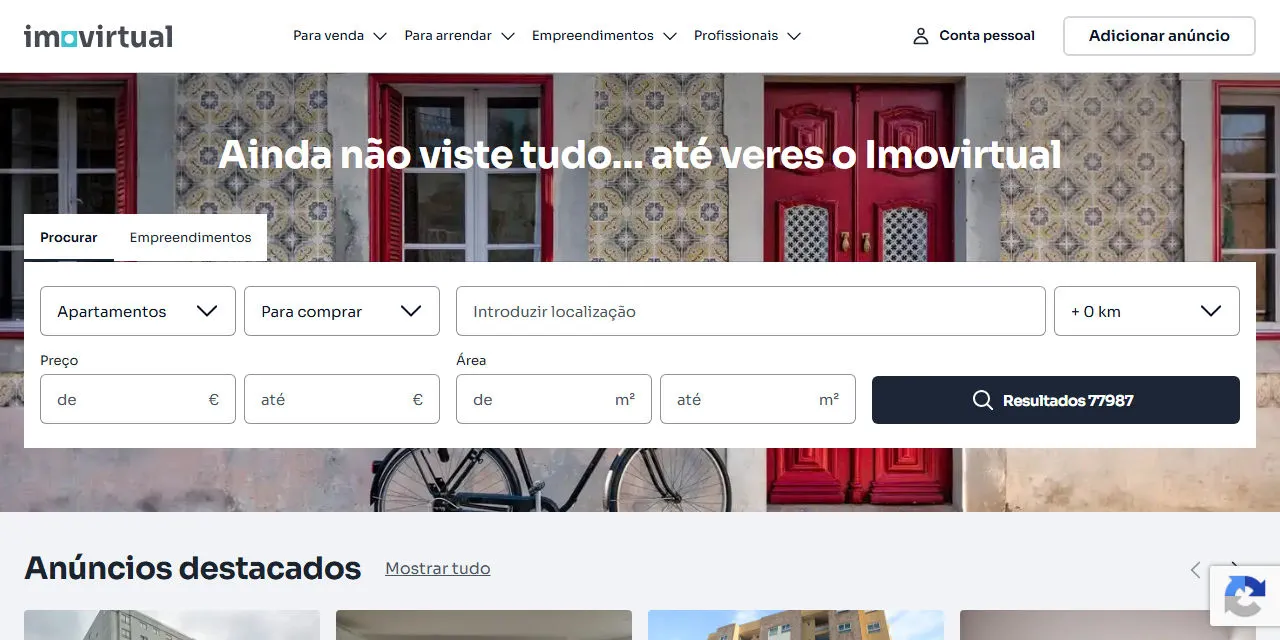
Scrape apartments, houses, land, and commercial property for sale or rent from Imovirtual.com and download them as JSON, CSV, Excel, or HTML. No account or login required.
What does Imovirtual Scraper do?
Imovirtual Scraper turns Imovirtual.com search results into a clean, structured dataset of Portuguese property listings. Paste a search URL with the filters you already set on the site, and get the price, price per m², area, typology, bathrooms, energy certificate, address and GPS coordinates, photos, agency, and phone numbers for every listing.
Imovirtual.com is one of the biggest property portals in Portugal. Private owners, real estate agencies, and developers use it to advertise homes, plots, shops, offices, garages, rooms, and new developments, which makes it a strong source for tracking the Portuguese housing market. The scraper reads the same public data you see in your browser, so you can run it once, put it on a schedule, or connect it to your own tools.
Features
- Any search URL: start from any Imovirtual search, single listing, or new development page.
- Keeps your filters: location, price, area, typology, new build, owner type, sort order, and other filters in the URL shape the results.
- Contact details: agency name, agency profile link, and phone numbers are included with each listing.
- Clean data: prices and areas are real numbers, dates use one standard format, and descriptions are plain text.
- Flexible cost: set a result limit per URL, or turn off listing details for faster and cheaper runs.
- Automation ready: schedule runs, export to Google Sheets, or connect to Make, Zapier, and n8n.
Data fields
- Listing:
url,id,title,description,transaction,propertyType,market,isExclusiveOffer - Price:
price,currency,pricePerSquareMeter,rentPrice,deposit - Property details:
areaInSquareMeters,terrainAreaInSquareMeters,typology,bedrooms,rooms,bathrooms,floor,buildingFloors,buildYear,buildingType,constructionStatus,heating,energyCertificate,availableFrom,features - Location:
street,neighborhood,parish,council,district,location,latitude,longitude - Advertiser:
referenceId,advertiserType,isPrivateOwner,advertiserName,agencyName,agencyUrl,phones - New developments:
developmentTitle,developmentUrl,developmentState,units - Media:
images,videoUrl,virtualTourUrl,floorPlanUrl - Dates:
createdAt,modifiedAt
Who uses this Imovirtual scraper?
- Market researchers compare asking prices and price per m² by district, council, or typology.
- Real estate agencies keep an eye on what competitors list and how they price it.
- Sales teams build contact lists of agencies, developers, and private sellers.
- Investors watch new listings and developments in the areas they care about.
- Data and AI teams load ready-to-use property data into spreadsheets, dashboards, valuation models, or AI workflows.
How to use Imovirtual Scraper
Step 1. Search on Imovirtual.com, apply your filters, and paste the results page URL into Start URLs. Single listing and new development URLs work too.
Step 2. Set Maximum number of results to how many listings you want per URL.
Step 3. Leave Scrape listing details on for the full data, or turn it off for a quicker run.
Step 4. Click Start and wait for the run to finish.
Step 5. Download the data in JSON, CSV, Excel, or HTML from the Output tab.
Input parameters
startUrls(Start URLs): Imovirtual.com URLs to scrape. Supported pages: search results for any location and property type (apartments, houses, plots, commercial properties, offices, warehouses, garages, rooms, new developments), single listing pages, and new development pages. Filters set on the website are kept, and a search can start from any result page.maxResults(Maximum number of results): how many listings to collect for each start URL. Use 0 for no limit.scrapeDetails(Scrape listing details): on by default. Each listing is opened to add the full description, GPS coordinates, phone numbers, bathrooms, energy certificate, building details, features, all photos, and development units. Turn it off to keep only the data shown on the search results.
Example input
Scrape apartments for sale in Lisbon
Sample output
Every listing becomes one dataset item, for example:
Export the dataset as JSON, CSV, Excel, XML, or HTML, or read it through the Apify API.
Good to know
- Only Imovirtual.com search, listing, and new development pages are supported. Any other URL is skipped.
- Titles, descriptions, and place names stay in Portuguese, as the advertiser wrote them.
typologyuses the Portuguese T-system from the site (T2 means 2 bedrooms), whileroomsis the total room count.- For rentals,
priceis the monthly rent andrentPriceholds any extra monthly costs the advertiser lists. - With Scrape listing details off, the description, coordinates, phone numbers, bathrooms, energy certificate, building details, and development units stay empty, because Imovirtual shows them only on the listing page.
- For new developments,
priceis the starting price andunitslists the units shown on the development page. - A listing found in more than one start URL is saved only once.
- Some advertisers hide the price or skip details such as year built, heating, or floor, so those fields come back as
null. - Listings that are removed from Imovirtual during the run are skipped.
Frequently asked questions
How many results can I scrape?
As many as you set in Maximum number of results, or 0 for no limit. The scraper goes through the result pages until it hits your limit or the end of the search.
Do I need an Imovirtual account?
No. Only public data is collected, so you do not need to log in or share any account details.
Can I scrape rentals and new developments?
Yes. Paste a rental search, a new development search, or a single development page into Start URLs. Rentals include the deposit, extra costs, and availability date when the advertiser provides them.
Can I run it on a schedule?
Yes. Apify Schedules can run it every hour, day, or week, so you always have fresh listings.
Can you add a new filter or input?
Yes. The scraper works with Imovirtual start URLs today, so every filter on the website already works through the URL. Other inputs, such as searching a location by name, can be added on request.
Can I get a custom or private version?
Yes. It can be adapted to your workflow, delivered as a private version, or a new scraper can be built for another website. See the contact details below.
Support and custom scrapers
Need another field, a private version, or a scraper for a different website? Get in touch:
- Email: jooah.code@gmail.com
- Apify profile: joaah-code
Image credit
Banner: screenshot of Imovirtual.com.


