

Screenshot & HTML file from Url
Pricing
from $1.00 / 1,000 results
Screenshot & HTML file from Url
From 1$/1000 results. Capture website screenshots &/or full-page HTML in one run, from $1/1000 URLs. PNG, JPEG & PDF — full-page, custom viewport, lazy-load scroll, cookie-banner hiding, batch mode. HTML files open correctly in any browser. REST API ready. No watermark.
Pricing
from $1.00 / 1,000 results
Rating
5.0
(1)
Developer

Alexandre Manguis
Maintained by CommunityActor stats
2
Bookmarked
63
Total users
7
Monthly active users
5 months ago
Last modified
Categories
Share
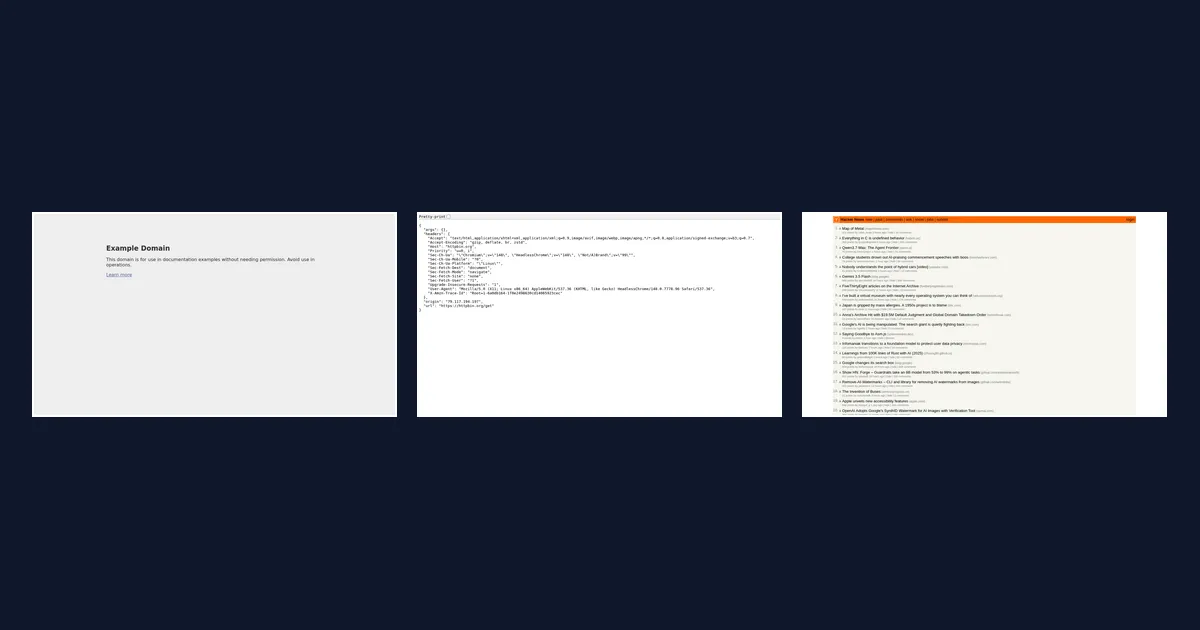
From $1 per 1 000 URLs — capture a full-page screenshot and the complete HTML source in a single run. No watermark. REST API ready.
What it does
Open each URL in a real browser, wait for the page to fully load, then save two complementary outputs to Apify storage:
Visual capture — screenshot or PDF
| Option | Details |
|---|---|
| Formats | PNG · JPEG · PDF |
| Full-page | Captures the entire scrollable page, not just the viewport |
| Custom viewport | Set width × height in pixels |
| JPEG quality | Adjustable from 30 to 100 % |
Page archive — HTML source
When Save HTML source is enabled, the actor also saves the full page HTML as a .html file. All relative links (stylesheets, images, fonts, scripts) are automatically resolved against the original URL, so the file opens and renders correctly in any browser with no extra setup.
Both outputs are linked in the same dataset row. Use screenshots only, HTML only, or both together.
Capture controls
| Option | Details |
|---|---|
| Lazy-load scroll | Scrolls to the bottom before capture to trigger deferred content |
| CSS hiding | Suppresses cookie banners, chat widgets, or any CSS selector before the shot |
| Delay before capture | Extra wait time after load for animations or late-rendered content |
| Wait-until | Choose between page load, DOM ready, or full network idle |
| Retries | Automatic retry on failure — configurable per URL |
| Concurrency | Run multiple captures in parallel |
Best use cases
- Visual regression testing — compare pages before and after a deploy
- Competitive monitoring — daily snapshots of competitor landing pages
- Content archiving — preserve pages as timestamped PNG, PDF & HTML records
- Lead enrichment — attach a screenshot and raw HTML to each prospect's profile
- Reporting & documentation — auto-generate visual proof for QA or client reports
- Data extraction pipelines — feed the saved HTML into a downstream scraper
- Thumbnail generation — batch-produce previews for link directories or dashboards
Quick start
- Click Try for free (or call the API).
- Paste one or more URLs into the Page URLs field.
- Choose PNG, JPEG, or PDF as the output format.
- Toggle Save HTML source on if you also want the HTML file.
- Click Start — results appear in the Dataset and Key-Value Store tabs within seconds.
Input
| Field | Type | Default | Description |
|---|---|---|---|
urls | array | — | One or more URLs to capture |
format | png / jpeg / pdf | png | Output file format |
fullPage | boolean | true | Capture the entire page height |
saveHtml | boolean | false | Also save the page HTML source as a .html file |
viewportWidth | integer | 1280 | Viewport width in px |
viewportHeight | integer | 720 | Viewport height in px |
jpegQuality | integer | 90 | JPEG quality (30–100 %) |
waitUntil | load / domcontentloaded / networkidle | load | When navigation is considered complete |
delayBeforeScreenshotMs | integer | 0 | Extra wait after page load (ms) |
scrollToBottom | boolean | false | Scroll to trigger lazy content before capture |
delayAfterScrollMs | integer | 1000 | Wait after scroll (ms) |
selectorsToHide | string | — | CSS selectors to hide before capture (one per line) |
navigationTimeoutSecs | integer | 60 | Max time to load each page (s) |
maxRequestRetries | integer | 1 | Retries on failure |
maxConcurrency | integer | 1 | Parallel captures |
proxyConfiguration | object | disabled | Optional proxy (Apify Proxy or custom URLs) |
Output
Dataset (one row per URL)
| Field | Description |
|---|---|
ok | true if the capture succeeded |
url | Final URL after redirects |
title | Page <title> |
statusCode | HTTP status code |
screenshotUrl | Direct download link for the screenshot or PDF |
htmlUrl | Download link for the HTML source (when saveHtml is enabled) |
format | png, jpeg, or pdf |
viewportWidth / viewportHeight | Viewport used |
fullPage | Whether full-page mode was active |
capturedAt | ISO timestamp |
durationMs | Capture duration in ms |
errorMessage | Error detail if ok is false |
Key-Value Store
Files are stored with a deterministic key derived from the URL. The screenshotUrl and htmlUrl columns in the dataset link directly to each file.
If a URL fails after all retries the actor still writes a dataset row with ok: false and an errorMessage, so you never lose track of what failed.
Tips
Hiding cookie banners
Use selectorsToHide to remove overlays before capture:
Full-page vs. viewport-only
Set fullPage: false to capture only what is visible without scrolling — useful for above-the-fold thumbnails.
Slow or JS-heavy pages
Switch waitUntil to networkidle and add 1 000–3 000 ms to delayBeforeScreenshotMs.
Lazy-loaded images
Enable scrollToBottom and raise delayAfterScrollMs to 2 000–5 000 ms.
Feeding HTML into a scraper
Enable saveHtml, grab the htmlUrl from the dataset, and parse the downloaded file downstream — no need to re-fetch the page.
Scaling to thousands of URLs
Increase maxConcurrency (up to 5) and consider enabling Apify Proxy to avoid rate-limits.
Proxy settings
Proxies are disabled by default. Enable the Proxies section to:
- Use Apify Proxy (residential or datacenter)
- Supply your own proxy URLs
Troubleshooting
| Symptom | Fix |
|---|---|
| Blank or all-white screenshot | Increase delayBeforeScreenshotMs or switch waitUntil to networkidle |
| Cookie overlay visible | Add the overlay selector to selectorsToHide |
| Lazy images missing | Enable scrollToBottom |
| Timeout error | Increase navigationTimeoutSecs or add a proxy |
| PDF is viewport-only | PDF format ignores fullPage; adjust viewportWidth and viewportHeight |
| HTML file looks broken | Make sure you are opening the .html file via a browser (not a text editor); all styles load from the live site |
Keywords
website screenshot api · capture webpage · screenshot url · full page screenshot · webpage to pdf · save html page · html archiver · batch screenshot · visual monitoring · website thumbnail · web page archiving


