

OpenSea Top & Trending NFTs Scraper
DeprecatedPricing
Pay per usage
OpenSea Top & Trending NFTs Scraper
DeprecatedExtract top and trending NFTs from OpenSea — filter by category, chain, and timespan. Scrape OpenSea rankings and export them to JSON, CSV, or integrate them with any app. Schedule scraping top NFTs and watch the leading digital collectible market.
Pricing
Pay per usage
Rating
0.0
(0)
Developer
Lexis Solutions
Maintained by CommunityActor stats
10
Bookmarked
7
Total users
4
Monthly active users
16 days ago
Last modified
Categories
Share
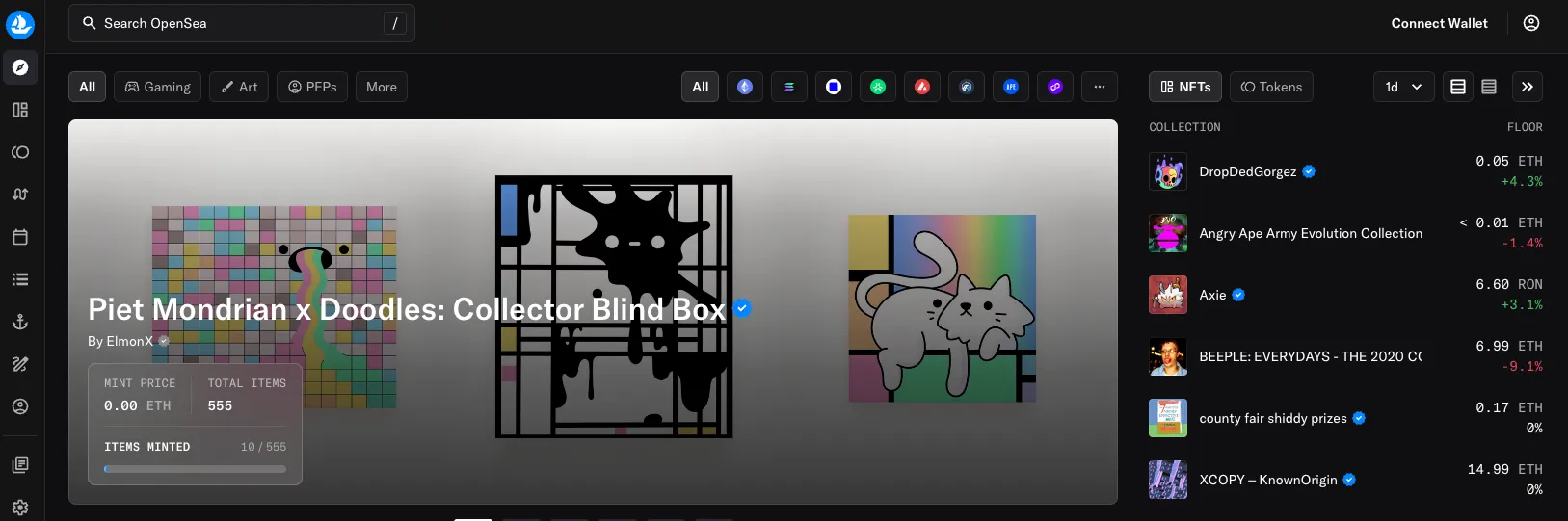
What is OpenSea?
OpenSea is a platform for buying and selling digital assets on various blockchains like Ethereum, Polygon, Solana, etc. It's a marketplace for NFTs, and it's one of the most popular NFT marketplaces.
What is OpenSea Rankings Scraper?
OpenSea Rankings Scraper is a dedicated web scraping tool that enables you to extract top and trending collections from the OpenSea Rankings quickly and efficiently.
OpenSea Rankings let you filter collections by ranking type (Trending or Top), category, and time period.
You can use this scraper to:
- Scrape Top NFTs from OpenSea
- Scrape Trending NFTs from OpenSea
Input
| Field | Type | Description |
|---|---|---|
| startUrls | array | OpenSea rankings URLs, e.g. https://opensea.io/collections/trending or https://opensea.io/collections/top. The ranking type is taken from the URL. |
| rankingType | string | TRENDING or TOP. Used when a start URL does not specify it. Default TRENDING. |
| timeframe | string | Stats time window: 1m, 5m, 15m, 1h, 1d, 7d, 30d. Default 1d. |
| category | string | Optional category filter (e.g. Gaming, Art, PFPs). Default All. |
| sortBy | string | Sorting for the Top ranking: Volume, Sales, or Floor Price. Ignored for Trending. |
| maxItems | integer | Maximum number of collections to extract per start URL. Default 50. |
| proxyConfiguration | object | Proxy settings. The scraper works without a proxy, so it is disabled by default. |
Input Example
-
Scrape the top 100 trending NFT collections over the last 7 days:
{"rankingType": "TRENDING","timeframe": "7d","category": "All","maxItems": 100,"proxyConfiguration": {"useApifyProxy": false}} -
Scrape the top Gaming collections by 1-day volume from a start URL:
{"startUrls": [{ "url": "https://opensea.io/collections/top" }],"timeframe": "1d","category": "Gaming","sortBy": "Volume","maxItems": 50,"proxyConfiguration": {"useApifyProxy": false}}
What data can I extract from OpenSea Rankings Scraper?
Using this web scraper, you will be able to extract the following data for each collection:
| Field | Type | Description |
|---|---|---|
| position | number | Position of the collection in the ranking |
| rankingType | string | TRENDING or TOP |
| timeframe | string | Time window the stats refer to |
| category | string | Category filter applied (or null) |
| score | number | Trending score (for the Trending ranking) |
| id | string | OpenSea collection id |
| name | string | Name of the collection |
| slug | string | Collection slug |
| collectionUrl | string | URL of the collection |
| imageUrl | string | Logo of the collection |
| animationUrl | string | Animated logo/media URL (or null) |
| isVerified | boolean | Whether the collection is verified |
| metadataStorage | string | Metadata storage type (e.g. CENTRALIZED, DECENTRALIZED) |
| chain | string | Blockchain identifier (e.g. ethereum, ronin) |
| chainName | string | Human-readable chain name |
| createdAt | string | Collection creation date |
| floorPrice | object | Floor price (unit, symbol, usd) or null |
| topOffer | object | Best collection offer (unit, symbol, usd) or null |
| floorPriceChange | number | Floor price change over the timeframe |
| volume | object | Trading volume over the timeframe (unit, symbol, usd) |
| sales | number | Number of sales over the timeframe |
| totalVolume | object | All-time trading volume (unit, symbol, usd) |
| allTimeSales | number | All-time number of sales |
| ownerCount | number | Number of owners |
| totalSupply | number | Total supply of the collection |
| uniqueItemCount | number | Number of unique items |
| listedItemCount | number | Number of items currently listed |
| sparkLineSevenDay | array | 7-day floor price history (unit, symbol, time) |
| listUrl | string | URL of the rankings page |
Why scrape top/trending NFTs from OpenSea?
- Watch the market: Keep track of the latest trends and changes in the NFT market.
- Competitor analysis: Identify direct competitors and emerging disruptors in your industry based on traffic and shares across online channels.
- Market research: Understand the market dynamics and identify opportunities for growth and expansion.
- Investment decisions: Make informed investment decisions by analyzing market trends and performance metrics.
- Strategic planning: Develop effective strategies for market entry, expansion, and competitive positioning.
How to scrape top/trending NFTs from OpenSea
It's quite simple to scrape Top NFTs on OpenSea with OpenSea Rankings Scraper. Just follow the steps below and you'll get your data in a few minutes.
- Click on the Try for free button.
- Choose the ranking type (Trending or Top), timeframe, and category — or paste an OpenSea rankings URL into Start URLs.
- Set
maxItemsto control how many collections to extract. - Click on Run.
- When the scraping has finished, preview or download your data from the Dataset tab.
How much will it cost to scrape OpenSea?
When it comes to scraping, it can be challenging to estimate the resources needed to extract data as use cases may vary significantly. That's why the best course of action is to run a test scrape with a small sample of input data and limited output. You’ll get your price per scrape, which you’ll then multiply by the number of scrapes you intend to do.
Watch this video for a few helpful tips. And don't forget that choosing a higher plan will save you money in the long run.
Results preview
Here is an example of the output from scraping the Rankings section of OpenSea:
FAQ
How many NFTs can the OpenSea Top NFTs Scraper extract?
The scraper paginates through the whole ranking, so it extracts every collection in the selected Trending or Top list (typically 100+). Use maxItems to cap the number of collections per start URL.
Is it legal to scrape OpenSea?
It's generally legal to scrape public websites. However, you should always check the OpenSea Terms of Service to make sure you're not violating any rules.
How can I scrape more NFTs?
Increase maxItems, or add more start URLs (different ranking types, timeframes, or categories) to cover more collections in a single run.
👀 p.s.
Got feedback or need an extension?
Lexis Solutions is a certified Apify Partner. We can help you with custom solutions or data extraction projects.
Contact us over Email or LinkedIn
Support Our Work 💝
If you're happy with our work and scrapers, you're welcome to leave us a company review here and leave a review for the scrapers you're subscribed to. It will take you less than a minute but it will mean a lot to us!
Image Credit
Image credit: OpenSea


