

YouTube Comments Scraper
Pricing
from $2.40 / 1,000 results
YouTube Comments Scraper
Extract the comments and replies of YouTube videos and Shorts without logging in: comment text, author name, channel and avatar, likes, reply count, publish time, pinned and hearted flags, with Top or Newest sorting.
Pricing
from $2.40 / 1,000 results
Rating
0.0
(0)
Developer

Goldmine
Maintained by CommunityActor stats
0
Bookmarked
1
Total users
0
Monthly active users
2 days ago
Last modified
Categories
Share
💬 YouTube Comments Scraper — Extract Comments and Replies from YouTube Videos and Shorts
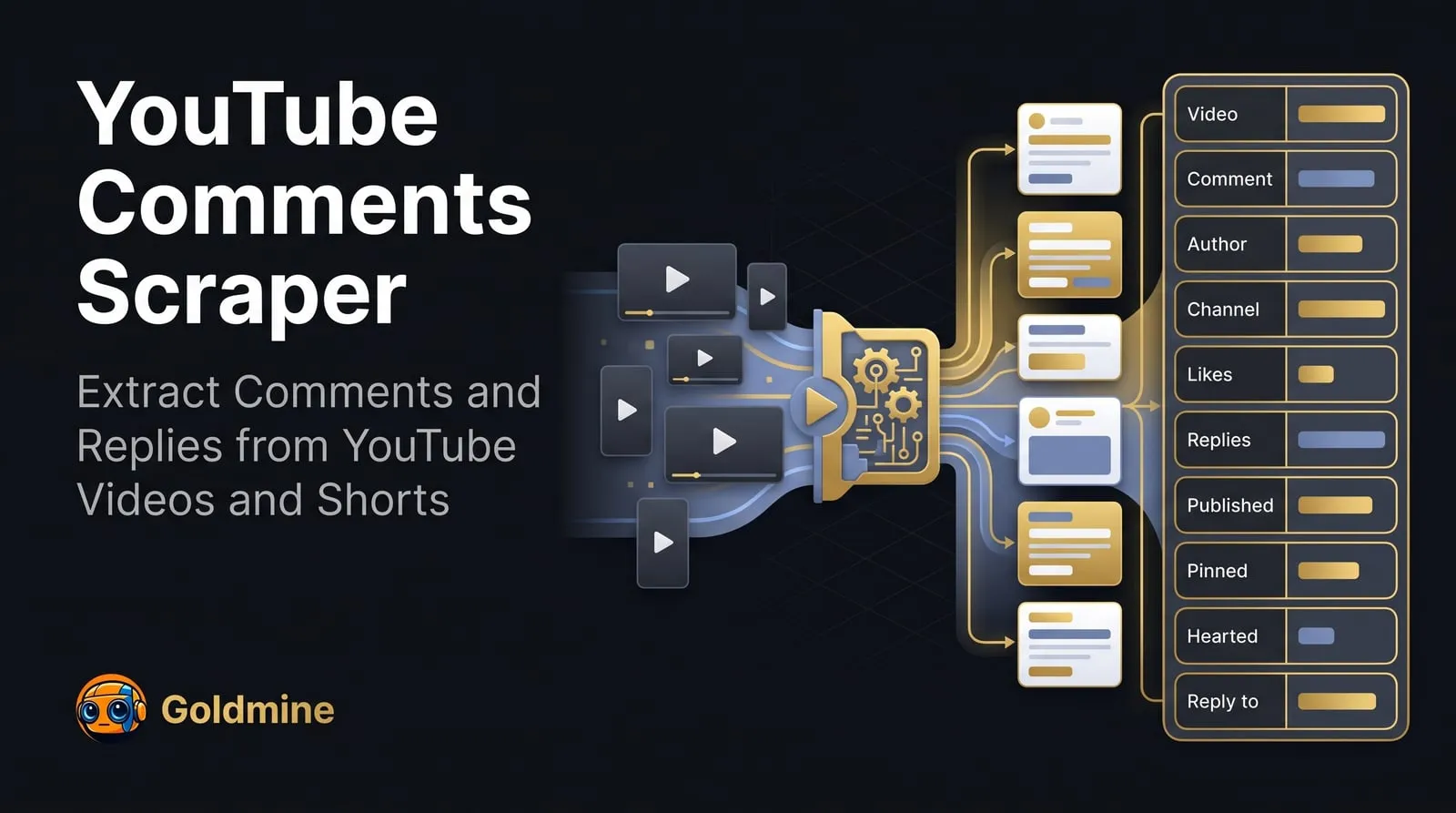
This YouTube comments scraper turns the comment section of any public video or Short on YouTube into structured data. Give it video URLs, youtu.be links, Shorts URLs or video ids and it returns the YouTube comments on each one, with the comment text, the author's name, channel and avatar, like and reply counts, publish time, and whether the comment is pinned, hearted by the creator or written by the creator. Teams use it to read audience feedback at scale, run sentiment analysis on a launch or a campaign, find questions and complaints under competitors' videos, and build datasets of real viewer language.
Paste as many videos as you like, choose Top comments or Newest first, decide how many comments you want from each video and whether to include replies, and get one dataset item per comment, ready to export to JSON, CSV or Excel. No YouTube account, cookies, API key or proxy is needed.
🚀 Key Features
- 🔎 Any video link — watch URLs,
youtu.belinks, Shorts URLs, live URLs, or a bare 11-character video id - 💬 Comment data — text, publish time (as shown, plus an approximate date), edited flag, like count and reply count
- 👤 Author details — name (handle), channel id, channel URL, avatar, verified badge, and whether the author is the video's creator
- 📌 Pinned and hearted — flags for the pinned comment and for comments the creator hearted
- ↩️ Replies, optional — each reply saved as its own item right after its comment, linked by
parentCommentId, capped per comment - 🔃 Top or Newest — the same two orders YouTube offers
- 📑 Per-video limit —
maxItemslimits comments per video (start URL), and pagination is automatic - 🛡️ No login and no proxy — reads only what YouTube shows logged-out visitors; a proxy is optional
- 📤 Multiple export formats — JSON, CSV, Excel, XML via the Apify dataset
- 🔁 Schedulable runs — run it daily with Newest first to collect each new comment on your videos
👥 Who Is This Actor For?
- 📣 Marketing and social media teams — reading what viewers say about a launch, an ad or a creator partnership
- 🕵️ Competitive analysts — collecting the questions, objections and praise under competitors' videos
- 🎥 Creators and agencies — exporting a video's comments to answer questions, pick giveaway winners or find content ideas
- 🧠 Researchers — building datasets of public opinion and viewer language on a topic
- 🤖 AI builders — feeding YouTube comments into sentiment analysis, topic clustering or an agent that summarises audience feedback
💡 Common Use Cases
- Scrape YouTube comments from a video into a spreadsheet
- Export all comments and replies from a product review video
- Collect the newest comments on your channel's latest uploads every day
- Run sentiment analysis on the comments of a trailer or a music video
- Find the most-liked comments and the creator's pinned comment on a list of videos
🔗 Supported URL Types
| URL Type | Example |
|---|---|
| Watch URL | https://www.youtube.com/watch?v=dQw4w9WgXcQ |
| Short link | https://youtu.be/dQw4w9WgXcQ |
| Shorts URL | https://www.youtube.com/shorts/CEJXqm2eiJ0 |
| Live URL | https://www.youtube.com/live/jfKfPfyJRdk |
| Video id | dQw4w9WgXcQ |
📥 Input
| Field | Type | Description | Default |
|---|---|---|---|
startUrls | Array | YouTube videos whose comments to scrape: a video URL, a youtu.be link, a Shorts URL, a live URL, or a bare 11-character video id. One entry per video. | Required |
maxItems | Integer | Maximum number of comments to scrape from each video (start URL). Replies, when included, count toward this limit. | 20 |
sortBy | String | The order YouTube lists the comments in: top (Top comments, most engagement first) or newest (Newest first). A pinned comment comes first in both. | "top" |
includeReplies | Boolean | Also scrape the replies to each comment. Each reply is saved as its own item, right after the comment it answers, with parentCommentId set. | false |
maxRepliesPerComment | Integer | When replies are included, the maximum number of replies to scrape for each comment, in the order YouTube lists them. | 10 |
proxyConfiguration | Object | Proxy settings. YouTube serves comments without a proxy, so none is used by default; if YouTube refuses a request, the run retries through Apify Proxy on its own. | { "useApifyProxy": false } |
Example Input
📤 Output
Each dataset item is one comment or one reply:
| Field | Type | Description |
|---|---|---|
commentId | String | The comment's id. A reply's id is its parent's id, a dot, and its own id |
text | String | The comment text |
publishedTimeText | String | Publish time exactly as YouTube shows it, e.g. 1 year ago |
publishedAt | String | Approximate publish date (ISO 8601), counted back from the run time. Only as precise as publishedTimeText: "1 year ago" means within that year |
isEdited | Boolean | Whether the comment was edited |
likeCount | Number | Likes, from the figure YouTube shows (rounded above 1,000, for example 321K = 321000) |
replyCount | Number | Replies to the comment (0 for a reply) |
isPinned | Boolean | Whether the creator pinned the comment |
isHeartedByCreator | Boolean | Whether the creator hearted the comment |
isReply | Boolean | Whether the item is a reply to another comment |
parentCommentId | String | For a reply, the id of the comment it answers; null otherwise |
authorName | String | The author's name as YouTube shows it (their @handle) |
authorChannelId | String | The author's channel id |
authorChannelUrl | String | Link to the author's channel |
authorAvatarUrl | String | The author's avatar image URL |
authorIsVerified | Boolean | Whether the author's channel has a verified badge |
authorIsCreator | Boolean | Whether the author is the video's creator |
commentUrl | String | Link that opens the video with this comment highlighted |
videoId | String | The video's id |
videoTitle | String | The video's title |
videoUrl | String | The video's watch URL |
inputUrl | String | The start URL or id this comment was found from |
Example Output
A real item from a run on https://www.youtube.com/watch?v=dQw4w9WgXcQ:
You can export the dataset as JSON, CSV, Excel, XML, RSS, or HTML from the Apify Console or via the Apify API.
💰 Pricing
This Actor is pay per event (you pay per result): each comment saved costs $0.0025 on the free plan, so 1,000 comments cost $2.50, falling to $0.0024 per comment ($2.40 per 1,000) on Gold and higher Apify plans. Each run also has a $0.00005 start fee per GB of memory. Replies are results too, and each one is charged like a comment. It runs without a proxy by default, so there is no proxy traffic to pay for. A free Apify account is enough to try it.
❓ FAQ
What is the YouTube Comments Scraper?
It is a YouTube comments scraper that takes video URLs, Shorts URLs or video ids and returns each video's comments, and optionally their replies, as structured data. You can run it from the Apify Console, the API, or on a schedule.
Do I need an account, cookies or an API key?
No. The Actor reads only what YouTube shows to visitors who are not logged in, and it does not use the YouTube Data API, so there is no API quota to manage.
Do I need a proxy?
No. YouTube serves comments without one, so the default runs with no proxy. If YouTube refuses a request, the run switches to Apify Proxy by itself and carries on. You can also choose Apify datacenter or residential proxies in the proxy setting from the start.
How many comments can I get per video?
Up to maxItems per video (start URL), until the video has no more comments. Replies count toward that limit when you include them. A test run collected 5,000 comments from one video.
Does it handle pagination automatically?
Yes. It keeps loading comments, and replies when asked, until it reaches maxItems, maxRepliesPerComment or the end of the comment section.
Can I scrape YouTube Shorts comments?
Yes. Paste the Shorts URL or its id, and the comments come back in the same format as for a regular video.
Why is likeCount a round number?
YouTube shows like counts above 1,000 rounded, for example 321K. The Actor returns that figure as a number. Counts under 1,000 are exact.
Why is publishedAt approximate?
YouTube shows when a comment was posted only as a relative time, such as "3 weeks ago". The Actor keeps that text in publishedTimeText and converts it into a date counted back from the time of the run, so publishedAt is as precise as the unit YouTube shows.
Why did a video return no comments?
The run status and log say why for each video: comments are turned off, the video is private or removed, or it simply has no comments yet. Age-restricted videos are read too, even though they ask logged-out visitors to sign in to watch.
Can I get a channel's videos or search results as well?
This Actor reads the comments of videos you give it. For a channel's videos and for YouTube search results, use the other Actors in the YouTube Scraper Suite listed below, then pass the video URLs here.
Can I schedule it or integrate it with my app?
Yes. Every Apify Actor exposes a REST API, webhooks, and integrations with Zapier, Make, Google Sheets and Slack, and can be called from an AI agent via the Apify MCP server.
Is it legal to scrape YouTube comments?
This Actor accesses only publicly available pages. You are responsible for making sure your use complies with YouTube's terms of service and the laws in your jurisdiction, including data protection law for comment authors' names.
What if YouTube changes and the Actor breaks?
Open an issue on the Actor's Issues tab with a video URL that fails, so the problem can be reproduced.
🧩 Part of the YouTube Scraper Suite
Goldmine's Actors for public YouTube data. Also try:
- YouTube Channel Scraper — a channel's profile, subscriber count, links and videos, from channel URLs
- YouTube Search Scraper — videos, titles, views and channels from YouTube search results
- YouTube Transcript Scraper — the transcript of YouTube videos and Shorts as plain text and timed segments, with caption languages
See every Goldmine Actor at apify.com/logical_scrapers.
📬 Contact & Support
- Issues & feature requests: use the Issues tab on this Actor's page. Include a video URL that fails so it can be reproduced.
- Email:
coredev.dan@gmail.com - If this Actor saved you time, please leave a ⭐ rating on the Apify Store. It helps us keep it maintained.


