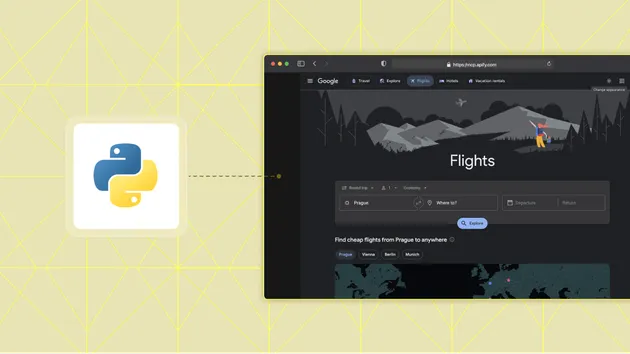
Google Flights Scraper - Flight Prices & Fares
Pricing
from $3.50 / 1,000 results
Google Flights Scraper - Flight Prices & Fares
Google Flights API alternative. Scrape flight prices without an API key, export Google Flights data to CSV, JSON & Excel. One-way & round-trip, any cabin.
Pricing
from $3.50 / 1,000 results
Rating
0.0
(0)
Developer

Logiover
Maintained by CommunityActor stats
0
Bookmarked
14
Total users
9
Monthly active users
4 days ago
Last modified
Categories
Share
Google Flights Scraper — Live Flight Prices, Fares & Schedules (No API Key, No Login) 🛫





Scrape live flight prices from Google Flights in seconds — airlines, departure & arrival times, number of stops, total flight duration, cabin class, per-leg segments and booking tokens. Works for one-way and round-trip searches, any cabin class (economy, premium economy, business, first), and can scan a whole range of departure dates in one run to find the cheapest day to fly. No login, no Google Flights API key, no quotas — just enter an origin, a destination and a date.
🏆 Why this Google Flights scraper?
19 fields per itinerary · live real-time fares (exactly what a traveler sees) · cheapest-day fare calendar in a single run · per-leg segment JSON · export to JSON / CSV / Excel / Google Sheets. The practical Google Flights API alternative for fare monitoring, price-drop alerts and travel price intelligence.
✨ What this Actor does / Key features
- ✅ Live, real prices — pulled from Google Flights at run time, exactly what a traveler sees on the site.
- 🔑 No API key & no login — nothing to register, no OAuth, no cookies, no quota.
- 🔁 One-way & round-trip — full support for both, with any number of adults & children.
- 💺 All cabin classes — economy, premium economy, business and first.
- 📅 Cheapest-day fare calendar — scan every date in a range with a single input via
departureDateEnd. - 🧩 Per-leg segment detail — airports, times, aircraft type, flight numbers and operating carrier in the
segmentsfield. - 🛑 Stop control — cap stops (
maxStops: 0for non-stop only) or leave it open for any connections. - 🌍 Any currency & locale — USD, EUR, GBP, TRY and more, in your chosen Google region.
- ⚡ Endpoint-based, not brittle — talks to Google Flights' own search endpoint, so results match the website exactly (no fragile page-layout scraping).
- 📤 Export anywhere — JSON, CSV, Excel, HTML or the Apify dataset API.
🚀 Quick start (3 steps)
- Enter your search — origin and destination IATA airport codes (e.g.
JFK,LHR,IST), a departure date and trip type. - Run — click Start. The Actor queries Google Flights and collects every matching itinerary.
- Get your data — open the Output tab and export to JSON, CSV, Excel, HTML or Google Sheets, or pull it via the Apify API.
No coding required. Want automation? Schedule the Actor to run on any interval for fresh flight prices delivered automatically.
📥 Input
Provide at least an origin and destination. A departure date is optional (defaults to ~30 days out).
Example — one-way, cheapest day across a whole month
Example — round-trip, business class, 2 passengers
Example — non-stop only, EUR, scheduled fare monitoring
| Field | Type | Description |
|---|---|---|
origin | string | Departure airport IATA code, e.g. JFK, IST, CDG. Required. |
destination | string | Arrival airport IATA code, e.g. LHR, SAW, LAX. Required. |
departureDate | string | Outbound date YYYY-MM-DD. Blank → ~30 days out. |
departureDateEnd | string | Scan every date from departureDate to this date — a cheapest-day fare calendar (many more results). |
returnDate | string | Return date YYYY-MM-DD for round-trips. |
tripType | string | one-way or round-trip (round-trip requires a return date). |
seatClass | string | economy, premium-economy, business or first. |
adults / children | integer | Number of adult / child passengers. |
maxStops | integer | Cap stops. 0 = non-stop only, blank = any. |
currency | string | ISO code for prices: USD, EUR, TRY… |
language | string | Google locale: en-US, en-GB… |
maxResults | integer | Cap total rows across all searched dates (0 = unlimited). |
proxyConfiguration | object | Apify Proxy. Datacenter is fine for light use; switch to RESIDENTIAL for high volume. |
Tip — cheapest day to fly: set both
departureDateanddepartureDateEndand the Actor returns one set of fares per day across the whole window — ideal for building a fare calendar and spotting the cheapest travel date.
📤 Output
One row per flight itinerary — 19 fields, ready for analysis and exportable to JSON, CSV, Excel or HTML. Here is a sample record:
💡 Use cases
- Fare monitoring & price-drop alerts — schedule daily runs and track when a route gets cheaper.
- Cheapest-day-to-fly analysis — use
departureDateEndto build a full fare calendar in one go. - Travel agencies & OTAs — enrich your own search results with live Google Flights pricing.
- Route & competitor price intelligence — monitor how carriers price specific routes over time.
- Travel deal sites & newsletters — auto-source the best fares for your audience.
- AI travel agents & chatbots — feed structured, real-time flight data into your LLM workflows.
- Data science & dashboards — analyze airfare trends, seasonality and demand.
👥 Who uses it
Travel agencies & OTAs · fare-alert and deal-newsletter operators · airlines & revenue-management analysts doing competitor price intelligence · data scientists studying airfare trends · developers building AI travel agents and price-comparison apps.
💰 Pricing
This Actor runs on a simple pay-per-result model — you pay for the flight itineraries you extract, with no separate Apify platform fees to calculate. Try it on the free tier first, then scale up. See the Pricing tab on this page for the current rate.
❓ Frequently Asked Questions
Do I need a Google Flights API key? No. There is no official public Google Flights API, so this is the closest Google Flights API alternative. The Actor pulls live data directly from Google Flights — no key, no login, no quota.
Are the flight prices real and live? Yes. Prices are fetched at run time and reflect exactly what Google Flights shows. Availability and fares change constantly, so re-run for fresh data.
Can it scrape round-trip flights?
Yes — set tripType to round-trip and provide a returnDate.
How do I find the cheapest day to fly?
Set both departureDate and departureDateEnd to scan every date in that window — you get one set of results per day, perfect for a fare calendar.
Which airports are supported?
Any airport Google Flights supports. Use standard IATA codes (JFK, LHR, IST, CDG, DXB, …).
Can I get business or first class fares?
Yes — set seatClass to premium-economy, business or first.
Can I scrape non-stop flights only?
Yes. Set maxStops to 0 to return only non-stop itineraries, or leave it blank for any number of connections.
Can I scrape Google Flights without an API key or login? Yes. This is a no-API-key, no-login scraper — just enter origin, destination and a date, and it returns live Google Flights prices ready for CSV or JSON export. There is no OAuth, no cookies and no quota to manage.
How do I export Google Flights data to CSV or JSON? Run the Actor, then download the dataset as CSV, JSON, Excel or HTML from the Apify console, or pull it straight from the Apify dataset API. Every itinerary becomes one clean row of flight data.
How much data can I get?
As many itineraries as Google Flights returns for your search — and far more if you use departureDateEnd to scan a date range (one result set per day). Use maxResults to cap the total when needed.
Is it legal to scrape Google Flights? The Actor collects only publicly available flight-price data shown to any visitor. You are responsible for using the data in compliance with applicable terms and laws. This is an independent scraper and is not affiliated with or endorsed by Google.
🔗 More travel & e-commerce scrapers by logiover
Building a broader travel or price-intelligence dataset? Pair Google Flights with:
| Source | Actor |
|---|---|
| 🏨 Hotels | Booking.com Hotels & Prices Scraper |
| 🏡 Short-stays | Airbnb Scraper |
| 💸 Cost of living | Numbeo Cost of Living Scraper |
| ⭐ Reviews | Trustpilot Reviews Scraper |
| 📊 Web traffic | SimilarWeb Scraper |
| 🛍️ Classifieds (FR) | Leboncoin Scraper |
| 🛍️ Classifieds (RU) | Avito Scraper |
| 🛒 Marketplace (SE) | Blocket Scraper · Finn.no Scraper |
| 🛒 Marketplace (JP) | Mercari Japan Scraper |
| 🏢 Commercial RE | Crexi Scraper |
👉 Browse all logiover scrapers on Apify Store — 180+ actors across real estate, jobs, crypto, social media & B2B data.
⏰ Scheduling & integration
Schedule this Actor on Apify to run hourly or daily for automated fare monitoring and price-drop alerts. Export results to JSON, CSV or Excel, sync to Google Sheets, or push to your database, BI tools and webhooks through the Apify API. Connect it to Make, n8n or Zapier to trigger alerts the moment a route drops below your target price.
⭐ Support & feedback
Found a bug or need an extra field? Open an issue on the Issues tab — response is usually fast. If this Actor saves you time, a ★★★★★ review on the Store page genuinely helps and is hugely appreciated. 🙏
⚖️ Legal
This Actor extracts only publicly available flight-price data and is intended for legitimate research, analytics and monitoring use. Prices shown are the live Google Flights offers at scrape time — always confirm the final price on the airline or booking site before purchase. This is an independent scraper and is not affiliated with or endorsed by Google. You are responsible for complying with applicable terms of service and local laws.
📝 Changelog
2026-07-06
- ✨ README overhaul: full 19-field output reference, three ready-to-run example scenarios, travel-suite cross-links, badges and a green highlights callout.
2026-07-01
- Maintenance pass: re-verified end-to-end on live data and confirmed successful runs within the 5-minute quality window on the default input.
- Sharpened Store metadata (SEO title & description) and expanded the FAQ with high-intent, long-tail questions for easier discovery in Google and Apify Store search.
- Added ready-to-run example tasks that cover common real-world use cases.
2026-06-15
- Reliability pass: re-verified end-to-end on live data with real-world inputs. Routine maintenance build.
2026-06-07
- Docs: added coverage for using this as a Google Flights API alternative, scraping Google Flights without an API key, and exporting Google Flights data to CSV/JSON.
2026-06-05
- 🛡️ Reliability fix: results are no longer dropped by strict output validation — runs now complete cleanly even at high volume (thousands of results).
- ⚡ Stability & performance hardening; fresh rebuild.
2026-06-04
- Verified live & refreshed build — reliability/maintenance pass.