

Federal Register Scraper - Rules & Comment Tracker
Pricing
from $2.40 / 1,000 results
Federal Register Scraper - Rules & Comment Tracker
Track proposed & final federal rules and comment deadlines by agency or topic. Scrape Federal Register data to CSV/JSON. Monitor new regulations on a schedule.
Pricing
from $2.40 / 1,000 results
Rating
0.0
(0)
Developer

Brandt May
Maintained by CommunityActor stats
0
Bookmarked
1
Total users
0
Monthly active users
9 days ago
Last modified
Categories
Share
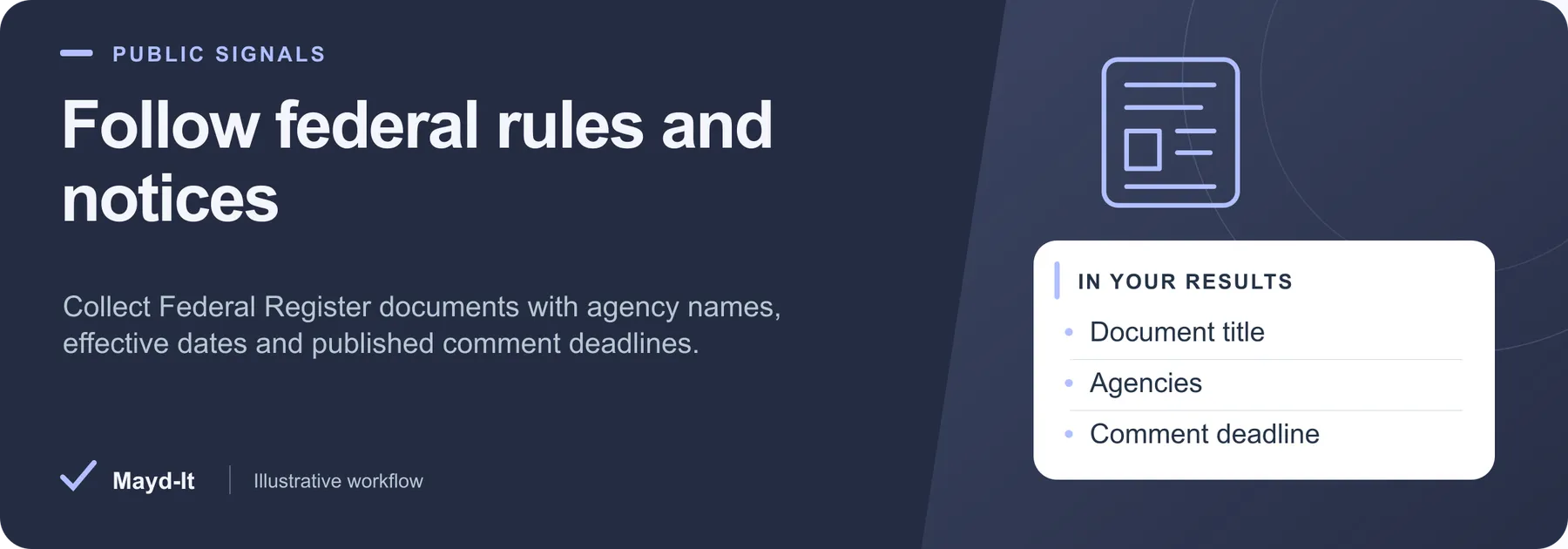
Follow federal rules and notices
For policy researchers and regulatory teams, collect rulemaking documents and their published dates in a table ready for review.
Coverage: Federal Register rules, proposed rules, notices and presidential documents. Individual public-comment text is outside this Actor's scope.
Open this Actor in Console · First run · Results · Cost · Full guide
Try this Actor
- Choose a document type or the existing keyword example, then lower the maximum document count. Use exact agency slugs when adding an agency filter.
- Open the run's dataset for document links and dates; inspect
SUMMARYfor any time or spending stop.
Read the results correctly: A blank effective or comment-close date means the source did not provide that field. Scheduling and downstream alerts need to be configured separately.
Result preview
The dataset view highlights these columns:
- Document title ·
title - Document category ·
documentType - Agencies ·
agencies - Action ·
action - Publication date ·
publicationDate - Effective date ·
effectiveDate
Use the original source links and the field definitions below when interpreting the results. CSV works well for flat columns; JSON preserves nested values.
Usage and pricing
Base result rate on the FREE tier: $4 per 1,000 results. The Pricing tab shows your plan's result rate and any Actor Start charge. Set a small result limit for the first run; the requested limit is not a guarantee of that many results.
Full guide
Track published comment deadlines and federal rulemaking documents by agency or topic. Review the official source before acting on a deadline.
What it does
This Federal Register scraper pulls structured rulemaking data straight from the official Federal Register API (federalregister.gov) - no API key required. Search or filter final rules, proposed rules, notices, and presidential documents by keyword, agency, document type, and publication date range, then export clean CSV or JSON.
Where most tools stop at a one-time bulk dump, this actor is built for recurring regulatory change monitoring. It returns comment close dates and effective dates when the source publishes them. Scheduled runs can help you review observed proposed rules with future comment-close dates by agency, topic or search term. Missing dates, source updates and collection limits mean the dataset is not a complete deadline register. Use it as a Federal Register monitor, a proposed rules tracker, or a comment deadline tracker for compliance and government-affairs workflows.
Who it's for
- Regulatory affairs & compliance teams monitoring rules that affect their industry
- Government affairs & policy researchers tracking agency rulemaking activity
- Lobbyists & public-affairs firms watching comment windows to file responses on time
- Legal & in-house counsel building regulatory change logs and docket trails
- Analysts & data teams who need Federal Register data as clean CSV/JSON for dashboards
What you get / Output
Each record maps directly to the Federal Register document. Fields returned:
| Field | Description |
|---|---|
title | Document title |
documentType | Rule, Proposed Rule, Notice, or Presidential Document |
action | Short summary of the regulatory action |
abstract | Document abstract / summary |
agencies | Issuing agency or agencies |
publicationDate | Date published in the Federal Register |
effectiveDate | Source-published effective date, when available |
commentsCloseDate | Source-published comment-close date, when available; verify the official document for current instructions |
documentNumber | Unique Federal Register document number |
citation | Federal Register citation |
docketIds | Associated docket ID(s) |
regulationIdNumbers | Regulation Identifier Number(s) (RIN) |
topics | Subject/topic tags |
significant | Whether the document is flagged significant |
htmlUrl | Link to the full document on federalregister.gov |
pdfUrl | Link to the official PDF |
Input / How to query
Filter down to exactly the regulations you care about:
- Search term - keyword or phrase to match across documents
- Document type - rule (final), proposed rule, notice, or presidential document
- Agency - limit results to one or more issuing agencies (e.g. EPA, SEC, FDA)
- Publication date range - start and end dates to scope the pull
- Recurring workflow - save the input as an Apify task and configure a schedule separately; there is no dedicated monitor-mode input
- Max run seconds - wall-clock budget for the run (default 240). When it is reached the Actor stops cleanly and finishes successfully with the documents it already has, and records
stoppedEarlyOnTimeLimit: truein the run'sSUMMARY. Raise it, together with the run timeout, for a deliberately large pull
Combine filters freely - for example, proposed rules from the EPA published in the last 30 days, or significant final rules mentioning a specific term, within the selected collection limits.
Example use cases
- Watch your industry: monitor new proposed rules from the agencies that regulate you (e.g. SEC for finance, FDA for medical, EPA for environmental) and get them as a daily feed.
- Review comment windows: collect matching proposed rules, then filter saved rows for a future published
commentsCloseDate. Check the official documents for current deadlines and submission instructions; missing dates or partial runs can leave gaps. - Build a regulatory change log: export final vs. proposed rules with RIN, docket IDs, and citations into a compliance tracker or data warehouse.
- Agency activity reports: summarize collected documents from an agency and date range for a policy or client briefing, checking result limits and source coverage before treating the report as complete.
- Effective-date planning: track upcoming
effectiveDatevalues on final rules so operations teams can prepare ahead of enforcement.
Recurring use / scheduling
This actor is designed to run on a schedule. In Apify, open the actor, set your filters (agency, topic term, and/or document type), and add a Schedule - for example daily or hourly.
- Keep the same input to re-check the same slice of the Federal Register each run.
- Use the
documentNumberfield as a stable unique key to dedupe across runs, so downstream automations only alert on genuinely new documents. - Pair a scheduled run with Apify integrations (webhooks, email, Slack, Zapier, Make) to turn new proposed rules or approaching comment deadlines into alerts for your team.
FAQ
How do I monitor new federal regulations for my industry?
Set a search term and/or the agencies that regulate your industry, choose your document types (proposed rule, rule, notice), and schedule the actor to run daily. Each run returns the latest matching documents, which you can pipe to email, Slack, or a spreadsheet.
How can I track proposed rules and comment deadlines by agency?
Filter by agency and document type "proposed rule," then review available commentsCloseDate values on saved rows. A scheduled run refreshes the observed slice; confirm open status and current instructions in the official document.
Is there an API to get Federal Register data without a key?
Yes. This actor uses the official Federal Register API (federalregister.gov), which is public and requires no API key or authentication. You just configure the actor's filters and run it.
How do I export Federal Register rules to CSV or JSON?
Every run writes results to an Apify dataset, which you can download or export as CSV, JSON, Excel, or XML, or pull via the Apify API for your own pipeline.
How do I get alerts when a new proposed rule affects my company?
Schedule the actor with filters that match your company's exposure (agency, topic term, document type), dedupe on documentNumber, and connect an Apify webhook or integration so new matches trigger an alert.
Can I use this instead of Regulations.gov to track rules and comment deadlines?
For the rulemaking documents themselves - final rules, proposed rules, notices, and their comment deadlines - the Federal Register is the authoritative source this actor reads from, and it returns docket IDs and RINs so you can cross-reference elsewhere. Note: this actor returns rule/notice documents and their commentsCloseDate, not the full text of individual public comments.
How do I track final vs proposed rules from the EPA, SEC, or FDA?
Set the agency filter to the agency you care about and run two views (or filter downstream) on the documentType field to separate final "Rule" records from "Proposed Rule" records.
How can I automate regulatory compliance monitoring daily?
Save your filters, add a daily schedule, dedupe on documentNumber, and route new records to your team via webhook or integration - a hands-off daily regulatory change monitoring pipeline.
Data source & notes
- Source: Official U.S. Federal Register API at federalregister.gov.
- Access: Public, free, and keyless - Federal Register data is U.S. government public record.
- Coverage: Final rules, proposed rules, notices, and presidential documents indexed by the Federal Register.
- Limitations: Fields reflect what the Federal Register publishes for each document; values such as
commentsCloseDate,effectiveDate,docketIds, andregulationIdNumbersare only present when the source document includes them. This actor returns rule/notice documents and their metadata, not the body text of individual public comments.
Related actors
Part of a set of US public-records tools that work well together:
- Federal Contract Awards Scraper - federal spending downstream of the rules
- Grants.gov Scraper - funding opportunities from the same agencies
- FDA Recalls Scraper - enforcement activity alongside the regulatory record
See the full collection at apify.com/maydit.
Found this useful?
If this actor saved you time, a short review on the Apify Store genuinely helps. Reviews are how the next person decides whether a tool is worth trying.
Something broken, missing a field, or a source you want covered? Open an issue on the Issues tab and it will get looked at - that is the fastest route to getting it changed.
Run spending limits
The run stops at its spending limit. SUMMARY.datasetItemsSaved reports the number of rows actually saved, and SUMMARY.stoppedOnChargeLimit identifies this stop. A final batch may be saved only in part; increase the spending limit to collect more results.
Help with your run
Open the Issues tab on this Actor with the run URL, the input field that caused trouble and what you expected to receive. Remove API keys and private information before posting.
Understand your run
Open Run report in the run’s Output tab for saved-record counts, reported source issues and limits, and suggested next steps. Use CSV export to take the saved results into a spreadsheet. The existing JSON results and detailed machine-readable summary remain available.
The report reflects this run’s recorded coverage. A successful run or a saved result does not establish that every possible source record was collected.


