

Apple App Store Review Scraper
Pricing
from $1.10 / 1,000 review returneds
Apple App Store Review Scraper
Returns reviews for any Apple App Store app, with ratings, full text, dates and helpful votes. No login needed.
Pricing
from $1.10 / 1,000 review returneds
Rating
0.0
(0)
Developer

MrDoe
Maintained by CommunityActor stats
0
Bookmarked
2
Total users
1
Monthly active users
2 days ago
Last modified
Categories
Share
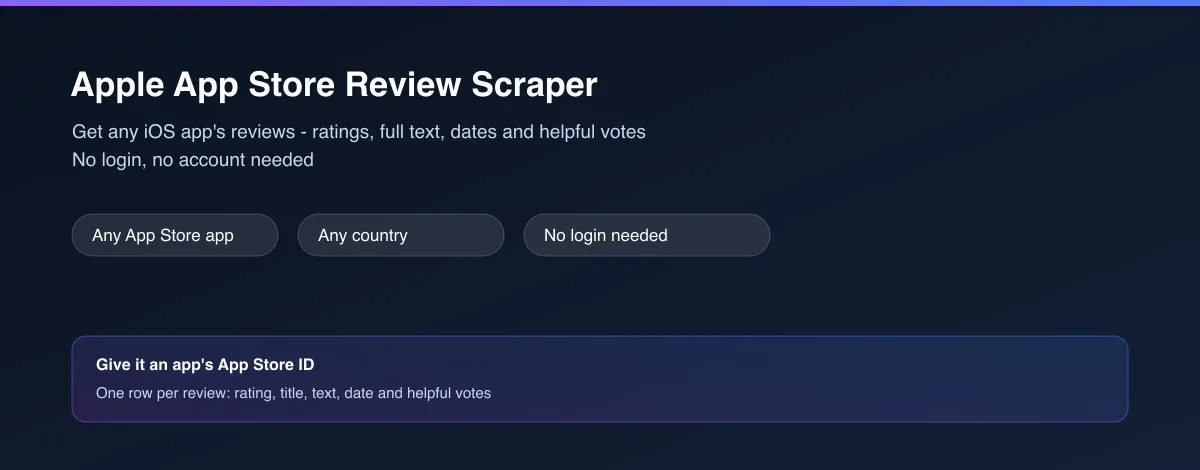
What does Apple App Store Review Scraper do?
Apple App Store Review Scraper returns reviews for any iOS app on Apple's App Store as clean structured data. For each review you get the star rating, title, full review text, the date it was posted, the reviewer's name, how many people found it helpful, and the app version they had installed. No login, no Apple account needed.
Why use Apple App Store Review Scraper?
- No account needed - works fully logged out, every run.
- Full detail, not a summary - complete review title and text, exact dates and helpful-vote counts, not just a star average.
- Any app - just give it the numeric App ID from the app's own App Store URL.
- Two ways to sort - most recent, or most helpful.
- Any country storefront - read reviews from any App Store country/locale.
What makes this different
Most review lookups only show you the handful of reviews visible on an app's main App Store page. This Actor pages all the way through an app's reviews automatically, so you can pull hundreds of real reviews in one run instead of scrolling and copy-pasting by hand.
Who uses Apple App Store Review Scraper?
- App developers and product teams - monitor what users are saying about your own iOS app, including recent complaints and praise, without opening the App Store every day.
- Competitive analysts - see exactly what users like and dislike about a competitor's app, straight from their own words.
- Market researchers - gauge real user sentiment and common complaints for any app or category before making a decision.
- Cross-platform teams - pair this with a Google Play review scraper to compare iOS vs Android sentiment for the same app side by side.
How it works
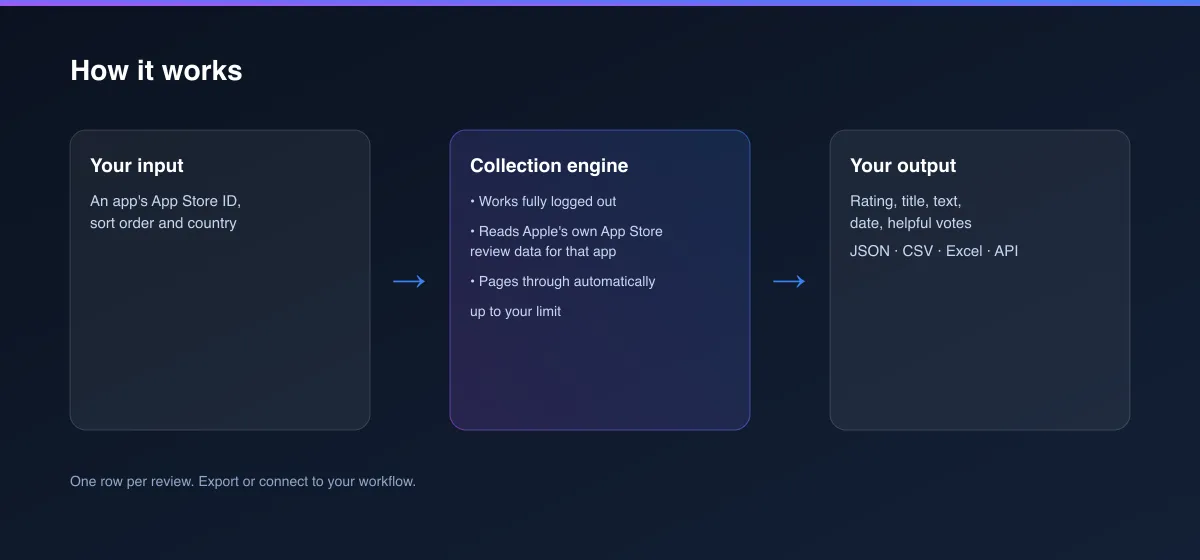
- Your input - an app's numeric App ID, a sort order, and a country.
- The Actor collects it - it reads Apple's own App Store review data for that app, works fully logged out, and pages through automatically up to your limit.
- Your output - one structured record per review, ready for a spreadsheet, dashboard or report.
What data can you extract?
| Field | Description |
|---|---|
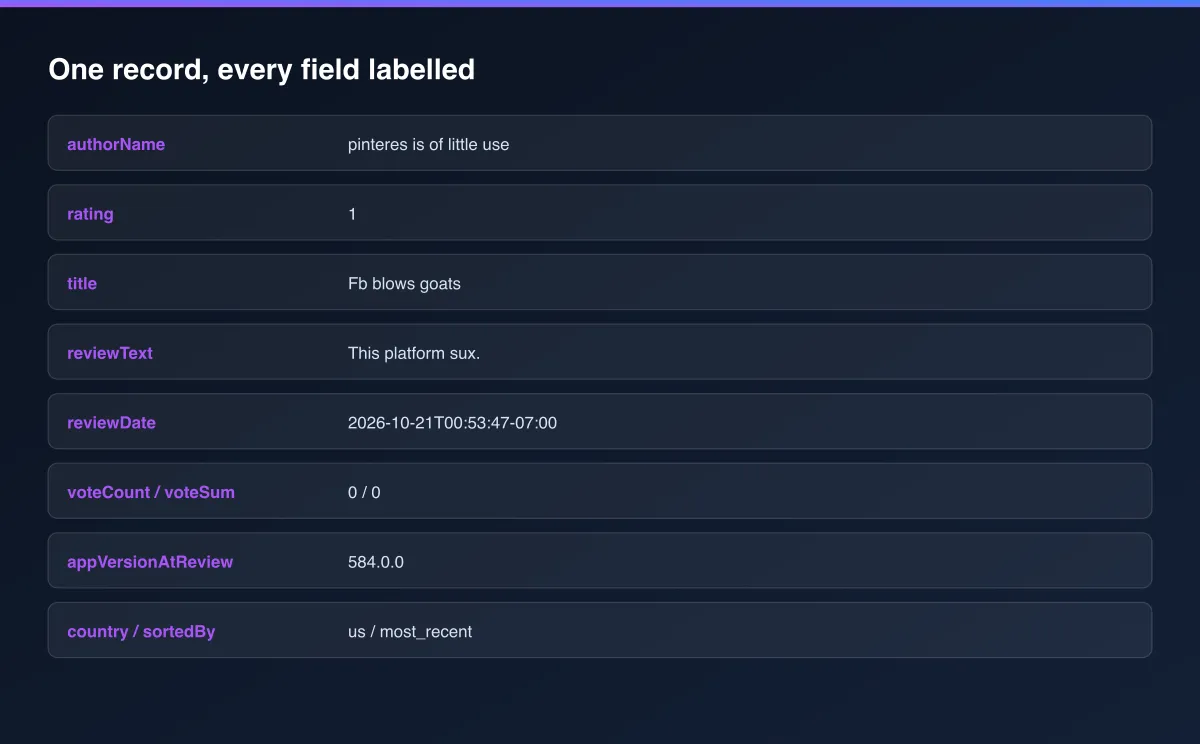
authorName / authorProfileUrl | The reviewer's display name and App Store profile link |
title | The review's title |
reviewText | The full review text |
rating | Star rating, 1 to 5 |
reviewDate | When the review was posted |
voteCount / voteSum | How many people voted on whether this review was helpful |
appVersionAtReview | The app version the reviewer had installed |
appId / country / sortedBy | The app, country and sort order used for this run |
scrapedAt | When this record was collected (ISO timestamp) |
How to use Apple App Store Review Scraper
- Open the Actor and go to the Input tab.
- Enter an App ID - the number from the app's App Store URL (see the screenshot below).
- Choose a Sort by order and, optionally, a Country.
- Optionally set Max results.
- Click Start.
- Open the Dataset tab, or pull results via the API, once the run finishes.
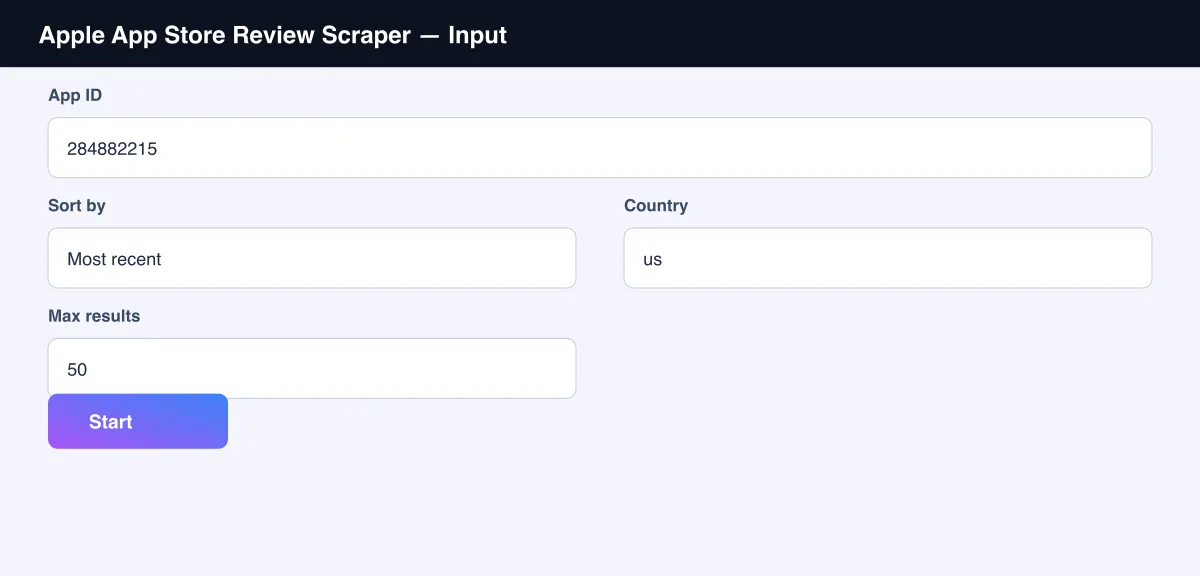
Input Parameters
| Parameter | Type | Required | Default | Description |
|---|---|---|---|---|
appId | String | Yes | "284882215" | The app's numeric App Store ID |
sortBy | String | No | "most_recent" | "most_recent" or "most_helpful" |
country | String | No | "us" | The App Store country storefront to read from |
maxItems | Integer | No | 50 | Maximum number of reviews to return (Apple caps this feed at 500) |
proxyConfiguration | Object | No | No proxy | Advanced - this works without a proxy for moderate volumes |
Output Data
Each review produces one dataset record. Example:
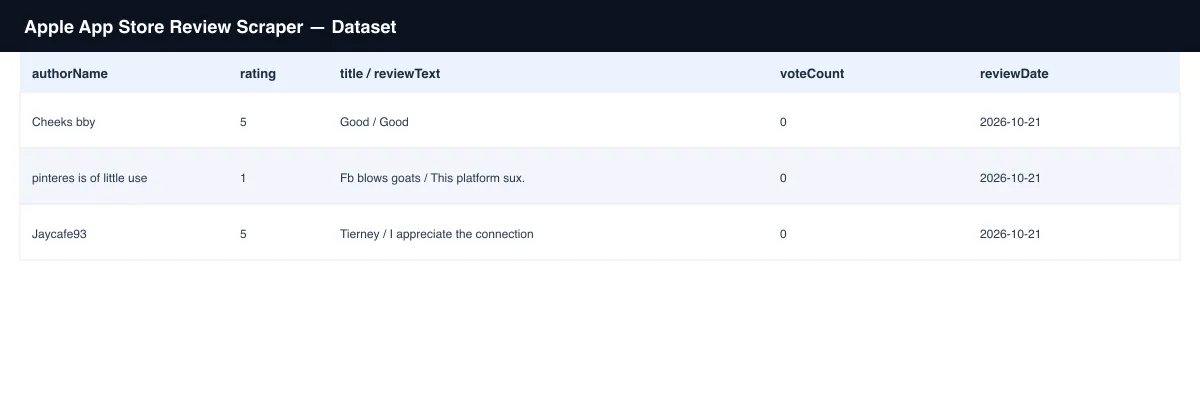
Usage Examples
- Own-app monitoring - run against your own app's ID on a schedule, sorted by
most_recent, to catch new complaints or praise as they come in. - Competitor research - run against a competitor's app ID to see what their users say.
- Cross-platform comparison - run this alongside a Play Store review scraper for the same app to compare iOS and Android sentiment.
- Multi-market check - run the same app with different
countryvalues to compare sentiment across storefronts.
Tips for Best Results
- Find the numeric
appIdfrom the app's own App Store URL - it's the number afterid. - Apple's own feed caps at 500 reviews per country/sort combination - that's a platform limit, not something this Actor imposes.
most_helpfulsurfaces the reviews with the most votes, which are often the most representative of common sentiment.
Known Limitations
- Returns up to 500 reviews per country/sort combination - Apple's own App Store feed doesn't expose more than that for a given combination.
- Reflects a snapshot at the time of the run; new reviews are posted continuously.
Integrations
Connect Apple App Store Review Scraper to the rest of your stack via the Apify API, webhooks, scheduled runs, or directly to Google Sheets, Make, and Zapier through Apify's built-in integrations.
Export Formats
Download results as JSON, CSV, Excel, or XML from the Dataset tab, or fetch them programmatically via the Apify API.
Frequently Asked Questions
Do I need an Apple account or to log in?
No. Every run works fully logged out.
Where do I find an app's App ID?
It's the number in the app's App Store URL - for example, 284882215 in
https://apps.apple.com/us/app/facebook/id284882215.
Can I get reviews from a specific country?
Yes - set country to the matching 2-letter code (e.g. "gb", "de", "jp").
Can I schedule this to run automatically?
Yes, use Apify's built-in Scheduler to re-check an app's reviews on any interval you choose.
Support
Found an issue or have a request? Open it on the Actor's Issues tab in the Apify Console.
Legal / Responsible Use
You're responsible for using this Actor in compliance with applicable laws and the target platform's terms of service. This Actor retrieves publicly viewable review information only; it does not collect personal data beyond what reviewers themselves chose to make public.


