
Betting Odds Comparison
Pricing
from $5.00 / 1,000 results
Betting Odds Comparison
Compare odds across bookmakers: for every match and market see each book's price, the best price and who offers it, the average, each book's margin and whether the best prices create an arbitrage. Press Start and it fetches fresh odds from all 6 books live, or compare datasets you already have.

What does Multi-Bookmaker Odds Comparison: Best Price per Match do?
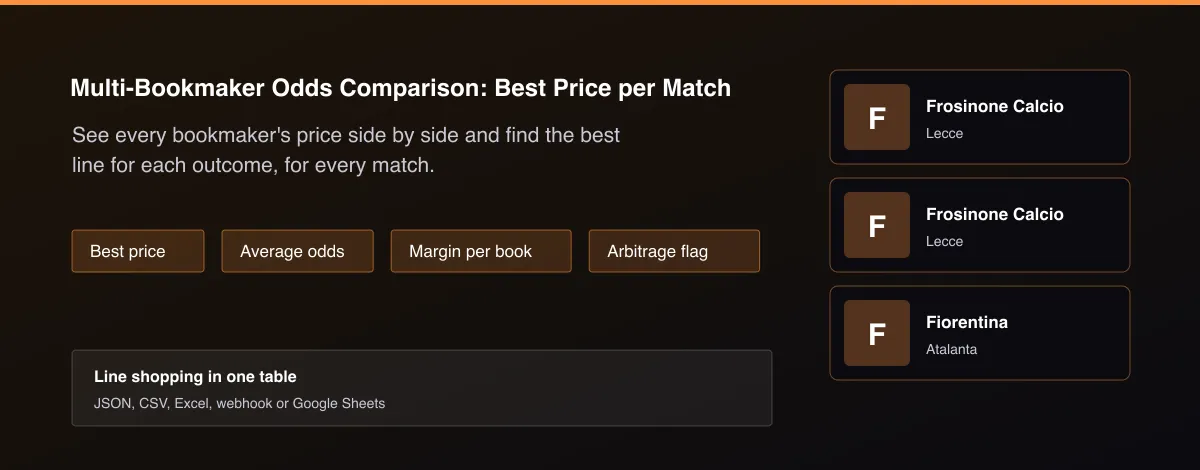
Multi-Bookmaker Odds Comparison compares bookmaker odds for the same matches. By default it runs this account's own Pinnacle, FanDuel, DraftKings, MelBet, 22Bet and 1xBet Actors live and joins their fresh results; you can also feed it datasets from odds Actor runs you already have, or both together. It matches the same game across bookmakers even when team names differ, then for each market and line returns every bookmaker's price, the best price for each outcome and which bookmaker offers it, the average price, each bookmaker's margin, the combined margin of the best prices and a flag when those best prices guarantee a profit. It covers moneyline and total markets. Live fetch runs six separate Actors on your account, each billed and timed as its own run.
Why use Multi-Bookmaker Odds Comparison: Best Price per Match?
- Line shopping in one table across six bookmakers.
- Click Start and get a real comparison — no manual setup.
- Fuzzy team matching across data sources.
- Margin per bookmaker shows who charges the most.
- Arbitrage flag when the best prices beat the market.
What makes this different
Odds comparison sites are closed and show only what they choose. This Actor fetches straight from six bookmakers' own odds Actors, keeps every book's price, and shows margin and arbitrage from the best prices, as data you can filter and store.
How it works
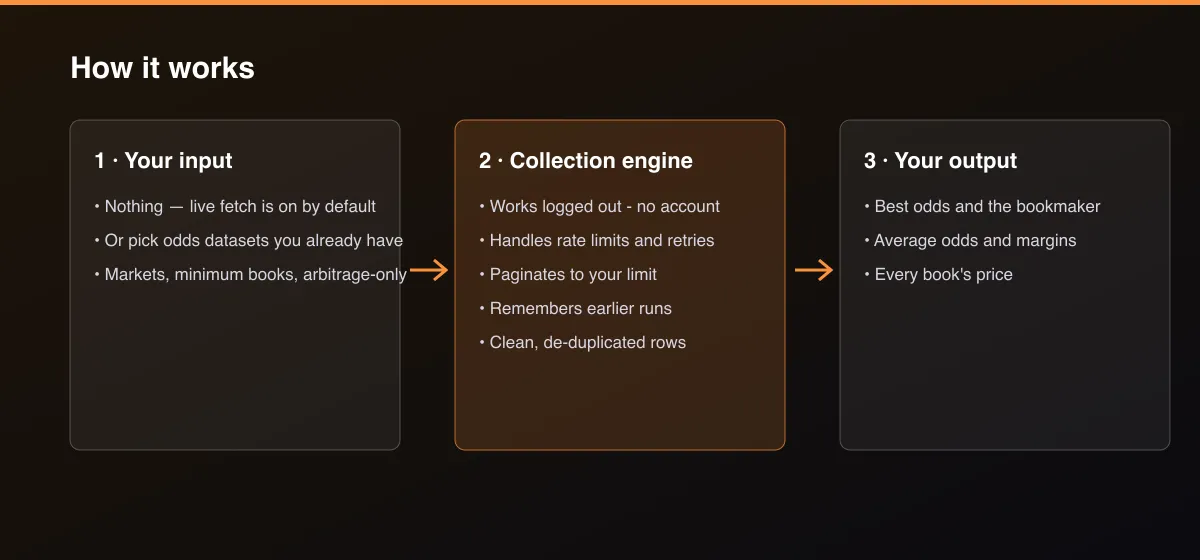
- Your input — press Start — it runs all six bookmaker Actors live for you by default.
- The Actor collects it — the Actor matches games across bookmakers and compares each market.
- Your output — you get one comparison row per match and market.
What data can you extract?
The dataset has 27 fields per row:
| Field | Type | Description |
|---|---|---|
sport | string | Sport (e.g. Football, Basketball). |
league | string | Competition or league name. |
home | string | Home team or player. |
away | string | Away team or player. |
startTime | string | Kickoff/start time, ISO 8601. |
market | string | moneyline or total. |
line | number | Total line (e.g. 2.5). Null for moneyline. |
bestHomeOdds | number | Best home-win price across all books. Present for moneyline only. |
bestHomeBook | string | Which bookmaker offers the best home price. |
bestDrawOdds | number | Best draw price across all books. Present only for 3-way sports. |
bestDrawBook | string | Which bookmaker offers the best draw price. |
bestAwayOdds | number | Best away-win price across all books. Present for moneyline only. |
bestAwayBook | string | Which bookmaker offers the best away price. |
bestOverOdds | number | Best over price across all books. Present for total markets only. |
bestOverBook | string | Which bookmaker offers the best over price. |
bestUnderOdds | number | Best under price across all books. Present for total markets only. |
bestUnderBook | string | Which bookmaker offers the best under price. |
avgHome | number | Average home price across every book pricing this match. |
avgDraw | number | Average draw price across every book pricing this match. |
avgAway | number | Average away price across every book pricing this match. |
avgOver | number | Average over price across every book pricing this match. |
avgUnder | number | Average under price across every book pricing this match. |
<Bookmaker><Selection> | number | Each bookmaker's own price for that outcome, one column per book that priced this match - e.g. 1xBetHome, PinnacleAway, FanDuelOver, DraftKingsUnder. |
marginPercent | number | Combined margin (overround) of the best prices, in percent. Under 0 means arbitrage. |
bookmakers | number | How many bookmakers priced this match and market. |
arbitrage | boolean | True when the best prices across books guarantee a profit regardless of result. |
demo | boolean | True for the built-in sample (only present when no datasets and no live fetch were given). |
How to use Multi-Bookmaker Odds Comparison: Best Price per Match
- Open the Actor and go to the Input tab.
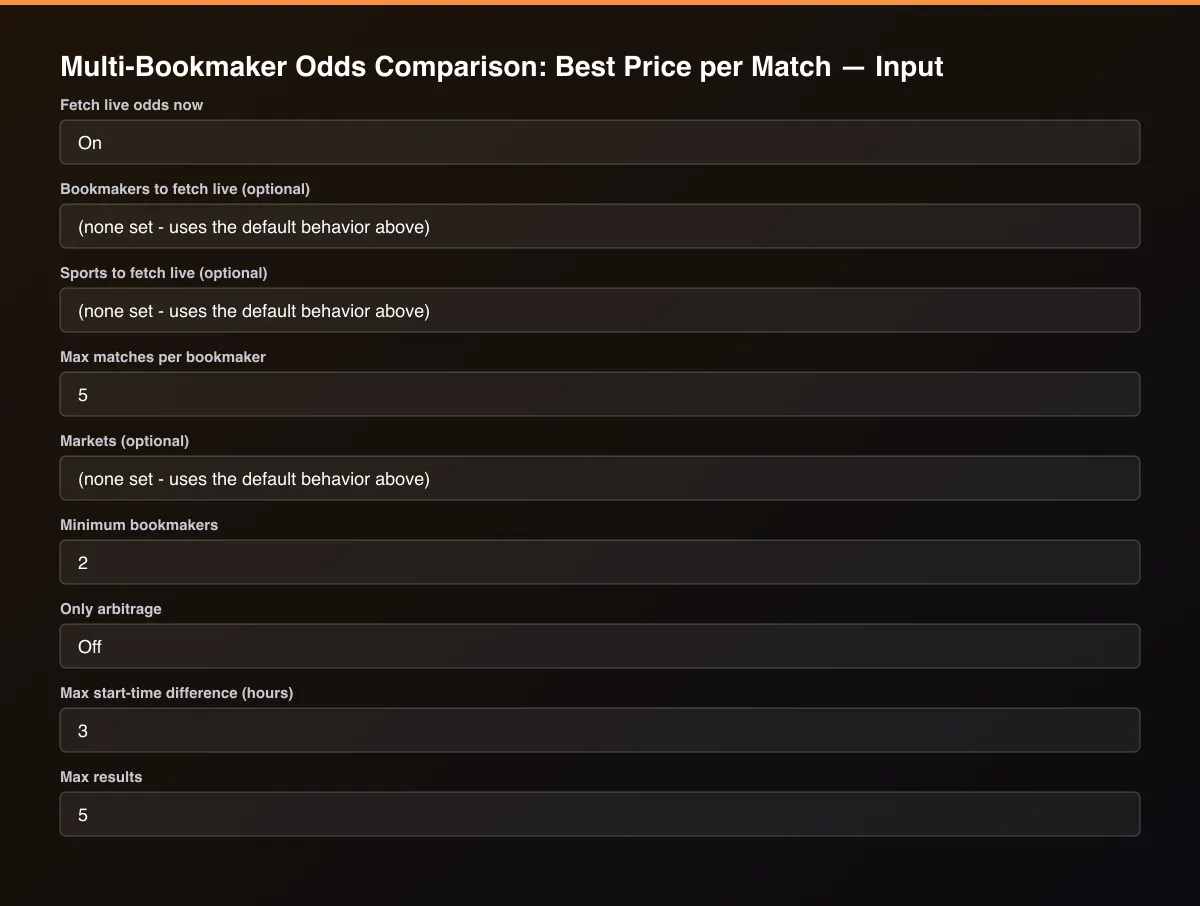
- Press Start for a live comparison across all six bookmakers — no setup needed. To narrow it, set Sports to fetch live or Bookmakers to fetch live, or turn off live fetch and pick your own Odds datasets instead. Each live bookmaker fetch is a separate Actor run on your account, billed and timed as its own run.
- Optionally set filters and a Max results limit.
- Click Start. A default run finishes in under a minute.
- Open the Output tab, then download the dataset or connect it to your tools.
Input Parameters
| Parameter | Type | Required | Default | Description |
|---|---|---|---|---|
fetchLiveOdds | boolean | No | true | Runs this repo's own bookmaker Actors (Pinnacle, FanDuel, DraftKings, MelBet, 22Bet, 1xBet) right now and compares their fresh odds, in addition to any datasets below. Each is a separate Actor run on your account, billed and timed as its own run. On by default so you can click Start with no setup; turn off if you only want to compare datasets you already have. |
liveBookmakers | array | No | [] | Which of pinnacle, fanduel, draftkings, melbet, 22bet, 1xbet to fetch. Leave empty for all six. |
liveSports | array | No | [] | Sports to pass to each bookmaker Actor. Leave empty for soccer — the one sport all six bookmaker Actors cover the same way. |
liveMaxMatchesPerBook | integer | No | 5 | Caps how many matches each bookmaker Actor fetches. Each sub-run is billed by its own per-match pricing, so this should roughly track Max results below rather than over-fetching matches that get discarded. |
oddsDataset1 | string | No | — | Dataset from a bookmaker odds Actor run (Pinnacle, FanDuel, DraftKings, MelBet, 22Bet, 1xBet). Add one per bookmaker, on top of (or instead of) the live fetch above. |
oddsDataset2 | string | No | — | Another dataset of the same kind. |
oddsDataset3 | string | No | — | Another dataset of the same kind. |
oddsDataset4 | string | No | — | Another dataset of the same kind. |
markets | array | No | [] | moneyline and/or total. Leave empty for both. |
minBooks | integer | No | 2 | Only compare markets priced by at least this many bookmakers. |
onlyArbitrage | boolean | No | false | Return only markets where the best prices across books guarantee a profit. |
maxStartDiffHours | number | No | 3 | Listings count as the same match when their start times are within this many hours. |
maxResults | integer | No | 5 | Maximum number of comparisons returned. Default is 5 for a quick test; set 0 to return everything available. |
Output Data
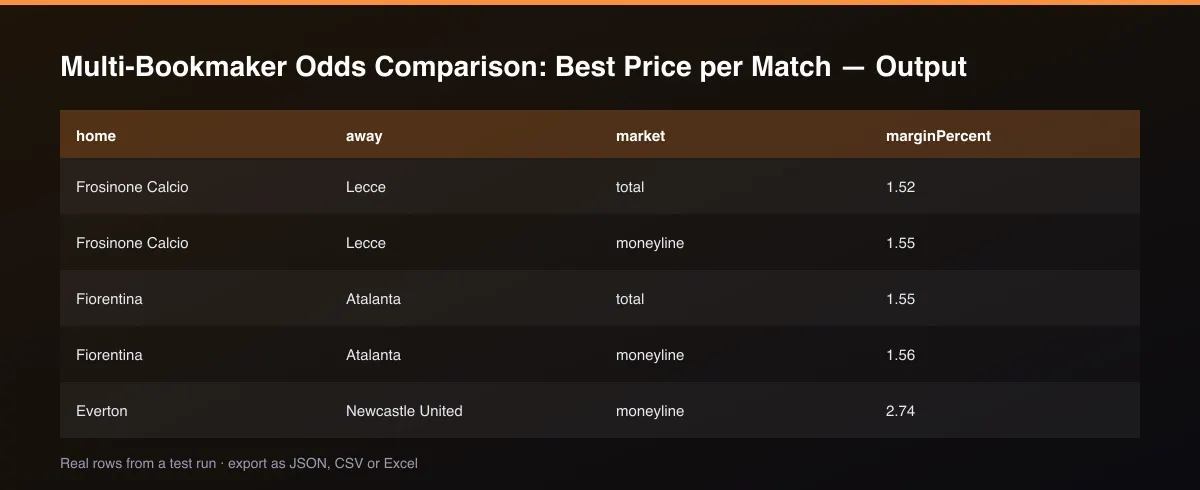
best gives the highest price and bookmaker for each selection; average is the mean price. bestPriceMarginPercent is the combined margin of the best prices: below zero means an arbitrage, flagged in arbitrage. books lists every bookmaker's price and margin.
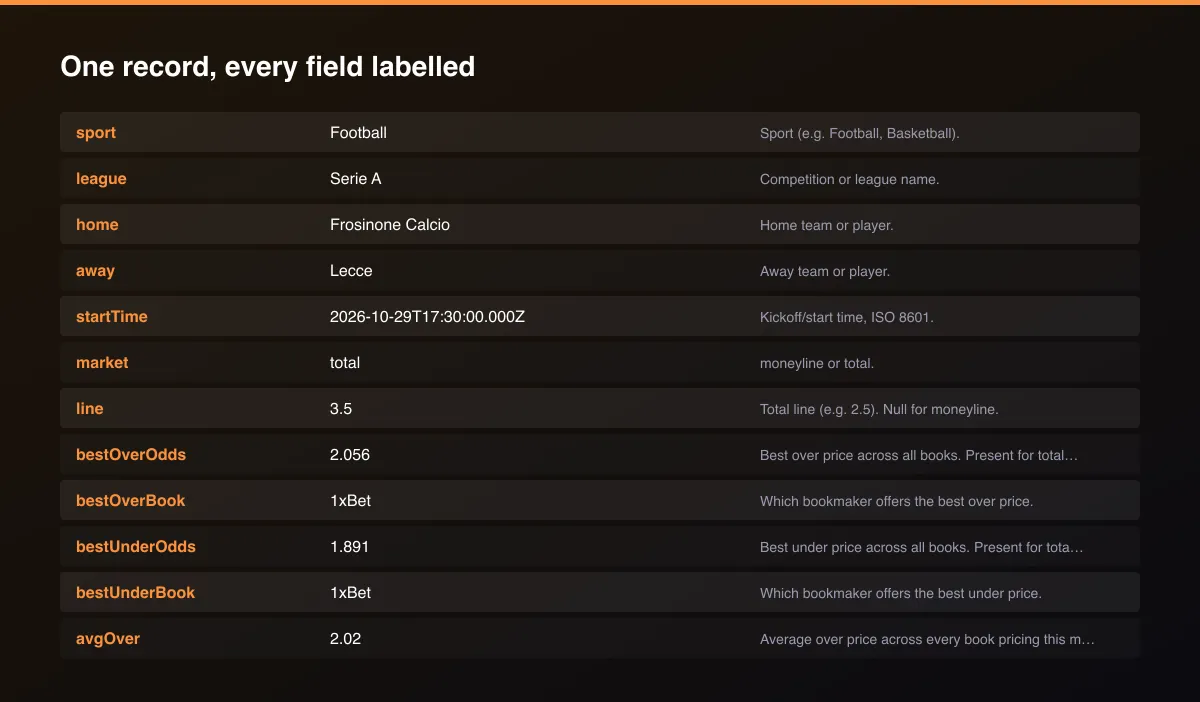
A real dataset item:
Usage Examples
Compare everything
Moneylines priced by three books
Arbitrage only
Tips for Best Results
- Default is 5 results for a fast test. Set the max to 0 to return everything available.
Known Limitations
- Comparison is only as fresh as the odds datasets or the live fetch; prices move.
- Live fetch runs six separate Actors; one failing or finding nothing just means fewer bookmakers in that run, not an error.
- Only moneyline and total markets are compared.
- Team matching is fuzzy; unusual name differences can leave a match unpaired.
- Totals are compared only when books offer the same line.
Integrations
Run it from the Apify API, on a schedule, or from a webhook. Send results straight to Google Sheets, Make, Zapier, Slack or your own database with Apify's built-in integrations.
Export Formats
Download the dataset as JSON, CSV, Excel, XML, HTML table or RSS from the Output tab or the API.
Frequently Asked Questions
Does it need an account or API key?
No. The Actor only needs the odds datasets you choose.
Am I charged for failed results?
No. You are only charged for results that are written to the dataset.
Do I need an account or login?
No. The Actor only needs the odds datasets you choose.
Am I charged for failed runs or empty results?
You are only charged for results that are actually written to the dataset.
Can I run it on a schedule?
Yes. Create a Task with your input and add a schedule in Apify Console. With monitor mode on, each scheduled run returns only what changed since the previous one.
Support
Questions or a missing field? Open an issue from the Issues tab on this Actor's page and it will be looked at.
Legal / Responsible Use
You are responsible for how you use these results, including compliance with bookmaker terms and the gambling laws that apply to you. This Actor is analysis only and does not place bets. Gambling is age-restricted; if you or someone you know has a problem, seek support such as BeGambleAware or 1-800-GAMBLER.


