
Facebook Ads Library Scraper
Pricing
from $2.00 / 1,000 ad returneds
Facebook Ads Library Scraper
Returns every currently active Facebook/Instagram ad for an advertiser or keyword, with full creative details, straight from Meta's own Ad Library.
Pricing
from $2.00 / 1,000 ad returneds
Rating
0.0
(0)
Developer

MrDoe
Maintained by CommunityActor stats
0
Bookmarked
2
Total users
1
Monthly active users
16 minutes ago
Last modified
Categories
Share
What does Facebook Ads Library Scraper do?
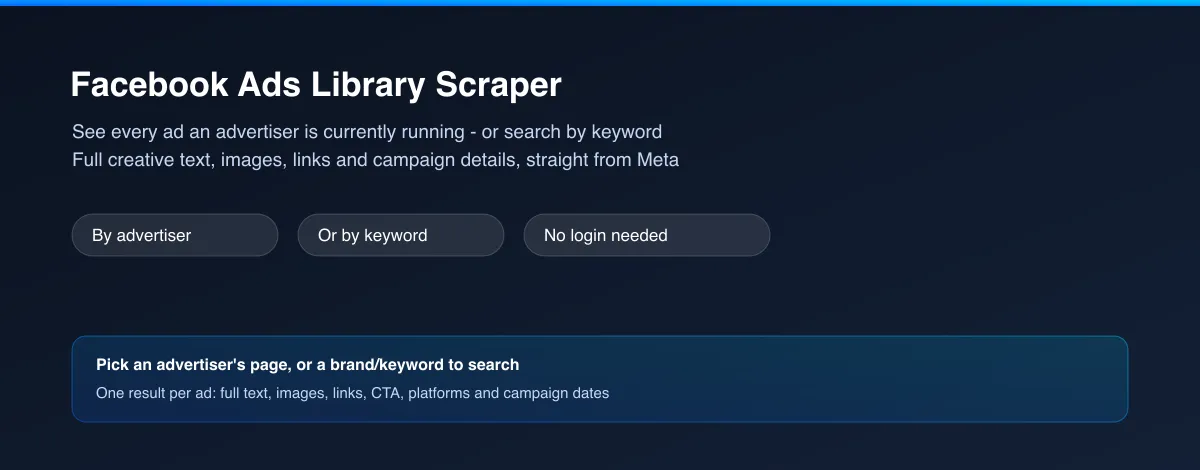
Facebook Ads Library Scraper returns every ad an advertiser is currently running on Facebook and Instagram - or every ad matching a keyword across all advertisers - as clean structured data. For each ad you get the full ad text, every image and video in the creative, the landing-page link, the call-to-action, which platforms it runs on, when it started running, and the advertiser's own page details. No login, no Facebook account needed.
Why use Facebook Ads Library Scraper?
- No Facebook account needed - works fully logged out, every run.
- Full creative detail, not just a count - every ad's complete text, images, video and landing-page link, not just "how many ads is this page running."
- Two ways in - look up one advertiser by their Facebook page, or search by keyword/brand name to find ads from any advertiser.
- Multi-product ads fully unpacked - catalog and carousel ads often promote several products in one ad; each product's own title, image and link comes through separately.
- Advertiser context included - page category, follower count and profile link travel with every ad, so you know who's behind it at a glance.
What makes this different
Most "ad library" tools make you click through one ad at a time to see its creative, or hand you a bare count with no detail at all. This Actor pulls the full creative - every product tile in a catalog ad, every image, every link - directly into structured rows, so you can analyze dozens of an advertiser's ads in a spreadsheet instead of opening them one by one.
Who uses Facebook Ads Library Scraper?
- Performance marketers and ad agencies - study exactly what a competitor's ads say, show and link to before briefing new creative.
- E-commerce and dropshipping sellers - see which products a competitor is actively promoting and how, product by product, inside their catalog ads.
- Brand and PR teams - monitor what messaging and offers a competitor or partner brand is currently running.
- Market researchers and consultants - pull a full, structured record of an industry's current advertising activity for a client report, without manually browsing the Ad Library.
How it works
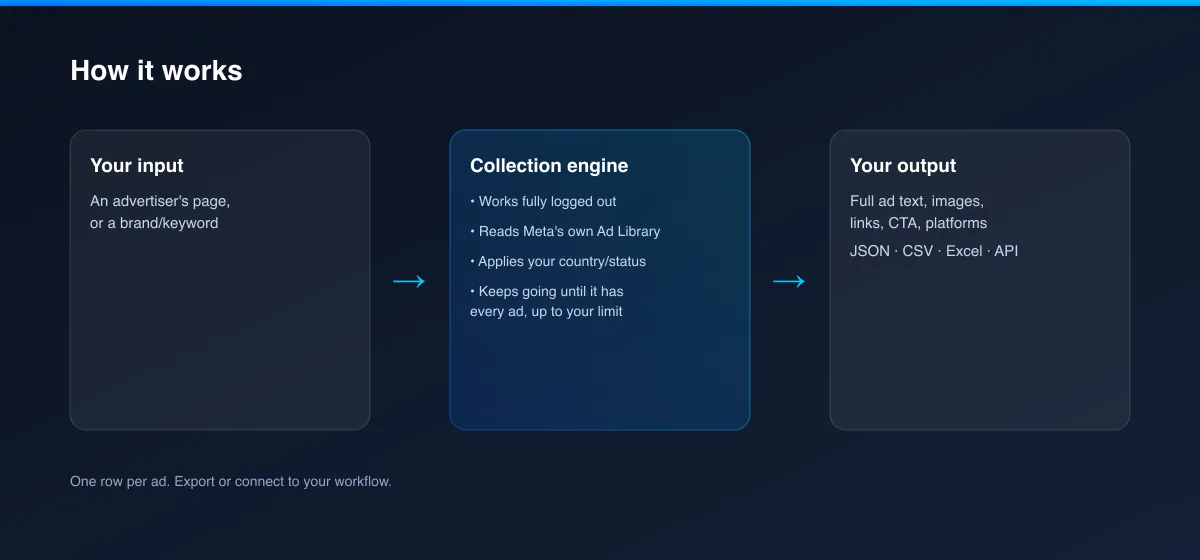
- Your input - an advertiser's Facebook page, or a brand/keyword to search.
- The Actor collects it - it reads Meta's own Ad Library for that advertiser or keyword, works fully logged out, and keeps going until it has every ad, up to your limit.
- Your output - one structured record per ad, with its full creative and campaign details, ready for a spreadsheet, dashboard or report.
What data can you extract?
| Field | Description |
|---|---|
pageName / pageId | The advertiser's Facebook page name and ID |
pageProfileUrl / pageProfilePictureUrl | Link and image for the advertiser's page |
pageCategories / pageLikeCount | The page's own category tags and follower count |
isActive | Whether the ad is currently running |
startDate / endDate | When Meta's records show this ad as having started/ended |
platforms | Where it runs: Facebook, Instagram, Messenger, Audience Network, Threads |
displayFormat | The ad's format (e.g. image, video, carousel, catalog) |
adBodyText | The ad's main text |
ctaText / ctaType | The call-to-action shown on the ad |
linkCaption | The display link shown below the ad (e.g. a domain) |
creatives | Array of every product/card in the ad: title, body, image, video, link and CTA |
categories | Meta's own categorisation for the ad, when available |
containsSensitiveContent | Meta's own content flag |
spend / reachEstimate / currency / impressionsText | Spend range, reach and impression figures - populated only for political/issue ads, which is the only category Meta discloses these for |
adDetailUrl | Direct link to view this ad on Meta's own Ad Library |
scrapedAt | When this record was collected (ISO timestamp) |
How to use Facebook Ads Library Scraper
- Open the Actor and go to the Input tab.
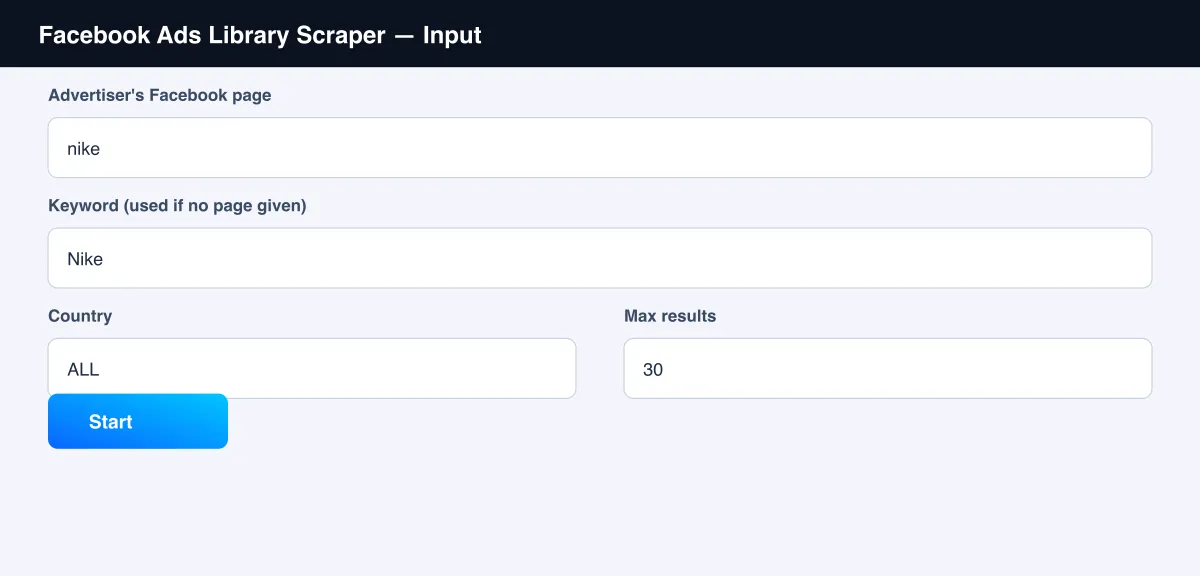
- Enter an Advertiser's Facebook page (a URL or username), or leave it empty and use Keyword instead (see the screenshot below).
- Optionally set Country, Ad status and Max results.
- Click Start.
- Open the Dataset tab, or pull results via the API, once the run finishes.
Input Parameters
| Parameter | Type | Required | Default | Description |
|---|---|---|---|---|
pageUrl | String | No* | - | An advertiser's Facebook page URL or username |
keyword | String | No* | "Nike" | A brand/search term, used when pageUrl is empty |
country | String | No | "ALL" | A 2-letter country code, or "ALL" |
activeStatus | String | No | "active" | "active", "inactive" or "all" |
maxItems | Integer | No | 30 | Maximum number of ads to return |
proxyConfiguration | Object | No | Residential Apify Proxy | Advanced - a residential proxy is recommended for reliable results |
*Provide either pageUrl or keyword - if both are empty the run has nothing to search for.
Output Data
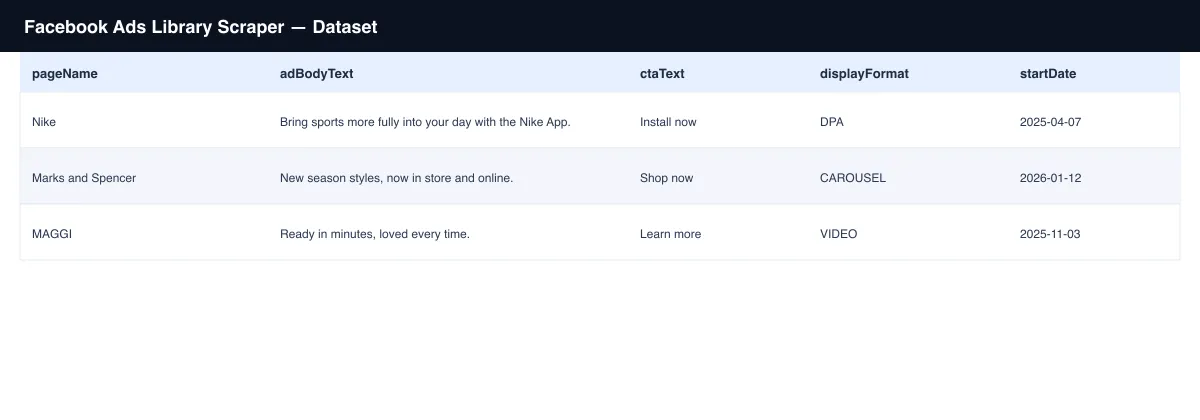
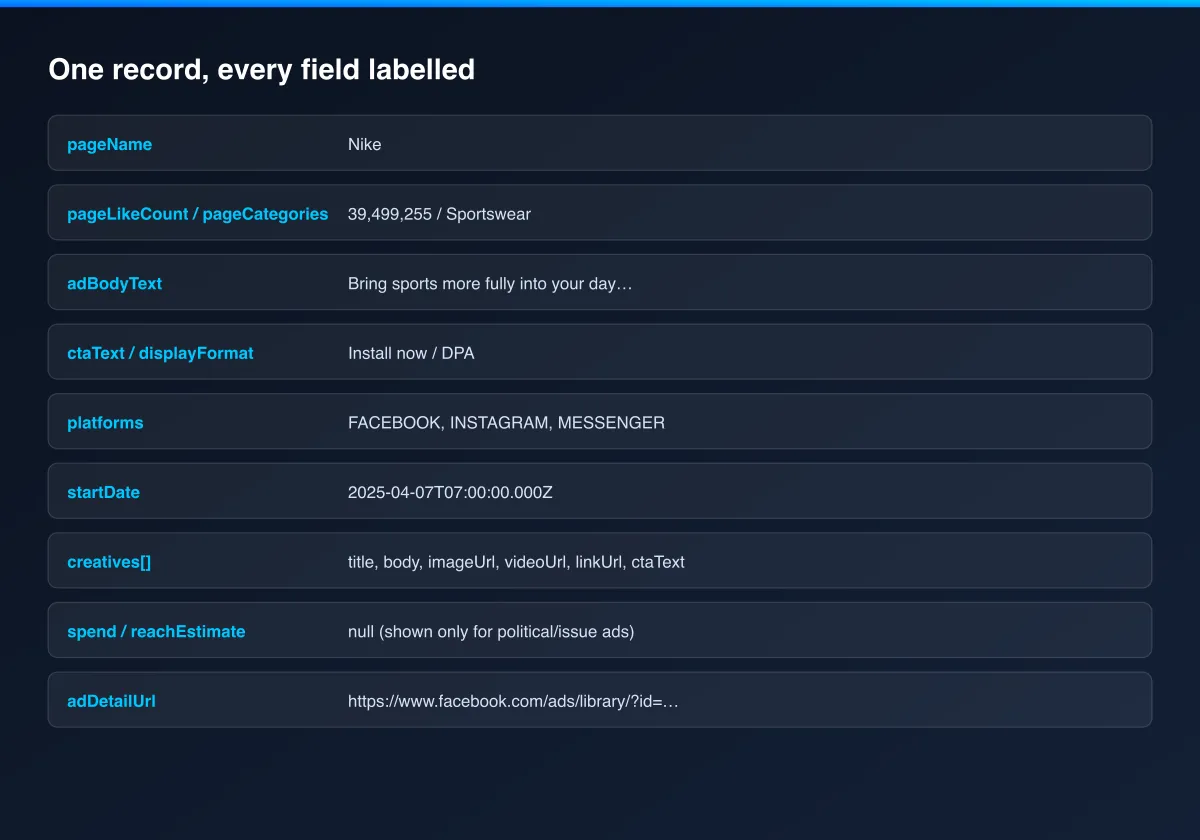
Each ad produces one dataset record. Example:
Usage Examples
- Competitor audit - set
pageUrlto a competitor's Facebook page to see every ad they're currently running, with full creative detail. - Category research - set
keywordto a product category or brand name to see which advertisers are active in that space right now. - Catalog monitoring - run against an e-commerce advertiser's page to see every product they're currently promoting through their catalog ads.
- Ongoing tracking - schedule the same
pageUrlon a recurring run to catch new ads as an advertiser launches them.
Tips for Best Results
- Use
pageUrlwhenever you know the specific advertiser - it's more precise than a keyword search and returns only that page's own ads. - A keyword search can match ads from many different advertisers; narrow
countryif you only care about one market. spend,reachEstimateandimpressionsTextare genuinelynullfor the vast majority of ads - Meta only discloses those figures for political/issue advertising, not ordinary commercial ads.
Known Limitations
spend,reachEstimate,currencyandimpressionsTextare populated only for political/issue ads, exactly as Meta's own Ad Library discloses them - this Actor cannot surface view/spend numbers Meta itself doesn't expose for ordinary commercial ads.- Reflects a snapshot at the time of the run; an advertiser's active ads change over time.
- Image and video URLs are served from Meta's own CDN and may expire after some time; download or re-host them promptly if you need to keep a copy.
Integrations
Connect Facebook Ads Library Scraper to the rest of your stack via the Apify API, webhooks, scheduled runs, or directly to Google Sheets, Make, and Zapier through Apify's built-in integrations.
Export Formats
Download results as JSON, CSV, Excel, or XML from the Dataset tab, or fetch them programmatically via the Apify API.
Frequently Asked Questions
Do I need a Facebook account or to log in?
No. Every run works fully logged out.
What's the difference between pageUrl and keyword?
pageUrl returns every ad from one specific advertiser. keyword searches ad text and
advertiser names across all of Meta's Ad Library, which can surface ads from many advertisers.
Why are spend and reachEstimate usually empty?
Meta only discloses spend and reach figures for political/issue ads. For ordinary commercial ads, Meta itself doesn't publish those numbers, so this Actor can't either.
Can I schedule this to run automatically?
Yes, use Apify's built-in Scheduler to re-check an advertiser or keyword on any interval you choose.
Am I charged for a run that returns no ads?
You're only charged the run-start fee plus the per-ad fee for each ad actually returned.
Support
Found an issue or have a request? Open it on the Actor's Issues tab in the Apify Console.
Legal / Responsible Use
You're responsible for using this Actor in compliance with applicable laws and the target platform's terms of service. This Actor retrieves publicly viewable ad information only; it does not collect personal data.


