

IKEA Product Scraper
Pricing
Pay per usage
IKEA Product Scraper
Extracts IKEA products by search term or exact product URL - name, price, dimensions, materials, availability, rating and images. No login, no key.
Pricing
Pay per usage
Rating
0.0
(0)
Developer

MrDoe
Maintained by CommunityActor stats
0
Bookmarked
2
Total users
1
Monthly active users
a day ago
Last modified
Categories
Share
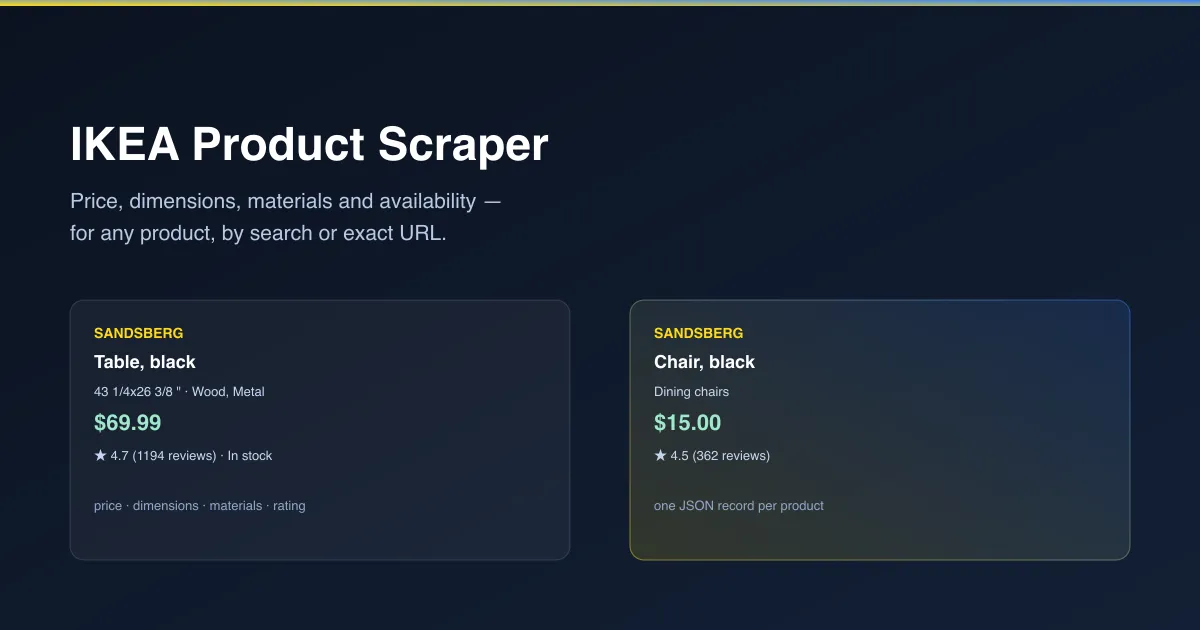
What does IKEA Product Scraper do?
IKEA Product Scraper returns IKEA products as clean structured data. For each product you get the name, price, dimensions, materials, color, availability, star rating and full image set. Search any keyword to pull a batch of matching products, or give it exact product URLs to get full detail (description, materials, dimensions) for specific items. No login, no IKEA account needed.
Why use IKEA Product Scraper?
- No account needed - works fully logged out, every run.
- Full detail, not a summary - exact price, dimensions, materials and real customer rating, not just a product name and image.
- Search or exact URL - find products by keyword across IKEA's whole catalogue, or go straight to specific products you already know.
- Any IKEA storefront - works across IKEA's country/language sites (US, UK, Sweden, and more), not just one market.
- Real availability - know whether a product is actually in stock before you plan around it.
What makes this different
Most product lookups only show you what IKEA's own site displays on screen. This Actor returns every field - including exact dimensions and material composition - as structured data you can filter, sort and analyze, instead of reading one product page at a time.
Who uses IKEA Product Scraper?
- Interior designers and furniture buyers - compare dimensions, materials and prices across many products at once before making a purchase decision.
- Dropshippers and resellers - pull IKEA's own catalogue data to build listings or compare against your own pricing.
- Price trackers and comparison sites - monitor price and availability changes for specific products over time.
- Market researchers - analyze IKEA's product range, pricing and customer ratings across categories.
How it works
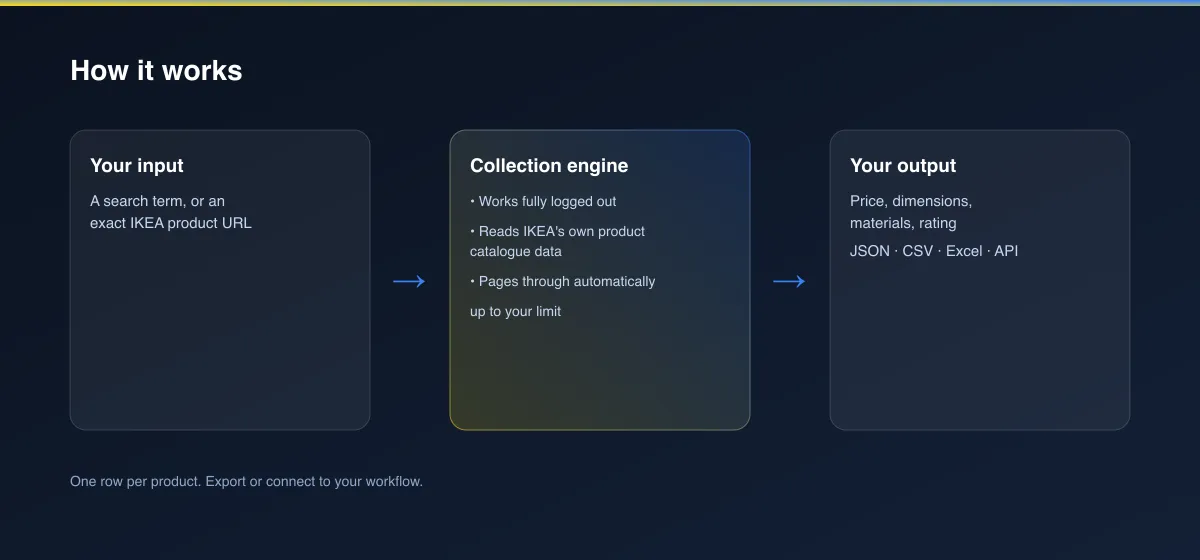
- Your input - a search term, or one or more exact IKEA product URLs.
- The Actor collects it - it reads IKEA's own product catalogue data, works fully logged out, and pages through automatically up to your limit.
- Your output - one structured record per product, ready for a spreadsheet, dashboard or report.
What data can you extract?
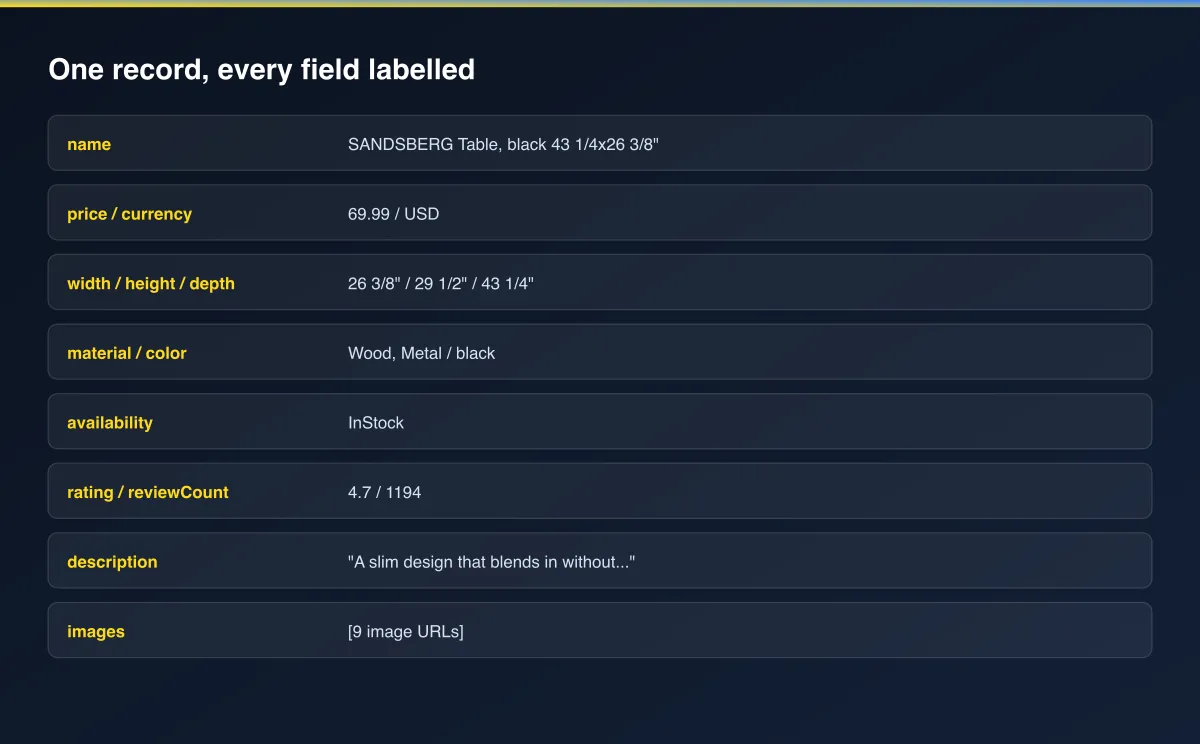
| Field | Description |
|---|---|
name | The product's full name |
price / currency | The product's price and currency |
width / height / depth | Exact dimensions, as IKEA states them |
material / color | Materials used and available color |
availability | Whether the product is currently in stock |
rating / reviewCount | Average customer rating and number of reviews |
description | The full product description (exact-URL lookups only) |
image / images | The main image and full image set |
category | The product's category path |
url | The product's IKEA page URL |
How to use IKEA Product Scraper
- Open the Actor and go to the Input tab.
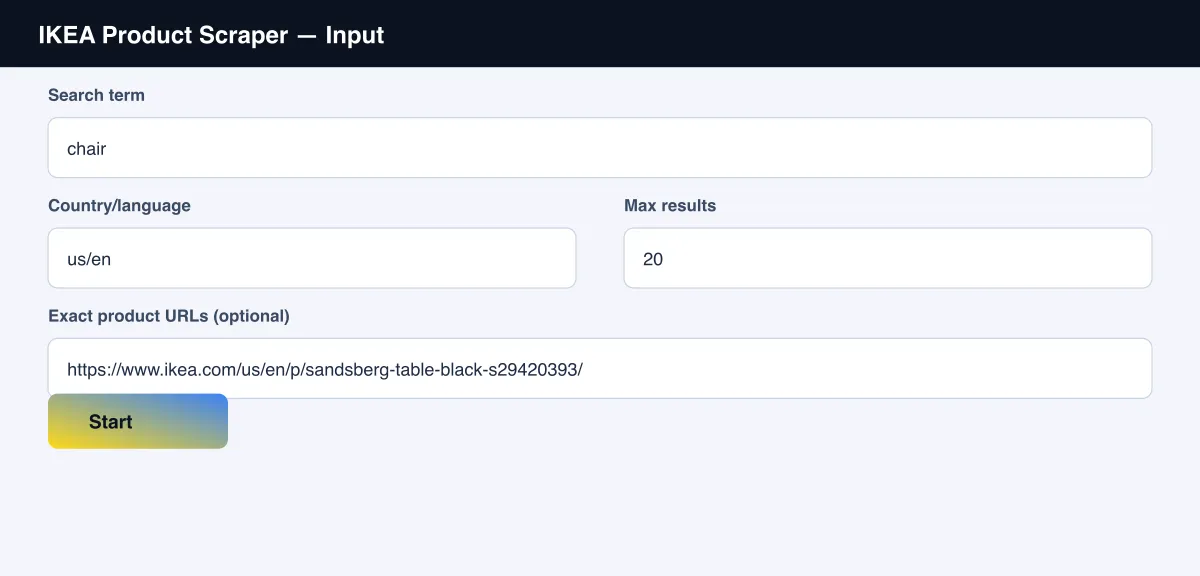
- Enter a Search term (e.g. "chair"), or paste one or more exact product URLs under "Exact product URLs" to look up specific items.
- Optionally set the Country/language storefront and Max results.
- Click Start.
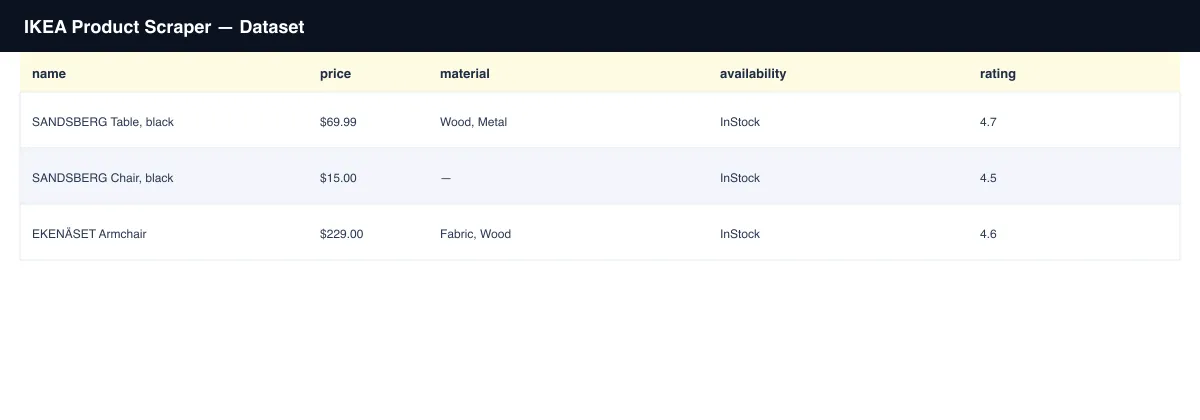
- Open the Dataset tab, or pull results via the API, once the run finishes.
Input Parameters
| Parameter | Type | Required | Default | Description |
|---|---|---|---|---|
query | String | No | "chair" | A keyword to search for |
productUrls | Array | No | None | Exact IKEA product URLs to scrape full detail for |
locale | String | No | "us/en" | The IKEA storefront to read from, e.g. "gb/en", "se/sv" |
maxItems | Integer | No | 20 | Maximum number of products to return |
proxyConfiguration | Object | No | No proxy | Advanced - this works without a proxy for moderate volumes |
Output Data
Each product produces one dataset record. Example:
Usage Examples
- Catalogue research - search a category keyword (e.g. "bookcase") to pull every matching product's price, dimensions and rating in one run.
- Price monitoring - run the same exact product URLs on a schedule to track price and availability changes over time.
- Multi-market comparison - run the same search with different
localevalues to compare pricing across countries. - Spec sheets - pull exact dimensions and materials for a shortlist of products before committing to a purchase or design.
Tips for Best Results
- Use the exact product URL from IKEA's own site for full detail (description, dimensions, materials) - search results give a lighter summary.
- The
localeparameter follows IKEA's own URL pattern (country/language), e.g."us/en","gb/en","de/de","se/sv". - Narrow a broad search term with a brand or product name (e.g. "sandsberg table") to cut straight to a specific product line.
Known Limitations
- Search results return a summary record; for the full description and exact material list, provide the product's exact URL instead.
- Reflects a snapshot at the time of the run; IKEA's own prices and stock levels change continuously.
Integrations
Connect IKEA Product Scraper to the rest of your stack via the Apify API, webhooks, scheduled runs, or directly to Google Sheets, Make, and Zapier through Apify's built-in integrations.
Export Formats
Download results as JSON, CSV, Excel, or XML from the Dataset tab, or fetch them programmatically via the Apify API.
Frequently Asked Questions
Do I need an IKEA account or to log in?
No. Every run works fully logged out.
Can I get products from a country other than the US?
Yes - set locale to match IKEA's own URL pattern for that country, e.g. "gb/en" for the
UK or "se/sv" for Sweden.
Why does a search result have fewer fields than an exact-URL lookup?
Search results are IKEA's own lightweight summary cards. For the full description and
material breakdown, pass the product's exact URL in productUrls.
Can I schedule this to run automatically?
Yes, use Apify's built-in Scheduler to re-check prices or availability on any interval you choose.
Support
Found an issue or have a request? Open it on the Actor's Issues tab in the Apify Console.
Legal / Responsible Use
You're responsible for using this Actor in compliance with applicable laws and the target platform's terms of service. This Actor retrieves publicly viewable product information only.


