

Chrome Extension Security Analyzer - Permission Audit
Pricing
from $50.00 / 1,000 extension audits
Chrome Extension Security Analyzer - Permission Audit
Audit Chrome extensions for security risks. Downloads the CRX, analyzes permissions (CRITICAL/HIGH/MEDIUM/LOW), checks Manifest V2/V3, evaluates CSP & content scripts. Risk scores you can attach to SOC 2 / ISO 27001 evidence. CRXcavator is dead — same job for $0.05 per extension.
Pricing
from $50.00 / 1,000 extension audits
Rating
0.0
(0)
Developer

NexGenData
Maintained by CommunityActor stats
0
Bookmarked
12
Total users
1
Monthly active users
11 hours ago
Last modified
Categories
Share
Chrome Extension Security Analyzer | CRXcavator Alternative
CRXcavator is dead. Spin.AI charges $5,000/year. Now you can audit Chrome extensions for $0.20 each.
This actor downloads Chrome extension CRX files directly from Google's servers, extracts the manifest, analyzes every permission, and generates a comprehensive security risk assessment. No browser required. No manual work. Just paste extension IDs and get instant, actionable security intelligence.
Built for IT security teams, compliance officers, and anyone responsible for managing browser extensions across an organization.
📊 Sample Output
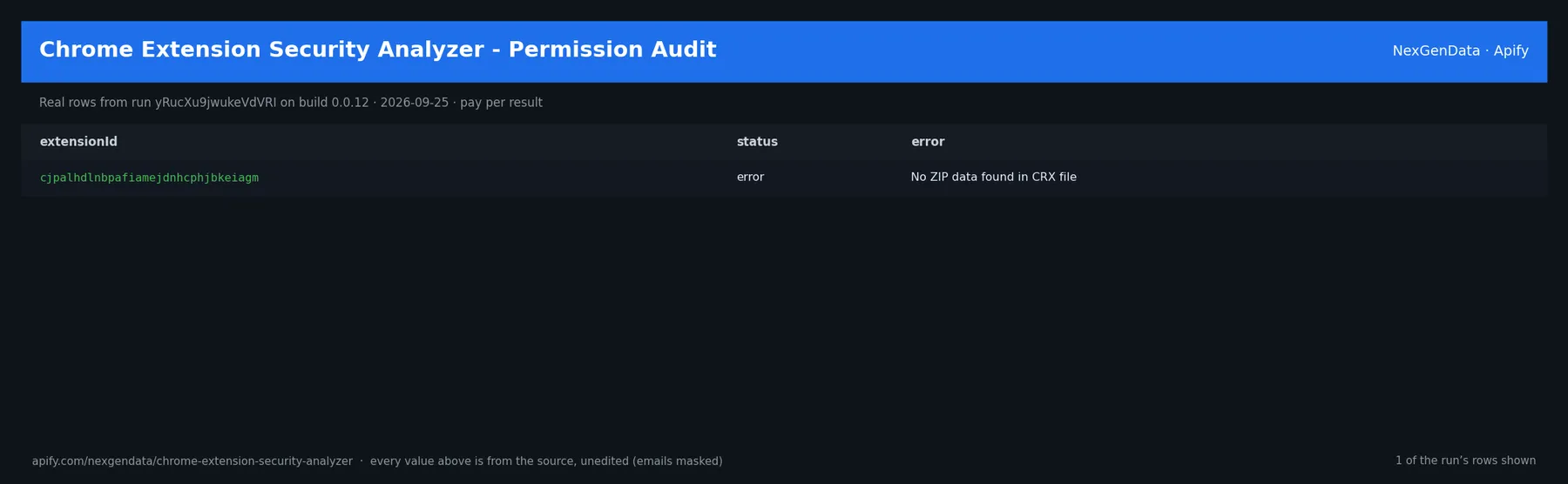
extensionId | status | error |
|---|---|---|
| cjpalhdlnbpafiamejdnhcphjbkeiagm | error | No ZIP data found in CRX file |
Real rows from run yRucXu9jwukeVdVRI on build 0.0.12 (2026-09-25), unedited apart from masked emails/phones and shortened long text; fields the source does not publish are empty.
🔧 Input reference
| Field | Type | Default | What it does |
|---|---|---|---|
extensionIds | array of string | ["cjpalhdlnbpafiamejdnhcphjbkeiagm"] | Array of Chrome Web Store extension IDs (32-character lowercase strings). Example: cjpalhdlnbpafiamejdnhcphjbkeiagm for uBlock Origin. |
extensionUrls | array of string | ["https://chromewebstore.google.com/detail/ublock-origin/cj… | Array of Chrome Web Store URLs. The extension ID will be extracted automatically from each URL. |
maxResults | integer | 50 | Maximum number of extensions to analyze in a single run. Useful for limiting large batch audits. |
outputMode | string (raw, tracker) | "raw" | Output format. 'raw' returns individual extension audits. 'tracker' adds a summary with risk distribution, recommendations, and compliance report. |
riskThreshold | string (all, high_only, medium_and_above) | "all" | Filter results by risk level. 'all' returns every extension. 'high_only' returns only CRITICAL and HIGH risk. 'medium_and_above' returns MEDIUM, HIGH, and CRITICAL. |
🧾 JSON sample record
One real record from run yRucXu9jwukeVdVRI (emails/phones masked, long text shortened):
💰 Pricing
| Event | Price (USD) | When it is charged |
|---|---|---|
Actor Start (apify-actor-start) | $0.25 | Charged when the Actor starts running. Number of events charged depends on Actor memory (one event per GB, minimum one event). |
Extension audit (apify-default-dataset-item) | $0.05 | Full security audit of one Chrome extension including permission analysis and risk scoring. |
Pay-per-event: you pay only for what the run delivers. A run that delivers nothing bills no result events (only the actor-start event, when the actor defines one). Example: a run that delivers 100 results costs 100 × $0.05 = $5.00 plus the start fee.
🔗 Related Actors
More from the NexGenData Data APIs family:
- Brand Mention Monitor — Media Monitoring API
- Business Registration Lookup — SEC EDGAR & UK Companies House
- Chinese ADRs Stock Screener — US Market Data API
- Competitor Price Monitor — Cross-Marketplace Price Tracking API
- Corporate Actions Tracker — Splits, Dividends & More
- CPSC Product Recalls & Safety Tracker API
27 more in this family on the NexGenData Store page.
Key Features
- Permission Risk Classification -- Every permission scored as CRITICAL (10), HIGH (7), MEDIUM (4), or LOW (1) with human-readable explanations of what each permission actually allows
- Manifest V2/V3 Detection -- Flags extensions still running deprecated Manifest V2, which has a weaker security model and is being phased out by Google
- Content Script Analysis -- Identifies which websites an extension injects code into, whether it targets all pages, and whether it runs at document_start (more invasive)
- CSP Evaluation -- Checks the extension's Content Security Policy for unsafe-eval and unsafe-inline directives that weaken security
- Overall Risk Scoring -- Computes a 0-100 risk score using a weighted algorithm that considers permissions, content scripts, manifest version, and CSP
- Batch Auditing -- Analyze up to 500 extensions in a single run with parallel processing
- Tracker Mode -- Generates compliance-ready summary reports with risk distribution, recommendations, and auto-generated insights
- Chrome Web Store Metadata -- Scrapes extension name, description, user count, rating, developer info, and category alongside the security analysis
Output Example
Note: uBlock Origin legitimately needs broad permissions for ad blocking. A high risk score does not mean an extension is malicious -- it means it has significant access that should be reviewed.
How to Use
-
Find Extension IDs -- Copy the 32-character ID from any Chrome Web Store URL. For example, in
https://chromewebstore.google.com/detail/ublock-origin/cjpalhdlnbpafiamejdnhcphjbkeiagm, the ID iscjpalhdlnbpafiamejdnhcphjbkeiagm. You can also paste the full URL intoextensionUrls. -
Configure Your Audit -- Add extension IDs to the
extensionIdsarray. Chooserawmode for individual reports ortrackermode for a compliance summary. SetriskThresholdto filter results. -
Run the Actor -- Click Start and the actor will download each CRX file, extract the manifest, scrape Web Store metadata, and generate the risk assessment.
-
Export Results -- Download from the Dataset tab as JSON, CSV, or Excel. Use tracker mode output directly in security review presentations and compliance reports.
Integration Examples
Python SDK
cURL
Use Cases
1. IT Security Audit
Audit every Chrome extension installed across your organization. Export the tracker mode report showing risk distribution, identify CRITICAL extensions, and generate removal recommendations for your security review board.
2. Compliance Review
Meet SOC 2, ISO 27001, and NIST requirements for software inventory and risk assessment. The compliance summary output includes audit dates, risk counts, and actionable findings ready for your compliance documentation.
3. Vendor Assessment
Before approving a vendor's Chrome extension for company-wide deployment, run a security audit. Check what permissions it requests, whether it injects content scripts broadly, and whether it uses deprecated Manifest V2.
4. Extension Development
If you develop Chrome extensions, use this tool to benchmark your permission footprint against competitors. Identify unnecessary permissions and reduce your risk score before publishing to the Web Store.
5. Browser Policy Enforcement
Generate data to inform Chrome browser policies (ExtensionInstallBlocklist, ExtensionInstallAllowlist). Block CRITICAL-risk extensions and allow only LOW/MEDIUM risk extensions that have been reviewed.
6. Incident Response
When investigating a security incident, quickly audit all extensions a user had installed. Identify which extensions had the permissions necessary to exfiltrate data, intercept traffic, or communicate with external servers.
Frequently Asked Questions
Q: Does a high risk score mean the extension is malicious? No. Risk scores measure the breadth of permissions, not intent. Ad blockers like uBlock Origin legitimately need broad permissions. The score helps you prioritize which extensions to review manually.
Q: How does this compare to CRXcavator? CRXcavator was discontinued in 2023. This actor provides equivalent permission analysis, risk scoring, and content script evaluation. It adds Manifest V3 awareness, CSP analysis, and tracker mode for compliance reporting.
Q: Can I audit extensions not on the Chrome Web Store? Currently, this actor only supports extensions available through Google's CRX distribution servers. Sideloaded or enterprise-distributed extensions from other sources are not supported.
Q: How current is the analysis? Every run downloads the latest CRX file from Google's servers, so you always get the current published version. There is no caching -- each audit reflects the live extension.
Q: What is tracker mode? Tracker mode adds a summary record to the dataset with risk distribution percentages, the most common risky permissions, Manifest V2 warnings, content script scope analysis, and prioritized recommendations. It is designed for security reports and executive summaries.
Q: Can I integrate this with my SIEM or security tools? Yes. Use the Apify API or webhooks to trigger audits on a schedule and push results to Splunk, Elastic, or any tool that accepts JSON via API or webhook.
Pricing
| Solution | Cost | Notes |
|---|---|---|
| Spin.AI | $5,000/year | Enterprise SaaS with minimum commitments |
| CRXcavator | Discontinued | No longer available |
| This Actor | $0.05/extension | Pay only for what you use |
Audit 10 extensions: $0.75 (the $0.25 start fee + 10 × $0.05 per extension). Audit 100 extensions: $20.25. Audit 1,000 extensions: $200.25.
No subscriptions. No minimums. No contracts.
Why Choose This Actor
-
Cost Effective -- At $0.05 per extension, you can audit your entire organization's browser extensions for less than the cost of a single Spin.AI monthly payment. Pay-per-use means zero waste.
-
No Infrastructure -- Runs on Apify's cloud. No servers to maintain, no Docker containers to manage, no dependencies to update. Just call the API and get results.
-
Compliance Ready -- Tracker mode generates structured output designed for SOC 2, ISO 27001, and NIST compliance documentation. Export as JSON or CSV and attach directly to audit reports.
-
Always Current -- Every run pulls the latest CRX from Google's servers. No stale databases, no cached results. You always audit the version your users are actually running.
Get Started
Run your first audit now with the prefilled uBlock Origin example, or paste your organization's extension list and get a full security assessment in minutes.
Need help integrating with your security workflow? Check the Apify documentation for webhook setup, scheduled runs, and API integration guides.
Sign up for Apify to get started with $5 in free credits every month.
💻 Code Example — Python
🌐 Code Example — cURL
❓ FAQ
Q: How do I get started? Sign up at apify.com, grab your API token from Settings → Integrations, and run the actor via the Apify console, API, Python SDK, or any integration (Zapier, Make.com, n8n).
Q: What's the typical cost per run? See the pricing section below. Most runs finish under $0.10 for typical batches.
Q: Is this actor maintained? Yes. NexGenData maintains 165+ Apify actors and ships updates regularly. Bug reports via the Apify console issues tab get responses within 24 hours.
Q: Can I use the output commercially? Yes — you own the output data. Check the target site's Terms of Service for any usage restrictions on the scraped content itself.
Q: How do I handle rate limits? Apify manages concurrency and retries automatically. For very large batches (10K+ items), run multiple smaller jobs in parallel instead of one mega-job for better reliability.
💰 Pricing
Pay-per-event pricing — you only pay for what you actually extract.
- Actor Start: $0.0001
- result: $0.0050
🔗 Related NexGenData Actors
🚀 Apify Affiliate Program
New to Apify? Sign up with our referral link — you get free platform credits on signup, and you help fund the maintenance of this actor fleet.
📚 More From NexGenData
- 📖 Tutorials & how-to guides
- 🗂️ Full actor catalog with usage examples
- 📦 Gumroad data packs (one-time purchases)
- 📬 Newsletter — monthly drops of new actors and revenue experiments
Built and maintained by NexGenData — 165+ actors covering scraping, enrichment, MCP servers, and automation.
Why Chrome Extension Security Analyzer Beats CRXcavator, Spin.AI, ExtAnalysis & Manual Review
| Feature | NexGenData Chrome Ext Security Analyzer | CRXcavator (Duo) | Spin.AI Risk Assessment | ExtAnalysis | Manual source review |
|---|---|---|---|---|---|
| Cost | $0.05 / extension, pay-per-result | Discontinued / archived | Plan-gated SaaS | Free (single-ext UI) | Free (slow, expertise gate) |
| Bulk analysis | Yes — list of extension IDs | One-at-a-time | Plan-gated | One-at-a-time | DIY |
| Risk score + permission breakdown | Yes — structured | Yes (legacy) | Yes | Limited | DIY |
| Permission categorization | Yes — host / API / sensitive | Yes | Yes | Yes | DIY |
| External-host / API-call detection | Yes | Yes | Yes | Limited | DIY |
| Code-quality signals (obfuscation, minified) | Yes | Limited | Yes | Limited | DIY |
| Bulk export | JSON / CSV / Excel | N/A (discontinued) | Plan-gated CSV | Manual copy | DIY |
| API access | Apify REST + SDKs | None | Plan-gated | None | None |
| Auth required | Apify token | N/A | Account + plan | None | None |
| Monthly minimum | None | N/A | $$ | None | None |
Most IT-security + SaaS-governance teams pick this actor instead of the discontinued CRXcavator because CRXcavator was retired by Duo / Cisco in 2022 and has no maintained replacement at its price point; this actor recreates the Chrome-extension risk-scoring workflow at $0.05 per extension with no contract. Cheaper than Spin.AI's per-seat plans for the bulk-analysis use case and a drop-in alternative to ExtAnalysis for teams that need an API + CSV pipeline, not a single-extension UI.
Related NexGenData Security + Domain-Intel Actors
| Use case | Actor |
|---|---|
| DNS records lookup (DNS / MX / TXT / SPF) | dns-records-lookup |
| WHOIS replacement (cheaper than WhoisXMLAPI) | whois-replacement |
| IP geolocation replacement (MaxMind alt) | ip-geolocation-replacement |
| DMARC bulk auditor | dmarc-bulk-auditor |
| DNS propagation checker | dns-propagation-checker |
| Email RBL checker (blacklist lookup) | email-rbl-checker |
| Company tech-stack detector (BuiltWith alt) | company-tech-stack-detector |
| Wappalyzer replacement (tech-stack detection) | wappalyzer-replacement |
| WordPress plugin security scraper | wordpress-plugin-scraper |
Browse the full NexGenData catalog of 260+ actors at https://apify.com/nexgendata?fpr=2ayu9b


