

PDF Toolkit: Merge, Split, Compress, Protect, Watermark, Text
Pricing
from $33.50 / 1,000 pdf operations toolkit verdicts
PDF Toolkit: Merge, Split, Compress, Protect, Watermark, Text
13 PDF operations by URL or upload: merge, split, reorder, extract or delete pages, rotate, compress, rasterize, AES-256 protect, unlock, watermark, info, text + tables. Every page reconciled, SHA-256 per file, robots-safe fetch. Pay per completed operation.
Pricing
from $33.50 / 1,000 pdf operations toolkit verdicts
Rating
0.0
(0)
Developer

NexGen Watch
Maintained by CommunityActor stats
0
Bookmarked
2
Total users
1
Monthly active users
5 days ago
Last modified
Categories
Share
PDF Operations Toolkit — Merge, Split, Compress, Rotate, Protect, Unlock, Watermark, Extract Text & More
Thirteen PDF operations in one pay-per-operation API: merge, split, reorder, extract pages, delete pages, rotate, compress, rasterize (page images), protect (AES-256 password + print/copy restrictions), unlock (your own password), watermark, info (page count, page sizes, outline, metadata, encryption, text-layer presence) and extract text (per page, optional tables). Input PDFs come in as public URLs, base64 / data: URLs or keys in the run's key-value store; output files land in the run's key-value store with a SHA-256 each. Every operation returns a manifest that reconciles every input page to an output page — the actor never loses a page silently, and deleted pages are counted in pages_dropped. Pay only for operations that completed and reconciled.
- Chain operations in one run: a list of
{op, inputs, params}objects; each gets its own manifest row and output keys (op-0-…,op-1-…). - Password-protected files:
passwordat the top level orparams.passwordper operation opens encrypted inputs; the password is never guessed and never written to the output.protectsets a new user/owner password with optionaldisallowPrint/disallowCopy. - Page selectors:
params.pagesas"1-3, 7, 9-"or a list of page numbers for extract_pages, delete_pages, rotate and extract_text;params.ranges[[from, to], …]for split;params.orderfor reorder. - Safe by construction: byte and page ceilings, decompression-bomb guard, corrupted inputs rejected loudly, embedded JavaScript / auto-actions only reported (
active_content_flags), URLs fetched from public hosts only with robots.txt honoured and an identified User-Agent.
Billing: $0.02 per run start, then $0.05 per completed, reconciled operation (pdf_operation_check). Rejected inputs (oversized, corrupted, wrong password, not a PDF, unreachable URL) and non-reconciling operations are free status rows.
Who uses this
- Developers automating document pipelines — merge statements, split scanned batches, strip cover pages, stamp drafts — without running a PDF server.
- Legal, finance and operations teams who need protected, watermarked or compressed deliverables with a page-by-page audit trail.
- Data and AI teams pulling per-page text and tables from PDFs by URL as one step in a larger workflow.
📊 Sample Output
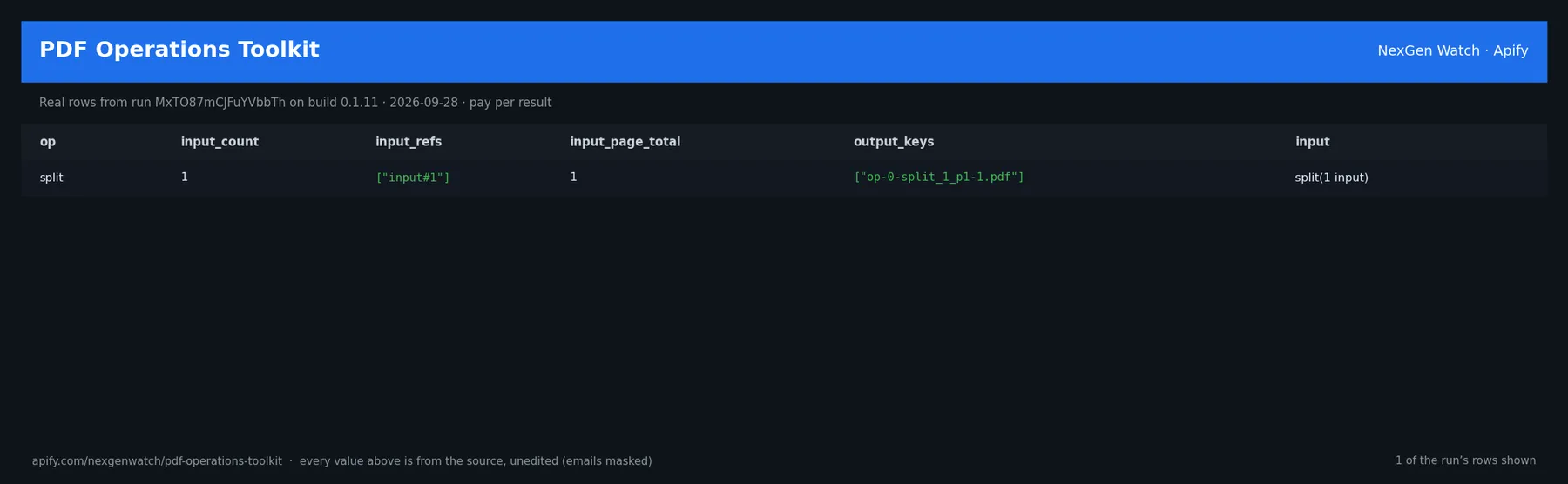
Real rows from run 1j15vJcRwAvSUMa2U on build 0.1.27 (2026-10-19), the Quick start input below (long values shortened):
| op | outcome | inputs | input_sources | input pages | output pages | pages_dropped | output_keys | reconciled | results (start) |
|---|---|---|---|---|---|---|---|---|---|
| split | answer | 1 | ["url"] | 1 | 1 | 0 | ["op-0-split_1_p1-1.pdf"] | True | |
| info | answer | 1 | ["url"] | 1 | 0 | 0 | [] | True | [{"input_ref":"sample.pdf","page_count":1,"metadat… |
The run finished with the status message: 2 operation(s): 2 reconciled+charged, 0 unbilled (rejected/unparseable) | pdf_operation_check charged=2
✅ What you get
One pdf_operation_manifest row per operation (outcome: answer rows are billed; rejected / unparseable rows are free):
op,input_count,input_refs,input_sources(url/base64/kvsper input),input_page_total,input_sha256s.output_count,output_keys(files in the run key-value store),output_page_total,output_sha256s,size_delta_bytes.page_map— every output page traced to its input file and page;pages_reconciled(true = no page lost),pages_dropped(delete_pages).results— the payload ofinfo(page_count, page_sizes, toc, metadata, encrypted, has_text) andextract_text(per-page text, optional tables).active_content_flags(JavaScript, OpenAction, launch actions, embedded files — reported, never run),warnings,faults,outcome_reason.
⚙️ Sample inputs
1. Quick start — split the first page and inspect a public PDF (the Store example)
About $0.12 on the Free tier ($0.02 start + 2 × $0.05).
2. Merge three files, delete the cover page, watermark and protect the result
3. Unlock your own protected file, rotate two pages and extract text with tables
my-upload-key is a PDF you stored in the run's key-value store; a base64 string or data:application/pdf;base64,… works the same way.
🧾 JSON sample record
🔧 How it works
Resolve. Each input is fetched once: URLs through the public-host (SSRF) guard and the site's robots.txt, with redirects walked hop by hop; base64 / data: URLs decoded; key-value-store keys read. Anything that is not a PDF, is over maxBytes / maxPages, or is encrypted without a working password is rejected as a free row.
Operate. PyMuPDF performs the operation in memory. Encrypted inputs are authenticated with the password you gave. protect, unlock and compress rebuild the document into a fresh file so damaged cross-reference tables are repaired on the way out.
Reconcile. The page map traces every output page to its input file and page number; pages_reconciled is true only when input pages = output pages + pages_dropped. An operation that would lose a page is delivered unbilled with the reason.
Billing. Each reconciled manifest is pushed and charged in one call; a row that cannot be charged is not delivered. A run whose every URL input was blocked or unreachable ends SUCCEEDED with SOURCE UNAVAILABLE … nothing charged.
Limits. 50 MB and 1,000 pages per input by default (maxBytes up to 200 MB, maxPages up to 5,000); rasterize 36–400 DPI; output files are kept in the run's key-value store for its retention period.
💰 Pricing example
| Event | Free | Bronze | Silver | Gold |
|---|---|---|---|---|
Actor Start (apify-actor-start) | $0.02 | $0.02 | $0.02 | $0.02 |
PDF operation (pdf_operation_check) | $0.05 | $0.045 | $0.04 | $0.0335 |
- 10 operations: $0.02 + 10 × $0.05 = $0.52
- 1,000 operations: $0.02 + 1,000 × $0.05 = $50.02
A run that delivers zero reconciled operations charges the $0.02 start fee only. The start fee is charged once per GB of run memory; the default run memory is 1024 MB.
⚖️ Legal & ToS
Operates only on PDFs you supply or point to by public URL; URL fetches honour robots.txt, use an identified User-Agent and never log in. No content inside a PDF is executed. Your inputs and outputs stay in your own run storage. Use unlock only on files you are entitled to open.
❓ FAQ
Q: Where are the output files?
A: In the run's key-value store under the keys listed in output_keys (Storage → Key-value store, or the API). Download them within the store's retention period.
Q: Can one operation use the output of another? A: Not inside a single run yet — operations read the inputs you give. Run twice (second run's inputs = first run's output keys copied to a named store) or do the chain as separate operations on the same source as in sample 2.
Q: Why was my operation rejected as "encrypted / password-protected"?
A: The file needs a password and none (or the wrong one) was given. Add password at the top level or params.password; the actor never guesses.
Q: What does pages_reconciled: false mean?
A: The output has fewer pages than the input minus the pages you asked to drop — the operation is delivered unbilled with the reason so nothing is lost silently.
🆘 Troubleshooting
- input resolution failed: blocked → the URL's host is private, its robots.txt forbids the path, or the server answered 403/429/5xx. Free. Try a public direct link.
- not a PDF (content-type …) → the URL served an HTML page (often a viewer or login page), not the file; use the direct download link.
- over the byte / page ceiling → raise
maxBytes/maxPageswithin the limits. - Run TIMED-OUT → split the operations across runs or raise the run timeout; delivered rows are kept.
🔗 Related Actors
- PDF Text Extractor — Markdown, per-page text, tables, OCR and RAG chunks with a readiness verdict.
- HTML to PDF Evidence Renderer — turn web pages into hashed PDF evidence.
- 🏢 About NexGen Watch — more than 300 public-data actors, pay-per-result: apify.com/nexgenwatch.
⭐ Found this useful?
A quick review on the Apify Store helps other teams find it. Feature request? Open it from the Issues tab — every one is read.


