

Booking.com Hotels Scraper: Many Destinations, Prices & Reviews
Pricing
from $2.00 / 1,000 search results
Booking.com Hotels Scraper: Many Destinations, Prices & Reviews
Search Booking.com for many destinations and dates in one run: price for your stay, taxes, stars, review score, address and coordinates, room, free cancellation and booking link for every property. Fast HTTP scraper, no browser.
Pricing
from $2.00 / 1,000 search results
Rating
0.0
(0)
Developer

Tauqeer Abbas
Maintained by CommunityActor stats
0
Bookmarked
2
Total users
1
Monthly active users
21 days ago
Last modified
Categories
Security
Limited permissionsShare
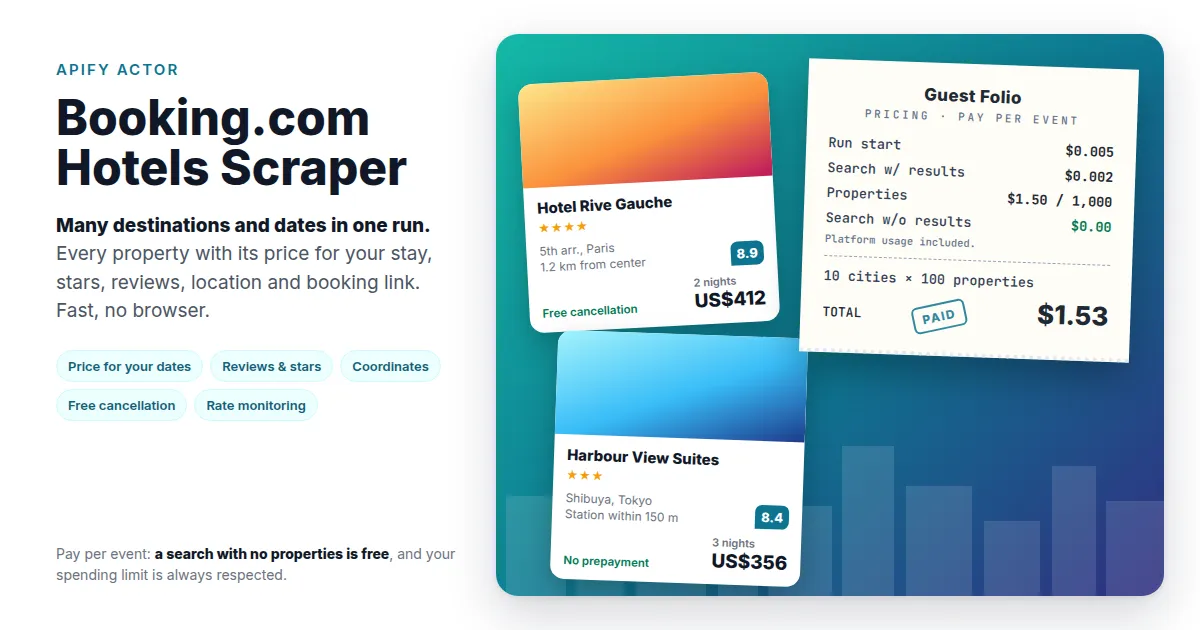
Search Booking.com for many destinations and dates in one run and get every property as a dataset item: the price for your stay, taxes and fees, stars, review score, address and coordinates, room, free cancellation and the Booking.com link.
Why this scraper
- Many searches per run. List searches (destination + dates + guests), or give a list of destinations for the same dates.
- The price for your stay, for your guests and dates, in your currency, with taxes and fees as a separate field.
- Fast and light. Plain HTTP, no browser: 600 properties from 3 cities in under a minute, at 256 MB.
- Clean results. Booking.com reshuffles its ranking while you page; the scraper drops repeats so every property appears once per search.
- Pay only for results. A search that finds nothing costs nothing.
Input
| Field | What it does |
|---|---|
| Searches | One search per entry (examples below). Dates and guests default to the run-wide values. |
| Destinations | Many destinations on the same check-in / check-out. |
| Check-in / Check-out | Default dates (stays up to 90 nights). |
| Adults, Rooms, Children's ages | Default guests for every search. |
| Currency, Language | e.g. USD, EUR; en-us, de, fr. |
| Max properties per search / in total | Caps your cost. Booking.com shows at most about 1,000 properties per search. |
| Proxy | Keep the default (Apify residential). |
A destination is anything you'd type in Booking.com's search box: a city, region, district, landmark or hotel name.
Example: several trips
Example: compare cities on the same dates
Output
One item per property, in Booking.com's order:
price is the total for the stay (all nights, all rooms) before
taxesAndFees. Turn on Include raw result for Booking.com's full result
object.
Pricing
Pay per event, platform usage included:
| Event | Price |
|---|---|
| Run start | $0.005 |
| Search that returned properties | $0.002 per search |
| Property | $1.50 per 1,000 |
Examples:
| Run | Cost |
|---|---|
| 1 destination, 100 properties | $0.16 |
| 10 destinations, 100 each (1,000 properties) | $1.53 |
| 10 destinations, 1,000 each (10,000 properties) | $15.03 |
A search with no results is not charged, and the run stops at your spending limit without charging for anything it didn't deliver.
Tips
- Prices depend on where the visitor is. Booking.com shows different prices to different countries. To see what travellers from one country see, set that country in the proxy settings (Apify Proxy → country).
- More than ~1,000 properties in one city? Split the search: districts or neighbourhoods as separate destinations (e.g. "Le Marais, Paris").
- Monitoring rates? Schedule the same input daily and compare
pricebyid.
FAQ
Which Booking.com site is used? www.booking.com, in the language and currency you choose.
How fresh are the prices? They are what Booking.com shows at the time of the run, for your dates and guests.
Can I run it on a schedule or through the API? Yes, like any Apify Actor: schedules, the Apify API, webhooks and integrations (Make, Zapier, Google Sheets and others).
Is it legal? The Actor collects publicly shown listings and prices; it doesn't log in or collect personal data. You are responsible for using the data in line with Booking.com's terms and the laws that apply to you.


