
YouTube Transcript Scraper: Channels, Playlists & Shorts
Pricing
from $1.00 / 1,000 transcripts
YouTube Transcript Scraper: Channels, Playlists & Shorts
Timestamped transcripts and video metadata from YouTube videos, Shorts, whole channels, playlists and searches. Any caption language, SRT/VTT, publish dates. No login or browser; monitor channels for new uploads with only-new runs.
Pricing
from $1.00 / 1,000 transcripts
Rating
0.0
(0)
Developer
Tauqeer Abbas
Maintained by CommunityActor stats
0
Bookmarked
1
Total users
0
Monthly active users
6 hours ago
Last modified
Categories
Features
Share
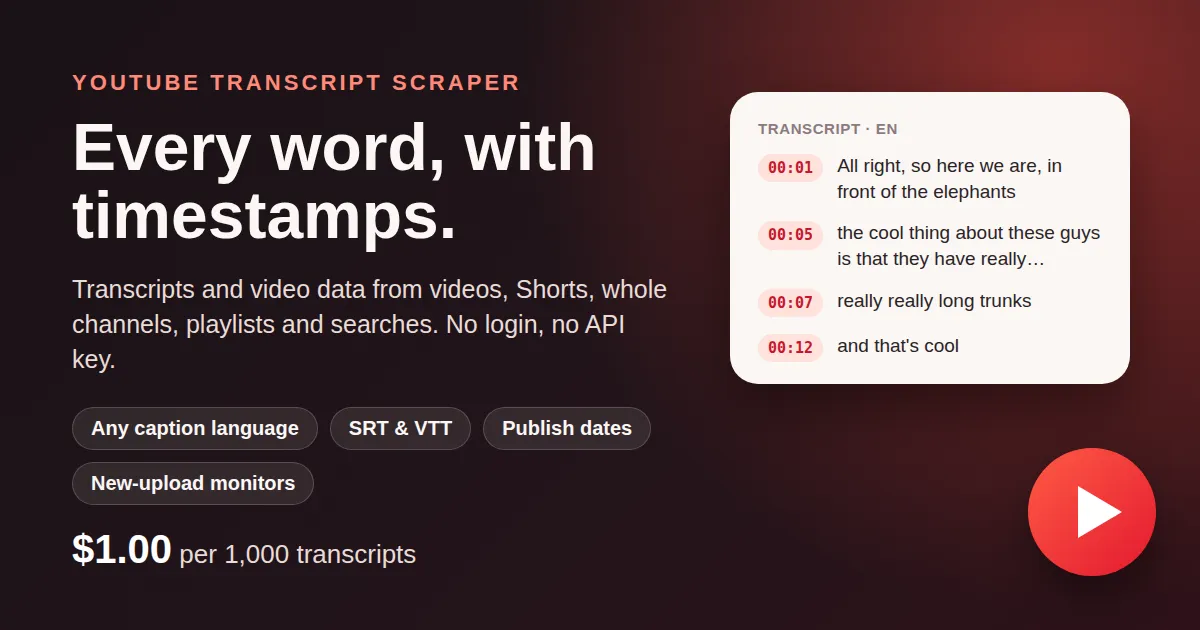
Timestamped YouTube transcripts at $1.00 per 1,000: single videos, Shorts, whole channels, playlists and keyword searches in one run, with the video's title, channel, views, duration and exact publish date in the same row.
No login, no API key, no browser. 256 MB. About 100 transcripts a minute.
Why this actor
| This actor | Typical transcript scrapers | |
|---|---|---|
| Price per 1,000 transcripts | $1.00 | $2.00 – $5.00 |
| Videos without captions | $0.30 / 1,000 (metadata only), or skipped for free | charged or dropped |
| Channels, playlists, Shorts and search in one run | yes | often video URLs only |
| Exact publish date and time | yes | often relative ("3 weeks ago") or missing |
| SRT and WebVTT subtitles | yes | sometimes |
| Monitor channels for new uploads | built in (onlyNew) | do it yourself |
| Memory | 256 MB | 1 – 4 GB |
| Login or API key | no | sometimes |
A video found by several inputs (a channel and a search, say) is delivered and charged once.
Built for AI datasets and research
- LLM training and fine-tuning: spoken-language text with timestamps, language and whether captions are the creator's own or auto-generated.
- RAG and agents: index a channel's back catalogue, then keep it fresh with a daily only-new run.
- Summaries and chaptering: segments with start/end times map straight to clips and chapters.
- Content and market research: what a niche's top videos for a keyword actually say, with views and dates.
- Subtitles: SRT or WebVTT ready to download.
Export as JSON, CSV, Excel or XML, schedule runs, or deliver through webhooks and the Apify API.
What you get
One row per video:
| Field | |
|---|---|
videoId, url, isShort | |
title, description, keywords, thumbnail | |
channelName, channelId, channelUrl | |
durationSeconds, viewCount | |
publishDate | ISO 8601 with time and zone, e.g. 2026-10-29T13:00:20-07:00 |
publishedText | as the channel or search page shows it ("2 weeks ago") |
isLiveContent | a live stream or its replay |
captionLanguages | every caption track: language, name, auto-generated or not |
transcriptLanguage, transcriptAutoGenerated | the track that was read |
hasTranscript | false when the video has no captions |
transcript | [{start, end, text}], seconds |
transcriptText | the whole transcript as one string |
srt, vtt | when asked for |
source, sourceUrl, scrapedAt | which input found the video |
Example segment: {"start": 1.2, "end": 3.36, "text": "All right, so here we are, in front of the elephants"}
Quick start
Transcripts of a channel's 50 newest videos:
Search results with SRT subtitles:
New uploads of several channels, every day (schedule it):
Input
| Input | Default | Notes |
|---|---|---|
startUrls | — | videos, Shorts, youtu.be links, channels (/@handle, /videos, /shorts, /streams), playlists, search pages |
channels | — | @handles, channel URLs or UC… ids |
searches | — | keywords (videos, in YouTube's order) |
channelTab | videos | videos, shorts, streams or all (videos + Shorts) |
maxVideosPerSource | 50 | per channel tab, playlist or search |
maxItems | 1000 | videos in total |
transcripts | true | off: metadata only |
language | en | e.g. de, es, pt-BR; en-GB also matches en; empty = the spoken language |
fallbackToOriginalLanguage | true | no captions in your language: take the spoken-language transcript |
preferManualCaptions | true | the creator's captions before auto-generated ones |
includeSegments | true | the timestamped list |
outputFormats | text | add srt and/or vtt |
includePublishDate | true | exact date and time |
skipVideosWithoutTranscript | false | leave caption-less videos out (not charged) |
onlyNew, monitorName | off | skip videos earlier runs delivered (remembered a year) |
concurrency | 4 | videos read at once |
proxyConfiguration | Apify Proxy | datacenter by default; switches to residential by itself if needed |
Pricing
Pay per event: you pay only for the rows you receive.
| Event | Price |
|---|---|
transcript: a video with its transcript | $1.00 / 1,000 |
video: a video without one (no captions, or transcripts off) | $0.30 / 1,000 |
| Actor start | $0.001 per run |
Videos YouTube doesn't show without signing in (age-restricted, private,
removed) get a row with error and are not charged. Set a maximum cost
per run and the actor stops when it is reached.
Notes and limits
- About 1 in 8 videos has no captions at all (music, some live streams, short
clips). They come with metadata only (
hasTranscript: false), or not at all withskipVideosWithoutTranscript. - Transcripts come from YouTube's captions: the creator's own, or YouTube's automatic speech recognition. Machine translation into other languages is not offered.
- With a
languagethe video doesn't have, you get its spoken-language transcript andtranscriptLanguagesays which (turn offfallbackToOriginalLanguageto get none instead). - Age-restricted, private and members-only videos can't be read without an account.
- Channel tabs are read newest first. With
onlyNew, a channel stops at the first run of videos it already delivered, so daily runs are quick and cheap. - Searches follow YouTube's relevance order and end after about 300–350 videos per keyword (measured); use several related keywords for more.


